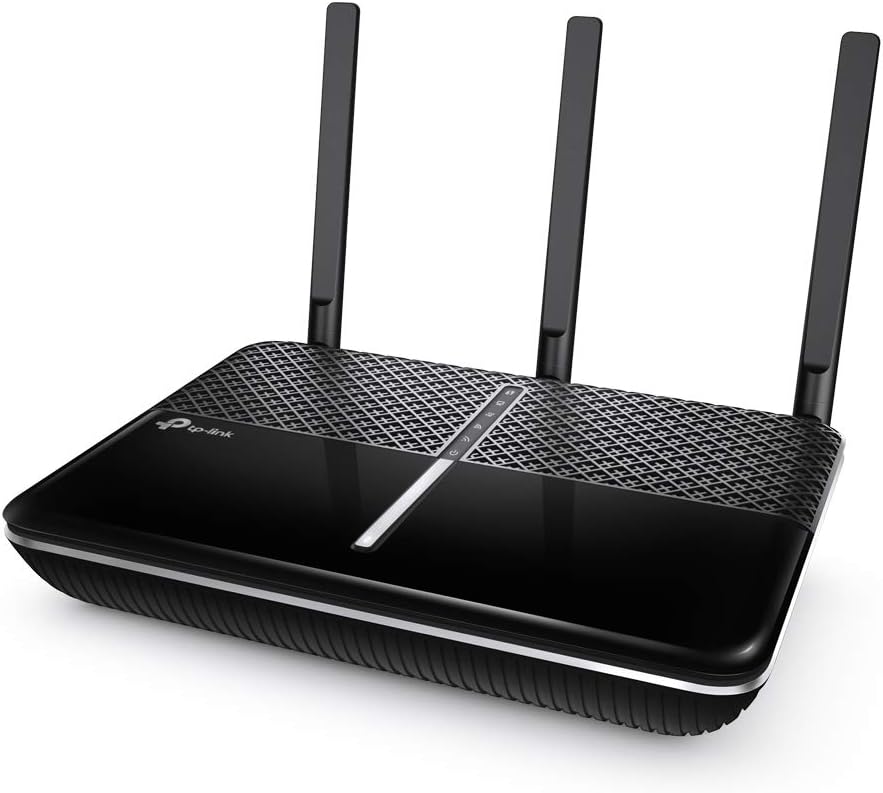
TP-Link Archer A10
4.5Editor score
Extreme dual band Wi-Fi speeds
Three external antennas
MU-MIMO technology
This guide compares the top 260000 Wi to routers for 2026 highlighting speed coverage and features to help you choose the best model for your home network
Finding the right wireless router is crucial for maintaining a fast and reliable home network. AC2600 WiFi routers offer high-speed dual band connectivity ideal for streaming and gaming.
We have evaluated ten top rated models based on speed performance coverage and advanced features. Each product was selected for its ability to handle multiple devices simultaneously.
Every pick highlights key specifications and real-world performance benefits. Please note that pricing and availability may change so verify details before purchasing.
4.5Editor score
4.4Editor score

4.3Editor score
Compare all ten AC2600 routers side by side to find the perfect match for your internet speed and home size requirements.


The TP-Link Archer A10 stands out as a top performer in the AC2600 category with its strong dual band speeds and reliable coverage. It offers excellent value for users seeking high throughput without paying a premium price for extra features.
We may earn a commission when you buy through this link, at no additional cost to you.
Its extreme dual band Wi-Fi speeds ensure that multiple devices can stream and game simultaneously without congestion. The included VPN server provides secure remote access to your home network which is a unique feature at this price point.
While it lacks USB ports for storage sharing the router excels in pure wireless performance and range. The external and internal antenna design focuses signal effectively to connected devices reducing dead zones.
Ideal for households with many smart devices the A10 is a solid choice for those prioritizing speed and security. Its intuitive setup process makes it accessible even for non-technical users.
This router delivers up to 1733 Mbps on the 5 GHz band and 800 Mbps on 2.4 GHz for smooth performance.
Open and PPTP VPN server features allow you to securely access your home network from anywhere via the Internet.
We may earn a commission when you buy through this link, at no additional cost to you.
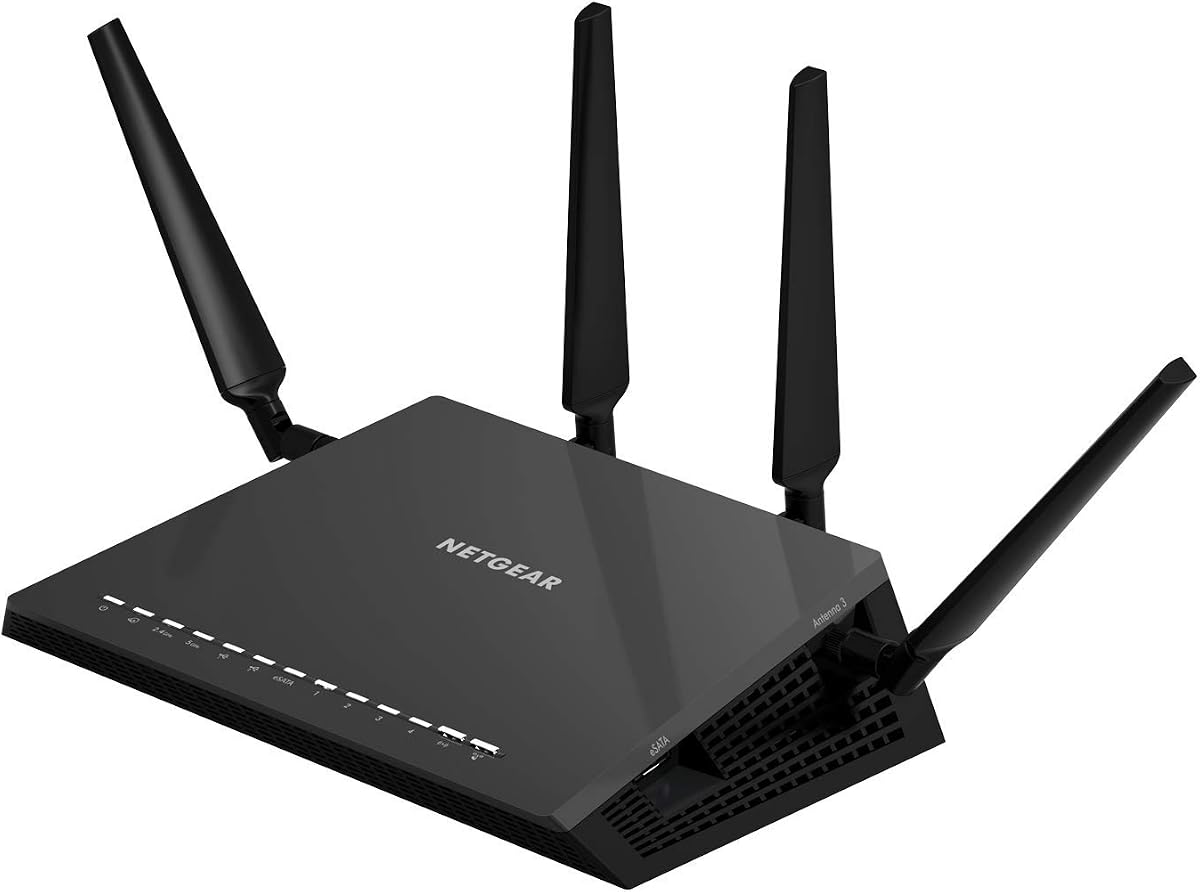
The NETGEAR Nighthawk X4S offers premium features including a powerful dual core processor and extensive connectivity options. It is designed to handle large homes with dozens of connected devices efficiently.
We may earn a commission when you buy through this link, at no additional cost to you.
Its ability to cover up to 2500 square feet ensures that every room has strong signal. The multiple USB and eSATA ports allow for personal cloud storage and device sharing which is rare in standard routers.
While the cost is higher the performance justifies the investment for power users who need consistent speeds and low latency. The advanced QoS ensures gaming and streaming get priority bandwidth.
This model is perfect for tech enthusiasts who want a versatile router that supports both wired and wireless devices seamlessly. The robust build quality ensures long-term reliability.
Designed to cover up to 2500 square feet so you enjoy strong signals throughout large homes or multi-story buildings.
Features four gigabit Ethernet ports and two USB 3.0 ports plus an eSATA port for sharing drives and printers.
We may earn a commission when you buy through this link, at no additional cost to you.
The D-Link DIR-2640 provides great value with its dual core processor and smart mesh capabilities. It balances cost and performance well for average households needing reliable internet.
We may earn a commission when you buy through this link, at no additional cost to you.
Its AC2600 speeds are sufficient for streaming 4K content and gaming without buffering. The enhanced parental controls allow parents to manage device usage and set time limits effectively.
Although not as fast as premium models it handles daily tasks with ease. The app makes management simple and allows for easy future mesh expansion if needed.
Best for families on a budget who still want modern features like dual core processing and smart controls. It is a smart entry point into the AC2600 class.
Create profiles for each person to control when and how they access the network and manage shared devices easily.
Connect up to four devices via Gigabit Ethernet for a strong reliable connection perfect for smart TVs and consoles.
We may earn a commission when you buy through this link, at no additional cost to you.
The NETGEAR Nighthawk R7450 is a solid mid-range option offering up to 2.6Gbps throughput and lag-free gaming. Its advanced QoS makes it ideal for gamers who need stable connections.
We may earn a commission when you buy through this link, at no additional cost to you.
MU-MIMO technology ensures simultaneous data streaming to multiple devices reducing congestion during peak hours. The dual core processor boosts wireless and WAN to LAN performance effectively.
While it may lack some advanced security features found in premium models it delivers consistent speeds. The external antennas provide better range than standard routers.
This router is best for gamers and streamers who want reliable performance without high costs. It offers a great balance of speed and functionality for most homes.
Dynamic QoS ensures lag-free gaming and smoother streaming by prioritizing data traffic for active devices.
Three amplifiers and external antennas work together to improve range and reduce dead zones in your home.
We may earn a commission when you buy through this link, at no additional cost to you.
The ASUS Blue Cave stands out for its included lifetime internet security powered by Trend Micro. It uses Intel Wi-Fi technology to ensure robust network throughput and stability.
We may earn a commission when you buy through this link, at no additional cost to you.
Its AiMesh compatibility allows you to expand your network with other ASUS routers seamlessly. The parental controls are user-friendly allowing detailed management of family internet usage.
While the rating is slightly lower it offers unique security benefits that save money on subscriptions. The sleek design fits well in modern interiors but cooling should be monitored.
This router is ideal for security-conscious users who want a simple setup without compromising on protection. It is a great choice for smart homes needing reliable security.
AiProtection powered by Trend Micro blocks external threats and protects all connected devices without extra fees.
Compatible with other ASUS routers to create a flexible whole home mesh system eliminating dead zones.
We may earn a commission when you buy through this link, at no additional cost to you.
The TP-Link AXE5400 brings next gen WiFi 6E technology for near-zero latency and faster speeds. It is ideal for users ready to upgrade their network hardware to support future devices.
We may earn a commission when you buy through this link, at no additional cost to you.
Its tri-band design ensures high capacity for simultaneous transmission to many devices without slowdown. The unique housing design aids heat dissipation ensuring reliability under heavy load.
While requiring compatible devices it future proofs your network investment. The HomeShield security features offer robust protection including parental controls and threat detection.
This router is best for early adopters needing maximum speed and reliability. It excels in environments with many connected smart devices and high bandwidth demands.
The new 6 GHz band brings more bandwidth and near-zero latency for responsive gaming and video chatting.
Optimal heat dissipation and 512 MB High-Speed Memory ensure long-term reliability and smooth performance.
We may earn a commission when you buy through this link, at no additional cost to you.
The NETGEAR Nighthawk WiFi 7 offers the fastest speeds available with 3.6 Gbps across 2.4 and 5 GHz bands. It supports up to 50 devices making it perfect for large smart homes.
We may earn a commission when you buy through this link, at no additional cost to you.
Its multi-gig ready wired connections allow you to use high-speed internet plans effectively. The Nighthawk app makes managing WiFi and guest networks simple from any mobile device.
While new technology may limit immediate compatibility it is a long-term solution for performance. The included free trial of Armor security adds peace of mind for users.
Ideal for tech enthusiasts and large families needing the highest possible speeds. It stands as a top choice for those investing in future network performance.
Built to keep up when everyone is online with speeds up to 3.6 Gbps for streaming gaming and video calls.
Plug your modem into the 2.5 Gig WAN port to unlock multi-gig internet plans for faster wired performance.
We may earn a commission when you buy through this link, at no additional cost to you.
The NETGEAR Nighthawk R6700AX delivers reliable WiFi 6 speeds up to 1.8 Gbps across a 1500 square foot area. It is an excellent value for those wanting modern encryption without high costs.
We may earn a commission when you buy through this link, at no additional cost to you.
Its backward compatibility ensures all devices connect smoothly. The setup and management via the app are straightforward allowing easy network control from anywhere.
Security features like WPA3 and automatic firmware updates keep devices protected without subscription fees. While the range is moderate it covers most apartments and small homes well.
This router is best for budget-conscious buyers seeking current WiFi standards. It offers a great mix of speed and protection for everyday household internet needs.
Your phones laptops and TVs work right out of the box with speeds up to 1.8 Gbps across dual bands.
Four 1 Gig Ethernet LAN ports let you plug in gaming consoles and storage drives for stable wired access.
We may earn a commission when you buy through this link, at no additional cost to you.
The NETGEAR Nighthawk XR500 is optimized for low ping and maximum performance with its dedicated gaming features. It ensures lag-free experiences by managing traffic and reducing congestion effectively.
We may earn a commission when you buy through this link, at no additional cost to you.
Its geo-filtering allows you to connect to the closest servers for faster response times. The advanced QoS creates an express lane for gaming traffic ensuring smooth gameplay.
While renewed units may have limited warranty the performance remains top tier for gamers. The four gigabit Ethernet ports provide reliable connections for consoles and PCs.
This router is essential for competitive gamers who need every millisecond to count. It delivers a tailored network experience focused on speed and stability.
Four 1-Gigabit Ethernet ports and a dual-core processor ensure lag-free wired connectivity and network efficiency.
Use geo-filtering to connect to the closest servers so you can respond and dominate against distant players.
We may earn a commission when you buy through this link, at no additional cost to you.
The TP-LINK Archer C2600 is a classic AC2600 router offering 4-stream Wi-Fi and strong performance for streaming. Its dual core processor handles heavy traffic usage effectively.
We may earn a commission when you buy through this link, at no additional cost to you.
Beamforming technology targets Wi-Fi signals to individual devices improving connection quality. The four high-powered amplifiers supercharge the signal for better range across the home.
While it is an older model it still provides reliable speeds for most users. The two-year warranty and technical support add value for those seeking peace of mind.
This router is best for users wanting a proven model without complex new features. It delivers consistent dual band speeds suitable for general home use.
Use four Gigabit Ethernet Ports to connect devices for fast reliable wired internet access without latency.
Set time limits and keep children safe by managing access schedules and filtering content easily.
We may earn a commission when you buy through this link, at no additional cost to you.
Selecting the right router depends on understanding your home size device count and performance needs.
Coverage area determines how much of your home gets strong signals. Larger homes need routers with more antennas and amplifiers to eliminate dead zones.
Choose a router that matches your square footage to avoid signal loss in any room.
The processor handles data traffic and affects overall performance. Dual-core processors boost wireless wired and WAN to LAN performance for smoother speeds.
Look for processors rated 1.4GHz or higher for efficient traffic management during heavy use.
MU-MIMO allows simultaneous streaming to multiple devices reducing congestion and improving throughput. It is essential for households with many smart devices and users.
Ensure the router supports MU-MIMO to maintain speed when several devices are active at once.
Security features like WPA3 and built-in protection tools safeguard your network from threats. Some models include subscription-free security that blocks malware automatically.
Prioritize routers with advanced security to keep your personal data safe from external attacks.
Parental controls allow you to manage device usage and set time limits for family members. Look for intuitive controls that work via mobile apps for easy management.
Choose a router with flexible parental control options to monitor and regulate internet access effectively.
Ethernet ports provide stable wired connections for devices like consoles and PCs. Multiple gigabit ports ensure you can connect several devices without buying extra switches.
Check the number of ports available to ensure they meet your wired connectivity needs.
USB ports allow for storage sharing and printer connectivity directly from the router. These features create personal cloud storage and add versatility to your network setup.
Look for routers with USB 3.0 or eSATA ports if you plan to share media or files.
Mobile app management simplifies setup and ongoing control of your network. Intuitive interfaces help users configure settings and manage devices without technical expertise.
Select routers with user-friendly apps to make network maintenance quick and straightforward.
Set up your router by connecting it to a modem and using the provided app or web interface. Follow on-screen prompts to name networks and set strong passwords for security.
Place the router in a central location away from walls and electronic interference for optimal signal. Regularly update firmware to ensure protection against new vulnerabilities.
Clean the router vents periodically to prevent dust buildup and ensure proper airflow. Avoid overheating by keeping the device in a cool well-ventilated area.
AC2600 refers to the combined wireless speed of both bands totaling up to 2600 Mbps. It indicates high performance for streaming and gaming across 2.4 and 5 GHz frequencies.
AC2600 routers are WiFi 5 models and are not backward compatible with WiFi 6 speeds. However they work with devices that use older standards ensuring connectivity for all gadgets.
Yes AC2600 routers offer low latency and QoS features ideal for gaming. Look for models with gaming-specific optimizations to minimize ping and lag spikes.
Most AC2600 routers can handle 20 to 45 devices simultaneously depending on the model. Features like MU-MIMO help distribute bandwidth efficiently across all connected gadgets.
Yes these routers require a separate modem to connect to your internet service provider. They connect via Ethernet ports and extend the modem's network across your home.
The typical range varies by model but usually covers 1000 to 2500 square feet. Antenna placement and home layout can impact the effective signal coverage.
The top picks like the TP-Link Archer A10 and NETGEAR Nighthawk X4S offer excellent performance for most households. Each model balances speed features and price to suit different user needs.
Consider your home size and device count when deciding. Routers with better processors and MU-MIMO support provide more stable connections for larger families.
Prices and availability change frequently so check current listings before purchasing. Invest in a model that meets your requirements now while leaving room for future upgrades.