
2pcs Keyboard Stands, Mini Laptop Stand for Desk
4.6Editor score
Durable aluminum alloy material
Perfect viewing angles
Prevents overheating issues
Choosing the right laptop kickstand can transform your workspace by improving posture and reducing strain. A good stand elevates your screen to eye level, promoting better alignment and comfort during long work sessions.
We evaluated ten top-rated portable kickstands based on build quality, portability, and ergonomic benefits. Each option offers unique features like adjustable angles, heat dissipation, and invisible designs for various needs.
Every pick below highlights key strengths and ideal use cases to guide your decision. Note that prices and availability may change over time, so check current listings before purchasing your new accessory.
4.6Editor score

4.6Editor score

4.7Editor score
As an Amazon Associate we earn from qualifying purchases.
This side-by-side comparison highlights the key specifications and strengths of each top-rated laptop kickstand. Use this table to quickly identify which model fits your specific needs and device requirements.



This adjustable laptop stand delivers exceptional ergonomic support with its three-height design. Rated 4.6 stars by users, it combines functionality with a sleek invisible look that fits seamlessly into modern workspaces.
We may earn a commission when you buy through this link, at no additional cost to you.
The aluminum alloy material acts as thermal pads, efficiently pulling heat away from your device. This cooling capability ensures your laptop stays cool during intensive tasks like video editing or gaming.
While it offers great stability, the adhesive installation requires care to avoid residue. Users note that repeated removal may weaken adhesion, so it is best used on a single device for long-term support.
Ideal for professionals needing a reliable lift, this stand improves typing comfort and screen visibility. Its versatile compatibility makes it a strong choice for Mac and PC users alike.
The open design and angled structure maximize airflow, preventing overheating during extended sessions.
Increased bottom sticking surface and aluminum construction ensure the stand remains secure without wobbling.
We may earn a commission when you buy through this link, at no additional cost to you.
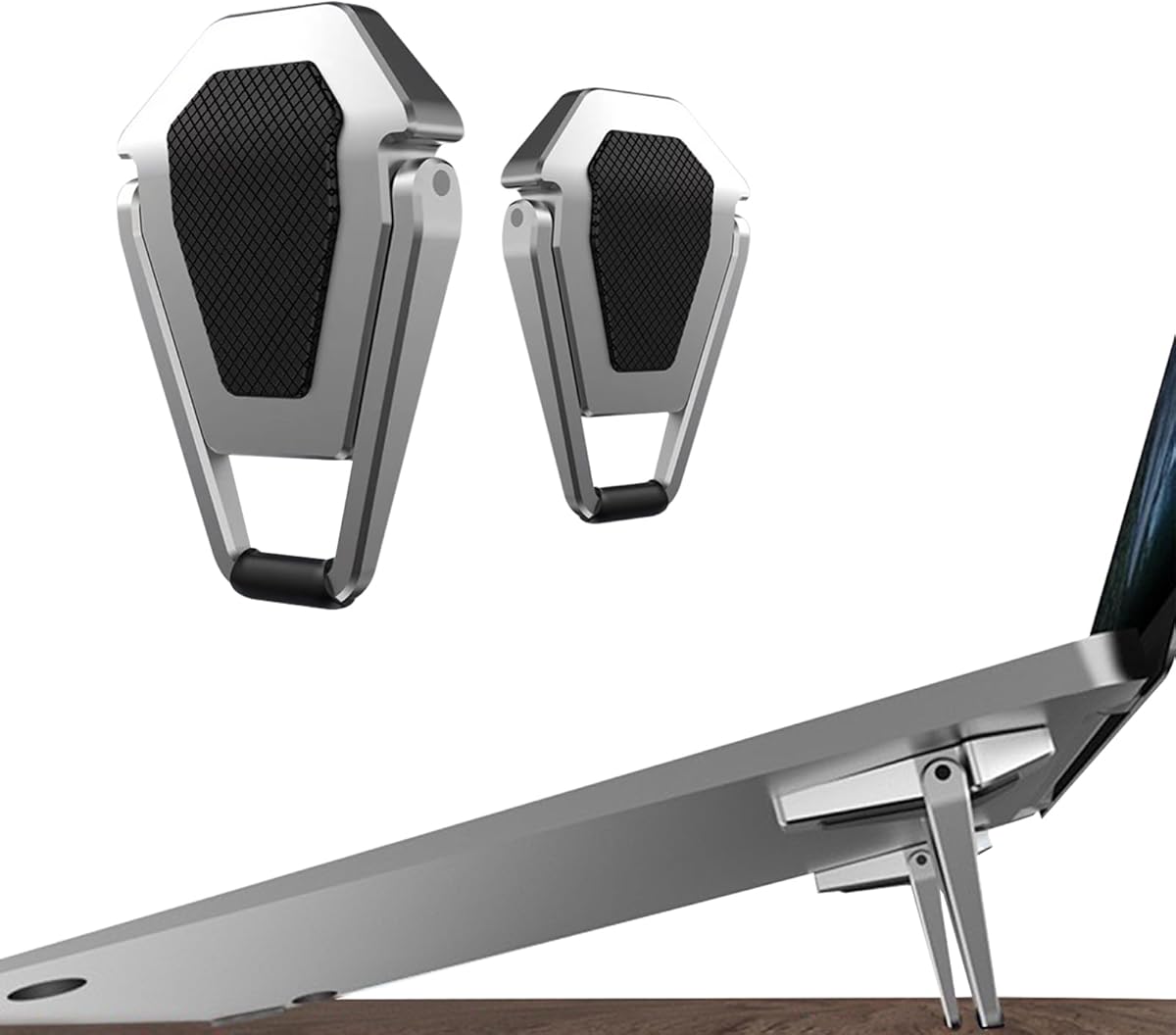
This compact dual-pack stand offers remarkable value with its durable aluminum alloy build. With a strong 4.6-star rating, it effectively elevates your laptop to prevent overheating and improve posture.
We may earn a commission when you buy through this link, at no additional cost to you.
Its simple yet effective design provides a consistent viewing angle that reduces strain. The aluminum material aids in heat dissipation, keeping your device cooler during long typing or gaming sessions.
While the fixed angle may not offer customization, it delivers reliability for everyday use. The lack of extra features keeps the cost low, making it ideal for budget-conscious buyers.
Perfect for home or office desks, this stand works with MacBook, Dell, HP, and Lenovo models. It is a straightforward solution for enhancing comfort without breaking the bank.
By elevating the laptop, it allows better airflow underneath to maintain optimal operating temperatures.
Works seamlessly with various laptop models and desktop keyboards for versatile utility.
We may earn a commission when you buy through this link, at no additional cost to you.
Ringke delivers a premium laptop kickstand featuring high-quality zinc alloy and non-slip TPU. With a 4.7 rating, it provides robust support and efficient airflow to keep devices cool during use.
We may earn a commission when you buy through this link, at no additional cost to you.
The three height levels allow you to find the perfect ergonomic position for typing or viewing. Its compact design makes it easy to carry while maintaining a sturdy build that feels reliable.
Though more expensive than basic models, the quality justifies the investment for frequent users. The design is simple but effective, ensuring stability without adding unnecessary bulk to your workspace.
This stand is ideal for users seeking a balance of portability and premium materials. Its universal fit supports tablets and smartphones as well, adding versatility to your accessory collection.
Zinc alloy construction ensures durability and a sleek look that resists wear over time.
Three adjustable height settings help reduce neck strain and improve posture effectively.
We may earn a commission when you buy through this link, at no additional cost to you.
This invisible laptop stand is designed for portability, weighing just 24g with a foldable design. Rated 4.3 stars, it offers an adjustable angle to enhance comfort and heat dissipation for devices between 12 and 20 inches.
We may earn a commission when you buy through this link, at no additional cost to you.
Crafted from high-quality zinc alloy, it ensures durability while remaining compact enough for travel. The rubber pads secure your laptop, preventing slips and protecting the surface from scratches during use.
While the adhesive installation is convenient, users should be cautious about repositioning as it may lose stickiness. Its primary focus is ergonomic comfort through a lightweight design that adds minimal weight.
Perfect for business travelers or students, this stand elevates screens to eye level comfortably. Its versatile fit covers a wide range of laptop sizes, making it a practical daily companion.
Folding down to 1.9×1.4 inches, it fits easily into laptop bags without taking up space.
Adjustable tilt angles between 15 and 25 degrees help reduce neck strain effectively.
We may earn a commission when you buy through this link, at no additional cost to you.
This dual-pack offers two adjustable stands at an affordable price point. With a 4.0 rating, it focuses on portability and privacy by including a free webcam cover alongside the lightweight ABS risers.
We may earn a commission when you buy through this link, at no additional cost to you.
The dual-angle adjustability lets you switch between casual browsing and ergonomic typing modes instantly. This flexibility supports various activities, from video conferencing to crunching deadlines efficiently.
While ABS plastic is not as robust as metal, it withstands daily wear and car temperatures well. The invisible design adds zero bulk, making it ideal for professionals who move between locations.
Perfect for securing posture and privacy on a budget, this set suits Mac, Surface, and Chromebook users. It provides a complete solution for comfort and security in one package.
The included webcam cover blocks digital snooping to enhance security during calls.
Peel, stick, and lift in seconds without needing tools or complicated adjustments.
We may earn a commission when you buy through this link, at no additional cost to you.
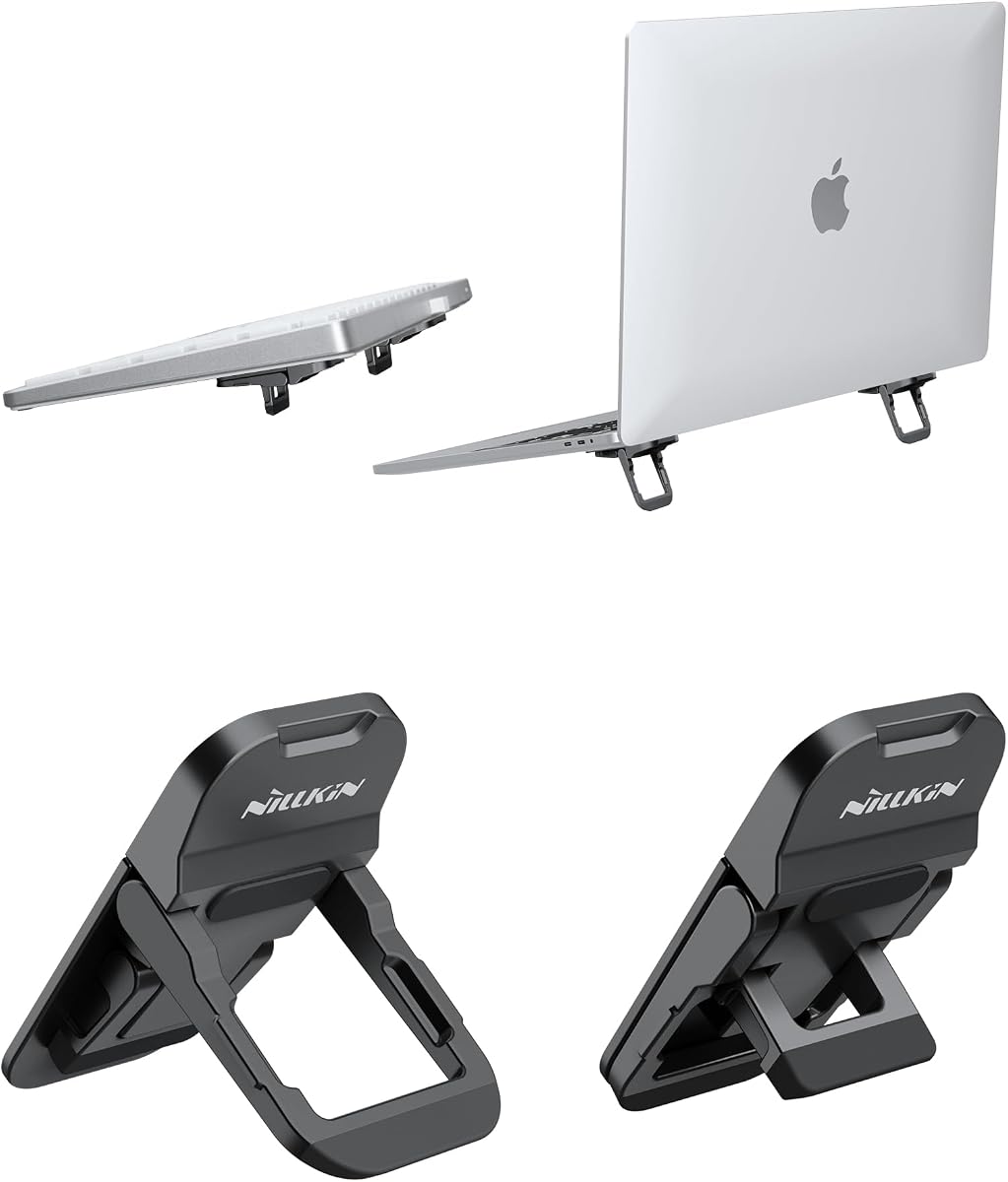
Nillkin provides a slim stand with three precise angles for ergonomic positioning. Rated 4.1 stars, it uses zinc alloy for durability and offers anti-slip silicone to secure your laptop during typing sessions.
We may earn a commission when you buy through this link, at no additional cost to you.
The three angles of 3, 11, and 16 degrees allow you to reduce neck strain effectively. Its open design enhances airflow, ensuring your device stays cool and performs smoothly over time.
Users should note that the nano adhesive requires an hour to set fully. While it is residue-free, repeated pasting can weaken the hold, so it is best applied once for long-term use.
Ideal for travel or office use, this stand is compact and foldable for easy storage. It supports a wide range of devices, making it a versatile choice for daily comfort.
Precise 3, 11, and 16-degree settings help reduce strain during long work sessions.
Zinc alloy ensures stability while the slim design keeps it portable and lightweight.
We may earn a commission when you buy through this link, at no additional cost to you.
This dual-pack includes two mini stands made from reliable zinc alloy. With a 4.6 rating, it offers durable, foldable support for laptops and tablets while reducing neck strain effectively.
We may earn a commission when you buy through this link, at no additional cost to you.
The anti-slip stickers ensure your device stays secure on any surface. Its compact nature makes it perfect for carrying in bags or pockets for daily work or outdoor use.
While small, the stands hold significant weight and improve airflow to prevent overheating. The included stickers allow easy installation, though they might need replacing after long-term use.
Ideal for home or office desks, this set provides convenient support for various tech. Its versatile utility makes it a simple yet effective tool for daily productivity.
Small enough to fit in pockets, it supports laptops and tablets on the go easily.
Anti-slip stickers provide stability to prevent your device from sliding off.
We may earn a commission when you buy through this link, at no additional cost to you.
This versatile stand converts into a tablet easel, phone holder, and selfie stick. Rated 4.5 stars, it uses aerospace aluminum for stability and includes an N52 magnetic mount for iPhone users.
We may earn a commission when you buy through this link, at no additional cost to you.
The eight height levels let you adjust the screen to your line of sight effectively. Its open X-frame design maximizes airflow, ensuring your device stays cool during extended use.
While it is more complex than basic risers, the multi-functionality adds great value. Collapsing to a compact baton shape, it fits easily into briefcases or laptop sleeves for travel.
Ideal for users needing a portable office, this stand replaces three bulky accessories with one. It balances premium build with innovative features for professional and casual use.
N52 magnetic core snaps onto MagSafe cases for secure dual-screen productivity.
Eight slots allow precise adjustment to reduce strain on neck and shoulders.
We may earn a commission when you buy through this link, at no additional cost to you.
This stand pops up instantly thanks to built-in springs for quick access. Rated 4.3 stars, it uses zinc alloy for stability and includes strong adhesive to keep it attached securely.
We may earn a commission when you buy through this link, at no additional cost to you.
The pop-up design allows easy opening without looking, making it convenient for users. Its slim profile fits devices from 8 to 20 inches, ensuring wide compatibility across brands.
While the adhesive is robust, users should let it set properly for full hold. The design focuses on simplicity and speed, perfect for frequent travelers who need instant lifts.
Ideal for MacBook and general laptop users, it elevates screens comfortably while preserving keyboard use. Its sleek look and reliable performance make it a favorite for daily needs.
Built-in springs open the stand in 0.1 seconds for immediate use.
High-quality adhesive ensures the stand stays firmly attached during use.
We may earn a commission when you buy through this link, at no additional cost to you.
This adhesive stand offers instant installation without any added weight. Rated 4.2 stars, it uses 3M adhesives and soft pads to protect surfaces while keeping your device secure.
We may earn a commission when you buy through this link, at no additional cost to you.
Compatible with devices larger than 9 inches, it provides immediate comfort for laptops and tablets. The slim design folds flat, making it easy to carry without adding bulk to your bag.
Users should note that repeated removal can lower adhesion performance. For best results, apply it once and leave it in place to maintain optimal grip and protection.
Ideal for quick upgrades to any desk, this stand enhances usability without changing aesthetics. Its simplicity makes it an effective tool for both home and office environments.
3M adhesives allow smooth installation without tools or complicated steps.
Soft slide prevention pads protect both your device and desk surface from scratches.
We may earn a commission when you buy through this link, at no additional cost to you.
Selecting the right laptop kickstand depends on your specific needs, device size, and usage habits. Understanding key factors ensures you choose a stand that improves comfort and protects your device.
Material determines durability and heat dissipation. Aluminum or zinc alloy options are best for cooling and stability.
Look for metal materials to ensure your stand lasts longer and protects your laptop.
If you travel often, choose lightweight and foldable stands. They should fit easily in laptop bags or pockets.
Prioritize compact designs that weigh less than 100 grams for true portability.
Adjustable heights or angles help find your ideal ergonomic position. Fixed stands are simpler but may not suit everyone.
Choose stands with multiple settings if you need flexibility for different tasks.
Ensure the stand fits your specific laptop size. Check weight limits and size ranges before buying.
Verify compatibility with your model to avoid stability issues or damage.
Adhesive stands require careful installation. Some use 3M tape while others use nano adhesive.
Consider if you want a permanent solution or one that can be moved later.
An open design promotes airflow to prevent overheating. Solid stands may block cooling vents.
Choose stands with open spaces to keep your laptop running cooler.
Stands range from budget to premium prices. Higher cost often brings better materials and features.
Set a clear budget to find the best balance of quality and affordability.
Before attaching any adhesive stand, clean your laptop surface with a soft cloth. Ensure it is dry and free of dust for the best grip.
Place the stand centrally on your laptop's base to balance weight properly. Avoid placing it too close to edges to prevent wobbling.
Regularly check adhesive strength if you move the stand. If it loosens, clean and reapply or replace the adhesive pad as needed.
No, quality stands use protective pads to prevent scratches. Ensure you follow installation instructions carefully to avoid adhesive damage. Most modern stands are designed to be safe for laptops.
Yes, most stands attach to the base regardless of case thickness. Ensure the adhesive holds securely on the case material. Check compatibility with your specific case before purchasing.
Most portable stands support up to 10kg or 22 pounds. Always verify the weight limit before buying. Heavy gaming laptops may require sturdier options.
Yes, many stands are compatible with tablets like iPad or Android devices. Check size compatibility before use. Universal stands work well with smaller devices.
Adhesive stands can be removed but may leave residue. Use gentle heat to soften the adhesive. Some nano adhesives are designed to leave no residue.
Yes, raising the laptop increases airflow underneath. This helps dissipate heat better. Most stands feature an open design for enhanced cooling.
We reviewed ten top laptop kickstands offering different benefits from cooling to portability. The top picks highlight strong choices for various user needs and budgets.
Prioritize ergonomic benefits and build quality for long-term satisfaction. Choose a stand that fits your device size and daily use habits.
Prices and availability change so verify current listings before buying. Your perfect stand can transform your workspace with simple setup.