
Thermalright Assassin X120 Refined SE
4.7Editor score
4 heat pipes AGHP tech
TL-C12C PWM fan
Highly affordable price point
Broad socket support
This guide compares the top ten Htpc CPU Coolers for quiet performance and compact cooling in small form factor builds.
Choosing the right cooling solution is critical for home theater PCs where space and noise matter most. A good Htpc CPU Cooler keeps your system quiet and efficient without taking up precious internal room.
We evaluated ten top models based on height, noise levels, thermal performance, and compatibility with modern sockets. This list covers the best low-profile options available for ITX and SFF enclosures today.
Each pick highlights key features, pros, and cons to help you decide quickly. Note that prices and availability can change frequently, so verify current stock before purchasing your next component.
4.7Editor score

4.7Editor score

4.7Editor score
Below is a side-by-side comparison of all ten selected models. We highlight their key specifications to help you choose the right fit for your specific build constraints.





The ID-COOLING IS-67-XT is a strong contender for budget Htpc builds needing reliable cooling without bulk. It features a 67mm profile and six heatpipes, which is rare at this price point. Its 4.5-star rating reflects solid performance for mid-range CPUs in small cases.
We may earn a commission when you buy through this link, at no additional cost to you.
Its main strength is thermal capacity. Six heatpipes coupled with a copper base allow efficient heat transfer from the CPU. The included PWM fan adjusts speed automatically, keeping noise low during media playback. Compatibility with modern sockets like LGA1851 ensures future readiness.
While it lacks some premium finishing touches, the functional design outweighs these trade-offs. The height constraint fits most compact enclosures. Users should verify fan size requirements as the slim 15mm profile might require specific clearance checks.
This model is ideal for builders prioritizing value and heat dissipation. If you need a low-profile solution under fifty dollars that handles moderate loads well, this cooler delivers consistent results without breaking the bank or your case limits.
Six heatpipes provide significantly more thermal mass than typical four-pipe designs, allowing for more efficient heat dissipation across the fins.
Support for LGA1851 and AM5 means this cooler remains viable even as Intel and AMD transition to new CPU architectures in the near future.
We may earn a commission when you buy through this link, at no additional cost to you.
Noctua remains a benchmark for quiet computing, and the NH-L9x65 exemplifies this with its 65mm low profile. Rated 4.7 stars, it balances performance and silence perfectly for Htpc environments. It uses a 92mm slim fan optimized for low acoustic output without sacrificing cooling efficiency.
We may earn a commission when you buy through this link, at no additional cost to you.
This cooler excels in silence. The NF-A9x14 fan is engineered specifically for low noise, supported by a Low-Noise Adaptor for even quieter operation. The SecuFirm2 mounting system ensures a secure fit without stress on the motherboard, while NT-H1 thermal paste is included for easy setup.
The trade-off is cost compared to budget options. While it delivers top-tier quality, the price reflects that premium. However, for enthusiasts who value acoustic comfort above all, this expense is justified by the consistent, near-silent operation it provides over years.
Buy this if you need a dependable cooler for a living room PC where noise is unacceptable. Its compact footprint avoids RAM interference, and its reliability ensures your system stays cool and silent even under moderate load during streaming or gaming sessions.
Noctua's NF-A9x14 fan uses advanced blade geometry and fluid dynamic bearings to minimize vibration and noise, delivering whisper-quiet performance ideal for media centers.
The SecuFirm2 mounting system allows for quick and secure installation, preventing cooler sag and ensuring consistent pressure on the CPU for optimal thermal contact.
We may earn a commission when you buy through this link, at no additional cost to you.
The ID-COOLING IS-40-XT is perfect for ultra-thin Htpc cases that only accept 47mm height. With a 4.6-star rating, it offers surprising thermal efficiency for its size. It combines four heatpipes with a compact 92mm fan to keep entry-level CPUs cool without bulk.
We may earn a commission when you buy through this link, at no additional cost to you.
Its key strength is dimensional compatibility. At just 47mm, it clears even the tightest enclosures where standard coolers fail. The all-black finish matches modern ITX aesthetics. A 92mm PWM fan ensures automatic speed control to balance noise and cooling based on CPU load.
Users should note its airflow limits compared to larger units. While sufficient for low-power chips, it might struggle with high-wattage processors. However, for typical Htpc media use, this constraint is acceptable given the massive space savings it provides to your build.
Choose this cooler if space is your primary constraint. It offers a functional, stylish, and affordable solution for slim form factor builds. The easy installation kit further simplifies the process for first-time builders working with compact motherboards and enclosures.
At only 47mm tall, this cooler is specifically engineered for cases with severe clearance restrictions, enabling builds that otherwise would need passive cooling or massive compromises.
The signature all-black design ensures a cohesive look inside black chassis or enclosures, maintaining a sleek aesthetic without mixing silver or aluminum heatsink parts.
We may earn a commission when you buy through this link, at no additional cost to you.
The Thermalright AXP90-X53 stands out for its pure copper radiator, offering high thermal conductivity. Rated 4.5 stars, it targets Htpc users who prioritize heat transfer over pure weight savings. Its 53mm profile includes AGHP technology to maintain efficiency regardless of orientation.
We may earn a commission when you buy through this link, at no additional cost to you.
Copper construction provides superior heat dissipation compared to aluminum alternatives. The AGHP technology ensures that even when mounted horizontally or vertically, heat travels efficiently through the pipes. The 92mm slim PWM fan maintains airflow while keeping acoustic output low for quiet environments.
Installation can be tricky depending on the motherboard layout, potentially requiring long screws for backplate access. The added weight of copper also puts more stress on the mounting points, so securing the board properly is essential for long-term reliability in compact builds.
This model suits those needing high thermal performance in a small space. If you have a high-output CPU in a mini-ITX case, the copper build handles heat well. It remains a solid mid-range choice for performance-focused Htpc builders.
AGHP (Absolute Gravity Heat Pipe) technology eliminates orientation-dependent cooling failures, ensuring consistent performance whether the case stands vertically or horizontally in a rack.
Pure copper radiators conduct heat faster than aluminum, allowing the fan to work less intensely while maintaining safe CPU temperatures under sustained loads.
We may earn a commission when you buy through this link, at no additional cost to you.
While not strictly low-profile, the Peerless Assassin 120 SE is a powerhouse option for SFF builds that fit 155mm height. With a 4.7-star rating, it delivers desktop-class cooling. Dual 120mm fans and six heatpipes provide massive airflow and thermal capacity for demanding CPUs.
We may earn a commission when you buy through this link, at no additional cost to you.
This cooler excels in raw performance. Two fans push significant air through aluminum fins, aided by AGHP heat pipes that prevent gravity-related performance drops. The TL-C12C fans offer high static pressure and low noise, ensuring the system stays cool even during intense gaming or rendering.
Its height is the main limitation for Htpc setups. Most theater cases cannot accommodate a 155mm tower, making this better for larger desktop enclosures. However, for builders with taller cases needing extreme cooling, it offers exceptional value compared to premium competitors.
Select this model if your case allows and you need top-tier thermal performance. It is a cost-effective way to cool high-end CPUs without investing in liquid solutions. For standard Htpc use, verify clearance carefully to ensure it fits your specific enclosure.
Dual 120mm fans provide redundant cooling capacity, allowing one to spin slower for silence while the other maintains necessary airflow, balancing noise and performance dynamically.
Six AGHP heat pipes ensure rapid heat evacuation from the CPU base, spreading thermal load evenly across the fins to maximize the efficiency of the dual fan setup.
We may earn a commission when you buy through this link, at no additional cost to you.
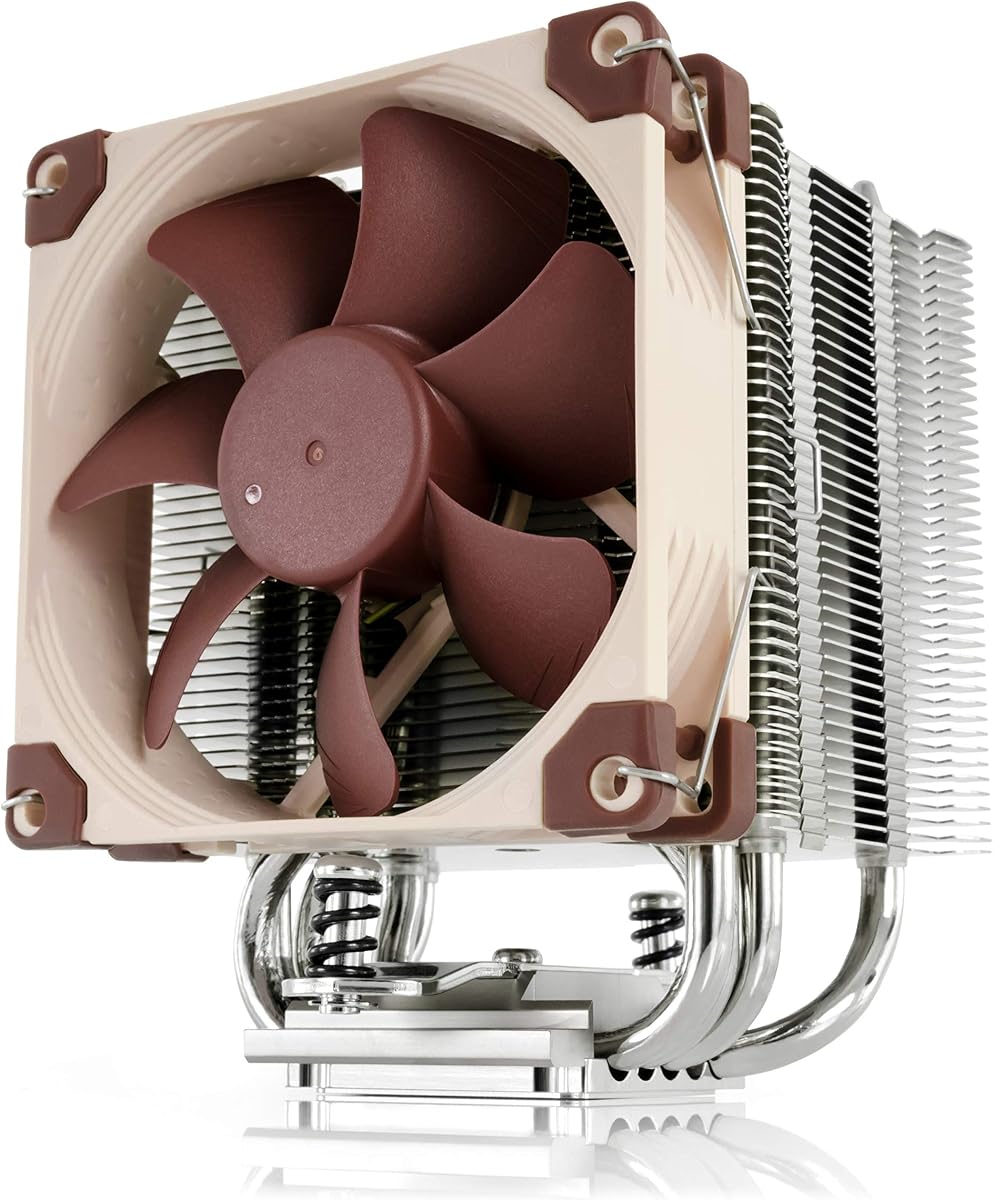
The Noctua NH-U9S is a top-rated single tower cooler with a 4.8-star rating. It delivers high performance with quiet operation, ideal for Htpcs that can fit 125mm. Its NF-A9 92mm fan provides excellent airflow while keeping noise levels impressively low for a tower cooler.
We may earn a commission when you buy through this link, at no additional cost to you.
Performance and reliability define this model. The offset mounting option allows RAM clearance without compromising cooling. It includes the highly regarded NT-H1 thermal paste. Noctua’s six-year warranty underscores their confidence in its build quality and longevity for daily use.
Its standard 125mm height limits it to taller Htpc enclosures. If your case is compact, this unit might block memory slots or case sides. However, for cases with more vertical room, it remains one of the most reliable single-tower choices available today.
Consider this cooler if you need robust cooling without liquid complexities. It suits users wanting Noctua quality and silence in a single-tower form. Verify your case clearance to ensure it does not clash with RAM or side panels during installation.
The NF-A9 fan is optimized for low acoustic noise while maintaining high pressure, ensuring your system runs quietly even when the CPU is under moderate load during playback.
The SecuFirm2 system supports offset mounting, which shifts the cooler slightly to clear tall memory modules without restricting cooling performance on standard CPU sockets.
We may earn a commission when you buy through this link, at no additional cost to you.
The Noctua NH-L9a-AM4 offers an incredibly slim 37mm height, perfect for the thinnest Htpc enclosures. Rated 4.7 stars, it provides quiet cooling for AMD Ryzen CPUs and APUs. Its narrow profile ensures zero RAM or PCIe clearance issues in tight ITX builds.
We may earn a commission when you buy through this link, at no additional cost to you.
Its primary strength is its minimal height. At just 37mm, it clears even the slimmest cases where other coolers cannot fit. The NF-A9x14 fan uses a Low-Noise Adaptor to reduce speeds further, making it virtually silent during media playback or light computing tasks.
The trade-off is AM4 exclusivity. It does not support AM5 or Intel sockets, limiting its future usability. Additionally, it targets moderate heat loads, so high-power CPUs may struggle. For older AM4 systems, this is a premium solution for compact builds.
Choose this if you have a slim AM4 system requiring minimal height. It delivers silence and compactness unmatched by other options. Ensure your motherboard is AM4 before purchasing, as socket incompatibility would make it unusable for newer systems.
At 37mm tall, this cooler is one of the lowest profile active cooling solutions available, enabling Htpc cases to be significantly thinner without sacrificing active thermal management.
The included Low-Noise Adaptor reduces fan voltage, lowering RPM and noise floor to near inaudible levels while still maintaining adequate cooling for low-power APUs.
We may earn a commission when you buy through this link, at no additional cost to you.
The Noctua NH-L12S combines low-profile dimensions with a 120mm fan for superior airflow. Rated 4.7 stars, it targets ITX builds needing more power than smaller fans. Its 70mm height balances compactness and performance better than many rivals on the market.
We may earn a commission when you buy through this link, at no additional cost to you.
Key strengths include the NF-A12x15 fan, known for high static pressure. This allows effective cooling in tight spaces where airflow resistance is high. The tower design ensures efficient heat dissipation while keeping the system quiet. Thermal paste and mounting hardware are included.
Cost is the main drawback. It is significantly pricier than standard options. However, if noise and efficiency are top priorities, the investment pays off. The 70mm height fits most ITX cases, but verify RAM clearance to avoid conflicts with tall modules.
Select this cooler if you need premium low-profile cooling. It excels for demanding CPUs in compact cases. While expensive, its build quality and acoustic performance justify the price for enthusiasts who prioritize silence and efficiency in their Htpc systems.
Using a 120mm fan in a low-profile tower provides significantly more airflow volume than smaller fans, improving cooling efficiency without increasing the vertical height of the unit.
The NF-A12x15 fan delivers high static pressure, ensuring air moves effectively through the fin stack even when restricted by case walls or nearby components like memory sticks.
We may earn a commission when you buy through this link, at no additional cost to you.
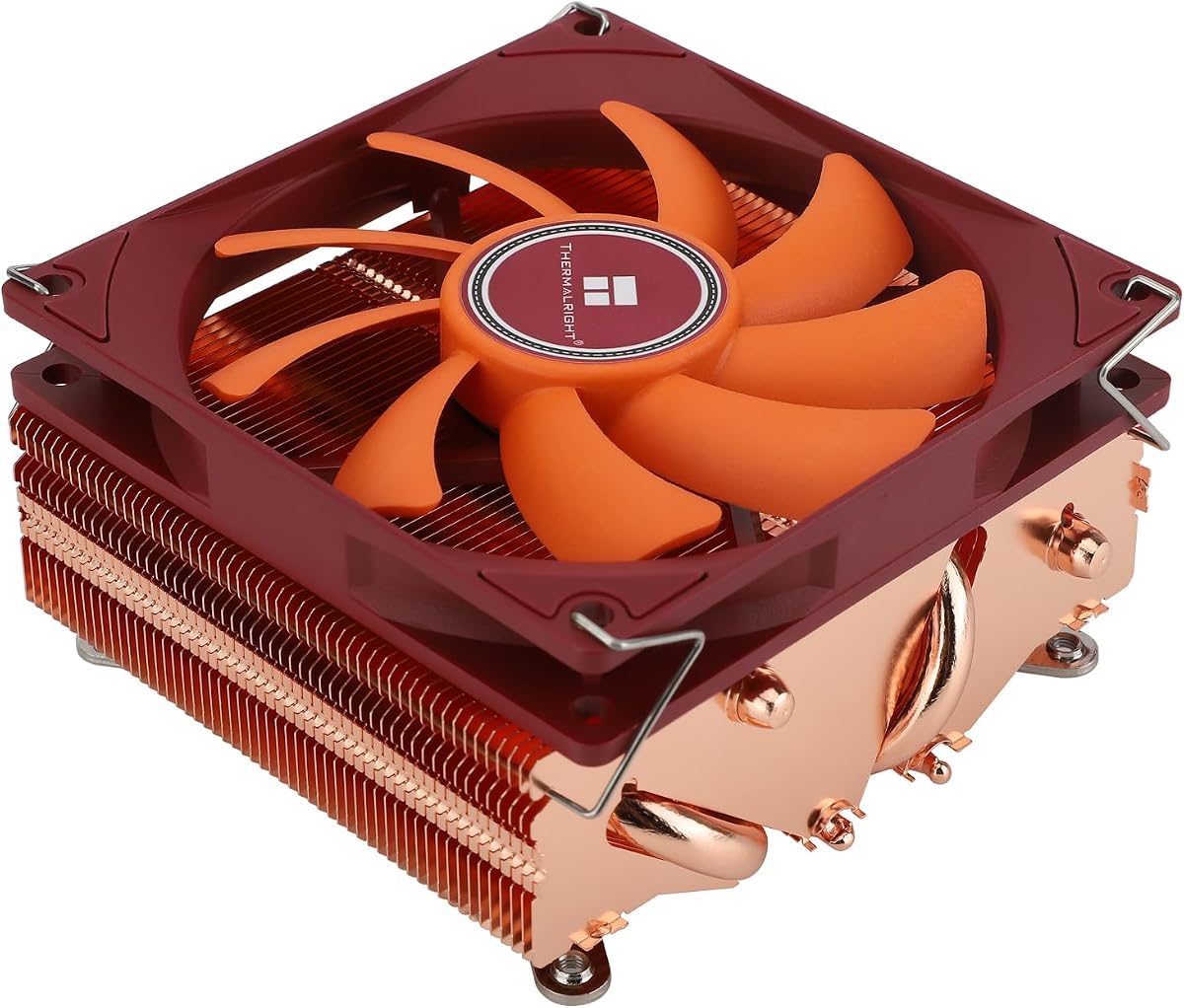
The Thermalright Assassin X120 Refined SE offers exceptional value with a 4.7-star rating. Though not low-profile, it handles mainstream CPUs efficiently at a budget price. It uses a TL-C12C PWM fan and four heatpipes to deliver solid cooling in larger cases.
We may earn a commission when you buy through this link, at no additional cost to you.
Its primary strength is price-to-performance. The TL-C12C fan provides impressive airflow for its cost. AGHP technology ensures heat moves effectively regardless of orientation. It supports a wide range of sockets, making it a versatile choice for future upgrades.
The 148mm height restricts it to larger enclosures. It is not suitable for most Htpc builds requiring low clearance. For desktop PCs, however, it offers premium performance at a fraction of the cost of competitors, making it ideal for budget-conscious builders.
Choose this if you need efficient cooling on a tight budget. It handles moderate workloads well without breaking the bank. Just ensure your case can accommodate its height to avoid clearance issues during installation or operation.
The TL-C12C fan is optimized for high airflow and low noise, providing effective heat removal from the aluminum fins without generating excessive acoustic noise during normal operation.
AGHP ensures consistent heat pipe performance regardless of mounting orientation, preventing the thermal degradation seen in standard heat pipes when installed horizontally or vertically.
We may earn a commission when you buy through this link, at no additional cost to you.
The Thermalright AXP90 X36 Black is one of the thinnest coolers available at just 36mm. Rated 4.6 stars, it suits tight ITX enclosures needing active cooling. Its AGHP technology and slim 92mm fan balance performance and size effectively.
We may earn a commission when you buy through this link, at no additional cost to you.
Key features include support for modern sockets like AM5 and LGA1700. The AGHP heat pipes ensure stable thermal performance in any orientation. It targets 95W TDP, sufficient for non-overclocked CPUs. The all-black design complements modern builds perfectly.
Thermal limits exist due to its size. It may not handle high-power CPUs well. Noise levels can increase at higher RPMs under load. Still, for low-power systems requiring minimal height, it provides a reliable active cooling solution without excessive bulk.
Pick this cooler for ultra-slim builds needing a standard 36mm profile. It offers modern socket support and AGHP benefits at a low cost. Verify your CPU TDP matches the cooler's limits to ensure stable performance during extended use.
At just 36mm, this cooler allows for cases with extremely restricted clearance, enabling sleek designs that would otherwise require passive cooling with significant thermal penalties.
AGHP ensures that the heat pipes remain effective regardless of the case orientation, maintaining consistent cooling performance even when the unit is mounted horizontally on a motherboard.
We may earn a commission when you buy through this link, at no additional cost to you.
Selecting the right Htpc CPU cooler requires balancing size, noise, and thermal performance to fit your specific build constraints.
Htpc cases often have strict height limits, typically ranging from 35mm to 65mm. Measuring your case clearance precisely ensures your chosen cooler fits without clashing with case walls or side panels.
Always check the maximum supported height before purchasing to avoid installation issues.
Match the cooler's rated TDP to your CPU's heat output. Low-profile units typically handle 65W to 95W. High-wattage CPUs require more robust cooling to prevent throttling during media or gaming sessions.
Selecting a cooler with adequate TDP ensures stable system performance under load.
Htpc builds prioritize silence. Look for models with PWM fans and low decibel ratings. Slim fans often spin faster to compensate for reduced area, increasing noise unless carefully managed.
Prioritize coolers with Low-Noise Adaptors or optimized fan blades for quiet operation.
Ensure the cooler supports your CPU socket like AM5 or LGA1851. Newer sockets often require updated mounting kits or brackets. Verify compatibility lists on manufacturer pages before buying.
Compatibility guarantees that your cooler will mount securely and function as expected on your motherboard.
Tall memory modules may clash with low-profile coolers. Offset mounting or compact fan placement helps avoid interference. Check if the cooler blocks RAM slots or case mounting points.
Proper RAM clearance prevents installation errors and ensures smooth system assembly.
A secure mounting system like SecuFirm2 simplifies installation and prevents cooler sag. Verify if backplates are required for your motherboard. Some models need additional tools or brackets.
Robust mounting hardware ensures reliable contact between the heatsink and CPU.
Copper cores offer better heat transfer than aluminum but add weight. Aluminum fins keep the unit lighter and often cheaper. Balance material choice with your case's structural limits.
Choose materials that match your priority for thermal performance or weight reduction.
Affordable options often trade build quality for cost. Premium brands offer warranties and better fan quality. Determine your budget versus expected lifespan to choose wisely.
A solid warranty provides peace of mind for long-term Htpc usage.
Install the cooler by first securing the mounting hardware to the motherboard. Apply thermal paste evenly to the CPU surface before attaching the heatsink to ensure optimal heat transfer.
Connect the fan to the CPU fan header on the motherboard. Ensure the PWM cable is secure to allow automatic speed control. Verify the cooler fits within case limits before closing the side panel.
Regularly clean dust from the fins using compressed air to maintain airflow. Check mounting stability annually to prevent loosening. Updating BIOS settings can optimize fan curves for quieter performance.
Not all cases support the same heights. Measure your case clearance carefully before purchasing. Some enclosures allow up to 80mm while others only accept 35mm. Always check manufacturer specifications to ensure compatibility with your specific model.
They can be louder if they use smaller fans that spin faster. However, premium models use optimized blades and PWM control to stay quiet. Look for units with low dB ratings and Low-Noise Adaptors to minimize acoustic disturbance.
Pre-applied paste works well for initial installs. Replacing it later may improve performance but is not strictly necessary. If you notice temperatures rising after years of use, a fresh application can restore cooling efficiency.
Yes, but check if the height matches your desktop case. Many low-profile models fit standard desktop enclosures. Just ensure the cooler supports your CPU socket and handles the heat output of high-performance chips.
Choose a cooler that supports the latest sockets like AM5 or LGA1851. This ensures compatibility with newer CPUs without needing a new cooler. Verify manufacturer compatibility lists before purchasing to avoid outdated mounts.
Use compressed air to blow dust out of the fins. Hold the fan still to avoid spinning it. For stubborn debris, gently use a soft brush. Regular cleaning prevents overheating and maintains acoustic quality.
Passive cooling is silent but requires bulky heatsinks. Active low-profile coolers offer better thermal performance in small cases. Choose active cooling if your CPU generates significant heat or if space is limited.
Most include brackets for common sockets. Some require motherboard-specific backplates or extra screws. Check the package contents carefully and verify compatibility with your motherboard model before purchase.
The ID-COOLING IS-67-XT and Noctua NH-L9x65 lead this list for their balance of silence and efficiency. Each model offers unique advantages depending on your case dimensions and CPU heat output requirements.
Prioritize height limits and acoustic performance when selecting your next cooler. Ensure the unit matches your socket and supports your specific memory configuration to avoid compatibility conflicts.
Prices fluctuate frequently, so always check current listings before purchasing. Verifying stock and warranty status ensures you secure the best deal for your specific Htpc build needs.