
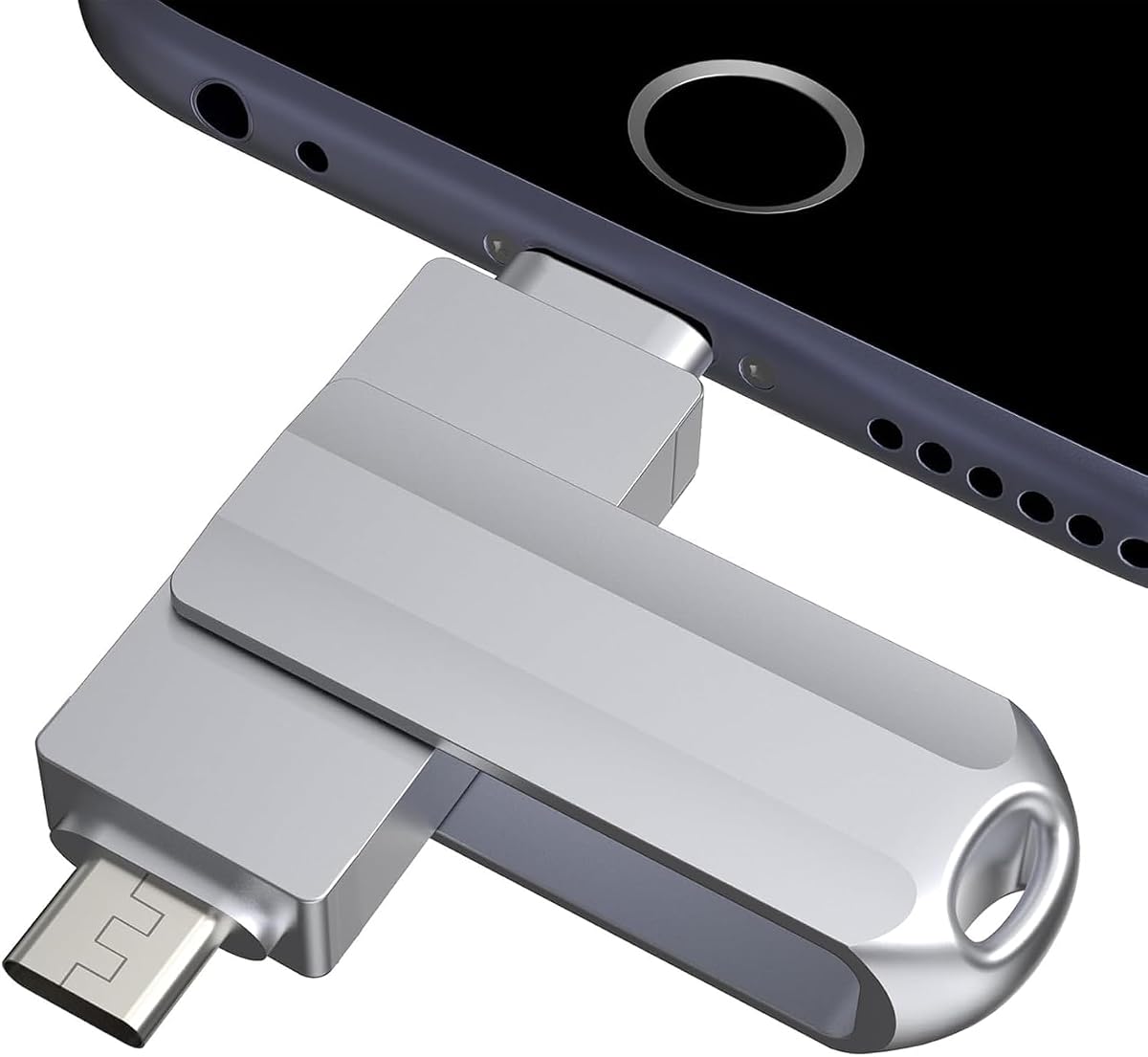
MFi Certified USB 3.0 Flash Drive 128GB for iPhone
4.3Editor score
Affordable 128GB Storage
Multi Device Compatibility
One Click Backup
This guide compares the top flash drives for iPhone to help you find reliable storage for photos, videos, and files without relying on cloud services or extra
Modern iPhones offer incredible capabilities for capturing high-resolution photos and videos, but limited internal storage can quickly become a bottleneck. Finding the right external storage solution is essential for users who want to keep their devices running smoothly without deleting precious memories or paying for ongoing cloud subscriptions.
We evaluated ten top-rated flash drives specifically designed for iPhone and iPad users based on compatibility, transfer speed, build quality, and ease of use. Each product was scrutinized for MFi certification, connector types, and app functionality to ensure they meet the diverse needs of mobile professionals, creatives, and casual users alike.
Every pick in this list highlights unique strengths ranging from budget-friendly options to premium high-speed drives. While we strive to provide accurate information, product availability and pricing can fluctuate regularly, so we recommend checking the latest details before making your final purchase decision.
4.3Editor score

4.4Editor score

4.3Editor score
The following table provides a side-by-side comparison of all ten flash drives reviewed in this guide, highlighting key specifications and features to help you make an informed decision based on your specific storage needs and device compatibility.




This top-ranked flash drive offers a perfect blend of speed, capacity, and reliability for iPhone users. With its MFi certification and 256GB storage, it ensures seamless integration with your device while providing ample space for your growing media library.
We may earn a commission when you buy through this link, at no additional cost to you.
The standout feature is its ability to offer photos and videos instantly via a dedicated app, freeing up device storage without needing cables. The built-in encryption options protect your sensitive data, making it ideal for both personal and professional use.
While the need to download an app might be a minor inconvenience for some, the streamlined workflow and secure transfer process outweigh this drawback. The compact design also includes a keychain, ensuring you never lose this essential accessory.
Whether you are a content creator or someone simply looking to back up important files, this drive delivers consistent performance. Its robust build quality and multi-device compatibility make it a trustworthy choice for long-term storage needs.
The MFi certification ensures that the drive works flawlessly with your iPhone without triggering connection errors or compatibility issues.
Built-in encryption features allow you to lock specific files or the entire drive, keeping your personal information safe from unauthorized access.
We may earn a commission when you buy through this link, at no additional cost to you.
This flash drive delivers impressive value for its price, making it an excellent choice for budget-conscious users who still want MFi certification. Its 128GB capacity is sufficient for most casual storage needs, and the USB 3.0 speed ensures quick transfers.
We may earn a commission when you buy through this link, at no additional cost to you.
Like many options in this category, it offers a dedicated app for one-click backups, which simplifies the process of moving photos and videos off your phone. The inclusion of a keychain helps prevent loss, adding practical value to an already cost-effective product.
The main trade-off is the reliance on the app for iOS devices, which can feel like an extra step compared to native file managers. However, the speed and reliability of data transfer make up for this minor inconvenience in daily use.
For those looking to expand their storage without breaking the bank, this drive strikes a great balance between performance and cost. It is a solid option for students or anyone needing a reliable backup solution on a tight budget.
At a fraction of the cost of premium drives, this option provides essential storage relief without sacrificing essential features like MFi certification.
USB 3.0 technology ensures that you spend less time waiting for files to move between your iPhone and other devices.
We may earn a commission when you buy through this link, at no additional cost to you.
SanDisk is a trusted name in storage, and this drive lives up to its reputation with premium features and dual-connectivity support. Whether you have an iPhone 15 with USB-C or an older model with Lightning, this drive adapts seamlessly to your device.
We may earn a commission when you buy through this link, at no additional cost to you.
The Memory Zone app provides robust backup options, allowing you to choose between manual or automatic backups with real-time progress tracking. The ability to encrypt files adds a layer of security that is crucial for professionals handling sensitive data.
While the price is higher than other options, the build quality and flexibility justify the investment for many users. The integration with the native iOS Files app on USB-C devices offers a streamlined experience that feels more integrated than third-party solutions.
If you prioritize reliability and future-proofing your storage setup, this drive is a standout choice. Its versatility ensures that you won't need to replace it as you upgrade your devices over the coming years.
With both Lightning and USB-C connectors, this drive remains compatible with iPhones released over the last decade and future models.
The advanced encryption options ensure that your confidential files remain private, even if the drive is lost or stolen.
We may earn a commission when you buy through this link, at no additional cost to you.
The Lexar D50E stands out for its solid-state technology, which delivers read speeds up to 400MB/s. This performance makes it ideal for users who need to transfer large files like 4K videos or massive photo libraries quickly and efficiently.
We may earn a commission when you buy through this link, at no additional cost to you.
Its cable-free design with both USB-A and USB-C connectors simplifies connectivity, eliminating the need for extra adapters. The Lexar App further enhances the experience by providing a straightforward way to backup photos across both iOS and Android devices.
However, the lack of a Lightning connector limits its direct use with older iPhones unless you use a dongle. Additionally, the solid-state technology contributes to a higher price point compared to standard flash drives.
For tech-savvy users or professionals who value speed above all else, this drive is a powerful tool. Its robust construction and reliable performance ensure that your data is transferred securely and without delays.
Solid-state technology allows for significantly faster data movement, saving you time when dealing with large media files.
The dual USB-A and USB-C design removes the hassle of carrying separate cables or adapters for different devices.
We may earn a commission when you buy through this link, at no additional cost to you.
This MFi-certified drive offers a versatile solution for users with multiple devices thanks to its four interface options. The retractable design protects the connectors and reduces the risk of loss, making it a practical everyday carry item.
We may earn a commission when you buy through this link, at no additional cost to you.
The included app simplifies file management and backup, while encryption features keep your data secure. With 256GB of storage, you have plenty of room to back up your entire photo library without worrying about running out of space.
While the app requirement for iOS is standard, the user interface may take some time to get used to. Additionally, the build quality feels solid but lacks some of the premium polish of higher-priced competitors.
For users who juggle between different platforms and need a flexible storage option, this drive is a strong contender. Its balance of capacity and connectivity makes it suitable for both personal and office use.
With interfaces for USB Lightning Micro USB and Type-C, this drive adapts to nearly any device you might have.
Built-in encryption ensures that your sensitive files remain protected even if the drive is accessed by unauthorized users.
We may earn a commission when you buy through this link, at no additional cost to you.
The Lexar D40E is a sleek and lightweight option that fits perfectly in your pocket without adding bulk. Its dual USB-A and USB-C connectors make it compatible with a wide range of modern devices, from laptops to smartphones.
We may earn a commission when you buy through this link, at no additional cost to you.
The 360-degree swivel design ensures that you can switch between connectors effortlessly without losing caps. Security is also a focus, with 256-bit AES encryption available to protect your files from prying eyes.
While it lacks a Lightning connector for direct iPhone use, it remains a reliable choice for USB-C enabled iOS devices and general file storage. The metal housing adds durability, ensuring the drive can withstand daily wear and tear.
This drive is perfect for users who prioritize portability and simplicity. Its plug-and-play functionality and robust security features make it a dependable tool for quick file transfers and backups on the go.
At just 26 grams, this drive is incredibly light and easy to carry everywhere, ensuring you never forget your storage solution.
The included security software allows you to set passwords and encrypt files, adding a necessary layer of privacy to your data.
We may earn a commission when you buy through this link, at no additional cost to you.
For users who need massive storage capacity, this 512GB drive is an impressive solution. It supports both USB-C and iOS connectors, making it versatile for different iPhone models and other devices like laptops and tablets.
We may earn a commission when you buy through this link, at no additional cost to you.
The included USB-A adapter ensures that you can transfer files to older computers without extra purchases. The mFlash app provides intuitive file management, allowing you to copy move and back up data with ease.
The main drawback is the reliance on the app for iOS functionality, which can be a minor hurdle for those who prefer native solutions. Additionally, the larger capacity often results in a bulkier physical design compared to smaller drives.
This drive is ideal for content creators, photographers, or anyone with a large media library. With half a terabyte of space, you can store years worth of photos and videos without worrying about running out of room.
With 512GB of space, you have room for thousands of high-resolution photos and hours of video footage.
The included USB-A adapter ensures seamless file transfers even with older computers that lack USB-C ports.
We may earn a commission when you buy through this link, at no additional cost to you.
This MFi-certified drive features a durable metallic design that is waterproof and dustproof, making it ideal for users who need robust protection for their data. Its 256GB capacity provides ample space for storing essential files and media.
We may earn a commission when you buy through this link, at no additional cost to you.
The three-interface design supports USB Lightning and Type-C, offering flexibility across different devices. The app simplifies backups and sharing, allowing you to manage your files efficiently without needing cables or cloud subscriptions.
While the transfer speeds are standard for the category, they are sufficient for most everyday tasks. The keychain design adds a layer of convenience, ensuring the drive stays with your keys and reducing the risk of misplacement.
For users who need a reliable and rugged storage option, this drive is a practical choice. Its combination of durability and versatility makes it suitable for both professional and personal use in various environments.
The waterproof and dustproof design ensures that your data remains safe even in harsh or unpredictable conditions.
The intuitive app allows you to back up and share files with just a few taps, streamlining your workflow significantly.
We may earn a commission when you buy through this link, at no additional cost to you.
The SSK USB C flash drive delivers impressive read speeds up to 550MB/s, making it one of the fastest options available. This performance is ideal for professionals who need to transfer large video files or datasets quickly without delays.
We may earn a commission when you buy through this link, at no additional cost to you.
Constructed with a zinc alloy shell, this drive offers excellent resistance to drops and abrasions. The dual USB-C and USB-A design ensures broad compatibility, and the plug-and-play functionality means no software installation is required.
However, the lack of a Lightning connector limits its use with older iPhones unless additional adapters are used. The higher price reflects its premium performance and build quality, which may not be necessary for casual users.
If speed and durability are your top priorities, this drive is an excellent investment. Its ability to handle high-resolution media and provide reliable performance ensures that your workflow remains efficient and uninterrupted.
With read speeds up to 550MB/s, you can transfer large files in a fraction of the time compared to standard drives.
The zinc alloy construction not only looks premium but also provides superior protection against physical damage and heat.
We may earn a commission when you buy through this link, at no additional cost to you.
This flash drive stands out for its ability to work directly with the native iOS Files app, eliminating the need for third-party software. This makes it a convenient and straightforward option for users who prefer simplicity.
We may earn a commission when you buy through this link, at no additional cost to you.
With 256GB of storage, it provides ample space for backing up photos, videos, and documents. The multiple interface ports ensure compatibility with a wide range of devices, from iPhones to Android phones and computers.
While the transfer speeds are slower compared to premium options, they are adequate for most general storage needs. The lack of MFi certification may result in occasional compatibility quirks, but the overall functionality remains reliable for everyday use.
For users who want a hassle-free storage solution without the hassle of apps, this drive is a strong contender. Its affordability and ease of use make it accessible for anyone looking to expand their device storage quickly.
By working directly with the iOS Files app, this drive simplifies the user experience by removing the need for extra downloads.
This option provides an affordable way to get extra storage, making it accessible for those who may not want to spend much.
We may earn a commission when you buy through this link, at no additional cost to you.
Selecting the right flash drive involves considering several factors to ensure compatibility and performance with your specific devices and storage needs.
The type of connector your flash drive uses is critical for compatibility. Lightning connectors work with older iPhones, while USB-C is required for newer models like the iPhone 15. Many drives offer dual connectors to support both, providing greater flexibility.
Always check your device's port type before purchasing to ensure the drive will connect properly without needing additional adapters.
MFi (Made for iPhone) certification ensures that the drive meets Apple's quality standards and will not cause system warnings or connectivity issues. This is especially important for Lightning connectors, where non-certified products may be restricted.
Choosing an MFi-certified drive guarantees smoother performance and avoids potential problems with data transfers or app functionality.
Capacity needs vary depending on how much media you plan to store. If you only need occasional backups, 128GB may suffice. For video creators or those with large photo libraries, 256GB or 512GB options provide more breathing room.
Consider your current storage usage and future needs to select a capacity that prevents the need for frequent upgrades or data management.
Transfer speed determines how quickly you can move files between devices. USB 3.0 or higher standards offer significantly faster performance, which is crucial for large files like HD video. Slower drives may take longer for basic backups.
For optimal efficiency, look for drives with high read and write speeds, especially if you plan to transfer large datasets regularly.
Many iPhone flash drives require a dedicated app for initial setup and file management. While some apps offer useful features like automatic backups, others may feel restrictive. Check reviews to ensure the app is user-friendly and does not add unnecessary complexity.
Prefer drives that offer intuitive apps or native support via the iOS Files app to streamline your workflow and avoid confusion.
Since flash drives are portable, they are prone to physical damage. Look for models with metal housings, waterproofing, or dust resistance to protect your data. A rugged build ensures the drive can withstand daily wear and tear.
Investing in a durable drive pays off by reducing the risk of data loss due to accidental drops or exposure to the elements.
If you store sensitive information, encryption features are essential. Some drives allow you to password-protect files or the entire drive, adding a layer of security against unauthorized access.
Prioritize drives with robust encryption standards to keep your private data safe, especially if you travel or lose the device frequently.
Prices vary widely based on capacity, speed, and brand reputation. While premium drives offer better performance and reliability, budget options can still meet basic needs. Balance your requirements with your budget to find the best value.
Read reviews and compare features to ensure you are getting a drive that offers the right features for the price without compromising on essential functionality.
To use your flash drive, insert it into your iPhone's Lightning or USB-C port. If the drive requires an app, download it from the App Store and follow the on-screen instructions to set up your device.
Once connected, open the app or Files app to transfer photos, videos, or documents. Most apps allow you to back up files with a single click, freeing up space on your device instantly.
To maintain your drive, safely eject it before removing it from your phone. Store it in a dry place and avoid exposing it to extreme temperatures or moisture to ensure long-term reliability.
Many flash drives require a dedicated app for iOS devices to facilitate file transfers and backups. However, some models work directly with the native Files app, eliminating the need for additional software.
Yes, most modern flash drives offer multiple connectors like USB-A USB-C and Lightning, allowing you to transfer files between your iPhone and computer seamlessly.
Flash drives offer offline storage, which protects your data from internet outages or hacking attempts. However, they can be lost or damaged, so combining both options is often the safest approach.
It depends on your usage. For basic photo backups, 128GB is often sufficient. For video creators or those with large libraries, 256GB or higher provides more flexibility.
No, MFi-certified flash drives are designed to be safe for iPhones. Using non-certified drives may cause connectivity issues or system warnings, so always check for certification.
Most modern flash drives with USB-C connectors work with Android devices that support OTG (On-The-Go). Check the product specifications to confirm compatibility with your specific Android model.
Whether you prioritize speed, capacity, or budget, there is a flash drive in this list to suit your needs. Our top picks balance performance and reliability to ensure seamless storage solutions for any iPhone user.
Consider your device models and storage requirements before making a decision. Investing in a high-quality drive now can save you time and hassle in the long run.
Prices and availability change frequently, so double-check current details before purchasing. We hope this guide helps you find the perfect storage solution for your digital life.