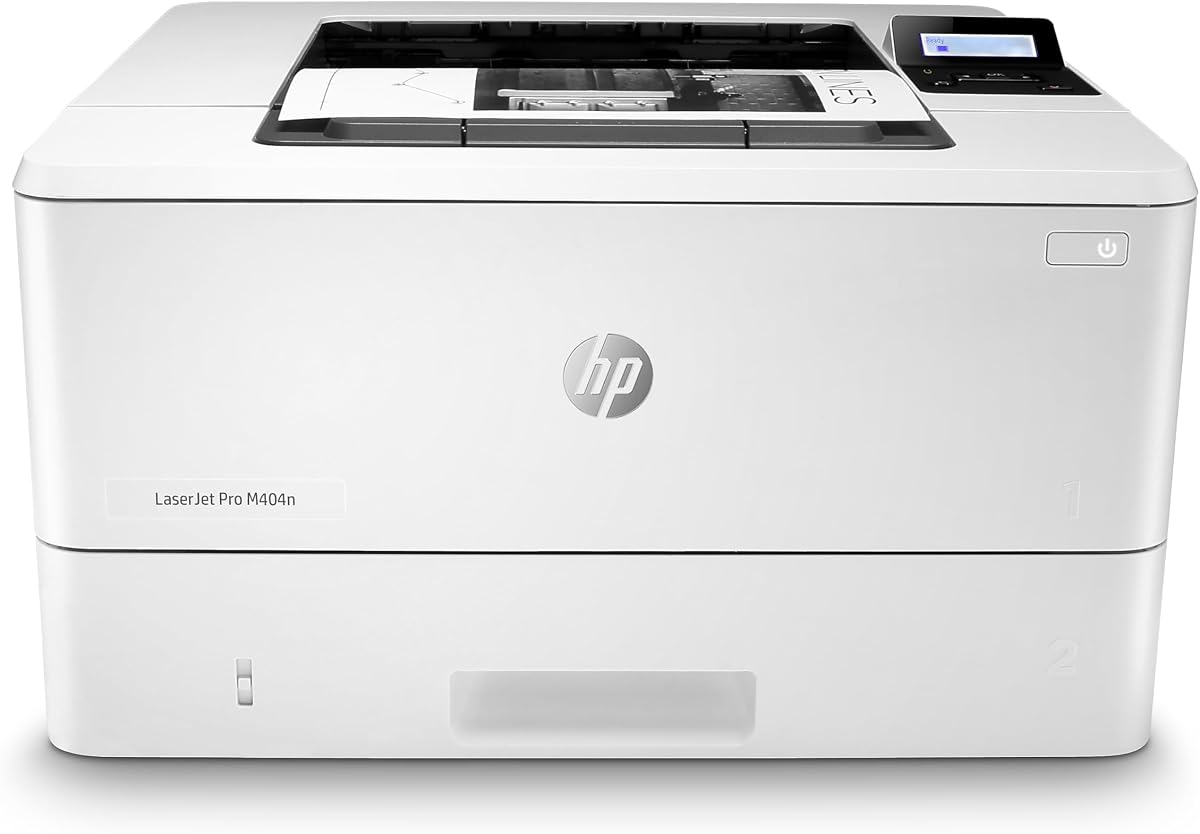
HP LaserJet Pro M404n
4.3Editor score
Built-in Ethernet connectivity
40 pages per minute speed
250-sheet input tray
This guide compares the top 10 Ethernet laser printers for small businesses and home offices based on speed, connectivity, security, and reliability features.
Finding the right Ethernet laser printer ensures reliable network printing for your office or home setup. These devices offer fast, consistent output with robust connectivity options for multiple users.
We evaluated ten top-rated models focusing on print speed, network stability, security features, and ease of use. Each selection includes detailed specifications to help you make an informed decision.
Every product entry highlights key features, pros, cons, and expert recommendations. Please note that availability and pricing may vary over time, so check current listings before purchasing.
4.3Editor score

4.4Editor score

4.2Editor score
The following comparison table outlines the key specifications and features of each Ethernet laser printer to help you quickly identify the model that fits your specific printing needs.


The Brother HL-L5100DN stands out as a top choice for businesses needing fast, reliable Ethernet printing. With a 4.4 rating, it delivers consistent performance for high-volume tasks.
We may earn a commission when you buy through this link, at no additional cost to you.
This printer excels with its 42 pages per minute speed and robust Ethernet networking. Secure function lock helps protect sensitive documents while mobile printing adds flexibility.
While it lacks wireless options, the Ethernet focus ensures stable connections. The higher price is offset by long-term reliability and expandable paper capacity for busy offices.
Businesses needing fast, secure Ethernet printing should choose this model. It balances speed, security, and capacity effectively for professional environments.
42 pages per minute ensures quick job completion for large documents and reports.
Secure function lock restricts unauthorized access to printing and document features.
We may earn a commission when you buy through this link, at no additional cost to you.
The Brother HL-L2460DW combines speed and versatility in a compact design. With a 4.0 rating, it suits home offices and small teams needing flexible connectivity.
We may earn a commission when you buy through this link, at no additional cost to you.
It offers both Ethernet and wireless connections, ensuring seamless integration. Automatic duplex printing saves paper while the 36 ppm speed keeps workflows efficient.
The 250-sheet tray may require frequent refills for high volume. The subscription service helps manage toner but adds recurring considerations for some users.
Small teams needing versatile connectivity will appreciate this model. It balances speed, size, and dual connection options effectively.
Ethernet and dual-band wireless ensure flexible network integration for various devices.
Compact design fits easily into smaller office or home desk environments.
We may earn a commission when you buy through this link, at no additional cost to you.
The HP LaserJet Pro M404n offers exceptional value for businesses requiring reliable Ethernet printing. Its 4.3 rating reflects consistent performance and efficient operation.
We may earn a commission when you buy through this link, at no additional cost to you.
It delivers 40 pages per minute with a dedicated Ethernet port for stable network access. HP Wolf Pro Security protects data while energy efficiency reduces operational costs.
The lack of wireless limits flexibility for mobile users. However, the focus on Ethernet ensures robust, secure printing for stationary workstations.
Offices prioritizing stable Ethernet connections should consider this model. It provides strong speed and security at a competitive price.
Built-in Ethernet ensures stable, high-speed connections for shared office environments.
Enhanced energy efficiency reduces power consumption compared to previous models.
We may earn a commission when you buy through this link, at no additional cost to you.
The Brother HL-6210DW is a powerhouse for high-volume offices needing top-tier performance. With a 4.2 rating, it delivers exceptional speed and robust security features.
We may earn a commission when you buy through this link, at no additional cost to you.
It features 50 pages per minute printing with Gigabit Ethernet for fast network transfers. The high paper capacity and Triple Layer Security ensure uninterrupted, safe operations.
The larger footprint and premium price may not suit all spaces. But for demanding environments, the efficiency and capacity justify the investment.
Large offices needing maximum speed and capacity should choose this model. It sets a high standard for Ethernet laser printing efficiency.
50 pages per minute ensures rapid completion of large document sets.
1,660-sheet expandable capacity reduces frequent paper refills.
We may earn a commission when you buy through this link, at no additional cost to you.
The HP LaserJet Pro 4001dn targets small teams requiring fast, secure Ethernet printing. Its 4.4 rating highlights reliability and ease of integration into office networks.
We may earn a commission when you buy through this link, at no additional cost to you.
It delivers 42 pages per minute with Ethernet-only connectivity to minimize wireless interference. Advanced security protects data while mobile printing maintains usability.
Wireless limitations may inconvenience mobile users. However, the focus on Ethernet ensures stable, secure printing for shared work environments.
Teams needing stable, fast Ethernet connections will appreciate this model. It balances speed and security effectively for small offices.
Ethernet-only design ensures reliable network connections without wireless interference.
Advanced security settings protect sensitive documents and network data.
We may earn a commission when you buy through this link, at no additional cost to you.
The HP LaserJet Pro M404dn offers reliable Ethernet printing with energy-efficient design. Its 4.4 rating reflects strong performance and ease of use in shared environments.
We may earn a commission when you buy through this link, at no additional cost to you.
It features 40 pages per minute speed with automatic duplex to reduce paper waste. Built-in Ethernet ensures stable network access while compact design saves space.
The absence of wireless limits mobile printing options. However, it remains ideal for offices prioritizing stable Ethernet connections.
Businesses needing efficient, stable Ethernet printing should consider this model. It combines speed, duplex, and energy savings effectively.
Enhanced energy efficiency reduces power consumption compared to previous products.
Automatic two-sided printing saves paper and reduces costs automatically.
We may earn a commission when you buy through this link, at no additional cost to you.
The HP LaserJet M207dw is a solid choice for offices needing secure dual connectivity. Its 4.0 rating indicates reliable performance for small team environments.
We may earn a commission when you buy through this link, at no additional cost to you.
It includes both Ethernet and wireless with built-in security to protect data. The self-reset Wi-Fi maintains connectivity while duplex printing saves paper.
Slower print speeds may impact high-volume tasks. However, the security and dual connection options suit secure office needs.
Teams needing secure dual connectivity will find this model useful. It balances safety and flexible connection options well.
Dual-band Wi-Fi with self-reset maintains consistent connectivity.
Built-in security features help protect data from potential network attacks.
We may earn a commission when you buy through this link, at no additional cost to you.
The Brother DCP-L2640DW delivers versatile printing, scanning, and copying with Ethernet support. Its 4.1 rating reflects solid all-in-one performance for small businesses.
We may earn a commission when you buy through this link, at no additional cost to you.
It offers 36 pages per minute with Ethernet and wireless connectivity. A 50-page auto document feeder streamlines multi-page tasks while mobile app adds control.
The smaller tray may need refills for high volume. But the 3-in-1 functionality saves desk space and adds office versatility.
Small businesses needing an MFP with Ethernet should choose this model. It balances functionality and network flexibility effectively.
Print, scan, and copy capabilities save space in compact offices.
23.6 pages per minute scan speed ensures fast document digitization.
We may earn a commission when you buy through this link, at no additional cost to you.
The HP Laserjet Pro 3001dw provides flexible dual connectivity with robust security. Its 4.1 rating reflects reliable performance for modern office needs.
We may earn a commission when you buy through this link, at no additional cost to you.
It features 35 pages per minute with Ethernet and wireless plus Bluetooth. HP Wolf Pro Security protects data while intelligent Wi-Fi maintains stable connections.
Bluetooth may be less critical for office printing. However, the dual connection and security features ensure flexible and safe operations.
Teams needing flexible connectivity should consider this model. It balances speed and security for diverse devices.
Automatically searches for best network connection to maintain stability.
Ethernet and wireless plus Bluetooth ensure flexible device pairing.
We may earn a commission when you buy through this link, at no additional cost to you.
The Brother HL-L2405W is a compact wireless printer ideal for home offices. Its 4.1 rating highlights consistent quality and connectivity in small spaces.
We may earn a commission when you buy through this link, at no additional cost to you.
It offers 30 pages per minute with dual-band wireless for stable connections. Alexa support adds convenience while mobile printing enables work from anywhere.
Lack of Ethernet may limit network sharing. However, the compact size and wireless focus suit home and personal use well.
Home offices needing compact wireless printing should choose this model. It balances size, speed, and ease of use effectively.
Space-saving design fits easily into home desks and small offices.
Remote mobile management allows printing and monitoring from anywhere.
We may earn a commission when you buy through this link, at no additional cost to you.
Selecting the right Ethernet laser printer involves evaluating speed, security, and connectivity to match your business needs.
Print speed determines how quickly documents are produced. For offices with high volumes, models with 40 pages per minute or more reduce wait times significantly. Slower models may suffice for smaller workloads.
Choose speed based on your daily output requirements to maintain productivity.
Ethernet provides stable wired connections for shared office environments. Ensure the printer supports gigabit Ethernet for faster data transfer if your network requires it. Some models offer dual connectivity for flexibility.
Ethernet ensures reliable connections where wireless might be unstable or insecure.
Office printers often handle sensitive data. Look for features like HP Wolf Pro Security or secure function lock to prevent unauthorized access. Firmware updates also play a crucial role in maintaining protection against new threats.
Security features protect confidential documents from network vulnerabilities.
Higher paper capacity reduces the frequency of manual refills. Standard trays hold around 250 sheets but some models allow expansion with optional trays. Consider your peak usage periods to avoid downtime.
Capacity planning ensures uninterrupted printing during busy periods.
Automatic duplex printing saves paper by printing on both sides. This feature reduces operational costs and environmental impact. Check if the model supports automatic rather than manual duplex.
Automatic duplex is essential for eco-friendly and cost-effective printing.
Mobile printing capabilities allow users to print from smartphones or tablets. Protocols like AirPrint or manufacturer apps add flexibility. Ensure compatibility with your mobile devices before purchasing.
Mobile printing enhances flexibility for remote or hybrid workers.
Yield and cost per page are critical for long-term budgeting. Look for high-yield cartridges that offer more pages per toner. Subscription services can also help manage supply levels automatically.
Efficient toner usage lowers overall operational expenses.
A solid warranty and responsive support reduce downtime during issues. Check if the manufacturer offers online, call, or live chat assistance. Some models include extended support periods.
Reliable support ensures quick resolution to technical problems.
Connect the printer to your network using the Ethernet port and install the necessary drivers on your computers. Ensure all devices share the same network segment for seamless access.
Regularly update the printer firmware to maintain security and performance. Check for manufacturer updates through the settings menu or official website.
Clean the exterior and interior rollers occasionally to prevent paper jams. Use recommended toner cartridges to avoid damage to internal components.
Ethernet provides a more stable and secure connection ideal for shared office environments. It eliminates wireless interference and ensures consistent performance during high-volume printing tasks.
Yes, many Ethernet printers support mobile printing via apps or protocols like AirPrint. Ensure the model offers compatible software to access printing functions remotely.
Duplex printing allows the printer to print on both sides of the paper automatically. This reduces paper waste and costs, making it an eco-friendly choice for offices.
Use built-in security features like secure function lock and enable firmware updates regularly. Also, ensure your network is secure with strong encryption and firewalls.
Most Ethernet printers are portable and can be easily reconnected in a new office. Simply plug into a new network and update the IP settings accordingly.
Print speed is influenced by network latency, document complexity, and printer hardware. Faster models process jobs more quickly, especially for large or high-resolution files.
Update firmware whenever new versions are released to maintain security and functionality. Check for notifications in the printer settings or manufacturer alerts regularly.
Ethernet allows multiple users to print simultaneously while USB is limited to one device. For office sharing, Ethernet is more efficient despite similar raw speed.
The Brother HL-L5100DN and HL-6210DW lead in speed and capacity while the HP LaserJet Pro M404n offers great value for budget-conscious buyers.
Prioritize security and paper capacity if your office handles sensitive documents or high volumes daily.
Check current listings for availability and ensure compatibility with your existing network setup before purchasing.