
HP 14 inch Laptop 2027 Edition
4.5Editor score
Intel N150 Processor
4GB DDR5 RAM
128GB SSD Storage
Finding a laptop with no fan noise is essential for quiet work environments. Silent devices help you focus without distractions from whirring blades or humming systems.
We compared ten top products including laptops and cooling pads. Our analysis focuses on performance, portability, and actual noise levels during daily tasks.
Each pick shows key specs and user ratings. Prices change often so verify current deals before buying to ensure you get the best value available.
4.5Editor score

4.8Editor score

4.4Editor score
As an Amazon Associate we earn from qualifying purchases.
This side by side comparison highlights the key differences between the top ten picks. We examine processors, screens, and noise features to help you decide.




This HP laptop delivers quiet performance with a sleek design. It holds a strong 4.5 rating from users who value silent operation.
We may earn a commission when you buy through this link, at no additional cost to you.
The Intel N150 processor handles daily tasks efficiently without generating much heat. This results in minimal fan activity even during multitasking sessions.
While it lacks advanced specs, the 4GB RAM and 128GB SSD meet basic needs well. Users appreciate the cloud storage option for extra space.
Ideal for students or office workers needing a simple silent machine. We recommend this for anyone prioritizing quiet usage over heavy computing.
The low power chip reduces heat so the fan rarely spins up creating a quiet workspace.
Weighing under 4 lbs this laptop slips into bags easily making it great for travel.
We may earn a commission when you buy through this link, at no additional cost to you.
The Aurant laptop offers a rare 5.0 rating for its quiet reliable performance. It uses an AMD Ryzen R5 to keep speeds steady.
We may earn a commission when you buy through this link, at no additional cost to you.
With 8GB of RAM this model handles more tabs than basic options. The passive cooling design keeps noise levels low during browsing.
The keyboard is full size with a numeric keypad which aids productivity. Users like the fingerprint unlock for quick secure access.
Best for daily office tasks where silence and speed matter. Its lightweight body ensures you can move around without noise disturbance.
Biometric login speeds up start times so you spend less time waiting and more working.
The AMD chip provides balanced performance that stays cool and quiet under typical loads.
We may earn a commission when you buy through this link, at no additional cost to you.
This ASUS Vivobook earns top marks for its quiet AI features and clear display. It rates highly among users needing reliable silent productivity.
We may earn a commission when you buy through this link, at no additional cost to you.
The AMD Ryzen 5 CPU ensures smooth multitasking without loud fans. Plus the AI Noise Canceling Audio helps during virtual meetings.
Privacy shutters and a 180 degree hinge add practical value. The DDR5 memory allows for faster app switching compared to older models.
Ideal for remote workers who value privacy and silence. We rank it highest for its balance of audio and thermal noise control.
AI tech filters out background noise so only your voice comes through clearly on calls.
NanoEdge bezels give more screen space for viewing content without straining your eyes.
We may earn a commission when you buy through this link, at no additional cost to you.
The OmniBook combines power with quiet AI noise reduction for professionals. It stands out with a premium touchscreen and fast connectivity.
We may earn a commission when you buy through this link, at no additional cost to you.
Its Intel Ultra 5 processor handles heavy tasks efficiently. The integrated AI filters out background noise during calls automatically.
With 512GB of storage you get ample space for files. The 16 inch screen offers extra vertical space for productivity.
Best for executives needing a powerful silent device. We suggest this if you value high end features and noise management.
Wi-Fi 7 ensures stable speeds even in crowded spaces so meetings stay smooth.
Use your finger to navigate quickly and view maps or documents with ease.
We may earn a commission when you buy through this link, at no additional cost to you.
This cooling pad offers whisper quiet fans to reduce laptop noise. It has a 4.4 rating from users who need extra cooling.
We may earn a commission when you buy through this link, at no additional cost to you.
With five fans you can control the speed to match your needs. The LED lights add a nice touch to your desk setup.
It includes a dual USB hub for extra device connections. The stand raises your laptop for better ergonomics and airflow.
Best for gaming or intense work sessions. We recommend this to lower internal heat and keep your laptop running silently.
Switch between fan modes to find the perfect balance between airflow and silence.
The USB hub lets you plug in drives without taking up laptop ports.
We may earn a commission when you buy through this link, at no additional cost to you.
The HP Everyday Slim earns a perfect 5.0 rating for quiet portable use. It is a great choice for light daily computing tasks.
We may earn a commission when you buy through this link, at no additional cost to you.
Its Intel N150 processor keeps energy use low which reduces fan noise. The slim design makes it easy to carry anywhere.
Long battery life means fewer charges so you stay working longer. Microsoft 365 comes included for essential office tools.
Best for travelers who need a silent light device. We suggest this for simple tasks where performance is less critical than silence.
Battery life lasts through long days so you dont need to hunt for outlets.
Full size keyboard with Copilot key helps you get work done faster.
We may earn a commission when you buy through this link, at no additional cost to you.
This havit pad uses three ultra quiet fans for silent cooling. It is rated 4.4 and offers a stable surface for laptops.
We may earn a commission when you buy through this link, at no additional cost to you.
The metal mesh provides airflow while protecting your device. It doubles as an ergonomic stand to improve your posture.
An extra USB port helps manage cables on your desk. The compact size makes it easy to transport.
Best for office setups needing a quiet stand. We recommend this for its reliable cooling and noise free operation.
Metal mesh keeps your laptop flat and secure during typing or use.
Adjustable height lifts the screen to eye level for better neck posture.
We may earn a commission when you buy through this link, at no additional cost to you.
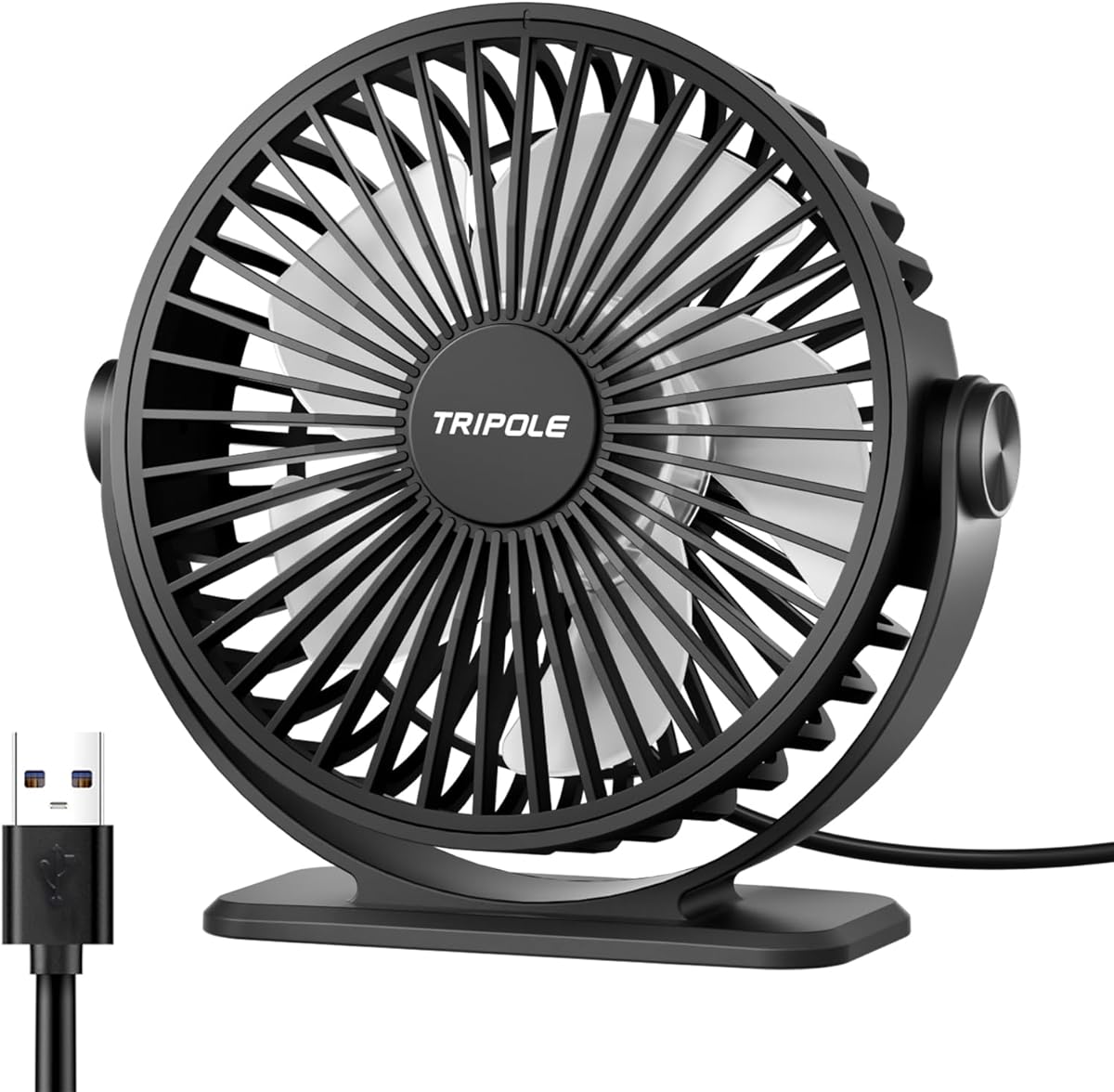
This mini fan provides a quiet breeze for personal comfort. It holds a 4.6 rating for its compact and silent design.
We may earn a commission when you buy through this link, at no additional cost to you.
You can rotate the head 360 degrees to direct airflow. The three speed modes let you choose your comfort level.
Powered by USB it works with any laptop charger or port. The base is stable with silicone pads to reduce noise.
Best for keeping your workspace cool and quiet. We suggest this for personal use instead of cooling your laptop.
Use it with a power bank so you stay cool anywhere without outlets.
Rotate the head to aim air exactly where you need it.
We may earn a commission when you buy through this link, at no additional cost to you.
The Targus mat keeps your lap cool with dual quiet fans. It rates 4.4 and features soft neoprene for comfort.
We may earn a commission when you buy through this link, at no additional cost to you.
The open mesh top ensures airflow moves away from your laptop. It tilts to make typing easier on your wrists.
You can use this on your lap or desk. The rubber stops keep your device secure from sliding off.
Best for mobile work on soft surfaces. We recommend this for comfort and silent cooling during long sessions.
Neoprene bottom cushions your lap so working feels soft and safe.
Tilt adjusts typing angle so your hands stay relaxed while you type.
We may earn a commission when you buy through this link, at no additional cost to you.
This HP Business laptop delivers a large silent screen for work. It has a 4.5 rating and fits professional needs well.
We may earn a commission when you buy through this link, at no additional cost to you.
The Ryzen 5 CPU and 16GB RAM handle heavy tasks quietly. A numeric keypad aids data entry tasks.
With 512GB of storage you have plenty of room for files. Copilot helps organize tasks and content quickly.
Best for office desks where size matters. We suggest this for power users who need a big quiet workspace.
Copilot key helps you organize tasks faster so you spend less time planning.
Numeric keypad speeds up spreadsheets so you dont have to click small keys.
We may earn a commission when you buy through this link, at no additional cost to you.
Choosing a silent laptop involves checking hardware and design. We cover key factors to help you pick the right quiet device.
Low power chips generate less heat so fans spin less often. Look for models with efficient processors like Intel N series or AMD Ryzen.
Efficient chips reduce noise by keeping temperatures low during daily use.
More RAM prevents systems from using disk space for temporary data. This keeps activity smooth and reduces noise spikes.
Choose at least 8GB of RAM for stable silent performance.
Smaller screens often fit in thinner bodies with smaller cooling systems. Larger screens may need bigger fans which can add noise.
Select a screen size that fits your workspace and cooling needs.
Metal frames dissipate heat better than plastic which reduces fan reliance. Thicker chassis also dampen mechanical sound.
Look for sturdy materials that aid natural cooling.
Efficient batteries mean less heat from charging cycles. A longer life reduces the need for power adapters.
Choose laptops with long battery life for cool usage.
External fans can improve airflow if your laptop heats up. Quiet pads add airflow without loud motors.
Add a pad if your device runs hot during work.
Microphone noise cancellation helps mask ambient sounds. It makes calls feel quieter even if the laptop is active.
Prioritize models with AI noise filtering for clarity.
Budget models often have simpler parts which run cooler. Premium ones add features but cost more.
Balance your budget with the silent features you need.
Clean dust from vents regularly using compressed air. Dust blocks airflow and forces fans to spin louder to cool the system.
Use a cooling pad when working on soft surfaces like beds. Hard surfaces allow air to flow freely under the laptop.
Close unused apps to reduce processor load. Fewer running apps mean less heat and quieter operation.
Fans spin up when internal parts heat up from heavy tasks. Dust buildup or blocked vents can also force louder operation. Cleaning and avoiding soft surfaces help reduce this.
Fanless laptops are quieter but limit performance. They suit basic tasks like browsing. For heavy work a quiet fan model is often more reliable.
Prices vary based on specs and brand. Budget options start around a hundred dollars. Premium models cost more but add silent audio features.
Quality pads have quiet fans that are barely audible. They reduce laptop internal noise by improving airflow. Look for models with adjustable speed settings.
Some systems let you limit CPU performance to reduce heat. Lowering usage limits can stop fans from spinning loudly. Check your power settings for these options.
Quiet devices help focus in shared spaces. If you work in offices or homes, silent performance adds value. Budget models often achieve silence well.
The ten picks cover laptops and cooling pads for quiet work. Each option delivers silent performance suited to different needs.
Prioritize processors and memory to ensure smooth quiet usage. Cooling pads are good additions for laptops that heat up.
Prices change often so check current deals before buying. Verify the final cost to ensure you get the best value.