
HDMI Adapter for N64/ Game Cube/SNES
4.2Editor score
HDMI cable included in box
Supports 720P and 1080P
Plug and play setup
This guide compares the top GameCube HDMI adapters for modern TVs, covering compatibility, image quality, and features to help you choose the best upgrade for
Connecting your beloved GameCube to a modern display requires the right adapter to preserve image quality and ensure compatibility. These devices convert analog signals to digital HDMI, allowing you to play classic games on contemporary televisions and monitors without losing visual fidelity or experiencing lag.
We evaluated ten leading GameCube HDMI adapters based on compatibility, signal processing, ease of use, and customer feedback. Our analysis focuses on models that support the digital port, offer upscaling, and provide stable connections, ensuring you find a solution that meets your specific gaming setup needs.
Each pick highlights key features, pros, and cons to help you make an informed decision for your retro gaming experience. Please note that product availability and pricing can change frequently, so verify current details on the retailer site before purchasing to ensure the best value.
4.2Editor score

4.6Editor score

4.4Editor score
The following comparison table outlines the key specifications and features of each top-rated adapter to help you quickly identify the best fit for your specific console and display setup.



The Kaico Gamecube HDMI Adapter stands out as the top choice for enthusiasts seeking high fidelity output. With a rating of 4.6 stars, it offers Line Doubling and Scanlines features that enhance the visual experience without needing extra power, making it ideal for modern setups.
We may earn a commission when you buy through this link, at no additional cost to you.
This adapter improves clarity significantly compared to standard AV cables by supporting up to 480p or 576p resolution. The included remote allows easy navigation for selecting options like Scanlines, and the USB port ensures you can keep firmware updated for optimal performance.
While it is priced higher than generic converters, the build quality justifies the cost. The included 3D printed shelf reduces strain on the digital connector, which enhances durability and ensures a stable connection over long gaming sessions.
If you own a DOL-001 GameCube and want the best possible picture quality on an HDMI TV, this is the recommended pick. Its comprehensive feature set and reliable performance make it a solid investment for preserving classic gaming visuals.
The Line Doubling and Scanlines features provide a sharper and more authentic look to classic games, improving the overall aesthetic compared to raw analog signals.
The 3D printed shelf helps protect the delicate digital port on your console, preventing wear and tear from frequent cable plugging and unplugging.
We may earn a commission when you buy through this link, at no additional cost to you.
This HDMI adapter offers an accessible entry point for retro gamers wanting to connect legacy systems like the GameCube to modern TVs. Rated at 4.2 stars, it supports resolutions up to 1080p and includes an HDMI cable to simplify the initial setup process.
We may earn a commission when you buy through this link, at no additional cost to you.
It is designed for multiple consoles including N64, GameCube, and SNES, providing a versatile solution if you own more than one retro system. The clear and smooth picture quality ensures you can enjoy your favorite titles without the hassle of complex installations.
However, users should be aware that it requires an external power supply to function correctly. This adds a slight layer of complexity to your setup, but the convenience of the included cable often offsets this minor inconvenience.
For budget-conscious buyers who want a straightforward way to upgrade their GameCube output, this adapter is a strong contender. It delivers solid performance for everyday gaming without requiring a significant financial commitment.
Supporting N64, GameCube, and SNES allows you to use one device for multiple consoles, simplifying your retro gaming station setup.
The inclusion of an HDMI cable in the box saves you the extra cost and hassle of purchasing one separately to complete the connection.
We may earn a commission when you buy through this link, at no additional cost to you.
The BITFUNX NGC to HDMI Adapter delivers advanced features for enthusiasts who want maximum control over their GameCube experience. With a rating of 4.4 stars, it supports all display modes from 240p to 576p, ensuring perfect compatibility with various TV setups.
We may earn a commission when you buy through this link, at no additional cost to you.
A standout feature is its GC2SD Gen2 support, which allows you to use microSD cards for storage expansion and backing up game files. This is invaluable for preserving your save data and experimenting with homebrew software like Swiss without risking original game discs.
The adapter also comes with a small black bracket that protects the device and enhances durability. The USB port makes firmware updates easy, ensuring you can access the latest features and improvements directly from the manufacturer.
If you are serious about preserving your GameCube library and want the flexibility of homebrew support, this adapter is worth the investment. It balances high-quality video output with robust functional features that standard converters lack.
Support for microSD cards up to 512GB gives you ample space to back up game files and manage your digital library efficiently.
Support for Swiss and other homebrew software opens up new possibilities for loading homebrew games and running backup copies.
We may earn a commission when you buy through this link, at no additional cost to you.
The Tengchi RCA to HDMI Converter provides a practical solution for converting analog inputs to digital outputs. Rated at 4.4 stars, it works well with devices that use standard composite RCA cables, such as the GameCube when used with an AV cable.
We may earn a commission when you buy through this link, at no additional cost to you.
It supports various TV formats including PAL and NTSC, making it a versatile choice if you use different region consoles. The included HDMI cable and user manual ensure you have everything needed to get started immediately upon unboxing the product.
Note that this adapter requires external USB power to function properly. While this is common for many converters, it adds a cable to your setup. Also, ensure you connect audio properly as HDMI audio may not pass through automatically without additional configuration.
For users who already have standard RCA cables and want a budget-friendly way to reach an HDMI display, this is a viable option. It offers solid performance for the price, though it lacks the digital port advantages of other dedicated adapters.
Support for multiple TV standards ensures compatibility with a wide range of consoles and regions, making it useful for international gaming collections.
The plug and play design allows you to start gaming quickly without needing to install drivers or configure complex settings on your console.
We may earn a commission when you buy through this link, at no additional cost to you.
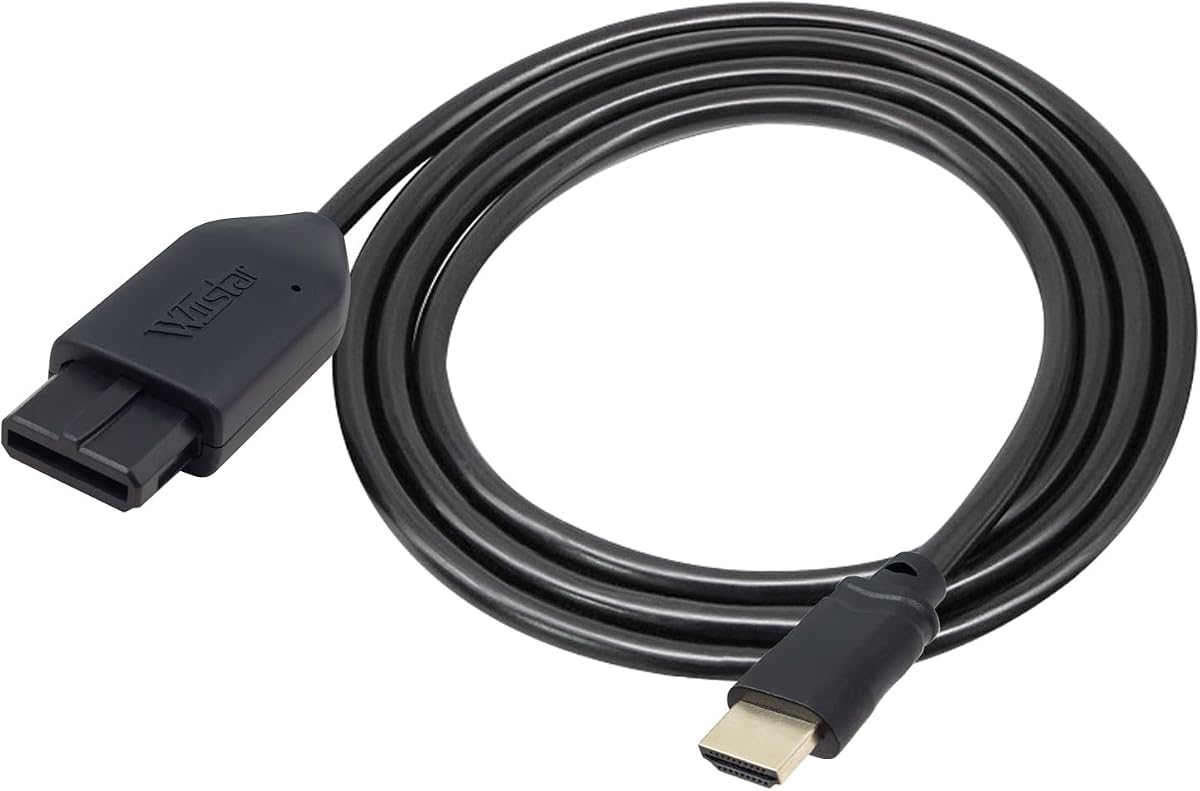
This adapter features an all-in-one cable design that simplifies the connection process by eliminating the need for separate wires. With a rating of 4.1 stars, it provides S-Video signal output which offers sharper and brighter images than standard composite AV connections.
We may earn a commission when you buy through this link, at no additional cost to you.
The built-in console-specific port and HDMI male plug make setup straightforward, reducing cable clutter behind your TV. This is particularly beneficial for users who value a clean and organized gaming station without sacrificing visual quality.
It supports up to 1080p60Hz output, ensuring smooth gameplay on modern displays. However, users should note that it does not support 720p60Hz, which may require adjustments depending on your specific TV settings and preferences.
Ideal for those who want a tidy setup without worrying about external power sources, this adapter offers a reliable way to upgrade your GameCube connection. While not the highest-rated, it delivers good value for its ease of use and integrated design.
The all-in-one design reduces the number of cables needed, keeping your setup cleaner and easier to manage over time.
S-Video signal output provides a better visual experience than standard AV cables, offering improved color separation and detail.
We may earn a commission when you buy through this link, at no additional cost to you.
This 3-in-1 HD link adapter converts S-Video signals from GameCube, N64, and SNES to digital HDMI signals efficiently. Rated at 4.4 stars, it features a toggle switch for aspect ratios, allowing you to switch between 4:3 and 16:9 as needed.
We may earn a commission when you buy through this link, at no additional cost to you.
The detachable design allows you to use your own high-end HDMI cables if you prefer longer or higher quality connections. This flexibility is useful for larger rooms where the included cable might not reach your TV comfortably.
It provides low latency performance, which is crucial for gaming experiences where input lag can affect gameplay. The consistent image quality ensures that colors and resolution are preserved well for most modern display systems.
For collectors who own multiple retro consoles and want one adapter for all, this is a solid choice. The combination of multi-console support and aspect ratio control makes it a practical addition to any retro gaming collection.
The toggle switch lets you adjust the screen format to match your TV preferences, preventing stretching or black bars on modern screens.
Unnoticeable lag ensures responsive gameplay, which is important for fast-paced games where timing and precision are key factors.
We may earn a commission when you buy through this link, at no additional cost to you.
The OLCLSS HDMI Adapter brings retro gaming to life on modern displays by converting analog signals into crisp digital HDMI signals. With a focus on stability and ease of use, it supports resolutions up to 1080p for sharp picture quality on compatible screens.
We may earn a commission when you buy through this link, at no additional cost to you.
It offers broad compatibility with classic consoles like the N64, GameCube, and SNES, making it a flexible choice for multi-console setups. The design includes features for ultra-low input lag and stable signal transmission to ensure a smooth gaming experience.
The adapter allows switching between aspect ratios to match your display preferences, enhancing flexibility when using different TVs. The upgraded power design aims to operate without extra power, though external connection may be needed for stability in some cases.
For users seeking a straightforward solution to connect multiple legacy consoles to HDMI TVs, this adapter is worth considering. While reviews are limited, its feature set aligns well with the needs of most casual retro gamers.
Supporting up to 1080p ensures the output matches most modern HDTVs and monitors, providing clear visuals without distortion or blurriness.
No drivers or complicated software are needed to get started, allowing you to connect the adapter and begin playing your classic games immediately.
We may earn a commission when you buy through this link, at no additional cost to you.
The Kaico N64 to HDMI Adapter supports multiple Nintendo consoles including N64, SNES, and GameCube via a single converter unit. Rated at 4.2 stars, it eliminates the need for messy cables by working well with the proprietary analogue ports on these systems.
We may earn a commission when you buy through this link, at no additional cost to you.
It supports both SVideo and composite outputs, giving you flexibility depending on the cables you have available. The design ensures no additional power is required, keeping the setup simple and reducing the number of connections needed on your TV.
As a plug and play solution, it avoids the need for software or hardware installation, making it accessible for casual users. The brand provides a 12-month support warranty, ensuring you have assistance if any issues arise with the device.
This adapter is ideal for owners of multiple retro consoles who want a unified solution for their gaming setup. It balances simplicity with functionality, providing reliable performance for everyday gaming without extra complexity or hassle.
Not needing additional power to work reduces cable clutter and simplifies the setup process significantly for most users.
Supporting N64, SNES, and GameCube makes it a versatile choice for those who own more than one retro Nintendo console system.
We may earn a commission when you buy through this link, at no additional cost to you.
This adapter kit includes an HDMI cable and converter designed for N64, GameCube, and SNES consoles. Rated at 4.1 stars, it supports 16:9 conversion on HDTVs and allows for easy plug and play setup without requiring additional power supply.
We may earn a commission when you buy through this link, at no additional cost to you.
It is designed to eliminate screen lag, providing a smooth experience for gameplay. The clear picture quality helps legacy systems run better on newer TVs, offering a better gaming experience compared to standard analog outputs used previously.
The seller offers 30 days return and refund plus 1 year replacement, which is a helpful policy if you encounter connection issues. Note that if no sound appears you may need to reconnect to ensure the signal is established correctly on your TV.
For those who want a convenient all-in-one kit with basic support features, this adapter is a practical choice. It simplifies the transition to modern displays while providing reasonable visual quality for most casual retro gaming needs.
Including the HDMI cable means you have everything you need to start playing right away without buying extra accessories separately.
The warranty policy offers peace of mind by allowing returns or replacements if the product does not work as expected.
We may earn a commission when you buy through this link, at no additional cost to you.
This converter extracts the S-Video signal from the AV Multi-Out port to provide a cleaner output compared to standard RCA composite cables. Rated at 3.9 stars, it supports N64, GameCube, SFC, and SNES consoles for use on modern displays with HDMI input.
We may earn a commission when you buy through this link, at no additional cost to you.
The adapter includes a 1.5m HDMI cable with nickel-plated connectors to resist oxidation and maintain stable signal transmission over time. This focus on signal quality and build materials helps ensure the connection remains reliable without needing external power.
It outputs the original console resolution without upscaling to HD resolutions, preserving the authentic look of the games. While this may mean less sharpness than upscalers, it avoids potential issues with image artifacts that some devices introduce.
For users prioritizing S-Video quality and simplicity, this adapter is a solid option. The included cable and durable connectors make it a good value for those who want a reliable way to connect retro consoles to modern HDMI screens.
By extracting S-Video instead of composite, the output is sharper and more defined, improving visual fidelity without upscaling.
Nickel-plated connectors help prevent oxidation over time, ensuring the connection remains stable and reliable for long-term use.
We may earn a commission when you buy through this link, at no additional cost to you.
Choosing the right adapter depends on your console model, desired visual quality, and budget. Here are key factors to consider before making your purchase.
Ensure the adapter matches your GameCube model. Only DOL-001 consoles have the digital port used by advanced adapters like Kaico and BITFUNX, while others use analog AV ports.
Look for adapters that support S-Video or digital signals for better image clarity. Analog converters may work but typically offer lower fidelity compared to digital port solutions.
Check the supported resolution. Some adapters output up to 1080p while others are limited to 480p or 576p. Higher resolution options may offer sharper images on modern displays.
Some adapters need external power via USB while others run from the console. External power can ensure stable performance but adds a cable to your setup.
Features like firmware updates, aspect ratio switches, or homebrew support can enhance flexibility. Consider if these extra capabilities are worth the potential added cost.
A solid warranty policy offers protection against defects. Brands like Kaico offer repair and replace options which can be valuable for long-term use.
Some kits include HDMI cables which simplifies setup. If not included, factor in the cost of purchasing a compatible cable separately for your system.
Prices vary widely based on features. Balance your budget with the features you need most to find the best value for your specific gaming requirements.
Keep the adapter in a cool and dry place to avoid overheating. Avoid frequent plugging and unplugging to extend its lifespan and maintain the integrity of the connectors.
No, some adapters like Kaico and BITFUNX require the DOL-001 digital port model. Others work with standard AV ports but may offer different features and image quality depending on the connection type used.
It depends on the model. Some adapters draw power from the console while others need a USB connection. Check product details carefully to ensure you have the necessary power source for your setup.
Yes, if your monitor has an HDMI input. These adapters convert signals to digital HDMI which is compatible with most modern displays as long as they support the output resolution.
Most adapters have low lag but some may introduce minimal delay. Advanced adapters like Kaico minimize this effectively, while cheaper models might vary depending on internal processing quality used.
Most adapters transmit audio through HDMI but some require separate audio cables for sound. Verify the specific model features to ensure both video and audio are routed correctly to your TV.
Some adapters like Kaico have USB ports for firmware updates. This allows you to access improvements and ensure compatibility with newer TV models or console configurations in the future.
Remember to check current availability and pricing before purchasing as details can change quickly. This guide aims to help you make an informed decision for your retro gaming journey.