
Nicer CD/VCD/DVD Player Cleaner Kit NS-1
4.0Editor score
Voice guidance included
One point five minutes process
Microfiber cloth included
This guide compares the top ten CD and DVD Player Cleaner options to help you restore playback quality and extend the life of your disc players effectively.
Disc players often suffer from skipping or slow loading due to dust accumulation. A reliable cleaner restores performance without requiring technical expertise or expensive repairs for your home entertainment setup.
We evaluated ten leading cleaners based on cleaning technology, compatibility, and user feedback. Each product offers unique features ranging from brush systems to fluid kits designed to address specific playback issues.
Each pick details core specs, pros, and cons to guide your choice. Prices and availability change frequently, so verify current listings before purchasing to ensure you get the best value today.
4.0Editor score

4.2Editor score
4.2Editor score
The following table provides a side-by-side comparison of all ten products reviewed in this guide. Use this overview to quickly identify which cleaner matches your specific player type and cleaning needs.







This cleaner targets dust that causes slow loading or freezing. It scores well for effectiveness and includes a cloth for disc maintenance. Users report restored playback quality quickly.
We may earn a commission when you buy through this link, at no additional cost to you.
The two brush process removes dirt and dust deposits effectively. This extends the service life of players while improving sound and image quality. It works with most CD and DVD players.
It is not compatible with game consoles or Bose players. Some users find the packaging basic. These are minor issues compared to the reliable performance during playback.
Buy this if you want a reliable disc player cleaner. It is ideal for home entertainment systems needing a tune up. The included cloth adds value to the purchase.
Cleaning the laser lens improves sound and image quality simultaneously.
Regular cleaning extends the service life of your CD or DVD player.
We may earn a commission when you buy through this link, at no additional cost to you.
This ARCD-04 model includes cleaning fluid for added versatility. It offers 24 hour support for any issues you face. Users value the support and cleaning effectiveness.
We may earn a commission when you buy through this link, at no additional cost to you.
It removes dirt deposits via a two brush process. The included fluid helps tackle tough grime on lenses. This improves audio and video quality significantly.
It does not support game consoles like Xbox or PS. The design is functional but basic. These factors are balanced by the strong customer support available.
Choose this for reliable support and cleaning power. The fluid addition makes it versatile for tough jobs. It is a solid choice for home media setups.
The team is available 24 hours standby to serve you if any problem arises.
The kit includes disc cleaning fluid for thorough lens treatment.
We may earn a commission when you buy through this link, at no additional cost to you.
The ARCD-02 offers similar benefits to the 04 model. It includes fluid and provides 24 hour support. Users appreciate the responsive service and cleaning results.
We may earn a commission when you buy through this link, at no additional cost to you.
Cleaning the lens extends player life and improves quality. The two brush process removes deposits causing dropouts. This ensures smooth playback for your media.
It is not compatible with game consoles or Bose players. This limits use to standard disc players. However, for those devices, it performs reliably.
Buy this for a compact and supportive cleaner. It works well for home CD and DVD units. The support ensures you can resolve any issues quickly.
The 2-brush clean process removes dirt and dust deposits effectively.
Contact the team for 24 hours standby service if any problem arises.
We may earn a commission when you buy through this link, at no additional cost to you.
Endust is designed for office desktops and home offices. It is safe for any device that is CD DVD compatible. Users find it easy to use with audio instructions.
We may earn a commission when you buy through this link, at no additional cost to you.
It removes dust and dirt from your disc player effectively. The audio instruction ensures proper use. This maintains performance in shared or office environments.
You must turn audio on for use instructions. This can be annoying if audio is off. Still, it works well for office and home office use.
Choose this for office or home office maintenance. It is safe for multiple compatible devices. The audio guide ensures correct usage every time.
This product safely cleans the lens of any device that is CD DVD compatible.
It is perfect for office desktops, school use, and home offices.
We may earn a commission when you buy through this link, at no additional cost to you.
This cleaner features a Thunder on brush system with copper fibers. It works with Xbox and PS1/2 systems. Users find it effective for gaming disc issues.
We may earn a commission when you buy through this link, at no additional cost to you.
Copper fibers remove scratches and improve quality. It boosts player durability and image quality. The system is ideal for removing scratches from discs.
It is not suitable for PS3, PS4, or WiiU. You must replace after 20 usages. These limits are acceptable given the specific gaming compatibility.
Buy this if you game on Xbox or PS1/2. It improves durability and sound. The copper fibers make it unique for gaming systems.
The ultra fine synthetic fibers impregnated with copper allow maximum cleaning and demagnetization.
It is safe for use with XBOX XBOX360 and PS1/2 gaming systems.
We may earn a commission when you buy through this link, at no additional cost to you.
This kit helps players with poor playback effects. It includes fluid and voice guidance. Users find the voice guidance helpful during cleaning.
We may earn a commission when you buy through this link, at no additional cost to you.
The three minute process is quick and effective. It extends the life of the machine by cleaning dirty lenses. The cloth helps clean discs too.
It does not support game consoles like Xbox or PS. The guide is basic. These are minor cons for the quick cleaning time.
Choose this for quick and easy cleaning. The voice guidance helps avoid mistakes. It is ideal for users wanting a simple solution.
The operation is simple with voice guidance for testing left and right channels.
The whole procession only takes three minutes to complete fully.
We may earn a commission when you buy through this link, at no additional cost to you.
The NS-1 model is the fastest option in the list. It takes only one point five minutes. Users find it great for quick checks.
We may earn a commission when you buy through this link, at no additional cost to you.
It includes a microfiber cloth for discs. Voice guidance ensures easy operation. This extends the life of the machine efficiently.
It is not for game consoles. The support is good but basic. These limits are acceptable for the low price point.
Buy this for a budget friendly fast clean. It restores better playback effects. Ideal for users needing a quick fix.
The whole procession only takes one point five minutes to finish.
The kit comes with a six month after-sales service period.
We may earn a commission when you buy through this link, at no additional cost to you.
These wipes restore discs to peak performance by removing dirt. They prevent skipping and ensure smooth play. Users like the nonabrasive soft wipes.
We may earn a commission when you buy through this link, at no additional cost to you.
They are ideal for routine maintenance. The pack contains 20 individual wipes. This helps maintain longevity and optimal function of CDs.
They do not clean player lenses. You must use a lens cleaner for that. But for discs, they are excellent for quick wipes.
Buy this for disc surface care. It ensures uninterrupted experience. The 20 pack is perfect for regular use.
Effectively restore discs to peak performance by removing dirt dust smudges and fingerprints.
These wipes help prevent skipping ensuring a smooth uninterrupted experience.
We may earn a commission when you buy through this link, at no additional cost to you.
This cleaner uses a carbon system to remove static. This prevents skipping and dropouts. Users find it effective for older players.
We may earn a commission when you buy through this link, at no additional cost to you.
The eight brush carbon system is designed to prevent build up. It ensures smooth playback for DVD and CD drives. The model 23321 is well known.
Packaging may vary which can be confusing. The design is older. Still, the static removal is a key benefit.
Choose this if static is your main issue. It prevents skipping effectively. The carbon system offers reliable removal.
The eight brush carbon system removes static build up effectively.
By removing build up this cleaner prevents skipping during playback.
We may earn a commission when you buy through this link, at no additional cost to you.
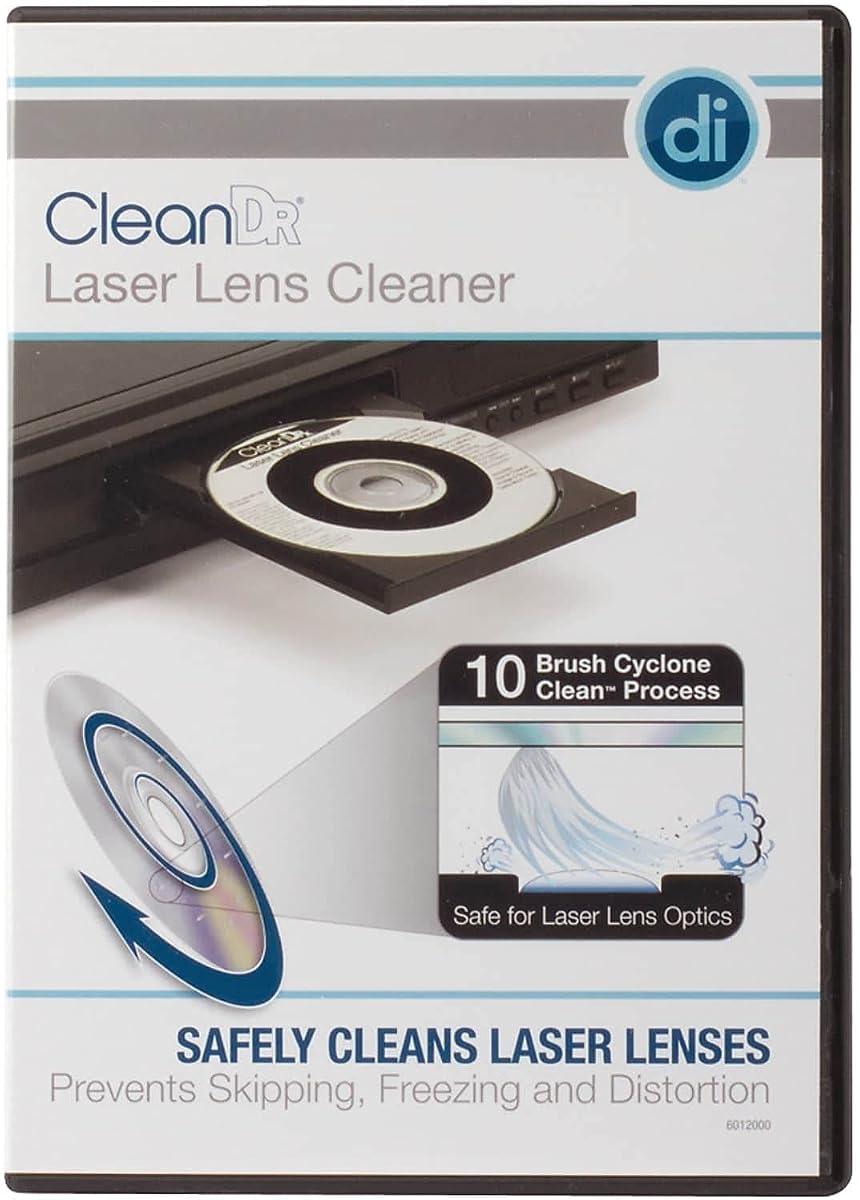
This professional cleaner features a cyclone process. It demagnetizes and removes dust. Users find it great for computers and game systems.
We may earn a commission when you buy through this link, at no additional cost to you.
The unique 10-brush demagnetizes dirt. It optimizes CDs and DVDs performance. Safe for Xbox and PS1/2 game systems.
It is not for BluRay or PS3/PS4. The process is complex. These limits are acceptable for the professional quality.
Buy this for high performance needs. It ensures optimal performance. Ideal for computer users.
The unique 10-brush cyclone clean process removes dust dirt and debris.
Optimizes CDs DVDs and game system performance for smooth playback.
We may earn a commission when you buy through this link, at no additional cost to you.
Choosing the right cleaner depends on your specific player type and issues. Consider these factors to ensure compatibility and effectiveness for your setup.
Check if the cleaner supports your player type. Some do not support consoles like PS3 or PS4. Others are safe for computers and game systems.
Always verify compatibility with your specific device before buying to avoid returns.
Look for brush systems that remove dust deposits. Cyclone or microfiber systems offer better cleaning power. Fluid kits add extra scrubbing power for tough dirt.
Choose a technology that matches the level of dirt in your player.
Voice guidance or simple instructions make cleaning easier. Kits with cloths save time by cleaning discs too. Avoid complex steps that might damage the lens.
Prioritize guides with clear steps to prevent user error during cleaning.
Some brands offer 24 hour support or six months service. This ensures help if issues arise after purchase. Support adds value to the product.
Look for after-sales service periods to guarantee long term satisfaction.
Compare prices based on what is included. Kits with fluids or cloths offer better value than discs alone. Budget options may lack accessories.
Balance cost with included items to get the best value for your money.
Some cleaners only clean lenses, others clean discs too. Ensure you have both for complete maintenance. Wipes may be needed for disc surfaces.
Choose products that handle both lens and disc cleaning for full maintenance.
Soft brushes prevent damage to the lens. Microfiber brushes are safe for sensitive optics. Avoid hard materials that could scratch the lens.
Check brush material to ensure it is safe for your laser lens.
Choose brands with high ratings and reviews. Established brands like Maxell offer reliable quality. Read reviews to verify claims about performance.
Trust brands with a history of positive feedback for better results.
Insert the cleaner disc facing up and follow instructions. If audio is needed, ensure your player audio is on for instructions. Press play to start the cleaning cycle.
Wait for the cleaning cycle to finish. The disc will stop after the brushes complete cleaning. Do not remove it while the brushes are moving.
Remove the disc carefully and return it to its case. Clean your discs with a separate cloth if needed. Store the cleaner in a dry place for next use.
It is recommended to clean the player after every 10 hours of use for optimal performance. This frequency prevents dust buildup that causes skipping or slow loading. Regular maintenance extends the service life of the device.
Most cleaners are not compatible with modern consoles like PS3, PS4, or Xbox One. Always check compatibility before using a disc cleaner on your console. Some older models may be safe but verify first.
Signs include slow loading, skipping, freezing during playback, or distorted audio video. If your player struggles to read discs, the lens may be dirty. Cleaning the lens often resolves these playback issues.
Yes, high quality cleaners are safe for CD, DVD, and computer players. They use soft brushes that do not damage the lens. However, avoid cheap brushes that may scratch sensitive optics.
Fluid kits are optional but helpful for tough dirt. Some cleaners use dry brushes which are also effective. Choose based on how dirty your player lens typically gets.
Many cleaners are not intended for Blu-Ray players. Always check if the product specifies Blu-Ray compatibility. Using incompatible products may damage the laser.
If the disc stops, check your instructions or player settings. Ensure the cleaner is compatible with your player type. If issues persist, contact the support team provided in the kit.
Most kits take between one and five minutes to complete. Some faster options take only one point five minutes. This short time makes routine cleaning easy and efficient.
We reviewed ten cleaners offering brush and fluid options. The Arsvita and Nicer kits provide reliable cleaning for home media players.
Prioritize compatibility and brush quality to avoid damage. Choose models with support for peace of mind during use.
Check current prices and availability before purchase. Product prices and stock vary so verify listings for the best deal today.