
M.2 Heatsink Cooler 2280 SSD Double-Sided Heat Sink
4.6Editor score
Aluminum alloy body with silver plating
Double-sided clip design for stability
Compatible with PS5 and PC slots
This guide compares the top low profile SSD heatsinks for PS5 and PC builds focusing on cooling performance, thickness, and compatibility with modern NVMe
Modern NVMe SSDs generate significant heat during sustained workloads which can lead to thermal throttling and reduced performance. Low profile heatsinks offer an effective passive cooling solution without adding bulk to compact systems like the PlayStation 5.
We evaluated ten leading models based on material quality, thermal conductivity, installation ease, and fit across various form factors. Each candidate was assessed for its ability to maintain safe operating temperatures in confined spaces where airflow is limited.
Every pick below highlights specific strengths for different use cases from budget builds to high-performance setups. Please note that availability and specific model details may vary over time so verify current specs before purchasing.
4.6Editor score

4.5Editor score

4.7Editor score
The following table provides a side-by-side comparison of all ten selected models highlighting their key specifications and intended use cases to help you find the perfect fit.




The GLOTRENDS 2-Pack M.2 SSD Heatsink stands out as a versatile solution for both PlayStation 5 and desktop PC users seeking reliable thermal management without active fans. With a strong rating from users, it delivers consistent cooling performance that prevents throttling during heavy file transfers and gaming sessions.
We may earn a commission when you buy through this link, at no additional cost to you.
Its design features passive aluminum fins that effectively pull heat away from the SSD controller. The kit includes all necessary components such as thermal pads metal clasps and rubber bands allowing for a quick installation that secures the heatsink firmly without voiding drive warranties.
While the product is optimized for desktop environments and console expansions it is not intended for laptop use which may be a limitation for portable setups. However the straightforward installation and dual-drive packaging make it an excellent value for anyone upgrading multiple storage drives.
We recommend this model for PS5 owners and desktop enthusiasts who prioritize ease of use and reliable heat dissipation. Its balanced performance and complete accessory kit ensure your NVMe drives operate within safe temperature ranges for extended periods.
The aluminum fin design maximizes surface area for heat exchange without requiring power or generating noise.
This heatsink accommodates a wide range of 2280 drives including both NVMe and SATA variants across generations.
We may earn a commission when you buy through this link, at no additional cost to you.
This M.2 PCIE NVME 2280 SSD Graphene Coating Heatsink utilizes advanced materials to maximize thermal dissipation for high-performance storage drives. The graphene coating enhances heat conduction significantly compared to standard metal surfaces ensuring consistent operation under load.
We may earn a commission when you buy through this link, at no additional cost to you.
It is designed as a full-cover radiator that protects the SSD components while effectively transferring heat to the air. The air duct design increases contact area which is particularly beneficial for laptops and compact builds where airflow might be restricted.
The slanted slot design adds an aesthetic touch to the build but users must ensure proper clearance in tight enclosures. Additionally while the thermal adhesive simplifies mounting it requires careful handling to avoid misalignment during installation.
Buyers looking for a high-performance solution with modern materials will appreciate this heatsink. It is particularly suitable for users who need efficient cooling in laptops or consoles without compromising on build quality.
Graphene offers superior thermal conductivity which helps maintain lower operating temperatures than traditional copper or aluminum.
The professional air duct design optimizes airflow even in narrow spaces typical of laptop interiors.
We may earn a commission when you buy through this link, at no additional cost to you.
The Laptop NVMe M.2 Heatsink with Nano Thermal Pads is engineered specifically for the tight constraints of modern notebook designs. Made from pure copper it offers excellent thermal conductivity to keep SSDs cool during intensive tasks without adding significant bulk.
We may earn a commission when you buy through this link, at no additional cost to you.
Its ultra-thin 1.5mm height ensures it fits into narrow laptop bays where other coolers might not. The inclusion of both rubber ring and thermal pad options provides flexibility for secure mounting without tools or adhesives that could damage components.
While highly effective for laptops this model is strictly sized for 2280 drives which may limit compatibility with shorter or longer form factors. Users should measure their internal space carefully to ensure a proper fit before installation.
We recommend this heatsink for laptop owners seeking to extend the lifespan and performance of their NVMe drives. The combination of material quality and slim design makes it an ideal choice for portable computing environments.
The 1.5mm minimum installation height ensures compatibility with most compact laptop chassis designs.
Rubber rings and thermal pads allow users to secure the heatsink using their preferred method.
We may earn a commission when you buy through this link, at no additional cost to you.
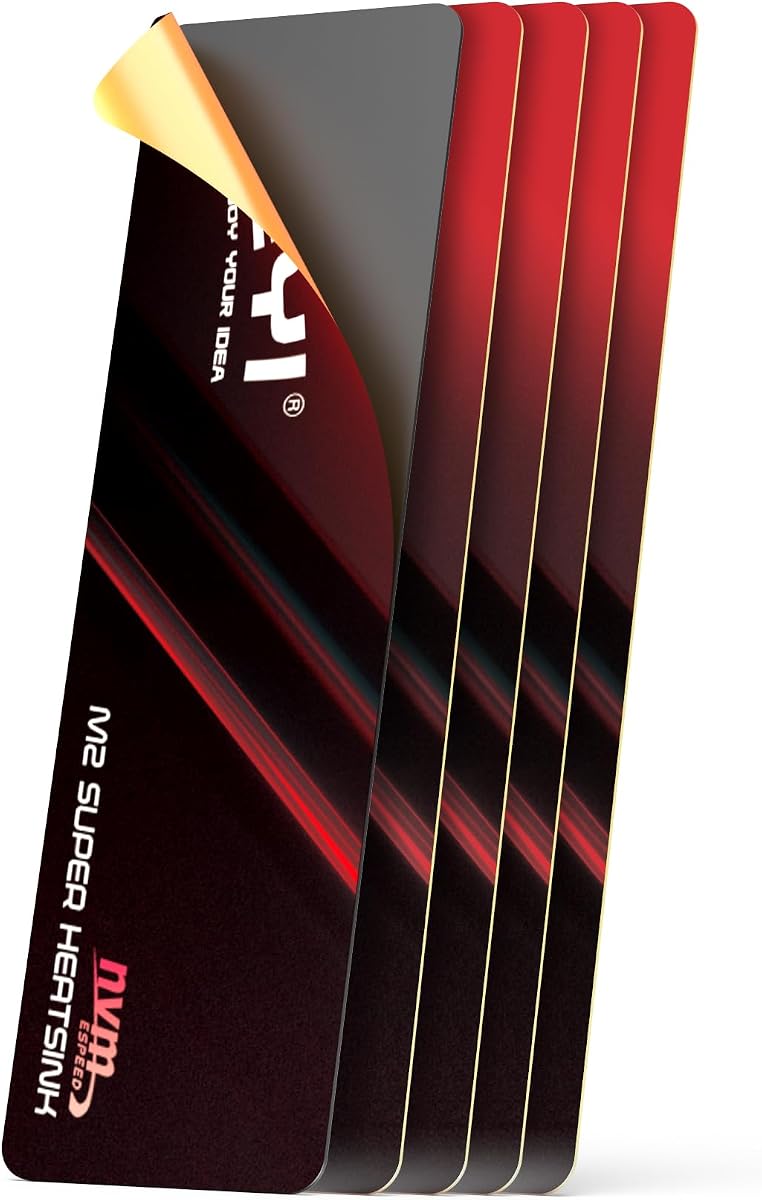
The JEYI M.2 2280 SSD Heatsink offers an ultra-thin solution for devices with extremely tight space constraints such as handheld gaming consoles or slim ultrabooks. Utilizing graphene and copper foil it provides efficient cooling with minimal added thickness.
We may earn a commission when you buy through this link, at no additional cost to you.
Its dual-sided cooling capability allows for better heat dissipation across the drive reducing the risk of thermal throttling significantly. The adhesive is designed to withstand a wide temperature range ensuring a permanent bond that stays secure during use.
Installation requires careful handling to prevent bending the thin film which could compromise effectiveness. If bent gently it can be corrected but users must ensure flat contact for optimal thermal transfer between the drive and heatsink.
This heatsink is ideal for ROG Ally users and PS5 owners who need cooling without adding bulk to the expansion slot. The advanced material composition delivers strong performance in a package that fits where traditional coolers cannot.
Applying thermal pads to both sides of the SSD doubles heat dissipation preventing throttling effectively.
The adhesive bond is rated for temperatures from -40°C to 120°C ensuring reliability under stress.
We may earn a commission when you buy through this link, at no additional cost to you.
The M.2 Heatsink Cooler 2280 SSD Double-Sided delivers exceptional value for budget-conscious users needing reliable cooling for their storage drives. Its aluminum alloy construction with silver plating not only dissipates heat effectively but also helps eliminate static electricity risks.
We may earn a commission when you buy through this link, at no additional cost to you.
The double-sided clip design ensures a stable fit on various NVMe heights providing secure protection during transport or system vibration. Low viscosity thermal pads included in the package prevent damage to the drive while ensuring good thermal contact.
While the build is utilitarian and focuses on function rather than form it still meets performance targets with a cooling effect of up to twenty degrees. Some users may find the plastic clips less durable than metal alternatives over long periods.
This model is perfect for desktop PCs and PS5 expansions where cost is a primary concern without sacrificing necessary cooling performance. It is a straightforward and effective solution for maintaining safe SSD temperatures.
Silver plating on the body helps eliminate static electricity which can protect sensitive electronic components.
Double-sided clips secure the heatsink firmly ensuring it stays in place during normal use.
We may earn a commission when you buy through this link, at no additional cost to you.
This M.2 Heatsink uses pure copper material to ensure high thermal conductivity and rapid heat dissipation for 2280 NVMe drives. The groove design increases the surface area available for heat exchange allowing accumulated heat to be released into the air quickly.
We may earn a commission when you buy through this link, at no additional cost to you.
Its slim 1.5mm profile ensures it fits on most computers without interference making it ideal for laptops and compact desktop cases. The package includes thermal pads and rubber rings providing all necessary components for a clean installation without extra tools.
While copper is highly effective it may require periodic cleaning to prevent oxidation which can affect performance over time. The limited surface area due to its small size means it works best in cases with decent internal airflow.
We recommend this heatsink for users prioritizing material quality and thinness in compact builds. Its reliable performance and simple design make it a solid choice for maintaining stable drive speeds during heavy use.
The grooves significantly increase heat dissipation area allowing faster release of accumulated heat.
At 1.5mm thick it avoids interference with nearby components in tight laptop chassis.
We may earn a commission when you buy through this link, at no additional cost to you.
The be quiet! MC1 M.2 SSD Cooler Heatsink is a premium option engineered to maintain maximum read and write speeds for high-performance storage drives. It accommodates both single and double-sided modules providing versatile cooling for a wide range of NVMe SSDs.
We may earn a commission when you buy through this link, at no additional cost to you.
Designed specifically with PlayStation 5 expansion in mind its dimensions ensure it fits perfectly within the console's internal structure. This precise fit allows the system to run at full performance for extended periods without the risk of thermal throttling.
The higher price reflects the quality engineering and brand reputation for reliability but it may be less cost-effective for general desktop builds. However for console users needing a guaranteed fit and peak performance it offers excellent value.
We suggest this model for PS5 owners and audiophiles who prefer high-quality brand components. Its ability to support full sustained performance makes it a top choice for professional users seeking consistency.
Ideal dimensions ensure the heatsink fits perfectly for the extended memory needs of the PlayStation 5.
Cools both single and double-sided modules ensuring versatile compatibility with modern drives.
We may earn a commission when you buy through this link, at no additional cost to you.
This M.2 Heatsink leverages graphene coating on copper to deliver high-performance cooling for 2280 SSDs in demanding environments like gaming consoles. The professional air duct design increases air contact allowing for quicker heat dissipation during intense gaming sessions.
We may earn a commission when you buy through this link, at no additional cost to you.
The slanted slot design adds a modern aesthetic while the silicone thermal pad enables tool-free installation. It is particularly noted for fitting well in laptop and narrow spaces where effective cooling is hard to achieve otherwise.
Users should check dimensions carefully as it is a standard profile that may not fit extremely tight chassis. However the included thermal pad and adhesive ensure a secure and damage-free installation when sized correctly.
We recommend this heatsink for PS5 users and laptop owners looking for efficient cooling with an attractive finish. Its ability to dissipate heat quickly ensures consistent storage performance over time.
The air duct design increases contact area with air to facilitate faster heat exchange.
Graphene acts as the most efficient heat conductor ensuring rapid heat transfer from the SSD.
We may earn a commission when you buy through this link, at no additional cost to you.
This M.2 Heatsink features an ultra-slim 0.5mm pure copper design that fits into the tightest laptop chassis and console expansion slots. The exact dimensions help prevent installation misalignment and reduce the risk of short circuits during setup.
We may earn a commission when you buy through this link, at no additional cost to you.
It includes a comprehensive package with a screwdriver plastic spudger and multiple screws providing everything needed for installation without hunting for extra tools. The chemical polished thermal pads ensure a smooth surface that protects the drive from damage.
While the slim profile is great for space-limited systems it may provide less surface area than bulkier coolers for extreme workloads. Users should verify clearance carefully as the 0.5mm thickness leaves little room for error.
We recommend this model for compact builds and laptops where space is the primary constraint. Its included tools and precise fit make it a convenient and reliable choice for system upgrad.
Exact dimensions prevent installation misalignment which helps avoid potential short circuits.
The package includes a screwdriver and plastic spudger to simplify the installation process.
We may earn a commission when you buy through this link, at no additional cost to you.
The Micro Connectors M.2 SSD 5mm Low-Profile Heat Sink is designed to accommodate the tight clearance requirements of the PlayStation 5 and many compact motherboards. Its cross-cut aluminum alloy fins optimize heat dissipation while maintaining a low profile height.
We may earn a commission when you buy through this link, at no additional cost to you.
It is compatible with various motherboards and M.2 adapters providing flexibility for different system builds. Heat resistant silicone rings are included to secure the heatsink firmly preventing movement that could affect thermal contact.
While the 5mm height is suitable for tight spaces it may still interfere with tall RAM modules or other nearby components. Users should verify dimensions carefully especially in standard desktop cases with limited internal clearances.
We recommend this heatsink specifically for PS5 upgrades and compact PC builds. Its low-profile design ensures compatibility where thicker coolers would fail while still delivering effective passive cooling.
The 5mm height is specifically designed to work around tight spaces like the PS5 internals.
Included heat resistant silicone rings secure the heatsink effectively to ensure stable thermal contact.
We may earn a commission when you buy through this link, at no additional cost to you.
Selecting the right heatsink requires balancing material quality, thickness, and compatibility with your specific device constraints.
Copper offers higher thermal conductivity than aluminum but is heavier and more expensive. Graphene coatings provide advanced heat transfer for compact designs but may cost more.
Low-profile options range from 0.5mm to 5mm depending on the clearance needed. Always measure your internal space before buying to avoid conflicts with RAM or shrouds.
Verify the heatsink supports your SSD form factor such as 2280. Ensure it fits your specific console or laptop model where clearance is often limited.
Some models use screw mounts while others use clips or adhesive pads. Tool-less options are convenient but should still secure the drive firmly against movement.
High-quality pads ensure good contact between the drive and heatsink. Look for low-viscosity pads that do not dry out or damage sensitive components.
Fin patterns and duct designs help move heat away from the drive. Efficient airflow is critical in confined spaces where natural convection is limited.
Sturdy materials prevent bending or warping over time. Ensure any included hardware is robust enough for repeated thermal expansion cycles.
Known brands often offer better warranty support and quality control. Check user reviews to confirm cooling performance matches product claims.
Always ensure the SSD surface is clean and dry before applying thermal pads to maintain optimal heat transfer. Avoid touching the thermal paste or pads with bare hands to prevent contamination.
Secure the heatsink firmly using the provided clips or screws to prevent movement that could break contact. Regularly check the installation for signs of loosening due to thermal expansion.
Clean dust from the heatsink fins periodically using compressed air to maintain airflow efficiency. Avoid harsh chemicals that could damage the thermal pads or surface coatings.
Most SSD manufacturers do not void warranties as long as the heatsink does not cause physical damage to the drive. Check your specific manufacturer policy before installation to ensure compliance with warranty terms.
The ideal thickness is under 15mm total including the drive and heatsink. Models ranging from 2mm to 5mm are often preferred to ensure proper fit within the console's limited internal space.
Laptop heatsinks are designed for tight spaces and may lack the surface area needed for high-power desktop use. However they will still function if space allows but may be less efficient than desktop specific models.
If your SSD consistently hits high temperatures above 70°C during transfers a heatsink is recommended. Modern NVMe drives often generate enough heat to throttle performance without active cooling or passive heatsinks.
Passive heatsinks rely on natural convection and have no moving parts so they are completely silent. This makes them ideal for quiet builds or environments where noise is a concern.
Thermal pads degrade over time and may become dry or cracked. If cooling performance drops after years of use replacing the pad can restore effective heat transfer between the drive and heatsink.
Incorrect installation can lead to poor cooling or physical damage to the SSD contacts. Ensure full contact with the drive and secure mounting to prevent movement during operation.
Many gaming laptops have limited clearance so low profile heatsinks are essential. Measure the available height before purchasing to ensure the heatsink will fit without blocking other internal components.
The GLOTRENDS 2-Pack and be quiet! MC1 stand out as reliable choices for general users and PS5 owners respectively offering excellent cooling with straightforward installation.
Prioritize material quality and thickness when selecting a heatsink to ensure it fits your system while maintaining safe operating temperatures for your SSD.
Always verify current product availability and specifications before purchase as models and prices may change over time to suit different hardware configurations.