
MSI H270 Gaming PRO Carbon
4.0Editor score
Supports 6th and 7th gen Intel
Includes Mystic Light RGB synchronization
Features Gaming LAN with protection
This guide compares the best H270 motherboards for gaming and productivity, evaluating features, compatibility, and value for Intel 6th and 7th gen processors.
Finding the right motherboard is crucial for building a stable and efficient computer system. The H270 chipset offers a balanced mix of connectivity and performance for Intel processors. It supports modern memory and storage options while providing reliable power delivery for daily tasks and gaming.
We have analyzed ten distinct H270 motherboards to help you make an informed decision. Our evaluation focuses on build quality, expansion slots, port selection, and specific features like RGB lighting or audio enhancements. Each product brings unique advantages depending on your specific usage needs and budget constraints.
Every pick in this list highlights key strengths and potential limitations to consider. We look at real user feedback and technical specifications to ensure accuracy. Please note that product availability and pricing can change over time, so always verify details before purchasing your next component.
4.0Editor score

4.4Editor score

4.2Editor score
The following table provides a side-by-side comparison of all ten H270 motherboards. It highlights essential specifications like socket type, memory support, and unique features to help you quickly identify the best fit for your system requirements.

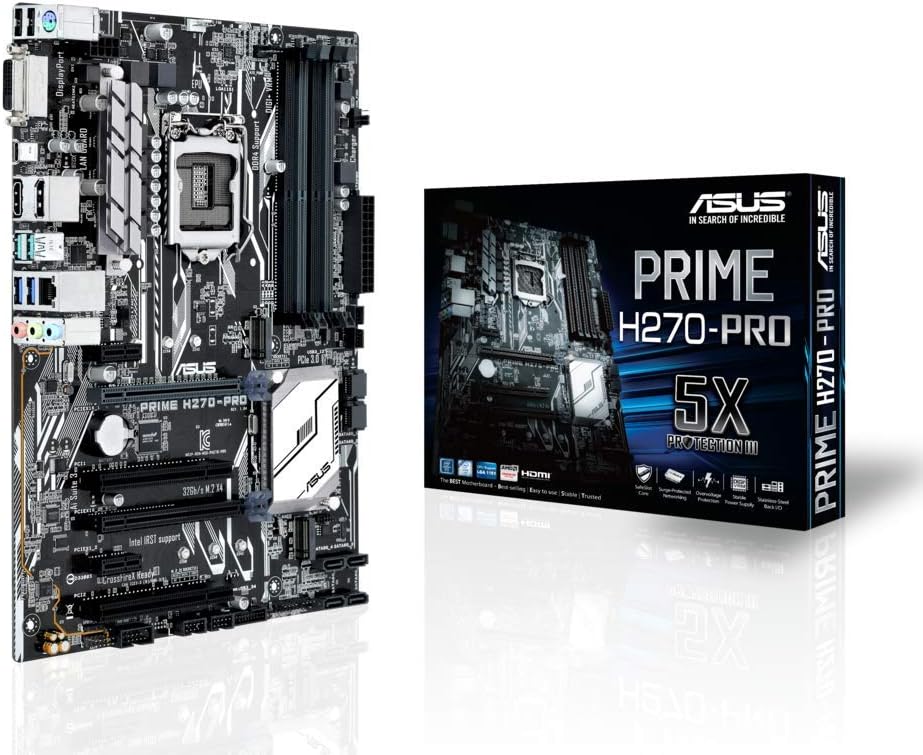

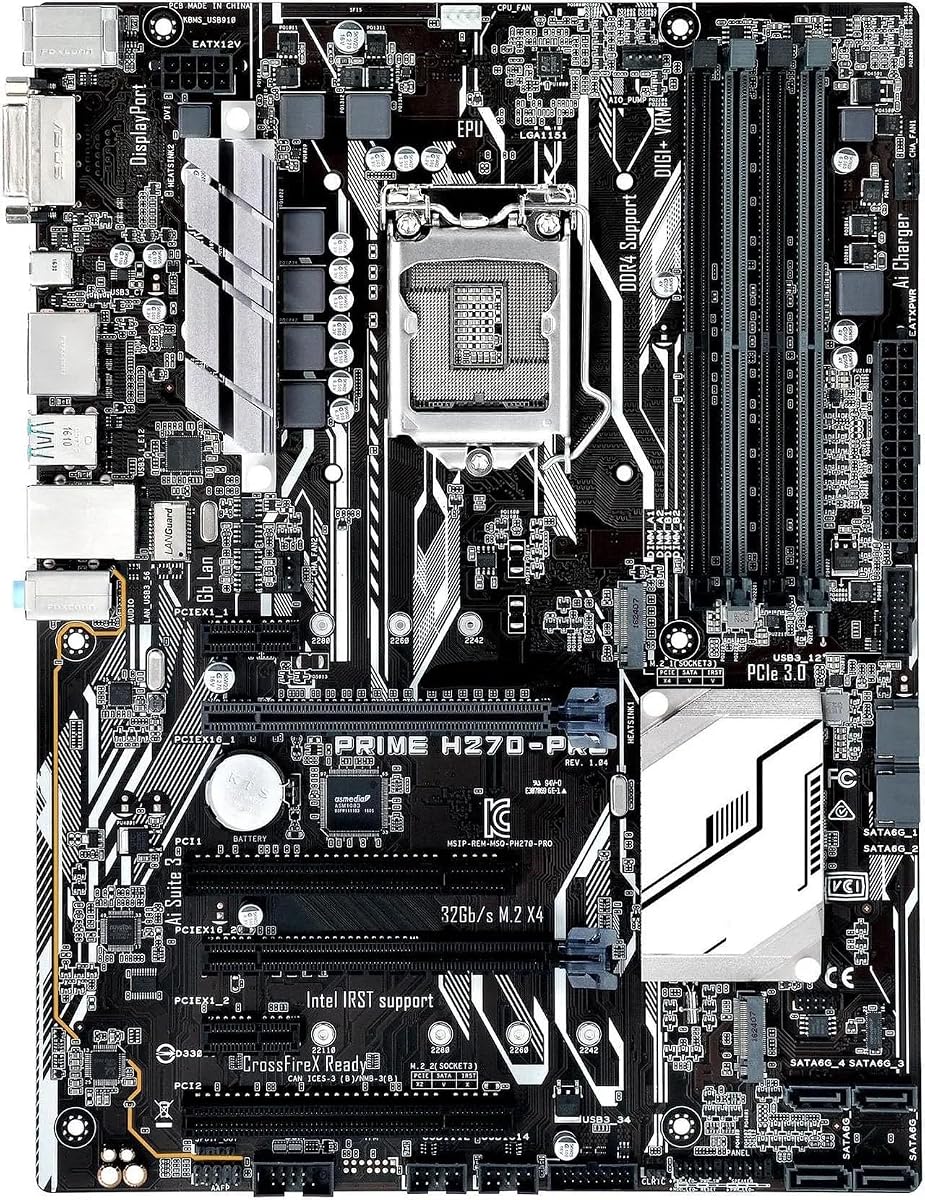


The ASUS Prime H270-PLUS stands out as a top contender in the mid-range market. It receives high marks for its balanced feature set and robust build quality. This board is designed to handle modern workloads efficiently while providing essential connectivity options.
We may earn a commission when you buy through this link, at no additional cost to you.
Key strengths include the inclusion of dual M.2 slots which allow for fast storage expansion without occupying SATA ports. The 5X Protection III hardware safeguards ensure longevity by protecting against voltage spikes and thermal stress. FanXpert 2 PLUS allows for precise control over system cooling and noise levels.
Trade-offs involve a more subdued aesthetic compared to gaming-focused boards. The lack of extensive RGB lighting might not appeal to users who prioritize visual customization. Additionally, the audio solution is standard rather than high-fidelity, which is acceptable for general use but not audiophiles.
This motherboard is ideal for users seeking a reliable foundation for a home office or workstation build. It offers excellent value by combining necessary high-speed storage features with dependable protection mechanisms. We recommend this for anyone prioritizing stability and utility over flashy aesthetics.
Dual M.2 slots provide significant advantage for users needing fast boot drives and large storage capacity simultaneously.
5X Protection III delivers peace of mind by safeguarding critical components against common hardware failures.
We may earn a commission when you buy through this link, at no additional cost to you.
The ASUS ROG Strix H270F Gaming brings premium features to the H270 platform. It targets gamers and enthusiasts who demand high performance and aesthetic customization. The board integrates advanced audio and lighting technologies directly into the design.
We may earn a commission when you buy through this link, at no additional cost to you.
Its standout feature is the ROG SupremeFX S1220A audio which delivers crisp sound driven by Japanese capacitors. The AURA Sync RGB lighting allows for seamless integration with other compatible components. FanXpert 4 ensures dynamic fan calibration which keeps the system cool during intense gaming sessions.
Users may find the price higher than standard models due to these premium inclusions. While it supports AMD CrossFireX, it does not offer SLI which limits multi-GPU options for Nvidia users. The Safe Slot design is excellent for securing heavy graphics cards without wobbling.
This board is perfect for gaming rigs where sound quality and visual style are paramount. It offers a refined experience with top-tier audio and lighting controls. We suggest this for builders who want a polished look and premium features in a compact ATX form.
SupremeFX audio with Japanese capacitors provides immersive sound quality for gaming and media consumption.
AURA Sync enables unified lighting effects across the entire system for a cohesive aesthetic setup.
We may earn a commission when you buy through this link, at no additional cost to you.
The MSI H270 Gaming PRO Carbon delivers solid gaming features at an accessible price. It is designed for budget-conscious gamers who still want essential performance enhancements. The board includes tools to optimize lighting and network connections efficiently.
We may earn a commission when you buy through this link, at no additional cost to you.
Key strengths involve the Mystic Light sync which allows users to coordinate RGB effects easily. Gaming LAN with LAN protect ensures stable online gaming by prioritizing network traffic. Audio Boost 4 with Nahom 2 enhances sound clarity for better in-game communication.
While affordable, the build quality is functional rather than luxurious. The rear panel may feel slightly limited compared to premium models with more USB Type-A options. However, the core performance remains stable for everyday gaming and multitasking tasks.
This is an excellent choice for entry-level gaming builds where budget is a primary concern. It provides the necessary tools to run modern titles without overspending. We recommend it for users who value performance per dollar over elaborate features.
Gaming LAN prioritizes network traffic for lower latency and smoother online gaming experiences.
Mystic Light allows for affordable synchronization of lighting effects across compatible components.
We may earn a commission when you buy through this link, at no additional cost to you.
The Asus Prime H270-PRO offers a straightforward and reliable experience for general computing. It balances standard features with essential protections to ensure system stability. This board is suitable for users who prioritize functionality over advanced customization.
We may earn a commission when you buy through this link, at no additional cost to you.
It features a USB 3.0 Type-C port which provides modern connectivity options for external drives. The 5X Protection III hardware safeguards protect against common electrical and thermal issues. This ensures that the motherboard remains operational under various load conditions.
One limitation is the lack of extensive PCIe lane expansion which might affect users needing multiple high-bandwidth cards. The audio is functional but does not stand out for high fidelity recording. These are minor issues for general office or home use.
This motherboard is ideal for users needing a dependable system for productivity tasks. It provides modern connectivity and strong protection at a reasonable cost. We recommend it for those who need a stable platform without extra frills.
USB 3.0 Type C port ensures compatibility with modern high speed external devices.
5X Protection III delivers comprehensive hardware safeguards to prevent common system failures.
We may earn a commission when you buy through this link, at no additional cost to you.
The ASRock H270 PRO4 provides a practical solution for users needing multiple storage options. It is designed to handle various drive configurations efficiently. The board focuses on utility and compatibility with standard Intel processors.
We may earn a commission when you buy through this link, at no additional cost to you.
It offers six SATA3 ports which is excellent for users with many traditional hard drives or SSDs. The inclusion of an Ultra M.2 slot allows for modern storage speeds. Dual Channel DDR4 support ensures efficient memory throughput for daily tasks.
While the chipset description varies in documentation it functions well for H270 standards. The lack of a USB Type C port might be a drawback for some modern peripherals. Overall it remains a strong contender for storage-heavy builds.
This motherboard is best suited for users who need a variety of drive connections. It delivers stable performance for general computing and media storage. We recommend it for those who prioritize SATA port count over aesthetic features.
Six SATA3 ports allow for extensive storage expansion without needing additional controllers.
Dual Channel DDR4 support ensures smooth data transfer rates for modern applications.
We may earn a commission when you buy through this link, at no additional cost to you.
The GIGABYTE GA-H270 Gaming 3 offers strong networking and multi GPU capabilities. It is targeted at users who want a balanced gaming board. The board integrates Killer E2500 networking to manage traffic effectively.
We may earn a commission when you buy through this link, at no additional cost to you.
Its support for 2-Way Crossfire allows users to run two AMD graphics cards for increased performance. USB 3.1 Type C provides modern connectivity for fast data transfer. Four DIMM slots allow for up to 64GB of DDR4 memory.
While capable, the onboard cooling might require additional case fans in high heat scenarios. The audio solution is standard and may not impress those seeking high fidelity sound. These limitations are acceptable given the networking benefits.
This board is perfect for users focused on online gaming and multi GPU setups. It provides excellent network tools and flexible memory options. We recommend it for those who value stable connectivity and GPU expansion.
Killer E2500 gaming network manages bandwidth for smoother online gameplay.
2-Way Crossfire support enables multi GPU configurations for enhanced rendering tasks.
We may earn a commission when you buy through this link, at no additional cost to you.
This motherboard is designed as a professional replacement for damaged units. It focuses on restoring functionality to existing systems. The product is built to resolve contact issues and ensure stable operation.
We may earn a commission when you buy through this link, at no additional cost to you.
It features an optimized power design that supports multi-core processors effectively. The advanced heatsink design increases heat dissipation area for better thermal management. This ensures stability even under heavy loads and extended use.
As a replacement part it may lack modern features found on new retail boards. Users should ensure compatibility with their specific chassis and components before installation. It is best suited for specific repair scenarios.
This board is ideal for users needing a direct replacement for a failed unit. It offers reliable performance and robust design for restoration. We recommend it for those seeking a stable repair solution.
Designed specifically to resolve contact issues and restore system stability.
Advanced heatsink ensures effective heat dissipation for long term reliability.
We may earn a commission when you buy through this link, at no additional cost to you.
This motherboard offers basic performance capabilities for standard computing tasks. It supports LGA 1151 processors and provides essential connectivity. The product is designed to support standard configurations without complex extras.
We may earn a commission when you buy through this link, at no additional cost to you.
It supports up to 64GB of DDR4 memory which allows for multitasking flexibility. The inclusion of an M.2 slot provides access to faster storage speeds. The ATX form factor ensures compatibility with many mid tower cases.
Specific details like audio quality or expansion options are not extensively documented. Users should verify specific port counts before purchase to ensure compatibility. It serves as a functional option for basic builds.
This board is suitable for users needing a simple system build. It supports high memory and modern storage types. We recommend it for those who prioritize basic compatibility over extra features.
Supports up to 64GB of DDR4 for efficient multitasking.
M.2 slot included for fast storage expansion options.
We may earn a commission when you buy through this link, at no additional cost to you.
This motherboard provides essential functionality for basic computing needs. It is designed to support standard LGA 1151 processors efficiently. The board focuses on core capabilities without extensive additional features.
We may earn a commission when you buy through this link, at no additional cost to you.
It supports 64GB of DDR4 memory which is sufficient for most standard tasks. The chipset logic ensures compatibility with 6th and 7th generation CPUs. The layout is straightforward to facilitate easy installation.
There are limited details available regarding audio or networking specifics. Users may need to check compatibility for specific peripheral requirements. It remains a practical option for budget builds.
This board is best for users needing a simple system foundation. It supports standard memory and CPU requirements. We recommend it for those seeking basic compatibility.
Supports standard LGA 1151 processors and DDR4 memory.
Focuses on essential computing features for stable operation.
We may earn a commission when you buy through this link, at no additional cost to you.
This motherboard offers a straightforward solution for standard home or office use. It is built to support a wide range of Core processors efficiently. The design prioritizes basic functionality and compatibility.
We may earn a commission when you buy through this link, at no additional cost to you.
It supports up to 64GB of DDR4 memory and includes an M.2 slot. The H270 chipset ensures stable operation with 6th and 7th generation CPUs. The ATX form factor fits standard mid tower cases easily.
Specific details on ports or audio quality are not heavily documented. Users should verify the I/O panel details to match their needs. It serves well as a basic platform for simple systems.
This board is suitable for users who need a basic system foundation. It supports essential memory and processor types. We recommend it for those prioritizing simplicity.
Compatible with a wide range of Core processors for standard tasks.
Supports up to 64GB of DDR4 for adequate multitasking.
We may earn a commission when you buy through this link, at no additional cost to you.
Selecting the right motherboard involves understanding several key factors that impact performance and compatibility. This guide breaks down the essential elements to consider before making your purchase.
Ensure the motherboard supports the CPU you intend to use. H270 boards typically support LGA1151 sockets for Intel 6th and 7th generation processors. Verify the BIOS version to ensure compatibility with newer chips.
Always check the manufacturer's CPU support list to avoid compatibility issues with your specific processor model.
Look for DDR4 support to ensure modern speeds and efficiency. Most H270 boards support up to 64GB of RAM which is sufficient for most users. Check the number of DIMM slots to gauge upgrade potential.
Prioritize boards with four slots if you plan to expand memory beyond 16GB in the future.
Evaluate the number of SATA ports and M.2 slots available. Fast storage options like M.2 are crucial for modern boot speeds and application loading. Dual M.2 slots allow for both a fast boot drive and a high capacity data drive.
Choose a board with at least one M.2 slot if you want to utilize fast NVMe SSDs.
Check the number of PCIe slots to ensure they fit your GPU and sound cards. Most H270 boards offer one full length slot and several shorter slots for peripherals. Ensure there is enough physical space for your graphics card.
Verify the PCIe lane count if you plan to use multiple expansion cards simultaneously.
Look at the rear I/O panel to see what ports are available. Modern connectivity like USB 3.0 and USB 3.1 Type-C is important for fast data transfer. Ensure you have enough ports for your keyboard mouse and peripherals.
Consider boards with USB Type-C if you use modern external drives or accessories.
For users who value sound quality look for boards with dedicated audio codecs. High end models often feature SupremeFX or similar technologies for better sound clarity. Budget boards may use basic audio that is functional but not superior.
Invest in a dedicated sound card if the onboard audio does not meet your standards.
Robust build quality ensures longevity and stable power delivery. Look for features like 5X Protection III or steel armor which safeguard against electrical spikes and heat. A solid VRM design keeps the CPU running smoothly under load.
Prioritize boards with reinforced slots and protection features for a reliable system.
If aesthetics are important consider boards with RGB lighting features. ASUS Aura Sync or MSI Mystic Light allows for coordinated lighting across components. This adds a personal touch to your build without impacting raw performance.
Ensure the lighting software is user friendly and compatible with your preferred lighting ecosystem.
Install the motherboard carefully on the standoffs to avoid short circuits. Ensure all components are seated firmly before powering on the system. This helps in maintaining stability and preventing physical damage to the board.
Keep the system clean from dust to ensure proper airflow. Use compressed air to clean fans and heatsinks regularly. Dust accumulation can lead to overheating and reduced lifespan of the motherboard.
Update the BIOS only when necessary to avoid complications. Ensure you have the latest stable version to support new features. Follow the manufacturer's instructions carefully during any firmware updates to prevent data loss.
Generally no H270 motherboards are designed for 6th and 7th generation processors. Some specific models might be flashed but official support is limited. It is best to use a 300 series chipset for 8th generation CPUs.
H270 motherboards do not support CPU overclocking due to the chipset limitations. You can still overclock RAM to some extent depending on the model. If CPU overclocking is required consider a Z270 board instead.
Download the latest BIOS file from the manufacturer's website. Use the USB BIOS flash method available on the board. Follow the on screen instructions to complete the update safely.
Yes if you have an existing 6th or 7th gen processor it is a cost effective upgrade. It offers modern features like M.2 and USB 3.0. However for new builds consider newer platforms for longer support.
H270 usually supports more PCIe lanes and multiple M.2 slots. B250 is more basic and might have fewer storage options. H270 offers better connectivity for users with many peripherals.
Yes you should install the drivers provided by the manufacturer for chipset and audio. These ensure all components function correctly. Windows usually installs basic drivers but official ones are better.
Most consumer H270 boards do not support ECC memory. They are designed for standard non ECC DDR4. If you need ECC you would need a workstation grade motherboard.
Ideally aim for at least four rear USB 3.0 ports. This ensures you have enough high speed connections for peripherals and drives. Internal headers are also useful for front panel USB.
We have explored ten top H270 motherboards offering choices for budget and premium users. The ASUS Prime H270-PLUS stands out for its balance of features and protection. The ROG Strix option brings premium audio and lighting for gamers.
Prioritize storage options and connectivity when selecting a board for your needs. Ensure the model supports your specific CPU and memory configurations. A reliable motherboard ensures a stable foundation for all your computing tasks.
Remember to check current stock and verify compatibility before buying. Prices and availability change frequently so always consult the latest data. Choosing the right model today ensures a smooth experience for years to come.