
Brailliant BI 40X Braille Display
5.0Editor score
40-cell refreshable display
Bluetooth 5 technology support
32GB internal storage capacity
This guide compares the top Braille displays for blind users in 2026, evaluating portability, battery life, connectivity, and tactile feedback to find the best
Finding the right Braille display can transform how you access digital content. These devices convert text into tactile dots, offering independence for blind and visually impaired users across various tasks.
We evaluated ten top-rated models based on connectivity, battery life, build quality, and ease of use. Our analysis focuses on refreshable displays, slates, and learning tools to cover diverse user needs.
Each pick highlights specific strengths like portability or screen reader support. Prices may vary over time, so check current listings before making your final decision on this essential accessibility tool.
5.0Editor score

4.5Editor score

4.8Editor score
The following table provides a side-by-side overview of each device. Use these specifications to quickly identify the model that aligns best with your daily workflow and accessibility requirements.




The Brailliant BI 20X stands out as a top contender for blind users seeking a reliable portable reading solution. Its compact design makes it easy to carry while offering essential features like cursor routing keys for efficient navigation.
We may earn a commission when you buy through this link, at no additional cost to you.
This device excels in connectivity, allowing you to pair with up to five Bluetooth devices simultaneously. This flexibility is perfect for users who switch between phones, tablets, and computers frequently throughout their day.
While it offers 16GB of storage which is substantial for text, those needing extensive media files might find the higher model more suitable. However, the battery life ensures you can work or read for a full day without interruption.
If you need a daily companion that balances portability with robust features, this is the ideal choice. It provides strong screen reader access and direct library support for a streamlined reading experience.
You can switch between devices instantly without unpairing, thanks to support for five Bluetooth connections plus one USB device at the same time.
Built-in apps like Editor and Calculator let you handle tasks independently without relying solely on external software or devices.
We may earn a commission when you buy through this link, at no additional cost to you.
The Brailliant BI 40X delivers premium performance with a wider 40-cell display. This extra space allows for more context when reading lines of text, reducing the need to scroll constantly during navigation.
We may earn a commission when you buy through this link, at no additional cost to you.
With Bluetooth 5 technology, users experience faster and more stable wireless connections compared to older standards. This reliability is crucial for maintaining consistent screen reader feedback while on the move.
The 32GB internal storage offers ample room for documents and media, though the cost reflects these upgrades. For professionals or students needing high-capacity storage, this trade-off is often well worth the investment.
Invest in this model if you prioritize reading comfort and advanced connectivity features. It serves as a robust tool for intensive daily work and complex digital navigation tasks.
Bluetooth 5 technology provides a stronger signal, ensuring fewer dropouts during critical reading or writing sessions on the go.
The 32GB drive allows you to store thousands of pages of text and audio files directly on the device for offline access.
We may earn a commission when you buy through this link, at no additional cost to you.
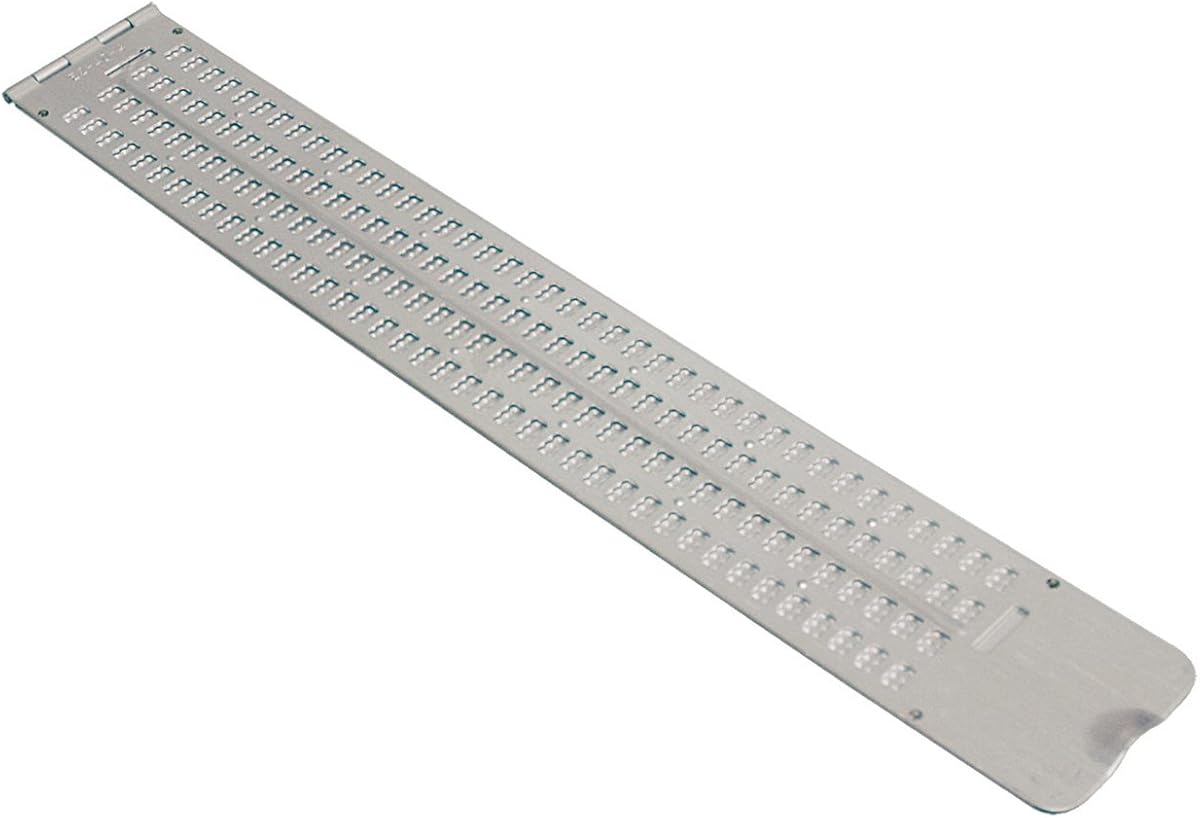
This Braille Slate offers a classic manual writing experience with a generous 13-line capacity. It is an excellent tool for quick notes or temporary records that do not require digital synchronization.
We may earn a commission when you buy through this link, at no additional cost to you.
The aluminum build ensures durability, making it resistant to wear and tear in daily environments. Users can rely on the hinge mechanism to keep the slate securely closed when not in use.
While it lacks electronic features, its simplicity is its strength. For educators or students practicing Braille literacy, this tool helps reinforce muscle memory through physical interaction with the paper.
Choose this slate if you need a rugged, low-tech solution for offline note-taking. It remains a reliable choice for traditional writing tasks without the need for charging or setup.
With 13 lines and 36 cells, you have ample space to write detailed notes or draft longer texts on standard paper sizes.
The aluminum frame protects the paper inside from crushing, making it ideal for carrying in a bag during travel.
We may earn a commission when you buy through this link, at no additional cost to you.
This Business Card Slate is designed for creating concise Braille on small items like cards or labels. Its slim profile makes it easy to keep in a wallet or briefcase for on-the-go use.
We may earn a commission when you buy through this link, at no additional cost to you.
The included signature guide ensures that your embossed text remains perfectly straight, which is critical for professional presentation. This feature adds significant value for users creating custom labels.
While limited to four lines of text, it excels at specific tasks like naming containers or greeting cards. The durable stylus provided allows for clean embossing without damaging the paper.
If you need a small tool for quick identification or personal notes, this slate is an efficient choice. It provides a cost-effective way to add Braille to everyday items.
The guide helps you write your name in Braille with precision, making it great for personalized cards or gifts.
Measuring only four inches long, this device slips easily into a pocket or small pouch for constant accessibility.
We may earn a commission when you buy through this link, at no additional cost to you.
The Full-Page Slate is unique because it accommodates a standard letter-size sheet of paper. This eliminates the need to shift the slate constantly, allowing you to focus on writing entire documents.
We may earn a commission when you buy through this link, at no additional cost to you.
Constructed from durable plastic, this model operates quietly, which is considerate in shared spaces like classrooms or offices. The smooth surface helps prevent paper from wrinkling during use.
Line number guides embossed on the side help you keep your place if you need to step away. This feature ensures you can resume writing exactly where you left off without confusion.
For students or professionals writing long notes by hand, this tool is unmatched in convenience. It simplifies the process of creating physical Braille records without the hassle of alignment.
The entire page stays secured inside the slate, letting you write from top to bottom without stopping to adjust your position.
Unlike metal slates, the plastic body produces minimal sound, making it less distracting in quiet environments.
We may earn a commission when you buy through this link, at no additional cost to you.
This Pocket Slate is designed for users who need portability without sacrificing writing capacity. Its slim profile makes it ideal for slipping into a bag or jacket for quick access.
We may earn a commission when you buy through this link, at no additional cost to you.
The aluminum construction ensures it remains robust despite its light weight. It handles daily wear well, making it a dependable tool for students or travelers on the go.
With four lines of writing space, it is suitable for short notes or lists. The pins-up configuration allows you to read what you wrote immediately without flipping the paper.
If you prioritize mobility, this slate offers a great balance of size and utility. It is an excellent companion for capturing thoughts or instructions while away from home.
Each of the four lines holds forty cells, allowing you to write substantial text on a single row before moving down.
Weighing very little, this slate does not add bulk to your carry-on items or daily commuting gear.
We may earn a commission when you buy through this link, at no additional cost to you.
The Hable One provides a simple way to type on smartphones using tactile buttons. It bridges the gap between screen readers and physical input, allowing for more private and efficient communication.
We may earn a commission when you buy through this link, at no additional cost to you.
This device supports both iOS and Android systems, making it versatile for a wide range of users. Its intuitive design ensures that even those new to Braille can start using it with guidance.
Battery life is a major highlight, lasting over a month on a single charge. This reduces the need for frequent recharging and ensures the device is always ready when needed.
For users seeking an affordable entry into digital Braille typing, this keyboard is highly recommended. It enhances privacy and control when using public devices or sensitive information.
The keyboard is designed to be easy to learn, with free tutorials helping you master typing quickly without prior experience.
Because the phone stays in your pocket while you type, you maintain privacy without exposing your screen to onlookers.
We may earn a commission when you buy through this link, at no additional cost to you.
This manual label maker simplifies home organization by allowing you to create Braille tags for household items. The dial mechanism makes it easy to select specific characters quickly.
We may earn a commission when you buy through this link, at no additional cost to you.
It works with standard vinyl labeling tape, which is durable and suitable for kitchens or storage areas. The included tape roll means you can start labeling right away without buying extras.
While it requires some hand strength to squeeze the trigger, the design is straightforward. It offers a practical solution for those who want to organize their space with tactile labels.
Use this tool to mark containers and appliances for easier identification. It adds a layer of independence to daily tasks by making labels accessible to all family members.
You spin the dial to find your letter, then squeeze the trigger to emboss it onto the tape strip.
The package includes a roll of tape, so you do not need to purchase additional supplies to start your project.
We may earn a commission when you buy through this link, at no additional cost to you.
These stickers allow you to add Braille labels to an existing keyboard without replacing it. The transparent material ensures that the original keys remain visible, providing a bilingual layout for sighted users too.
We may earn a commission when you buy through this link, at no additional cost to you.
Made from durable Lexan, these stickers resist slipping and curling even after extended use. The adhesive is designed to stay flat, preventing interference with typing comfort.
While they require careful placement to align correctly, the process is simple. Once applied, they transform a standard PC into a specialized tool for tactile navigation.
If you want to personalize a shared computer for accessibility, these are a smart solution. They provide an affordable way to make existing tech more inclusive.
The transparent overlay lets others see the standard keys while providing tactile feedback for Braille readers.
The 3M backing ensures the stickers stay in place without leaving residue or lifting at the edges.
We may earn a commission when you buy through this link, at no additional cost to you.
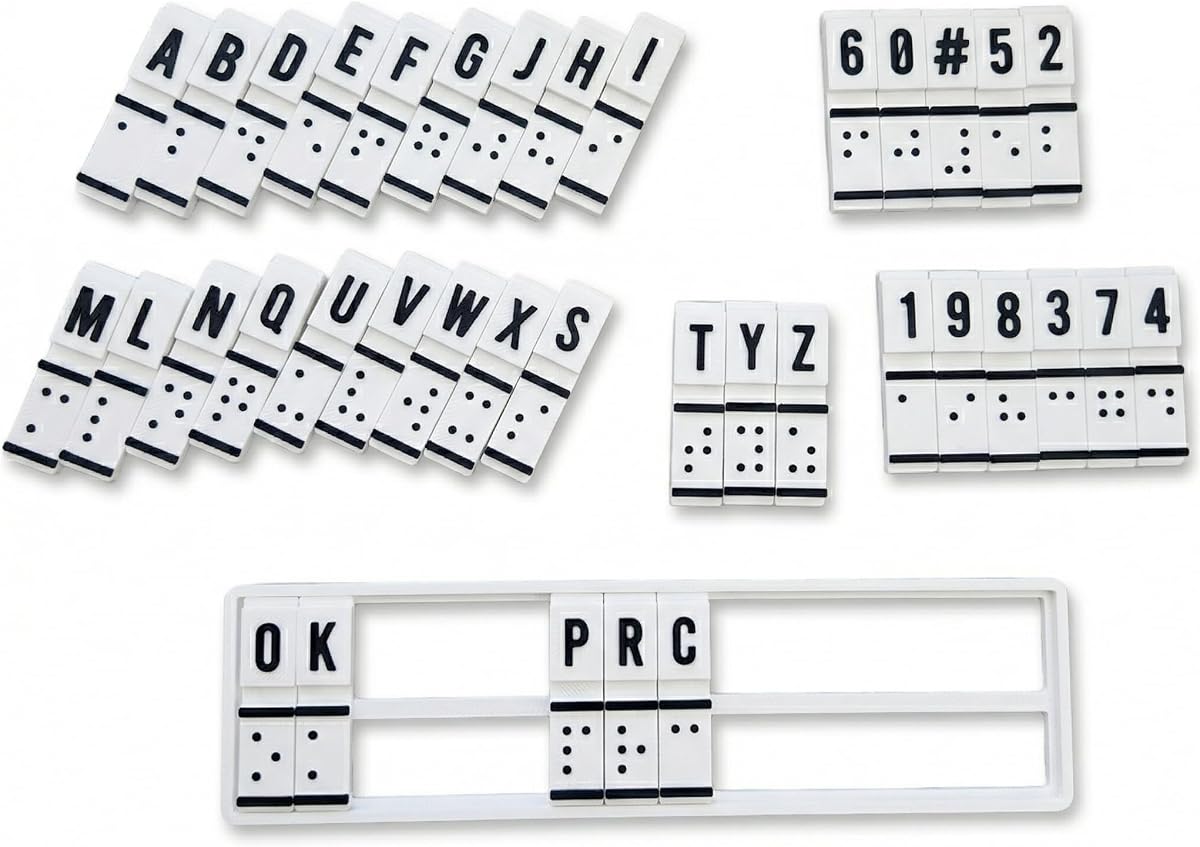
This training machine serves as an interactive tool for those learning Braille literacy. It combines physical training with basic translation functions to help build muscle memory and confidence.
We may earn a commission when you buy through this link, at no additional cost to you.
Because it does not require batteries or charging, it is always ready for practice sessions. This simplicity makes it accessible for students and educators who prefer a distraction-free environment.
While it lacks advanced digital features, its focus on tactile learning is valuable. Users can practice reading and writing through physical interaction without relying on screens.
For beginners or teachers introducing Braille, this tool offers a solid foundation. It bridges the gap between theory and practice by allowing hands-on engagement with characters.
You can manually input and read Braille directly, allowing you to feel patterns as you learn new vocabulary.
Built for repeated use in schools or homes, this device stands up to frequent handling during training.
We may earn a commission when you buy through this link, at no additional cost to you.
Selecting the right device involves considering your daily habits and specific accessibility needs. Here are the key factors to evaluate before making a purchase.
The number of cells determines how much text you see at once. A 20-cell display is compact for mobile use, while a 40-cell display offers more context for reading longer documents.
Choose a size that fits your reading style. Larger screens reduce scrolling but may add bulk to your daily carry bag.
Modern devices offer Bluetooth to connect with phones and computers. Ensure the model supports multiple simultaneous connections if you switch between devices often.
Check for USB support as well to allow wired connections for stability or charging. This versatility is critical for seamless workflow integration.
Look for models that offer at least 20 hours of continuous use. Long battery life ensures you do not get stranded without access to your text or apps.
USB-C charging is a convenient standard to check for. Fast charging capabilities also help when you need to recharge quickly between tasks.
Internal storage is important if you keep many documents on the device. Models with 32GB allow for more offline content than those with 16GB.
Consider your typical file usage. If you mostly rely on cloud streaming, less storage may suffice, but offline users need more space.
The pins should provide clear feedback so you can distinguish between Braille cells easily. Good tactile quality reduces fatigue during long reading sessions.
Test the keyboard feel if possible. Smooth operation of pins and buttons improves typing speed and accuracy significantly.
Refreshable displays are an investment. Weigh the cost against the features you actually use, such as advanced connectivity or extra storage.
Manual slates offer a budget alternative for basic note-taking. Consider if you need electronic capabilities before spending on a high-end device.
Ensure the device works with your preferred screen reader like JAWS or NVDA. Compatibility ensures smooth integration with your existing tech setup.
Check for support of online libraries. Access to Bookshare or NLS directly on the device saves time and effort when retrieving content.
If you travel often, choose a lighter and smaller model. Weight and dimensions impact how easily you can carry the device everywhere.
Look for durable materials like aluminum or reinforced plastic. A sturdy build protects your device against bumps and drops during transit.
Start by pairing your device via Bluetooth settings on your phone or computer. Follow the manufacturer steps to ensure a stable connection before accessing any content.
Clean the display gently with a dry cloth to remove dust or oils that may affect pin movement. Avoid using liquids near the pins to prevent corrosion.
Store the device in a protective case when not in use. Regular charging and proper maintenance will extend the lifespan of your display significantly.
A Braille display is an electronic device that converts text from a screen into tactile Braille cells. It allows blind users to read digital content through touch rather than audio alone.
Not always. Many modern models connect directly to smartphones or tablets. However, some advanced features may still require a PC or Mac for full functionality.
Most models offer between 15 to 20 hours of use on a single charge. Always check specific battery ratings when purchasing for long-term reliability.
Some models support audio playback through DAISY standards. This allows you to listen to protected audio files alongside tactile reading capabilities.
Many devices support Bluetooth connection to iPhones. Just ensure the specific model lists iOS compatibility in its product description.
Prices vary widely depending on features. Basic slates cost under $50 while advanced displays can reach several thousand dollars for premium features.
The Brailliant BI 40X and 20X lead in digital performance with robust connectivity and display options. For those on a budget, the Hable One offers a smart entry point into digital input.
Prioritize display size and battery life based on your daily routine. If you write often, a slate may complement your digital tools effectively.
Check current prices and availability before buying to ensure you get the best value. Accessibility technology evolves quickly, so always verify the latest specifications.