
20-in-1 Laptop Phone Screen Earbud Cleaning Kit
4.5Editor score
Includes 20 versatile tools
Compact portable design
Cleans keyboards and screens
Discover the top laptop cleaning kits for 2026. We compare tools for screens, keyboards, and electronics to help you choose the best option for your device.
Keeping your laptop clean is essential for performance and longevity. Dust, fingerprints, and grime can accumulate quickly on screens and keyboards. A quality cleaning kit provides the right tools to maintain your device safely.
We evaluated ten top-rated cleaning kits based on tool variety, safety features, and portability. Each product offers unique solutions for different cleaning needs across various electronic devices.
Every pick highlights key features and ideal use cases for buyers. Prices and availability may change, so verify details before purchasing to ensure you get the best value.
4.5Editor score

4.6Editor score

4.9Editor score
This table compares all ten featured kits side by side. Review the key specifications to find the perfect match for your cleaning requirements.
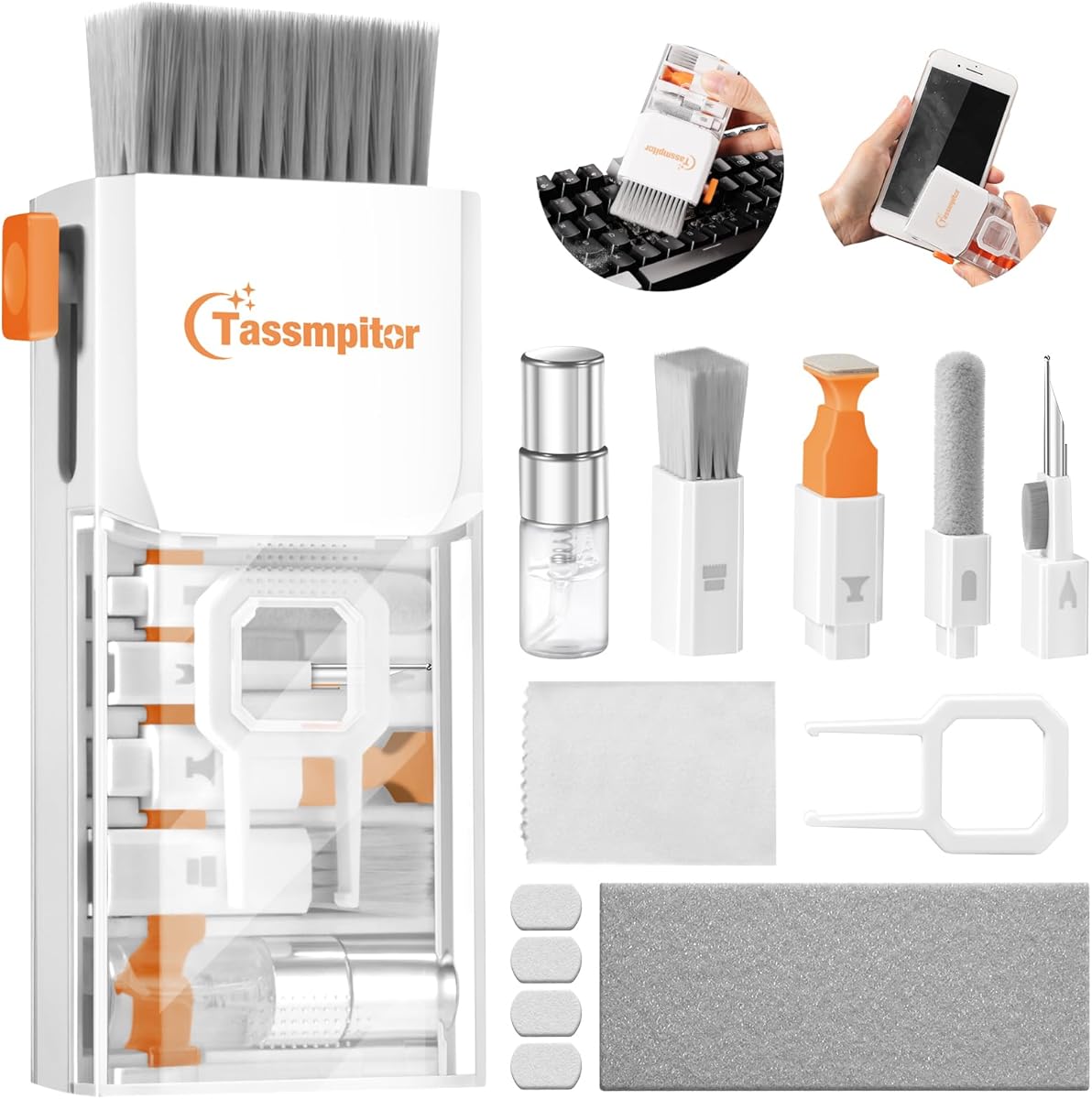

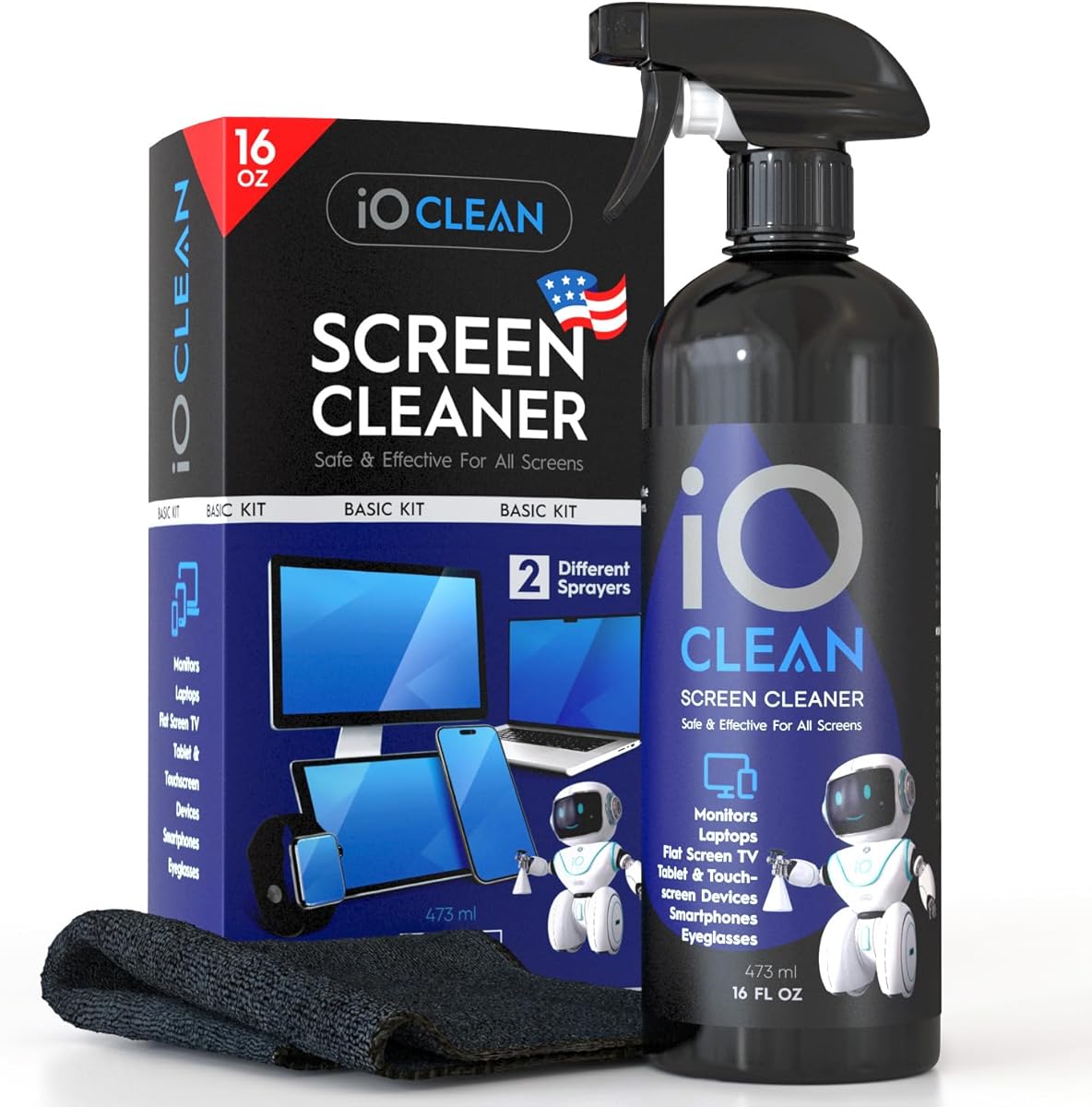
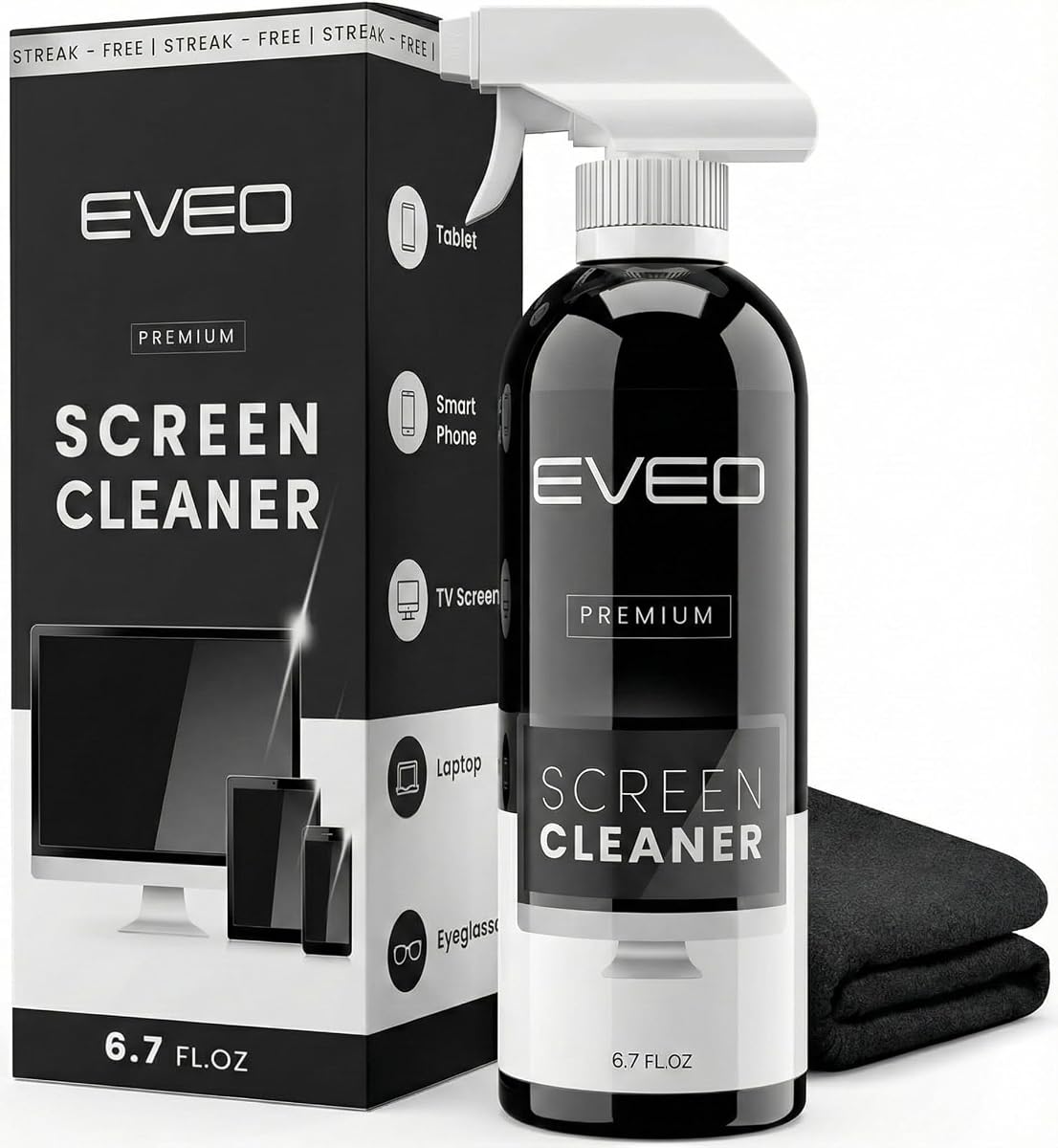


The Ordilend Keyboard Cleaner stands out as a top choice for comprehensive laptop maintenance. Rated highly by users, it offers a wide array of tools designed for deep cleaning various devices.
We may earn a commission when you buy through this link, at no additional cost to you.
Its retractable brush and keycap puller allow for thorough cleaning of mechanical and laptop keyboards. The included microfiber cloths ensure streak-free screen cleaning without leaving residue.
While it lacks a large spray bottle, the provided cloths and tools make up for this limitation. The compact design means it fits easily in bags or drawers for on-the-go use.
Ideal for students and professionals, this kit covers most cleaning needs effectively. It balances functionality and portability well, making it a strong recommendation for daily device care.
The kit includes a flocking sponge and metal pen tip for reaching tight spots effectively.
Cloths are designed to prevent scratching, ensuring your expensive screens remain pristine.
We may earn a commission when you buy through this link, at no additional cost to you.
iFixit brings its reputation for quality tool kits to laptop cleaning. This set includes specialized tools like an anti-static brush to protect sensitive components during cleaning.
We may earn a commission when you buy through this link, at no additional cost to you.
The dust blower is excellent for clearing debris from cooling fans and hard-to-reach areas. Wipes and swabs ensure precise cleaning for stubborn grime without damaging finishes.
Though it costs more than budget options, the durability and safety features justify the investment. The included tool pouch keeps everything organized and ready for use anywhere.
Tech enthusiasts and professionals will appreciate the reliability of this kit. It provides peace of mind when cleaning expensive electronics due to its anti-static properties.
The anti-static brush prevents static discharge that could potentially harm internal electronic components.
All items fit neatly into the included tool pouch, making transport and storage effortless.
We may earn a commission when you buy through this link, at no additional cost to you.
This 20-in-1 kit offers an impressive range of tools at a budget-friendly price. It includes everything from brushes to specialized pens for earbuds and charging ports.
We may earn a commission when you buy through this link, at no additional cost to you.
The retractable brush and spray make it easy to tackle dust and fingerprints quickly. It is perfect for students or travelers who need a quick cleaning solution.
While some components are simpler than premium kits, they perform well for basic maintenance. The variety ensures you have a tool for almost any cleaning scenario.
If you need a versatile kit without breaking the bank, this is a strong choice. It is ideal for families or offices where multiple devices need regular cleaning.
With twenty tools, it covers everything from keyboards to camera lenses and phone ports.
You get maximum value for your money compared to kits with fewer components.
We may earn a commission when you buy through this link, at no additional cost to you.
This kit focuses on deep cleaning capabilities with specialized tools like a metal pin tip. It is designed to remove embedded dust from keyboard crevices effectively.
We may earn a commission when you buy through this link, at no additional cost to you.
The 2mm thick cloth ensures no fiber shedding on screens, keeping displays clear and streak-free. A flocking sponge helps clean small items like earbuds and camera lenses too.
Without a liquid spray, you may need to supply your own solution for stubborn stains. However, the dry tools are excellent for safe, non-messy cleaning sessions.
It is a great addition to your workspace for regular maintenance. The combination of brushes and cloths makes it suitable for a variety of electronic surfaces.
The metal pin tip allows you to gently remove debris stuck between keys without damage.
Thick microfiber cloths are gentle on screens, preventing scratches during routine wiping.
We may earn a commission when you buy through this link, at no additional cost to you.
Altura Photo provides a balanced kit with a large microfiber cloth and dust cleaning gel. The gel is particularly useful for trapping dust without spreading it around.
We may earn a commission when you buy through this link, at no additional cost to you.
The included air blower helps remove loose debris from keyboards efficiently. Its spray and cloth set are designed to leave screens streak-free and clear.
It lacks specific tools for mechanical keyboard keycaps, making it better for standard laptops. However, for general electronics and screen maintenance, it performs very well.
Photographers and tech users appreciate the brand's focus on lens care. This kit extends that reliability to laptops and other common devices in your office.
The gel captures dust effectively in hard-to-reach areas like vents and key gaps.
A 16-inch cloth covers large monitor surfaces quickly, reducing cleaning time.
We may earn a commission when you buy through this link, at no additional cost to you.
This cleaner is designed for high-end devices with a formula safe for OLED and curved screens. The large 16oz bottle means you won't run out quickly.
We may earn a commission when you buy through this link, at no additional cost to you.
Its biodegradable, non-toxic formula is safe for pets and the environment. It also reduces static electricity, which helps repel dust between cleaning sessions.
While it is not a full kit with brushes, it pairs well with a cloth for screen care. It is ideal for desktop monitors or TV screens alongside laptops.
If your priority is a gentle, safe liquid for expensive displays, this is excellent. It offers peace of mind with its ammonia-free and alcohol-free composition.
Being biodegradable and non-toxic ensures it is safe for homes with pets and children.
The formula leaves a protective layer that reduces static and dirt accumulation.
We may earn a commission when you buy through this link, at no additional cost to you.
EVEO focuses on screen clarity with a plush cloth and spray designed to remove fingerprints. It is compatible with all major brands including Samsung and Apple devices.
We may earn a commission when you buy through this link, at no additional cost to you.
The cloth absorbs stubborn stains without shedding, leaving a professional finish. This makes it perfect for touchscreens and monitors where smudges are common.
It does not include brushes for keyboards, so it is specialized for screens only. For heavy screen users, this level of cleaning power is often what is needed.
If you need a reliable solution for maintaining display brightness, this kit works well. The simple design ensures you get quality results without complex tools.
The spray targets oils effectively, making it ideal for phones and touch laptops.
Plush microfiber ensures the cloth does not scratch even sensitive OLED panels.
We may earn a commission when you buy through this link, at no additional cost to you.
This kit is upgraded with specific tools for cleaning earbuds and charging cases. The 3-in-1 pen helps remove earwax and dirt from speaker grilles effectively.
We may earn a commission when you buy through this link, at no additional cost to you.
For laptops, the anti-static brush and spray handle dust safely. It is ideal for users who own wireless earbuds and laptops simultaneously.
The spray is small, making it portable but requiring refills for large setups. The design prioritizes convenience and precision over bulk cleaning volume.
It is a smart choice for travelers or students managing multiple small devices. The included tools cover the full range of typical daily electronic needs.
The specialized pen cleans mesh and crevices to maintain audio quality.
Small tools allow for detailed work on delicate electronic surfaces.
We may earn a commission when you buy through this link, at no additional cost to you.
WHOOSH! offers a Duo kit with both home and travel sizes for maximum convenience. The alcohol-free formula protects sensitive anti-glare coatings on MacBook screens.
We may earn a commission when you buy through this link, at no additional cost to you.
The PROTX2 microfiber cloths lift dust efficiently without scratching. This makes it reliable for maintaining display quality daily.
It is designed for screen care rather than deep keyboard cleaning. For quick touch-ups and travel, this setup is unmatched in convenience.
Apple users and professionals will appreciate the safety of the formula. It ensures your screens remain clear without damaging expensive coatings over time.
The pocket-sized bottle fits easily in a laptop bag for quick cleaning on the move.
Without harsh chemicals, it preserves the longevity of anti-glare and glossy coatings.
We may earn a commission when you buy through this link, at no additional cost to you.
OXO provides a straightforward double-sided tool for quick laptop cleaning. The soft brush sweeps dust while the microfiber pad wipes away fingerprints.
We may earn a commission when you buy through this link, at no additional cost to you.
The retractable cover protects both ends when not in use. This keeps it hygienic and ready for use in your desk drawer.
It is less comprehensive than full kits but perfect for regular maintenance. The ergonomic handle makes it comfortable to use for extended periods.
If you want a hassle-free option without bottles or sprays, this is ideal. It is great for quick cleanups before meetings or study sessions.
The comfortable grip allows for precise control when cleaning around edges.
The retractable cover ensures the brush and pad stay clean in storage.
We may earn a commission when you buy through this link, at no additional cost to you.
Selecting the right cleaning kit depends on your specific needs and device types.
Look for kits that include brushes, cloths, and specialized tools like keycap pullers.
More tools mean you can tackle dust and fingerprints across all device surfaces.
Ensure cloths are microfiber and sprays are alcohol-free to protect delicate screens.
Non-abrasive materials prevent scratches on OLED and glossy displays.
Compact designs with pouches are essential if you travel frequently or work remotely.
A small kit fits easily in laptop bags without adding significant weight.
Dry kits with brushes suit quick cleaning, while liquid options help with stubborn stains.
Choose based on how often you need to clean heavy grime versus light dust.
Anti-static brushes prevent static buildup which can damage sensitive internal components.
This feature is crucial for maintaining the longevity of your electronics.
Basic kits offer great value while premium options provide better materials and durability.
Consider how often you use the kit to determine the best price point.
Reputable brands often guarantee safety for specific screen coatings and finishes.
Check reviews to ensure tools work effectively on your specific laptop model.
Some kits include tools for phones, cameras, and earbuds for broader utility.
Select a versatile set if you need to clean multiple types of devices.
First, power off and unplug your laptop before starting any cleaning to ensure safety and avoid accidental clicks.
Use a dry brush to gently sweep dust from key gaps and vents to prevent debris from spreading during wet cleaning.
Apply cleaning solution to the cloth rather than directly on the screen to avoid liquid seeping into sensitive internal components.
Yes, most laptop cleaning kits are designed for various electronics including phones. The microfiber cloths and gentle brushes are safe for screens on tablets and smartphones.
For mechanical keyboards, removing keycaps is safe if done with a proper tool. However, laptop keyboards often have fragile mechanisms so avoid removing keys unless necessary.
Alcohol can damage anti-glare coatings and certain plastics on modern devices. Opt for ammonia and alcohol-free solutions to protect the finish of your laptop.
Light cleaning should be done weekly to manage dust and fingerprints. A deep cleaning with brushes and cloths is recommended every few months.
Water alone can leave mineral spots. Use a dedicated screen cleaner solution with a microfiber cloth for the best streak-free results.
Yes, if they use non-abrasive cloths and alcohol-free formulas. Always verify the product details to ensure OLED compatibility before purchase.
We highlighted top options including the Ordilend kit for overall value and iFixit for premium safety features.
Prioritize tools that match your cleaning habits whether you prefer quick wipes or deep detailed maintenance.
Always check current availability and product details to ensure you select the right fit for your specific device.