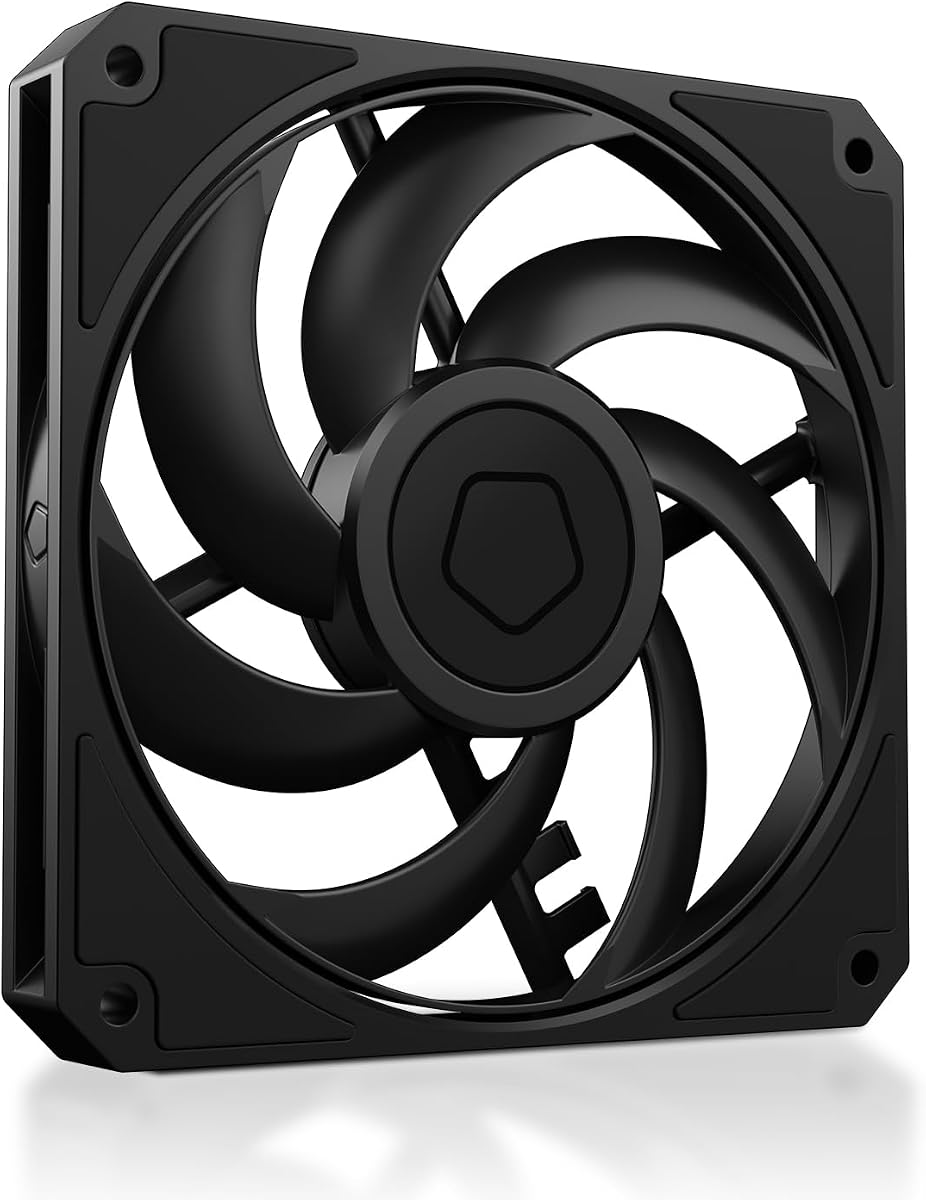
ID-COOLING AM-120-SLIM
4.8Editor score
59.6 CFM airflow
15mm slim profile
Low PWM noise control
This guide compares the top low profile case fans for small form factor builds, reviewing performance, noise, and compatibility to help you choose the right
Low profile case fans are essential for compact PC builds where space is limited. These specialized fans offer efficient cooling while fitting into tight spaces like slim radiators or low-profile CPU coolers.
We compared ten top-rated models based on airflow, static pressure, noise levels, and build quality. Each product was selected for its ability to deliver reliable performance in restricted environments without compromising thermal efficiency.
Each pick highlights key specifications and ideal use cases to guide your decision. Please note that prices and availability may change over time, so verify details before purchasing your preferred cooling solution.
4.8Editor score

4.9Editor score

4.8Editor score
This side-by-side comparison highlights key specifications and features across ten leading low profile case fans to help you identify the best match for your specific build requirements.



The ID-COOLING AM-120-SLIM delivers exceptional performance for its price, offering high airflow and static pressure in a slim 15mm profile that fits tight spaces.
We may earn a commission when you buy through this link, at no additional cost to you.
Its 59.6 CFM airflow and 2.7mmH2O static pressure make it ideal for small form factor builds needing aggressive cooling without the bulk of standard fans.
While the build quality is practical rather than premium, the hydraulic bearing ensures reliable long-term operation with noise levels capped at 31 dB(A).
This fan is perfect for budget-conscious builders seeking reliable cooling for Mini-ITX cases or low-profile CPU coolers without sacrificing thermal performance.
With 59.6 CFM, this fan outperforms many competitors in the same price range.
The low profile ensures compatibility with restricted radiator and CPU cooler clearances.
We may earn a commission when you buy through this link, at no additional cost to you.
The ARCTIC P12 Slim PWM PST offers three fans in one pack, making it a cost-effective solution for multi-fan radiator setups in compact enclosures.
We may earn a commission when you buy through this link, at no additional cost to you.
Optimized for static pressure, these fans excel at pushing air through radiators, maintaining efficiency even with increased air resistance.
The 0.3 Sone noise rating ensures quiet operation, while the 4-pin connector enables precise PWM speed control for balancing cooling and silence.
Ideal for users needing multiple fans for liquid cooling, these provide dependable performance with minimal installation height.
Getting three fans in one package saves money and simplifies system cooling planning.
Designed for heat sinks and radiators, ensuring efficient cooling under resistance.
We may earn a commission when you buy through this link, at no additional cost to you.
For those needing a larger 140mm fan in a slim format, the ARCTIC P14 Slim PWM PST delivers strong cooling with a minimal 16mm height.
We may earn a commission when you buy through this link, at no additional cost to you.
Its upgraded engine technology ensures strong cooling performance, while the pressure-optimised design suits tight radiator constraints.
The fan operates quietly thanks to its motor design and PWM speed control ranging from 150 to 1800 RPM for flexible system tuning.
This is a great choice for users needing specific 140mm clearance in compact builds without sacrificing performance.
Provides 140mm airflow benefits in a slim profile for specific cases.
Ensures efficient cooling even when mounted against restrictive radiators.
We may earn a commission when you buy through this link, at no additional cost to you.
The Noctua NF-A12x15 PWM stands out for its award-winning A-series design, combining Flow Acceleration Channels with an Advanced Acoustic Optimisation frame.
We may earn a commission when you buy through this link, at no additional cost to you.
These features deliver superior quiet cooling performance, ideal for low-profile CPU coolers, HTPCs, and ITX builds needing silent operation.
With a maximum speed of 1850 RPM and noise levels around 23.9 dB(A), it balances airflow with whisper-quiet operation.
Its >150,000 hours MTTF and included accessories like anti-vibration mounts make it a top-tier choice for enthusiasts.
Optimized blade design increases airflow efficiency without increasing noise.
Advanced frame reduces vibration and turbulence for quieter operation.
We may earn a commission when you buy through this link, at no additional cost to you.
The chromax.Black.swap edition combines Noctua's high-performance cooling with an all-black design, offering aesthetic customization with self-adhesive colored anti-vibration pads.
We may earn a commission when you buy through this link, at no additional cost to you.
It features a speed range of 450-1850 RPM and stops at 0% PWM for semi-passive operation in quiet environments.
The A-series design ensures superior quiet cooling, while the anti-vibration pads reduce noise and match specific build color schemes.
This fan is ideal for users wanting premium thermal performance with a sleek, monochromatic build.
Creates a unified look for modern black-themed PC builds.
Self-adhesive pads allow color matching for personalized aesthetics.
We may earn a commission when you buy through this link, at no additional cost to you.
The be quiet! Pure Wings 3 120mm focuses on maximum airflow and silent performance with a frame optimized for peak efficiency.
We may earn a commission when you buy through this link, at no additional cost to you.
Its seven airflow-optimized fan blades reduce noise while ensuring performance under demanding configurations.
Operating at very low minimum rpm, it offers incredibly quiet performance, and the rifle bearing gives an operating lifetime of 80,000 hours.
This fan is a solid choice for those prioritizing German engineering and dependable, silent cooling.
The frame outlet design enhances peak performance especially on radiators.
A rifle bearing ensures 80,000 hours of reliable operation.
We may earn a commission when you buy through this link, at no additional cost to you.
The Thermalright TL-C12015 provides balanced performance with 52 CFM airflow and effective vibration-absorbing pads for reduced noise.
We may earn a commission when you buy through this link, at no additional cost to you.
The S-FDB bearing keeps noise at the lowest level while extending the service life of the fan.
Speed is controlled via 4pin PWM, reaching a maximum of 1500 RPM to suit small form factor cases.
This fan is perfect for users needing a cost-effective 15mm slim fan for CPU coolers.
Four corner pads reduce vibration friction for low-noise performance.
52 CFM airflow improves overall cooling performance in tight spaces.
We may earn a commission when you buy through this link, at no additional cost to you.
For 9cm low-profile CPU coolers, the Noctua NF-A9x14 HS-PWM chromax.Black.swap delivers premium cooling in a compact 92x14mm profile.
We may earn a commission when you buy through this link, at no additional cost to you.
Renowned for superior cooling performance and extra-quiet operation, it features Flow Acceleration Channels and an AAO frame system.
Speed ranges from 500 to 2500 RPM, enabling standstill at 0% PWM for semi-passive operation in quiet builds.
This fan is the perfect choice for HTPC and ITX cases requiring specific 92mm low-profile cooling.
Ideal for 9 cm low-profile CPU coolers and compact PC cases.
Supports speeds up to 2500 RPM for aggressive cooling needs.
We may earn a commission when you buy through this link, at no additional cost to you.
The Noctua NF-A12x15 FLX offers a 3-pin FLX version that provides fixed speed settings via Low-Noise Adaptors instead of PWM.
We may earn a commission when you buy through this link, at no additional cost to you.
It is ideal for systems without PWM headers, allowing fine-tuning for maximum airflow or near-silent operation at 950 RPM.
The award-winning A-series design ensures superior quiet cooling with included anti-vibration mounts and extension cables.
Choose this for compatibility with older systems needing reliable, fixed-speed performance.
1850, 1400, and 950 RPM settings via Low-Noise Adaptors.
Includes adaptor for powering directly from the power supply.
We may earn a commission when you buy through this link, at no additional cost to you.
The standard Noctua NF-A12x15 PWM offers reliable automatic speed control via 4-pin PWM fan headers with premium thermal performance.
We may earn a commission when you buy through this link, at no additional cost to you.
It provides a maximum speed of 1850 RPM and noise levels around 23.9 dB(A) for consistent and quiet operation.
Includes anti-vibration mounts, extension cable, and a y-cable for running two PWM fans on the same header.
Ideal for users needing standard PWM control and proven reliability in small form factor builds.
Ensures fan speed adjusts automatically to system temperatures for efficiency.
Allows control of two fans from a single PWM header easily.
We may earn a commission when you buy through this link, at no additional cost to you.
Selecting the right low profile case fan involves balancing dimensions, cooling performance, and noise levels. This guide outlines the essential factors to consider.
The most critical factor for low profile fans is thickness. While standard fans are often 25mm thick, low profile fans come in 15mm, 14mm, or even thinner designs. Ensure your case, radiator, or CPU cooler has enough clearance.
Always verify the exact thickness required for your build before purchasing to avoid installation issues.
High airflow fans move more air through open spaces, while high static pressure fans force air through restrictive elements like radiators or dense heatsinks.
Choose high static pressure for radiators and high airflow for open case ventilation to ensure efficient cooling.
Low profile fans can produce audible noise. Look for dB(A) ratings to compare quietness; lower values mean quieter operation.
Prioritize fans rated below 30 dB(A) if you prefer a silent work or gaming environment.
Modern fans typically use 4-pin PWM for automatic speed control, while older systems may rely on 3-pin connectors. Some models offer adaptors for compatibility.
Check your motherboard headers to ensure the connector type matches your system.
Bearing type affects lifespan and noise. Fluid dynamic bearings (FDB) and rifle bearings generally offer longer life and quieter operation than sleeve bearings.
Invest in fans with high-quality bearings for longevity and reduced maintenance.
While performance is key, the fan's design affects your build's look. Some models feature all-black designs for aesthetic consistency.
Consider color schemes if matching your chassis and other components matters to you.
Prices vary significantly based on brand and performance. Budget options like ID-COOLING offer great value, while premium brands like Noctua offer top-tier quiet performance.
Set a budget that balances performance needs with cost constraints.
Included anti-vibration mounts and screws reduce noise and ensure secure installation. Some premium models provide extra cables or adaptors.
Check what accessories are included to avoid extra costs for mounting hardware.
Install low profile fans according to your case or radiator's airflow direction. Ensure the fan mounts securely using the included screws or anti-vibration pads to reduce noise.
Connect the fan to the correct header on your motherboard. PWM fans should use 4-pin PWM headers, while 3-pin fans can use standard headers but lack automatic speed control.
Regularly clean dust from the fan blades and frame using compressed air. Accumulated dust can imbalance the fan and increase noise over time.
Yes, low profile fans are specifically designed for CPU coolers with restricted clearance. They provide adequate airflow and static pressure to cool efficiently without requiring extra depth.
No, a 120mm fan will not fill a 140mm space properly. You must use a fan with the exact mounting dimensions specified by your case or cooler.
PWM fans use a 4-pin connector to control speed automatically based on temperature. DC fans use 3-pin connectors and typically rely on voltage adjustments rather than pulse width modulation.
Low profile fans are typically 15mm thick, though some models go down to 14mm. Always measure your available space to ensure a proper fit.
Many premium low profile fans have similar MTTF ratings to standard fans, often exceeding 150,000 hours. Bearing quality determines longevity more than thickness.
While some brands offer slim RGB fans, they are less common than non-RGB options. Check specific model descriptions if RGB customization is required.
This roundup highlights top low profile case fans for compact builds. The ID-COOLING AM-120-SLIM leads in budget value, while Noctua models excel in premium performance.
Prioritize dimensions, airflow, and noise levels based on your specific hardware requirements. Balancing performance with silence ensures a comfortable computing experience.
Prices and availability change frequently. Always check the latest product details and current pricing before finalizing your purchase decision.