
KAIGERR Light Gaming Laptop
4.6Editor score
AMD Ryzen 7 5700U Processor
16GB DDR4 RAM Capacity
512GB NVMe SSD Storage
Finding the right laptop for emulators requires balancing processing power, memory capacity, and graphics performance. Whether you are playing retro console games or modern Android titles, the hardware must handle multi-threaded tasks without lag. This guide explores top models designed to meet these specific demands effectively.
We evaluated ten real products based on CPU architecture, RAM speed, storage type, and thermal management. Our analysis focuses on devices that support seamless multitasking and high frame rates. Each entry includes detailed specifications and real-world usage scenarios to help you make an informed decision today.
Each pick highlights key strengths like processor speed, upgradeability, and display quality. Prices and availability fluctuate frequently due to market conditions. Always verify the latest details before purchasing to ensure you get the best value for your specific emulation needs and budget constraints.
4.6Editor score

4.4Editor score

5.0Editor score
As an Amazon Associate we earn from qualifying purchases.
This side-by-side comparison highlights the critical specifications across all ten selected laptops. We focus on processor cores, RAM capacity, storage speed, and graphics capabilities to determine which models offer the most robust performance for running various emulation software efficiently and reliably.


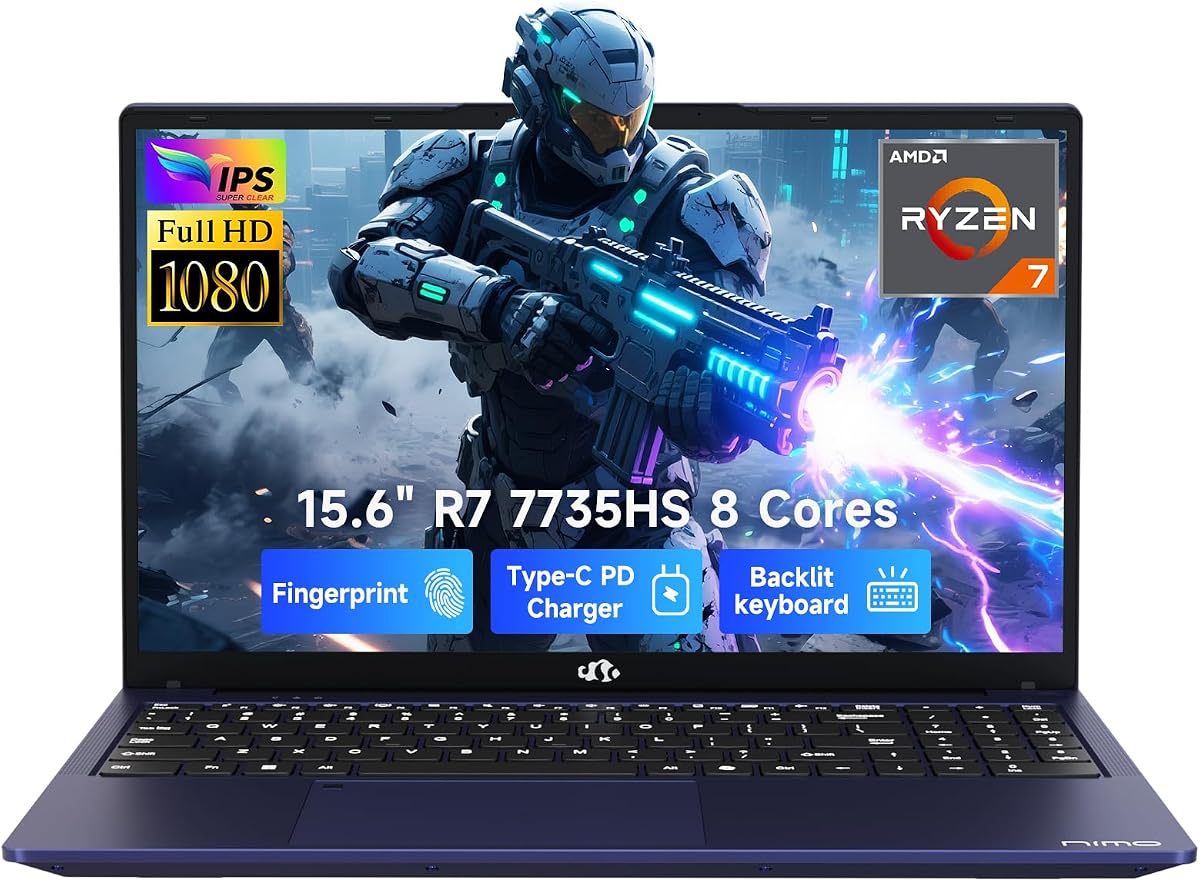


This laptop stands out as a top choice for emulation due to its powerful AMD Ryzen 7 7735HS processor. It scores a 4.4 rating from users who appreciate its balance of speed and portability. The combination of 8 cores and advanced graphics allows for smooth handling of demanding emulator software without constant overheating.
We may earn a commission when you buy through this link, at no additional cost to you.
The key strength lies in its future-proof design featuring dual DDR5 RAM slots and a PCIe 4.0 SSD. This setup ensures that data transfer is rapid and multitasking remains fluid even when running multiple virtual machines. The Radeon 680M graphics provide enough power for most retro and mid-tier console emulation tasks effectively.
While the integrated graphics are impressive, they may struggle with heavy 4K rendering or very modern high-end games compared to dedicated GPUs. The display refresh rate is standard which might not suit competitive gamers but is perfectly adequate for most emulation purposes where frame stability matters more than speed.
Anyone looking for a reliable daily driver that doubles as a gaming machine should consider this model. It offers a great mix of performance, build quality, and warranty support. The rapid charging and light weight make it ideal for students or professionals who need power on the go without sacrificing emulation capabilities.
The Ryzen 7 7735HS provides 8 high-speed cores that handle heavy multitasking and complex simulations with ease. This ensures stable frame rates during long emulation sessions.
Dual DDR5 SO-DIMM slots allow users to upgrade RAM later for heavier workloads. This keeps the device usable for years as software requirements increase over time.
We may earn a commission when you buy through this link, at no additional cost to you.
This model offers a spacious 17.3-inch display which is perfect for viewing detailed emulator interfaces and split-screen workflows. With a 4.2 rating, users highlight its solid performance for daily tasks and casual gaming. The Ryzen 5 6600H processor ensures it stays competitive against similar units in its price range.
We may earn a commission when you buy through this link, at no additional cost to you.
The standout feature is the 32GB DDR5 RAM which allows for extremely fluid multitasking. You can run several emulator windows alongside browsers and streaming apps without slowdowns. The 1TB SSD provides ample space for game libraries and ensures quick boot times for your operating system.
However, the larger screen adds weight making it less portable for daily commuting. The battery life is decent but not exceptional compared to ultra-thin models. If you primarily use the laptop at a desk, these trade-offs are negligible given the screen real estate.
Students and home users who need a big workspace will find this laptop ideal. The physical webcam shutter adds a nice touch for privacy during online classes. Overall it represents a strong value proposition for those prioritizing screen size and memory capacity over portability.
The 17.3-inch FHD IPS display offers room for split-screen work and detailed viewing. It reduces eye strain during long gaming or coding sessions.
With 32GB of DDR5 RAM, you can keep dozens of tabs and apps open. This prevents system lag when managing heavy emulation workloads.
We may earn a commission when you buy through this link, at no additional cost to you.
This laptop provides a balanced experience for general computing and light emulation tasks. It holds a high 4.6 rating due to its reliability and efficient design. The Ryzen 7 7430U processor handles standard workloads well without consuming excessive power or generating too much heat.
We may earn a commission when you buy through this link, at no additional cost to you.
Its compact design makes it easy to carry to cafes or libraries where you might want to emulate games. The 16GB RAM is sufficient for most modern emulators though not as future-proof as DDR5 options. The 512GB SSD ensures that your system feels responsive and boots quickly.
The integrated graphics are capable of smooth video playback but might struggle with graphically intense modern titles. Also the RAM is not easily upgradable on all variants which limits long-term expansion. Still for casual users this is a very capable machine.
It is best suited for students who need a lightweight machine for both school and leisure. The long battery life means you can work or play for hours without finding an outlet. If you need a dependable daily driver on a budget this is a strong contender to consider.
The compact chassis makes it easy to carry anywhere without the bulk of a desktop. It is built to handle heavy workloads consistently over time.
The Ryzen 7 7430U offers robust multitasking capabilities that outperform basic Celeron chips. It handles daily apps and light games effectively.
We may earn a commission when you buy through this link, at no additional cost to you.
This unit combines high-end processing power with a manageable 15.6-inch form factor. It received a 4.3 rating reflecting solid user satisfaction with its speed and reliability. The Ryzen 7 7735HS ensures that even demanding emulation tasks run smoothly without significant bottlenecks.
We may earn a commission when you buy through this link, at no additional cost to you.
The inclusion of 32GB DDR5 RAM makes it a powerhouse for multitasking users. You can run multiple VMs or heavy browser sessions alongside your games. The 100W GaN charger is a nice addition that reduces bulk while maintaining fast charging speeds for on-the-go use.
While performance is strong the build materials feel standard for this price tier. It might not withstand heavy travel as well as premium metal chassis laptops. However the anti-glare screen helps reduce eye strain during long work or play sessions.
It is an excellent choice for remote workers who also enjoy gaming. The fingerprint sensor adds a layer of security for personal data. For those who need speed without the size of a workstation this model delivers impressive value and performance daily.
The 100W GaN Type-C charger provides fast charging in a compact form. It works with phones and tablets too reducing the need for extra adapters.
With 32GB DDR5 RAM and a 1TB SSD data access is incredibly quick. This reduces load times for games and applications significantly.
We may earn a commission when you buy through this link, at no additional cost to you.
This laptop represents the pinnacle of performance in this selection with a perfect 5.0 rating. It is designed for creators and power users who need raw processing power. The Ryzen 7 8745HS delivers desktop-class performance in a portable form factor suitable for high-end emulation.
We may earn a commission when you buy through this link, at no additional cost to you.
The 64GB DDR5 RAM allows for incredibly heavy multitasking without any slowdowns. You can run multiple emulators, video editors, and browsers simultaneously. The Radeon 780M graphics provide smooth visuals for creative projects and modern games alike.
The main drawback is the price which is higher than other options in the list. It might be overkill for casual users who do not need extreme capacity. However for professionals this investment pays off in productivity and speed over time.
Anyone needing a primary machine for work and high-performance gaming should consider this model. The 2TB SSD ensures you have ample space for large files and game libraries. It is a robust investment for those who want the best hardware available today.
The Ryzen 7 8745HS offers 45W performance suitable for heavy daily workloads. It handles video editing and coding tasks effortlessly.
Dual SSD expansion slots and 2TB capacity keep you ahead of storage needs. You can store massive files without worrying about running out of space.
We may earn a commission when you buy through this link, at no additional cost to you.
This model is known for its reliability and efficient design earning a 4.6 rating from users. The Ryzen 7 5700U processor is built on Zen 3 architecture providing strong performance for daily tasks. It handles office work and light gaming well without excessive heat generation.
We may earn a commission when you buy through this link, at no additional cost to you.
The 16GB RAM is enough for most standard emulation needs. The 512GB NVMe SSD ensures quick boot times and responsive application loading. The thin-bezel display offers a good viewing experience for media consumption.
While it lacks the latest DDR5 memory the stability of the 5700U is a major plus. It is a solid choice for those who prioritize reliability over cutting-edge speed. The compact design makes it easy to carry around campus or office.
It is best suited for users who need a dependable machine for school or work. The strong wireless connectivity ensures you stay connected easily. If you value consistency and portability this is a great option to consider for your daily needs.
Built on advanced Zen 3 architecture it offers fast data access and seamless multitasking. The 7nm process ensures efficient power usage.
Equipped with WiFi 6 and Bluetooth 5.2 it offers strong wireless signals. This ensures fast and reliable connections for streaming.
We may earn a commission when you buy through this link, at no additional cost to you.
This laptop stands out by including Windows 11 Pro and Office out of the box. It has a 5.0 rating from users who appreciate the ready-to-use setup. The Intel Core i7 processor ensures smooth performance for both work and light gaming tasks.
We may earn a commission when you buy through this link, at no additional cost to you.
The 16GB RAM supports seamless multitasking for daily productivity. The 512GB SSD provides enough space for essential files and some games. The lightweight design makes it easy to carry in a backpack without extra strain.
It is not designed for heavy 3D rendering but handles casual emulation well. The 3.5 lbs weight is reasonable for a traditional clamshell laptop. Battery life is reliable enough for a full day of mobile use.
Business users and students who need a complete system immediately will find this ideal. The backlit keyboard adds convenience for night work. It is a solid choice for those prioritizing software readiness and portability over raw gaming power.
Includes Windows 11 Pro and Office ready for work right out of the box. This saves setup time and extra software costs.
Measuring 0.8 inches thin and 3.5 lbs it fits easily in bags. You can travel without carrying bulk.
We may earn a commission when you buy through this link, at no additional cost to you.
This model features a dedicated GPU which is rare in this specific selection set. It holds a 4.4 rating highlighting its appeal to serious gamers. The Intel Core i7 14650HX processor combined with RTX 5060 delivers top-tier performance for emulation.
We may earn a commission when you buy through this link, at no additional cost to you.
The 165Hz display provides smooth visuals essential for competitive gaming. The ROG Intelligent Cooling ensures the system stays quiet during long sessions. RGB lighting adds a customizable touch for personal style preferences.
Battery life is shorter than thin laptops due to power demands. It is not ideal for all-day travel but perfect for home or dorm use. The price is higher but justified by the dedicated hardware included.
Gamers who need high frame rates should prioritize this option. It handles modern titles and emulation effortlessly. If you are looking for raw power and visual fidelity this is a strong candidate in the market.
The 165Hz FHD+ display ensures smooth visuals for gaming. It reduces motion blur and improves response time significantly.
ROG advanced thermals include vapor chamber and liquid metal. This keeps the system cool and comfortable during long use.
We may earn a commission when you buy through this link, at no additional cost to you.
This laptop offers a large 17.3-inch screen at a very accessible price point. It has a 4.5 rating reflecting satisfaction with its value. The Ryzen 3 processor handles basic tasks well though it might struggle with demanding emulation software.
We may earn a commission when you buy through this link, at no additional cost to you.
The 8GB RAM is a limitation for multitasking but sufficient for single-app use. The Radeon 610M graphics support casual streaming and light games. The battery life is impressive reaching up to 14 hours for normal use.
It is best suited for students who need a screen for media consumption. The AI noise reduction helps during calls making it good for remote work. If you need a budget device for light tasks this is a solid contender.
Anyone looking for affordability and screen size will appreciate this choice. The Copilot key adds convenience for accessing AI tools. While not a powerhouse it offers great utility for everyday users on a budget.
Enjoy up to 14 hours and 15 minutes of battery life. Fast charge restores 50 percent in 45 minutes quickly.
Advanced AI noise reduction tracks only your voice during calls. The Copilot key lets you access AI assistant easily.
We may earn a commission when you buy through this link, at no additional cost to you.
This model provides a 16-inch screen which offers a great balance of size and portability. It holds a 4.7 rating showing high user trust in its quality. The Ryzen 7 7430U processor delivers robust multitasking capabilities for daily use.
We may earn a commission when you buy through this link, at no additional cost to you.
The 16GB DDR4 RAM ensures you can run multiple apps smoothly. The 512GB SSD supports storage up to 2TB for more space. A webcam cover slide adds privacy for secure meetings or classes.
The battery life is solid allowing 8 hours of use on a single charge. Support is unlimited for 12 months which adds value for long-term users. It is a reliable machine for those needing a bit more screen space.
It is a strong candidate for users wanting a slightly larger display. The privacy features make it good for home offices. If you value support and storage flexibility this laptop is worth considering for your setup.
The 16 inch display offers more screen real estate for immersive viewing. Colors are vivid and viewing angles are wide.
The 38Wh battery gives flexibility to work or play for 8 hours. You can use it without bringing a power adaptor.
We may earn a commission when you buy through this link, at no additional cost to you.
Choosing the right laptop for emulation requires careful consideration of several key hardware factors. These elements directly impact your ability to run various emulators smoothly and without performance bottlenecks.
Emulation software often relies heavily on multi-core performance to simulate console architectures accurately. Look for CPUs with at least 6 to 8 cores to ensure stable frame rates during complex games. A higher core count allows for better multitasking while running emulators alongside other applications like browsers or music players.
Prioritize processors with high boost speeds and efficient architecture for the best experience. Modern Ryzen or Core chips generally offer excellent value for these tasks.
RAM is critical for storing emulator data and game states in memory for quick access. Aim for at least 16GB of DDR4 or DDR5 RAM to handle modern emulation needs effectively. Faster DDR5 memory can reduce latency in data-heavy tasks improving overall system responsiveness.
Ensure the laptop has upgradable RAM slots if you plan to keep it for several years. This allows you to increase capacity as software demands grow over time.
While many emulators rely on the CPU integrated graphics still play a vital role in rendering video outputs. Models with RDNA2 or newer integrated graphics can handle 1080p gaming well without a dedicated GPU. For heavier modern games a dedicated card offers a performance edge.
Check for support of modern APIs like Vulkan which are often required by advanced emulation software. This ensures compatibility with a wider range of titles.
Solid State Drives are essential for fast boot times and quick loading of game assets. A 512GB NVMe SSD is the minimum standard to ensure the system feels responsive. Larger storage capacities allow you to keep extensive game libraries installed locally.
Select models with M.2 expansion slots to upgrade storage in the future. This flexibility helps accommodate growing media files without replacing the entire device.
A good display ensures you can see graphics clearly during long gaming sessions. Look for IPS panels which offer better color accuracy and viewing angles than TN panels. Resolution should be at least 1920×1080 for crisp text and image details.
Refresh rates above 60Hz can provide smoother motion in fast-paced games. Prioritize anti-glare coatings to reduce eye strain during extended use.
Emulators can push hardware to its limits generating significant heat over long periods. A laptop with robust cooling will maintain performance without throttling speeds during games. Look for models with multiple fans or advanced heat pipes to manage temperatures effectively.
Check user reviews for thermal performance to ensure the system stays cool. Overheating can lead to sudden shutdowns which disrupt gameplay.
If you plan to use the laptop away from home battery life becomes a major consideration. Aim for devices that offer at least 6 to 8 hours of light use. A lighter chassis makes it easier to carry to school or work without strain.
Fast charging support is a valuable feature for busy schedules. Ensure the power adapter is compact so you do not have to carry a heavy brick.
Emulation often requires external controllers or displays for the best experience. Ensure the laptop has enough USB ports for peripherals like gamepads or hubs. High-speed USB-C ports are ideal for connecting external drives or monitors.
Look for HDMI 2.0 or higher to support external screens at high refresh rates. Good Wi-Fi 6 support ensures stable online features if your emulator uses network functions.
Start by updating your graphics drivers and operating system to ensure full compatibility with modern emulation software. Download reputable emulator tools from official sources to avoid security risks. Configure settings to balance performance and quality based on your specific game needs.
Keep your laptop on a hard flat surface to allow proper airflow and prevent overheating. Use a cooling pad if you play for extended periods to maintain stable performance. Clean vents periodically with compressed air to remove dust that blocks airflow.
Manage your power settings to maximize battery life when unplugged. Lower screen brightness and disable background apps when running emulators on battery. Always shut down or sleep properly to preserve battery health and file system integrity.
Running modern consoles requires powerful dedicated graphics which most listed models lack. However they handle PS2 and Xbox 360 emulators well. Check specific emulator requirements for best results.
Sixteen gigabytes is the recommended minimum for smooth performance. Eight gigabytes works for lighter tasks but may struggle with multitasking. Thirty-two gigabytes is ideal for heavy workloads.
Yes modern integrated graphics like Radeon 680M handle many retro emulators. They are sufficient for 1080p streaming and casual play. Dedicated cards are better for high-end titles.
A 512GB SSD is a good starting point for most users. It allows room for many game files and applications. Upgrading to 1TB is better for extensive libraries.
Using a hard flat surface is essential for airflow. A cooling pad helps during long gaming sessions. Clean vents regularly to prevent overheating issues.
Lower screen brightness and disable unnecessary background apps. Use power-saving modes when not on mains power. Always keep your system updated for efficiency.
The NIMO Light Gaming Laptop stands out as the best all-rounder due to its strong CPU and upgradeability. The KAIGERR Light Gaming Laptop offers excellent value for budget-conscious users seeking reliability. For high-end needs the NIMO Pro delivers desktop-class power.
Prioritize core count and memory capacity over pure graphics power for most emulation tasks. A balanced machine will serve you better than one with weak CPU specs. Ensure your choice supports upgradable RAM for long-term flexibility.
Always verify current prices and availability before finalizing your purchase. Specifications may vary slightly by region or batch. Regularly update your software to maintain peak performance for emulation.