
UGREEN DXP4800 Pro
4.4Editor score
Intel Core i3 processor
Dual 10GbE network
96GB RAM expandable
This expert guide compares the top 10 4 Bay NAS options for 2026 focusing on performance storage capacity media streaming and private cloud security for homes
Finding the right network attached storage solution is essential for modern digital lifestyles. A 4 Bay NAS offers the perfect balance of capacity flexibility and performance for home users and small teams alike.
We have evaluated ten top models based on processor power software ecosystem ease of use and reliability. Our comparison highlights strengths in media handling backup automation and data protection features.
Each pick showcases specific benefits for different needs from budget friendly entry points to professional grade systems. Remember that hardware availability and pricing may shift so verify current listings before purchase.
4.4Editor score

4.0Editor score

4.0Editor score
The following table provides a side-by-side overview of core specifications for each unit enabling quick comparison of hardware capabilities software features and connectivity options across the full lineup.






The TERRAMASTER F4-425 stands out as a top contender for users seeking high performance without excessive noise. With an Intel x86 quad-core processor and 4GB of RAM this NAS delivers robust multitasking capabilities.
We may earn a commission when you buy through this link, at no additional cost to you.
Its hardware level 4K H.265 decoding ensures smooth media playback through Plex or Emby. The 2.5GbE port facilitates ultra-fast file transfers essential for large media libraries.
While setup typically benefits from a PC connection the TNAS Mobile app allows comprehensive control once configured. The tool free Push-Lock HDD trays make drive installation incredibly quick and convenient.
This model is ideal for home users prioritizing silent operation and fast file access. Its balance of specs and features makes it a strong recommendation for general storage needs.
Running at just 21dB the F4-425 fits in quiet environments like bedrooms without disturbing sleep or work.
Support for Plex Emby and Jellyfin with DLNA compatibility allows seamless streaming to all smart devices.
We may earn a commission when you buy through this link, at no additional cost to you.
The UGREEN DXP4800 GT is engineered for creators who need serious processing power for media tasks. Its AMD Ryzen Embedded R2514 processor handles virtualization and Docker apps efficiently.
We may earn a commission when you buy through this link, at no additional cost to you.
Dual 10GbE networking provides up to 2.5GB/s theoretical throughput enabling local like editing speeds. The built-in Surveillance Center turns the NAS into a complete security hub for homes or offices.
The SD card slot simplifies importing photos and videos directly without extra readers. UOS Pro offers a clean interface that guides users through setup and advanced app management.
This unit excels for tech enthusiasts requiring high speed data transfers and robust hardware. It is a premium choice for teams managing heavy multimedia workloads.
Dual 10GbE ports allow massive file transfers and backups to complete in minutes rather than hours.
Support for ONVIF cameras enables centralized monitoring without needing separate cloud subscriptions.
We may earn a commission when you buy through this link, at no additional cost to you.
The Synology DS425+ focuses on centralized storage and collaboration for small offices. It offers stable transfers speeds suitable for sharing documents across ten or more users simultaneously.
We may earn a commission when you buy through this link, at no additional cost to you.
Data protection is a priority with RAID redundancy automated backups and snapshot technology. This ensures files are secure against accidental deletion or system failures.
Its Surveillance System supports up to thirty IP cameras making it a versatile security solution. The enterprise support team provides dedicated account management for critical environments.
This model is perfect for businesses needing reliability and organized team access. The extensive feature set justifies the investment for professional workflows.
Granular access controls ensure employees see only what they need while keeping company data safe.
Multiple backup layers including snapshots prevent data loss from malware or hardware issues.
We may earn a commission when you buy through this link, at no additional cost to you.
The UGREEN DXP4800 Plus balances high performance with ease of use for families and small teams. It features a powerful processor and 10GbE networking for rapid data handling.
We may earn a commission when you buy through this link, at no additional cost to you.
Users retain full control over their data without relying on third-party clouds. The AI-powered photo album organizes libraries by faces and scenes automatically.
Compatibility with major drive brands like Western Digital and Seagate simplifies upgrades. The user-friendly app ensures secure access across all operating systems and devices.
This NAS is excellent for those prioritizing privacy and speed. Its capacity supports massive libraries without needing frequent expansions.
Advanced encryption and local storage ensure your files remain under your complete control.
Recognition of faces scenes and objects keeps millions of photos organized effortlessly.
We may earn a commission when you buy through this link, at no additional cost to you.
The UGREEN DH4300 Plus is designed specifically for users transitioning from cloud storage to a private server. It simplifies the setup process with NFC connectivity and clear video instructions.
We may earn a commission when you buy through this link, at no additional cost to you.
Smart photo backup ensures family memories are automatically saved and organized by the AI album. The entry-level price point makes it accessible for first-time NAS adopters.
Despite being entry-level it supports Docker apps and 2.5GbE speeds for efficient backups. The magnetic dust cover aids in maintaining a clean aesthetic and proper alignment.
Ideal for home users and remote workers seeking simplicity. It delivers core private cloud benefits without the complexity of professional systems.
Connecting via NFC simplifies the initial setup steps for non-technical users significantly.
One time purchase avoids recurring cloud fees saving thousands of dollars over a decade.
We may earn a commission when you buy through this link, at no additional cost to you.
The Synology DS925+ offers consistent high-speed file transfers for busy networks. Dual 2.5GbE ports ensure reliable throughput for large file handling and backups.
We may earn a commission when you buy through this link, at no additional cost to you.
Its ecosystem includes comprehensive file management and virtualization tools. This flexibility allows the unit to serve multiple roles beyond simple storage.
Synology's 3-year limited hardware warranty provides peace of mind for long-term use. Official compatibility lists ensure stable performance with certified drives.
This device is well suited for small offices requiring steady and efficient data access. Its reliability makes it a trusted choice for critical data.
522MB/s throughput supports rapid backups and seamless media streaming without bottlenecks.
Built-in tools for files and virtualization reduce the need for additional hardware.
We may earn a commission when you buy through this link, at no additional cost to you.
The Yxk Zero1 Pro balances accessibility with flexibility for home enthusiasts. Guided mobile app setup makes it easy for first-time users to register and start storing files.
We may earn a commission when you buy through this link, at no additional cost to you.
Its Intel N100 processor handles everyday network tasks efficiently while supporting Docker apps. The 4K HDMI output allows direct TV connection for media playback.
Enthusiasts can install third-party operating systems like TrueNAS or Unraid for custom setups. The aluminum alloy enclosure aids heat dissipation during overnight tasks.
This NAS is perfect for users wanting a base hardware platform with software freedom. It supports diverse workflows from home servers to custom development.
4K HDMI output turns the NAS into a media center directly connected to your display.
Support for various OS choices allows tailoring the system to unique project needs.
We may earn a commission when you buy through this link, at no additional cost to you.
The Asustor Drivestor 4 Gen 2 provides a cost-effective entry into 4-bay storage. Its Realtek quad-core processor handles daily backups and media management efficiently.
We may earn a commission when you buy through this link, at no additional cost to you.
Btrfs snapshots and WORM technology protect files from ransomware and accidental deletion. This level of data protection is rare at this price point.
2.5GbE networking improves file transfers compared to traditional gigabit systems. Users can create a private cloud for secure remote access without third-party fees.
This budget-friendly unit is ideal for home users needing basic storage and security. It delivers essential NAS functions without compromising on key safety features.
Btrfs snapshots enable instant data restoration to previous points in time securely.
2.5GbE port provides faster transfer speeds than standard 1GbE systems.
We may earn a commission when you buy through this link, at no additional cost to you.
The Synology DS423 emphasizes data security and protection against cyber threats. Immutable snapshots guard against ransomware and ensure files can be recovered quickly.
We may earn a commission when you buy through this link, at no additional cost to you.
Video surveillance support allows up to thirty IP cameras to be managed from one platform. The secure private cloud feature ensures files are accessible from anywhere safely.
Expert customer support and ongoing software updates maintain system reliability. It functions well as a file server replacing expensive external sharing services.
This model suits families and businesses prioritizing safety above all else. Its security features provide peace of mind for valuable personal and business data.
Immutable snapshots prevent malicious software from deleting or encrypting your files.
Secure remote access allows you to manage files without using public services.
We may earn a commission when you buy through this link, at no additional cost to you.
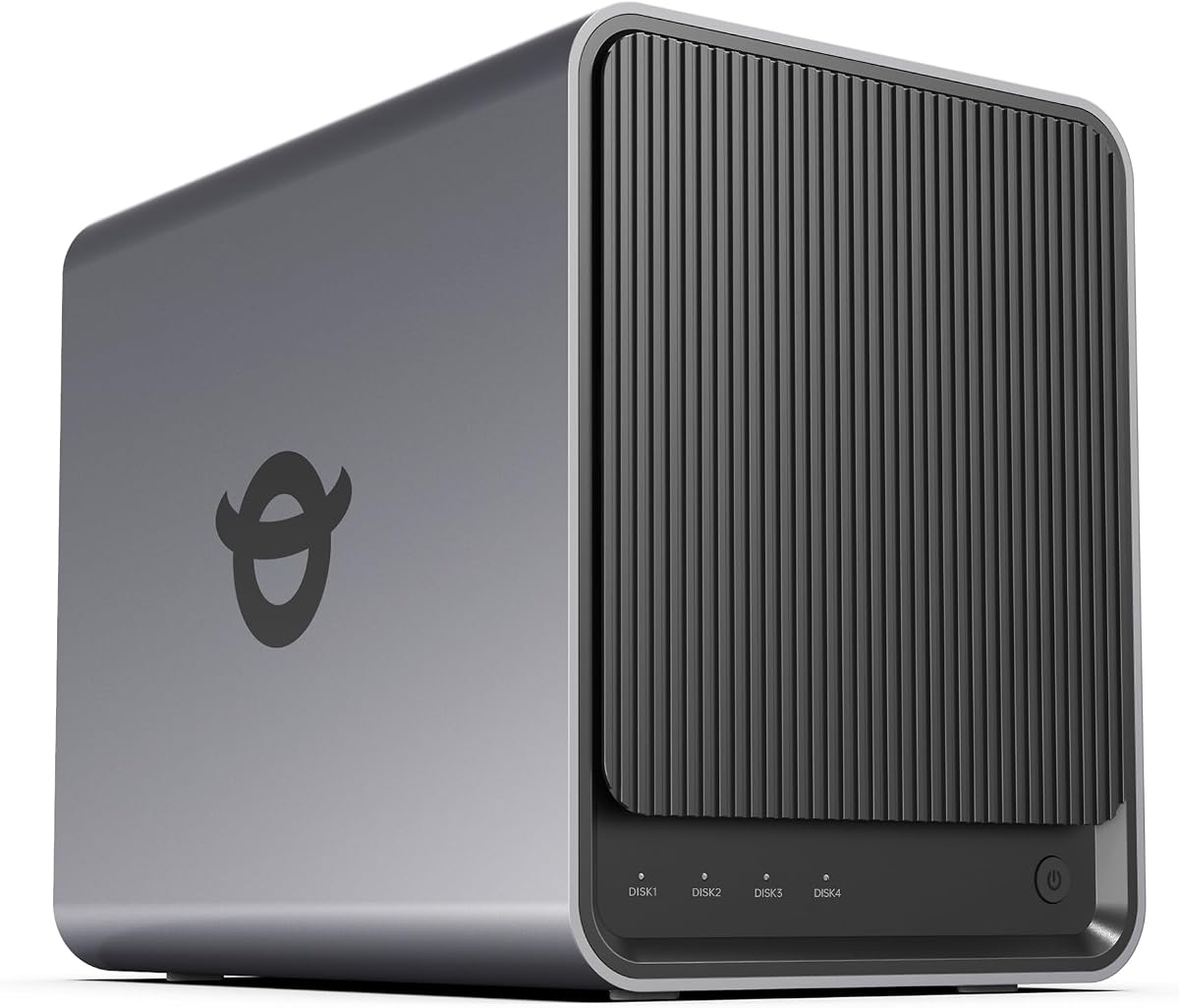
The UGREEN DXP4800 Pro delivers workstation class performance for demanding IT workflows. Its Intel Core i3 processor handles virtual machines and containers with ease.
We may earn a commission when you buy through this link, at no additional cost to you.
Dual high-speed network ports enable blazing fast data transfers reaching up to 1.25GB/s. Granular permission controls allow precise management of large user bases.
The Data Vault encrypts sensitive files ensuring privacy even if the main system is compromised. All AI photo processing occurs on-device to maintain user privacy.
This NAS is perfect for professionals requiring maximum power and control. It stands as a robust server for advanced development and business use.
Intel Core i3 with expandable RAM handles complex virtualization and Docker workloads.
Data Vault encryption adds a critical layer of protection for sensitive information.
We may earn a commission when you buy through this link, at no additional cost to you.
Selecting the right 4 Bay NAS requires evaluating several critical factors to match your specific storage and performance needs.
The CPU determines how fast the system processes backups and media streams. Higher core counts and clock speeds ensure smooth multitasking especially when running Docker apps. RAM capacity affects how many users or apps can run simultaneously without lag. Aim for at least 8GB for complex tasks like virtual machines or heavy photo indexing.
Network ports dictate how fast files move between your PC and the NAS. Gigabit ports are standard but 2.5GbE or 10GbE offers significantly faster transfer speeds. For large media libraries or video editing workloads faster networking prevents bottlenecks. Ensure your router supports the higher speeds to utilize these benefits.
A 4-bay design allows up to four drives which can reach massive capacity limits. Check the maximum supported drive size such as 30TB or 32TB per bay. Some models offer M.2 slots for caching or additional storage pools. Verify if expansion units are compatible if you need more than 4 bays later.
The software interface influences ease of use and available features. Synology DSM is known for stability and extensive apps. UGREEN UGOS offers modern AI features and simple setup. Consider if the system supports your required third-party apps like Plex or Home Assistant. A user-friendly interface reduces setup time significantly.
Hardware transcoding allows direct streaming to devices without CPU strain. Look for support of H.265 or 4K decoding for smooth high-quality playback. This feature is essential for using the NAS as a dedicated media server. Ensure compatibility with your preferred streaming client such as Plex or Emby.
Security features protect your data from loss or unauthorized access. Support for RAID configurations ensures redundancy if a drive fails. Encryption and snapshot technology safeguard against ransomware and accidental deletion. Regular security updates from the vendor are vital for long-term safety.
A robust mobile app lets you manage files remotely without a computer. Check for features like photo backup remote sync and user management. Good apps should work on both iOS and Android with intuitive design. Remote access capabilities are key for checking files while traveling.
For home offices or living rooms low noise levels are preferable. Some units run under 21dB making them silent for daily use. Energy efficient CPUs help reduce electricity bills during long-term operation. Ensure cooling is adequate to keep drives safe without excessive fan noise.
Start by installing compatible hard drives into the tool-free trays if your unit has them. Secure the drives firmly and connect the power and network cables to your router.
Follow the manufacturer's mobile app setup guide to initialize the system and create your first admin account. This usually involves a quick guided tutorial to configure the network and file sharing.
Regularly update the operating system to maintain security and access the latest features. Backup your critical data to external media to ensure redundancy beyond the NAS itself.
Yes most 4 Bay NAS units sold as diskless models do not include hard drives. You must purchase compatible SATA SSDs or HDDs separately to begin storage. Check the compatibility list on the vendor website to ensure drive support.
Yes all reviewed models support secure remote access via their own mobile apps or web browsers. You just need to configure the internet connection settings during setup. This allows you to view files from anywhere with an internet connection.
RAID combines multiple drives into a single logical unit for performance or data redundancy. It ensures that if one drive fails your data remains safe on the others. Most 4-bay NAS systems support RAID 1 5 or 6 for balanced protection.
A 4-bay NAS typically holds up to 120TB or 144TB depending on the drive sizes supported. Each bay usually accommodates drives up to 30TB or 32TB. This total capacity is ideal for large media libraries or business archives.
Most modern NAS models support running Plex through Docker containers or native apps. This allows smooth 4K streaming directly from the NAS to your smart TV. You may need to install Plex manually via the app center or Docker.
Yes local NAS storage keeps your data physically in your possession without third-party servers. Encryption features add extra protection against unauthorized access. However you must maintain your own security updates and backups.
Depending on the model you may be able to add expansion enclosures that connect via USB or Ethernet. This allows you to increase capacity beyond the initial 4 bays. Check manufacturer documentation for supported expansion units.
A NAS connects to your network allowing multiple users to access files simultaneously. External drives usually connect via USB to one computer at a time. NAS also offers centralized backups and remote access features.
The 4 Bay NAS market offers diverse options from budget friendly entry points to professional powerhouses. Models like the TERRAMASTER F4-425 and UGREEN DXP4800 Pro stand out for specific user needs.
Prioritize processor speed and network connectivity if you work with large files daily. For casual storage focus on ease of use and mobile app features to maximize convenience.
Always verify current pricing and availability before making a purchase decision. Technology evolves quickly so checking the latest specs ensures you get the best value.