
DTECH 90 Degree VGA Right Angle Adapter
4.2Editor score
Mini size connector
Solid screw connection
Simple coupler design
This guide compares the top 90 degree VGA adapters for secure connections in tight spaces, evaluating build quality, signal integrity, and compatibility for
Finding the right 90 degree VGA adapter is essential for managing cables in cramped setups behind monitors or TVs. These small connectors help prevent cable strain and ensure a secure fit without bending wires sharply.
We evaluated ten top-rated adapters based on build quality, connection stability, and user feedback. Our analysis focuses on real-world performance for extending VGA signals in offices, home theaters, and presentation setups.
Each pick highlights specific strengths like angled design, nickel contacts, or compact size. Remember that availability and stock levels change frequently so check current listings before making your final decision today.
4.2Editor score
4.6Editor score

4.3Editor score
The following table provides a side by side overview of each adapter key features and specifications. Use this comparison to quickly identify which model best suits your specific connection needs and device layout.


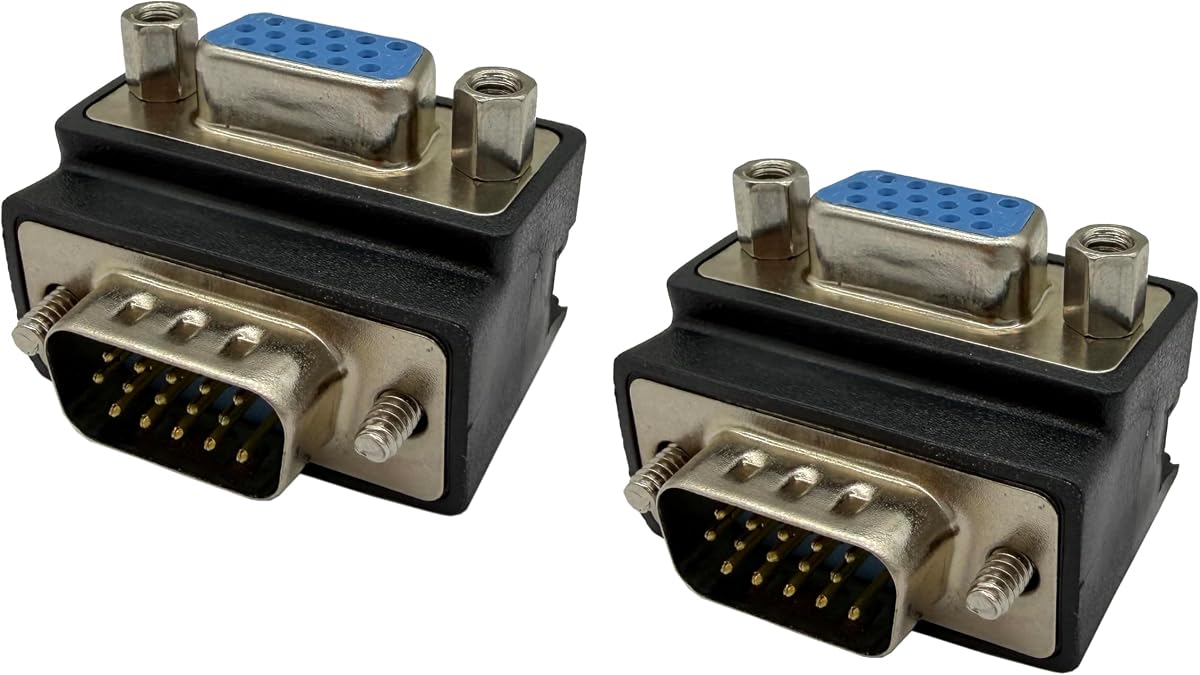
This adapter offers a robust solution for managing tight cable spaces behind displays. With a strong 4.6 rating it stands out for its durable build and effective signal protection.
We may earn a commission when you buy through this link, at no additional cost to you.
The 90 degree design redirects cables instantly reducing pressure on ports. Nickel coated contacts ensure efficient transfer while resisting corrosion over time for consistent performance.
While it handles most standard ports well some users note slight variations in fit. These trade-offs are minor compared to the stability and ease of installation provided.
Ideal for office or home setups needing reliable extensions. We recommend this model for anyone prioritizing signal integrity and long term durability in their VGA connections.
The nickel plating on contacts helps maintain clear picture quality by reducing noise and interference during transmission.
Included thumb screws allow you to secure the adapter quickly without needing extra tools in tight spaces.
We may earn a commission when you buy through this link, at no additional cost to you.
The DTECH adapter delivers essential functionality for users needing a quick fix. Its mini size makes it perfect for fitting behind TVs where space is extremely limited.
We may earn a commission when you buy through this link, at no additional cost to you.
Users appreciate the simple design that supports stable connections via screws. It effectively eliminates bending stress on cables while maintaining a low profile on desks.
Some reviews mention it feels basic compared to premium options. However for basic tasks this trade-off is acceptable given the straightforward performance and compact shape.
Best for occasional use or budget constrained projects. We suggest this for those needing a reliable coupler without extra features or higher costs.
Its small connector body allows fitting into tight spots behind monitors that larger adapters might block.
The screw mechanism ensures the adapter stays firmly in place even if cables are moved slightly.
We may earn a commission when you buy through this link, at no additional cost to you.
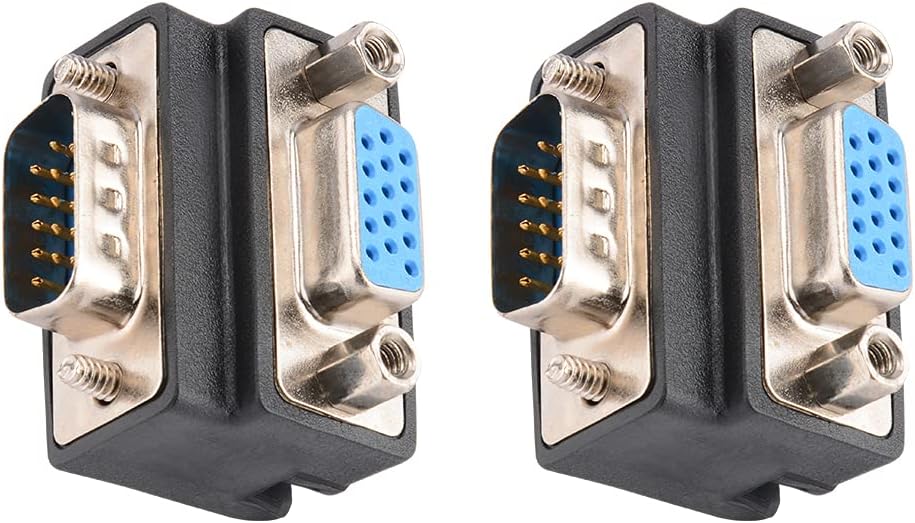
This two pack offers great value for users needing multiple adapters. The nickel coating on contacts adds a layer of protection against wear and environmental factors.
We may earn a commission when you buy through this link, at no additional cost to you.
Performance is consistent with clear picture output thanks to RFI protection. The PVC body is lightweight yet sturdy enough for regular daily use at home or work.
Some users prefer metal bodies for added durability. While the plastic shell is sufficient it may not withstand rough handling as well as metal alternatives.
Ideal for multi-device setups or keeping spares handy. We recommend it for those wanting reliable performance with the added benefit of extra units in the box.
Buying two units saves time and money if you need adapters for different rooms or backup purposes.
Built-in EMI RFI protection helps prevent visual static on screens in electrically noisy environments.
We may earn a commission when you buy through this link, at no additional cost to you.
The upward angle makes this adapter ideal for vertical cable management. A perfect 5.0 rating shows users are highly satisfied with its specific design and build.
We may earn a commission when you buy through this link, at no additional cost to you.
It helps route cables vertically away from ports preventing kinks and damage. This specific orientation is great for setups where horizontal routing isn't possible.
Because it is fixed orientation it may not suit every setup. Ensure your port layout matches the angle before purchasing to avoid compatibility issues.
Best for wall mounted monitors or projectors. We recommend this if you need to direct cables upward to clear desk space or hide wires effectively.
The upward bend directs cables neatly away from the device bottom avoiding clutter on the desk surface.
Designed for high density ports ensuring a snug and secure connection without wobble.
We may earn a commission when you buy through this link, at no additional cost to you.
This adapter simplifies connections by turning tangled wires into a neat layout. It offers a straightforward way to extend VGA signals without extra complexity or setup steps.
We may earn a commission when you buy through this link, at no additional cost to you.
The angled design helps keep cables tidy and away from obstacles. Users report it is easy to use and effectively removes stress from heavy duty plugs.
Some reviews note it is very basic without extra shielding. While functional for most tasks it may not be the best for demanding professional environments needing extra robustness.
Good for home entertainment systems needing tidy cables. We suggest this for users looking for a simple and effective solution to organize their workspace quickly.
The angled design helps guide cables away from the port preventing them from bending sharply and breaking.
Quick installation means you can set up your display system in minutes without tools.
We may earn a commission when you buy through this link, at no additional cost to you.
This package offers up and down angled adapters for flexible routing options. A full 5.0 score indicates high user satisfaction with its video quality and versatility.
We may earn a commission when you buy through this link, at no additional cost to you.
The thumbscrews and nuts ensure a solid connection that does not wiggle. Users appreciate the 1080P support which maintains sharp visuals across supported displays.
Some find the nuts add a bit of bulk. While they secure the connection well it may require checking clearance behind specific monitors with tight slots.
Best for varied setups needing different orientations. We recommend this for users wanting one box solution covering both up and down routing needs.
Having both up and down adapters means you can adapt to any port direction immediately.
Supports 1080P resolution ensuring your image remains crisp even with the added connection.
We may earn a commission when you buy through this link, at no additional cost to you.
This adapter is designed specifically for left angle cable routing. Users value its robust build and effective corrosion resistance for long term use.
We may earn a commission when you buy through this link, at no additional cost to you.
The connection is secure and helps prevent damage to the VGA port. EMI and RFI protection ensures clean audio and video output for a better viewing experience.
It is important to verify the orientation matches your needs. Since it only works on the left side it must be chosen carefully before purchase.
Best for setups requiring left side clearance. We suggest this for users with specific cable management needs on the left side of their monitors.
The sturdy design reduces stress on the port preventing wear from repeated cable insertion and removal.
Built-in shielding minimizes noise to keep colors and lines sharp on your screen.
We may earn a commission when you buy through this link, at no additional cost to you.
This adapter features a durable metal shell for enhanced protection and stability. Users appreciate its solid build quality and the way it reduces signal interference.
We may earn a commission when you buy through this link, at no additional cost to you.
The screws are stable and ensure a tight fit. It works immediately without drivers making it convenient for quick setup and testing of displays.
The main drawback is a higher price compared to plastic alternatives. However the metal construction justifies the cost for those seeking longevity and robustness.
Best for professional environments needing reliability. We recommend this if you prioritize build quality and stable connections over budget constraints.
The metal shell protects internal components from impacts and wear better than plastic covers.
Reduced interference leads to clearer images with less noise or static on the screen.
We may earn a commission when you buy through this link, at no additional cost to you.
This adapter offers a unique vertical flat left angled design for specific routing needs. It fits standard VGA ports and helps keep cables flat against surfaces.
We may earn a commission when you buy through this link, at no additional cost to you.
Users find it simple to plug in and use. The black finish matches typical equipment and the design helps manage cables in tight corners.
Its specific orientation means it is not a universal solution. Ensure your setup requires a vertical flat left angle before selecting this model.
Best for setups needing vertical clearance. We suggest this if you have a unique port layout that requires a flat vertical solution.
The flat design helps keep the adapter close to the device preventing it from sticking out.
The black finish blends well with most monitors and projectors for a clean look.
We may earn a commission when you buy through this link, at no additional cost to you.
This adapter is extremely lightweight making it easy to carry and store. Its compact dimensions ensure it fits in tight spaces without adding bulk to your setup.
We may earn a commission when you buy through this link, at no additional cost to you.
The right angle design helps manage cables effectively. Users are very satisfied with its ability to connect securely without interfering with other components.
It lacks extra features like shielding or advanced materials. While basic it performs its core task well for standard home and office uses.
Best for portable or lightweight needs. We recommend this for users who want a simple effective adapter without extra weight or complexity.
Weighing only 27 grams this adapter is easy to keep in a travel bag or drawer.
Small dimensions mean it won't block adjacent ports on crowded back panels.
We may earn a commission when you buy through this link, at no additional cost to you.
Choosing the right adapter depends on your specific layout and device requirements. Consider these factors to ensure a reliable and safe connection.
The direction the cable bends is critical. Ensure the adapter matches the space available behind your monitor whether it is left right up or down.
Check port direction carefully before buying to avoid compatibility issues.
Look for nickel coated contacts to prevent corrosion and ensure better signal transfer over time. This helps maintain picture clarity and reduces interference.
Higher quality metals often result in longer lasting adapters.
Metal shells offer more durability and heat dissipation than plastic. If you need a rugged option for professional use prioritize metal construction.
Plastic is lighter but may wear faster in high traffic environments.
Adapters with screws or nuts ensure a secure fit. Without them vibrations or tugs may loosen the connection leading to signal loss.
Secure thumbscrews are preferred for stability in tight spaces.
Some models include EMI and RFI shielding. This reduces electrical noise that can cause static or flickering on older monitors.
Shielding is valuable in electrically noisy office environments.
Verify the adapter supports 15 pin VGA ports. Most modern laptops do not have VGA so check your device requirements.
Ensure both male and female ends match your specific cable setup.
Measure the space behind your device. Some adapters protrude more and may block other ports or touch the wall.
Compact designs are essential for wall mounted or rack setups.
Buying in two packs offers better value if you need spares. It is useful for setups requiring multiple adapters or backups.
Single units are sufficient for one time replacements or simple tasks.
Turn off your devices before connecting any VGA cables or adapters. This prevents potential electrical surges that could damage your ports.
Align the adapter with the port and gently screw in the thumbscrews. Do not over tighten to avoid stripping the threads on the connector.
Regularly inspect the adapter for dust or damage. Use a dry cloth to clean the contacts periodically to maintain optimal signal transmission.
A 90 degree VGA adapter allows you to connect a VGA cable at a right angle. This prevents sharp bends that could damage cables and helps route wires neatly behind monitors where space is tight.
No drivers are needed because the adapter is a passive hardware component. It simply redirects the signal path from your graphics card to the monitor.
Quality adapters with proper shielding minimize signal loss. While VGA is analog a well made connector ensures stable transmission without visible static or flickering.
Standard VGA uses a 15 pin D-Sub connector arranged in three rows of five. Ensure the adapter matches this standard to fit your devices correctly.
Choose based on which side of the monitor the cable needs to exit. Measure the clearance behind your device to ensure the bend fits without obstruction.
Yes they work with any device using a standard 15 pin VGA port. This includes most older projectors and monitors found in office settings.
Keep them in a small case or drawer away from moisture. Dust and humidity can corrode the contacts over time reducing performance.
The 90 degree VGA Male to Female Adapter stands out as our top choice for reliability and design. It balances build quality with ease of use for most setups.
Prioritize adapters with nickel coated contacts and secure screw mechanisms. These features ensure stability and protect your investment against wear over time.
Remember to check current stock and specifications before purchasing. Our list helps you navigate options to find the best match for your specific needs.