
Ai Pen Chat Gpt Pen
5.0Editor score
Real-time AI answers
HD touchscreen interface
150+ languages
AI Scan Pens with Chatgpt are revolutionizing how we interact with printed text by combining optical character recognition with advanced generative AI capabilities. These devices allow users to scan words and receive intelligent explanations, translations, or summaries instantly without needing a computer.
We have evaluated ten leading models based on their scanning accuracy, AI integration depth, language support, and overall usability for students and professionals. Each product was assessed for its ability to deliver real-time answers, text-to-speech clarity, and seamless data synchronization across devices.
Each pick below highlights unique strengths such as offline capabilities, dyslexia support, or premium features like voice recording. Please note that specific model availability and pricing may vary by region and time, so checking the latest product details is recommended before purchasing.
5.0Editor score

3.3Editor score

4.0Editor score
As an Amazon Associate we earn from qualifying purchases.
The following table provides a side-by-side comparison of the top ten AI Scan Pens with Chatgpt available in the current market, highlighting key specifications and core functionalities for quick reference.




The Scanmarker AI Pen stands out as the Editor's Choice for its built-in screen that displays scanned text immediately. This feature ensures users can verify accuracy on the spot without needing a phone. It offers a robust OCR engine and strong text-to-speech capabilities for immersive learning.
We may earn a commission when you buy through this link, at no additional cost to you.
Its instant scan-to-text magic transforms reading into a dynamic experience. Students can capture definitions and key lines directly, turning physical documents into digital notes with ease. The built-in screen is a key differentiator that enhances productivity and reduces friction in the workflow.
While the device is powerful, users should note that battery life may require regular charging during heavy use. The price is also on the higher end compared to basic scanners, but the added screen and AI integration justify the cost for serious users.
This pen is ideal for students and professionals who need quick access to scanned information and auditory support. If you want a device that keeps you focused without juggling multiple gadgets, this Scanmarker AI Pen is the top recommendation for November 2026.
The built-in screen allows you to confirm text accuracy immediately, reducing errors in note-taking and study sessions.
Export scans to editing platforms or save them in favorites to keep all your research organized in one accessible location.
We may earn a commission when you buy through this link, at no additional cost to you.
The XNote Smart Pen offers a premium experience for those who prefer handwriting but need digital organization. It syncs handwritten notes to an app via Bluetooth and features advanced AI summarization. Its 17-hour battery ensures it lasts through long workdays or study marathons.
We may earn a commission when you buy through this link, at no additional cost to you.
Key strengths include its ability to transcribe meeting audio and combine it with handwritten notes. This integration helps professionals stay focused on the conversation while ensuring all details are captured accurately. The offline storage capability is a lifesaver for areas with poor connectivity.
The need to pair with a companion app means it is not entirely standalone like a basic scanner pen. It also focuses more on writing than reading printed text, which might limit its utility for pure document scanning tasks.
For students and creatives who value the tactile feel of paper but want digital benefits, this set is unmatched. It is the Best Premium pick for its comprehensive bundle and robust AI features for organizing complex workflows.
Combine handwritten notes with audio transcription to create searchable, intelligent records of meetings and lectures.
Enjoy up to 17 hours of continuous use on a single charge, ensuring productivity during long sessions.
We may earn a commission when you buy through this link, at no additional cost to you.
This Ai Pen brings direct ChatGPT integration to a budget-friendly price point, making advanced AI tools accessible to everyone. It features an HD touchscreen and offline translation for over 150 languages. It is a versatile tool for travel and quick study answers.
We may earn a commission when you buy through this link, at no additional cost to you.
Its standout feature is the ability to ask questions and get instant AI answers without opening a separate app. The voice recording feature adds utility for capturing lecture content. This combination of features makes it a powerhouse for a student on a tight budget.
The build materials are basic compared to premium devices, and the screen is smaller. However, the functionality remains strong. Users should check battery life during heavy AI usage as it may vary based on server load.
If you want powerful AI capabilities without breaking the bank, this pen is the Best Budget choice. It delivers instant intelligence and translation tools that help students and professionals stay productive anywhere.
Get immediate answers for math, history, or other subjects directly on the device screen for faster learning.
Translate over 150 languages offline, making it essential for travelers needing quick and reliable communication tools.
We may earn a commission when you buy through this link, at no additional cost to you.
The NEWYES AI Pen is designed specifically for readers with dyslexia, offering adjustable reading speeds and a special font design to reduce stress. It includes an AI Homework Checker and real-time AI Chat to assist with study tasks. The 16GB storage ensures ample room for notes.
We may earn a commission when you buy through this link, at no additional cost to you.
Its versatile translation supports 112 languages, making it great for multi-language learning. The six reading levels allow it to grow with the user from pre-readers to advanced students. This adaptability makes it a robust educational tool for different proficiency levels.
The setup process might feel complex for new users, and the screen size is limited compared to tablet-based solutions. However, the specialized features for accessibility justify these trade-offs for those who need them.
Students with dyslexia or language learning goals will find this pen incredibly helpful. Its focus on accessibility and storage makes it a strong contender for families needing a dedicated study partner.
The special font design reduces reading stress and makes text easier to process for users with reading challenges.
Adjust the reading level to match your proficiency, ensuring the device grows with you as you learn.
We may earn a commission when you buy through this link, at no additional cost to you.
This Translator Pen combines text-to-speech scanning with robust online and offline translation for 142 languages. The 5MP camera enables photo translation for complex text scenarios like menus or maps. It also supports voice recording to capture meetings and course content.
We may earn a commission when you buy through this link, at no additional cost to you.
Its ability to sync to mobile phones for editable file extraction replaces slow manual transcription. The high-definition photo recognition is accurate for non-standard text. This makes it a reliable companion for business travelers and adult language learners.
The menu navigation can feel a bit tricky initially, and the build quality feels somewhat light. However, the functional versatility across languages and modes makes these minor issues acceptable for the price.
If you need a comprehensive tool for cross-language communication and document management, this pen delivers. Its offline capabilities ensure you stay connected even without internet access in remote areas.
Access translation tools without internet, solving pain points for outdoor and business travel scenarios.
Use the 5MP camera to identify text in images and convert it instantly for better flexibility.
We may earn a commission when you buy through this link, at no additional cost to you.
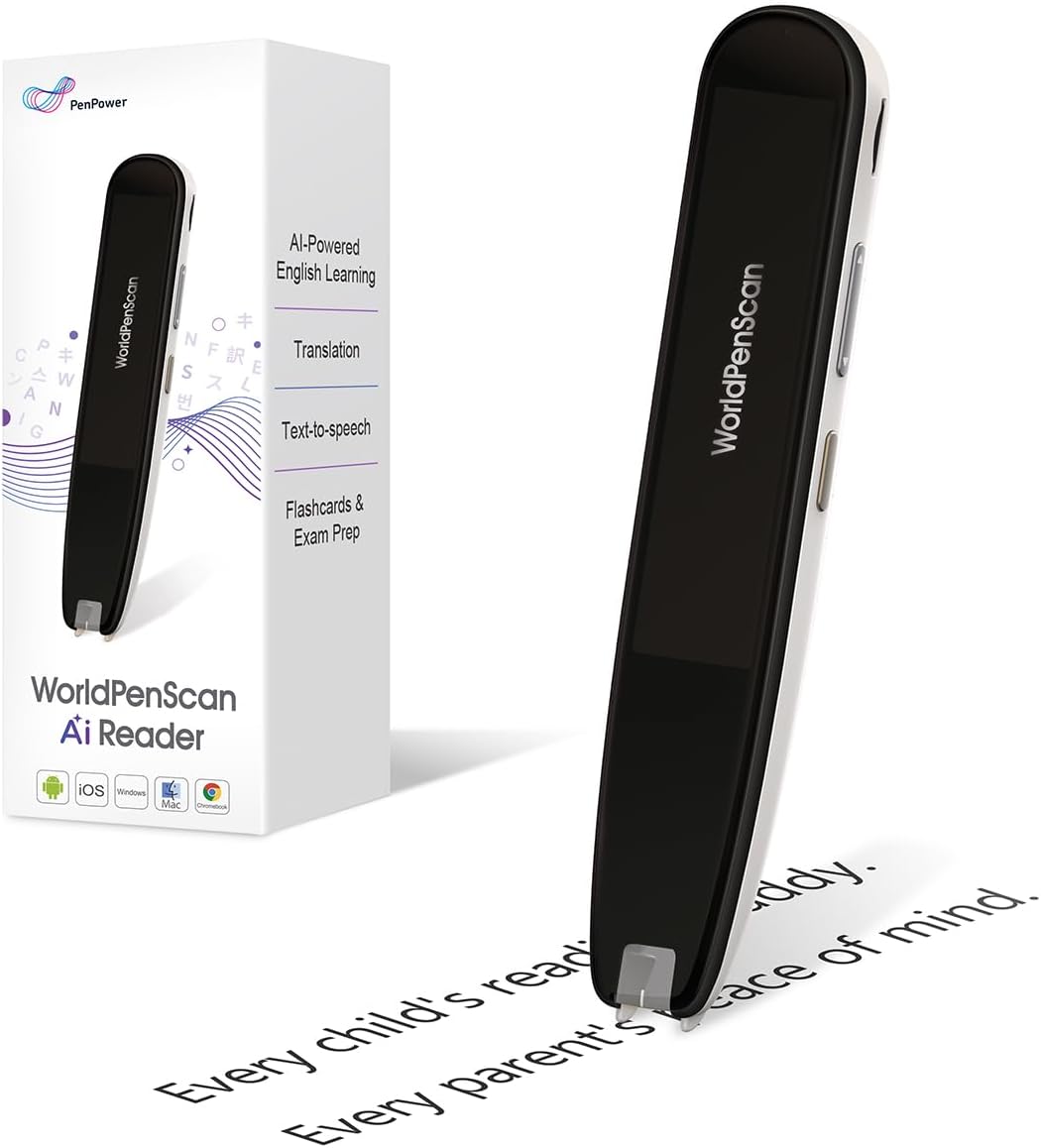
WorldPenScan is designed to help children stay engaged with books by providing age-appropriate explanations. Its Quick AI offers instant support for difficult words without interrupting the flow of reading. The AI Reading Buddy syncs scans for deeper learning and fun facts.
We may earn a commission when you buy through this link, at no additional cost to you.
Offline tools like text-to-speech and dictionary ensure uninterrupted reading anywhere. It supports English, Spanish, and Chinese making it great for bilingual households. The focus is on building independent readers who can solve challenges on their own.
While the scope is somewhat limited to core books, this is intentional to foster reading habits. Parents should check subscription requirements for advanced features to ensure ongoing value for their child.
Families with young readers or ESL learners will find this pen invaluable. It turns reading frustration into curiosity, helping children develop the confidence to read independently with tailored support.
Quick AI provides clear, simplified explanations for vocabulary and sentences that match the child's reading level.
Use built-in dictionary and text-to-speech tools without internet for uninterrupted reading in any environment.
We may earn a commission when you buy through this link, at no additional cost to you.
The Pen Gpt Ai Pen focuses on instant AI answers for academic subjects like math and history. It features a vibrant 3.5-inch touchscreen and offline translation for over 50 languages. This makes it a strong tool for students needing quick help on assignments.
We may earn a commission when you buy through this link, at no additional cost to you.
Its ChatGPT integration boosts productivity by allowing brainstorming and essay refinement directly. Voice recording and WiFi sync ensure that captured lectures are easily organized. The device bridges analog and digital learning seamlessly.
There is no physical rating data available yet, and the display is small. However, the core functionality of instant answers and language translation is strong and supports effective learning in diverse environments.
Students looking for a device that acts as a personal tutor are best served here. The combination of AI assistance and language tools makes it a versatile study partner for complex topics.
Get immediate AI answers for math and history to speed up learning and reduce study frustration.
Break language barriers with offline translation support for over 50 languages to aid travel and study.
We may earn a commission when you buy through this link, at no additional cost to you.
This Smart Pen Notebook Set transforms ideas into reality with simple verbal expressions using voice creation. It converts sound to text with built-in microphones and recognizes handwriting to generate editable documents. Wireless charging adds convenience to daily use.
We may earn a commission when you buy through this link, at no additional cost to you.
Users can draw a sketch and use AI to generate compliant artwork. This feature is great for brainstorming and visual planning. The reusable refill design reduces waste and ensures the device remains functional over time.
The AI generation can be complex to navigate and requires app connectivity for best results. However, the core transcription and handwriting recognition features work well for those focused on text-based workflows.
Professionals and creatives who need visual brainstorming tools will appreciate this set. It combines voice, text, and handwriting into one efficient workflow for capturing ideas quickly.
Input verbal expressions to generate visuals in about 40 seconds, turning thoughts into tangible images.
Convert handwritten notes into editable Word documents for easier sharing and meeting content organization.
We may earn a commission when you buy through this link, at no additional cost to you.
Scanmarker Pal is a versatile reading pen for dyslexia support and travel. It scans and translates text in over 100 languages with offline support for major ones. The text read aloud feature with highlighted words improves comprehension for auditory learners.
We may earn a commission when you buy through this link, at no additional cost to you.
It scans text with precision and exports files for future use. The compact and portable design allows you to carry it in a pocket. Bluetooth headphone support adds an immersive audio experience for focused listening.
Basic AI features mean it may not offer deep conversational answers like higher-end models. However, for pure reading and translation support, it is reliable and efficient for daily tasks.
Learners needing quick translation and auditory support will find this pen useful. Its portability and focus on core features make it a practical choice for students and travelers alike.
Listen to text read aloud with highlighted words on screen for better understanding and focus.
Access translation for major languages like English and Spanish without internet for offline utility.
We may earn a commission when you buy through this link, at no additional cost to you.
This Translation Pen uses OCR technology to scan words and convert them to audio for real-time reading. It supports online translation for 142 languages and offline for 10. It also includes photo translation for menus and magazines.
We may earn a commission when you buy through this link, at no additional cost to you.
Scanned documents sync to your phone for easy import and editing. It can serve as a recorder for meetings and conversations. The portable design makes it suitable for travel, study, and business.
The user rating is lower than other models, and the interface is basic. However, the wide language range and extraction features make it a solid tool for basic translation needs.
Business professionals and travelers who need a reliable scanner will find it useful. Its ability to handle diverse text scenarios helps bridge communication gaps effectively during trips.
Synchronize scanned and translated documents with your phone for easy import and editing later.
Use the camera to aim at text like menus or labels for automatic translation in images.
We may earn a commission when you buy through this link, at no additional cost to you.
Choosing the right AI Scan Pen requires understanding your specific needs for language support, AI features, and connectivity.
Look for pens that offer more than basic OCR. Devices with ChatGPT integration allow you to ask questions about scanned text, summarize content, or refine drafts directly.
Prioritize models that provide context-aware answers rather than just translations.
A built-in screen ensures you can verify text accuracy instantly. Models with screens above 3 inches offer better readability without needing external devices.
Smaller screens are portable but may strain eyes during long sessions.
Check if the pen supports the languages you need. Offline support is crucial for travelers who may not always have internet access.
Ensure the device covers at least 100 languages for global utility.
Text-to-speech should sound natural to reduce fatigue. Look for devices with adjustable speeds and accent options for better learning.
Poor audio quality can make listening difficult over time.
Sufficient storage allows you to save scans for later. Bluetooth or WiFi sync ensures you can transfer files to your phone or computer easily.
Prioritize devices with at least 16GB storage and reliable sync options.
Long battery life is essential for all-day use. Look for devices that offer 10 hours or more to avoid interruptions.
Fast charging capabilities are a valuable bonus for travel.
Build quality ensures the device lasts. Look for pens with robust materials that can withstand daily use in bags.
Ergonomic designs reduce hand strain during extended writing sessions.
For users with dyslexia, look for specific fonts and adjustable speeds. These features significantly improve reading comfort.
Choose devices designed for your specific learning needs.
To get the most out of your AI Scan Pen, start by charging it fully and syncing it with your companion app. This ensures all AI features are active and ready to assist you immediately.
When scanning text, hold the pen at the correct angle and move it steadily across the document. For best results, ensure the surface is flat and clean to avoid blurry captures.
Regularly clean the scanning window with a soft cloth to maintain accuracy. Keep your device firmware updated through the app to access the latest improvements and bug fixes.
Many pens require internet for full AI features but offer offline modes for basic translation. It is best to choose models with offline language packs to ensure connectivity is not an issue.
Most are optimized for printed text, but some advanced models with handwriting recognition exist. For handwritten notes, look for pens specifically designed for digital handwriting capture.
Yes, most have parental controls or kid-friendly modes. Look for devices with simplified interfaces and safe language filters to ensure a positive experience for children.
Battery life varies but typically lasts 10 to 17 hours on a single charge. Check specs carefully if you plan to use the device for long periods without a power source.
Most devices allow export to common formats like PDF or TXT. Ensure the pen supports cloud syncing for easy transfer to Google Drive or other cloud services.
Many can scan text from screens but accuracy may vary. For best results, look for models explicitly tested for digital screen scanning capabilities.
Basic features are usually included, but advanced AI models may require a subscription. Check the product details to understand what features are free or paid.
Many models offer specific dyslexia support with adjustable speeds and fonts. Choose a pen that focuses on accessibility to help overcome reading challenges effectively.
We reviewed the top ten AI Scan Pens with Chatgpt available in November 2026 to help you find the perfect fit for your needs.
Prioritize models with strong AI integration and reliable offline capabilities to ensure productivity in any situation.
Remember to check current pricing and availability on Amazon before making your final purchase decision.