
WWZMDiB CH341A EEPROM BIOS Programmer
4.1Editor score
Compatible with 24 and 25 series
No welding required for use
Supports 3.3V and 5V
This guide compares ten top-rated bios flash tools and programmers for repairing and updating firmware on motherboards and electronic devices efficiently.
Finding the right bios flash tool is essential for technicians and enthusiasts who need to update or repair firmware on motherboards and electronic devices effectively.
We compared ten highly rated products based on compatibility, speed, ease of use, and customer feedback to help you choose the best option for your needs.
Each pick highlights key features and performance traits so you can make an informed decision while keeping in mind that product prices may change over time.
4.1Editor score
4.4Editor score

4.3Editor score
This table provides a side-by-side comparison of all ten tools including their key specifications and compatibility features to help you find the best fit.





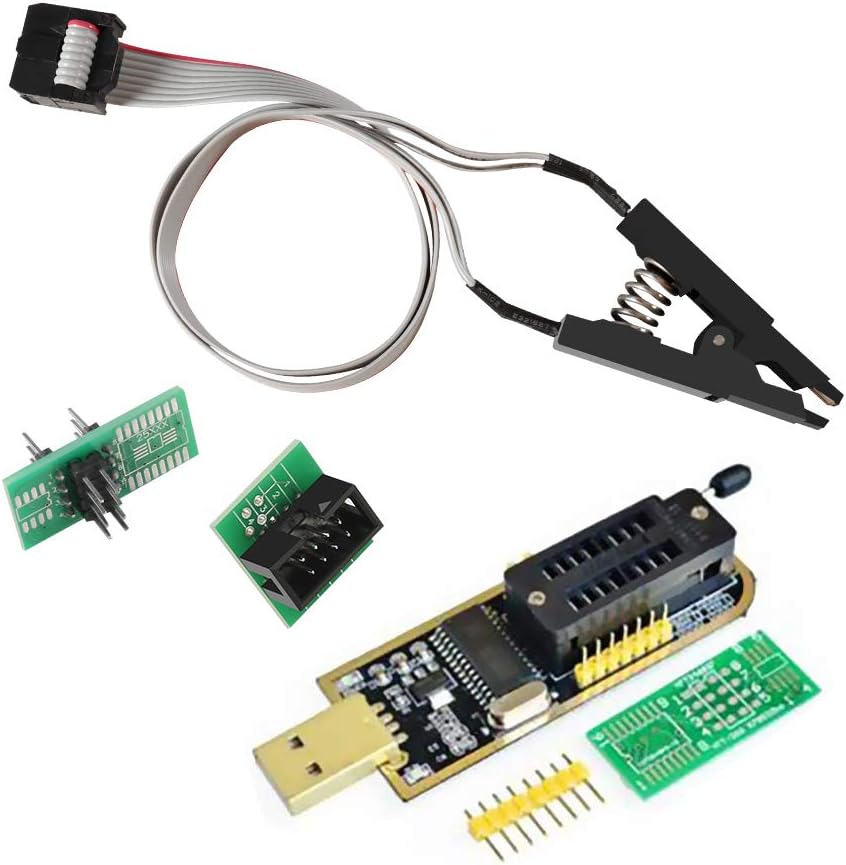
This tool is a popular entry-level option for users who need to backup and program BIOS chips without spending a lot of money.
We may earn a commission when you buy through this link, at no additional cost to you.
It supports most 24 and 25 series chips and allows direct clamping without soldering which makes it accessible for beginners.
The main trade-off is that it requires careful voltage selection to avoid damaging chips but the included plates help with compatibility.
If you need a simple and cheap way to flash BIOS chips on older boards this programmer is a solid starting point for hobbyists.
The included SOIC8 SOP8 clip allows you to connect directly to chips on the board without needing to desolder them first.
Supports both 3.3V and 5V switching which covers most common EEPROM and Flash memory chips used in consumer electronics.
We may earn a commission when you buy through this link, at no additional cost to you.
This kit combines the CH341A programmer with quality test clips that make in-circuit programming simpler for EEPROM and Flash chips.
We may earn a commission when you buy through this link, at no additional cost to you.
The double clip feature ensures you have backups and the SOP8 clip design allows for faster and more efficient flashing sessions.
Users should note that some chips affected by peripheral circuits may still need to be removed for successful programming.
Overall it is a reliable choice for technicians who need a balance of cost and performance for routine BIOS updates.
The SOP8 clip enables you to program chips without disassembling them which saves time during repair and maintenance tasks.
Supports 24CXX 25CXX and 93CXX series making it versatile for a wide range of EEPROM and Flash memory applications.
We may earn a commission when you buy through this link, at no additional cost to you.
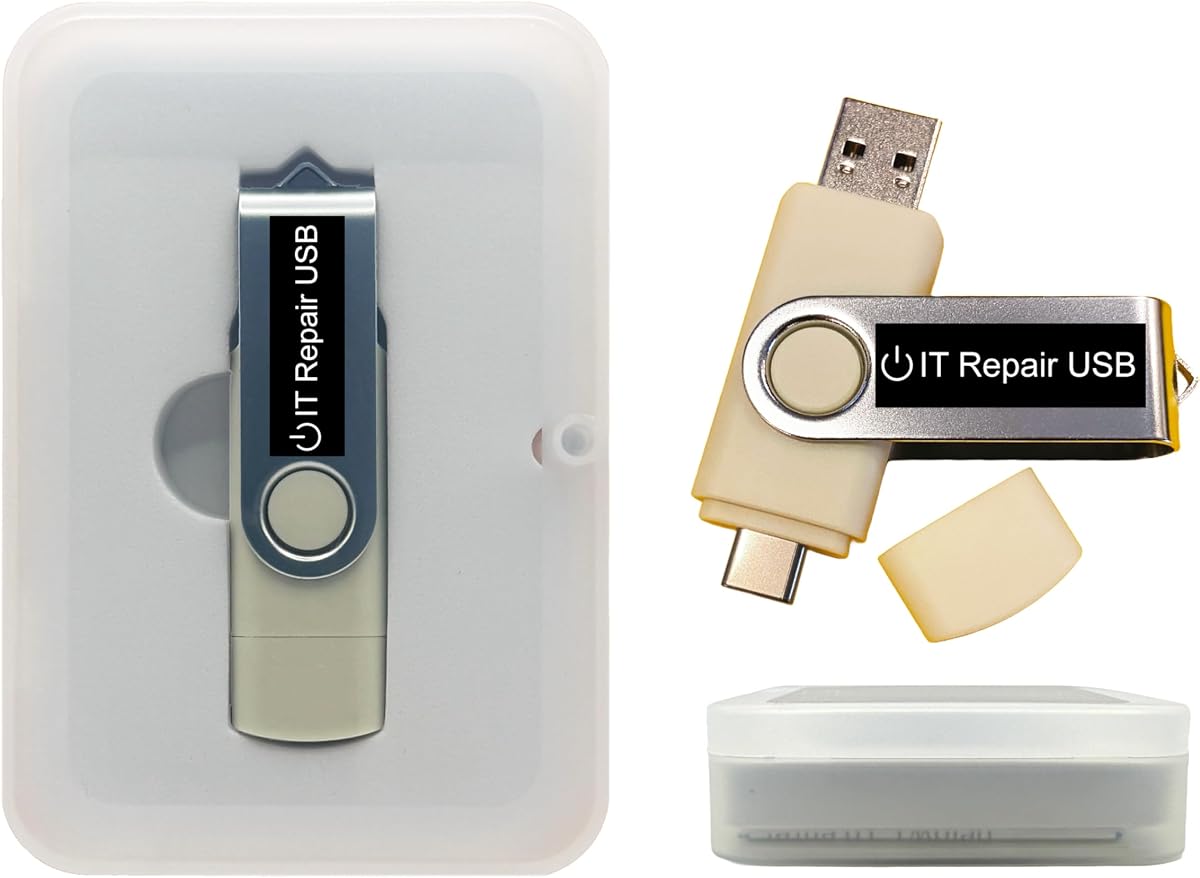
This bootable drive is designed primarily for resetting forgotten passwords on Windows and Linux systems without needing to reinstall the OS.
We may earn a commission when you buy through this link, at no additional cost to you.
It works with both Legacy BIOS and UEFI modes and supports a wide range of Windows versions from 2000 to 11.
The main limitation is that it focuses solely on password recovery rather than general BIOS flashing or firmware updates.
It is a useful tool for IT professionals who need to quickly regain system access when dealing with locked machines.
The drive works with almost all laptops and desktops including mini-PCs and servers due to its dual boot mode support.
On-screen guidance and step-by-step instructions make it simple for anyone to reset passwords without technical expertise.
We may earn a commission when you buy through this link, at no additional cost to you.
This USB drive provides a convenient way to install or repair Windows 11 without needing a TPM chip which is often a barrier.
We may earn a commission when you buy through this link, at no additional cost to you.
It is fully compatible with both UEFI and Legacy BIOS modes so it works on a wide range of computer hardware configurations.
The drive only handles the operating system installation and cannot diagnose or fix underlying hardware issues like bad RAM.
It is a great option for users who have an old system and want to upgrade to Windows 11 without hardware restrictions.
Allows you to install Windows 11 on devices that do not meet the TPM requirement which is helpful for older PCs.
The drive is designed to boot directly so you can perform setup or recovery tasks without needing an internet connection.
We may earn a commission when you buy through this link, at no additional cost to you.
This kit includes everything you need to work with 24 and 25 series chips including a special adapter for 1.8V memory.
We may earn a commission when you buy through this link, at no additional cost to you.
Programming speed is reported to be up to three times faster than ordinary ATMEGA8 programmers which saves time.
The addition of a 1.8V adapter makes it possible to handle chips used in iPhones and motherboards that use lower voltage.
It is a comprehensive choice for advanced users who need to work with a variety of chip voltages and types.
The included 1.8V adapter allows you to safely program chips that require lower voltage than standard 3.3V or 5V.
Erasing and programming is faster than many basic options so you can process more chips in less time.
We may earn a commission when you buy through this link, at no additional cost to you.
This programmer is marketed as the fastest on the market with read times as low as three seconds for certain chip models.
We may earn a commission when you buy through this link, at no additional cost to you.
It automatically identifies chip models for 25 series chips and detects whether the chip is placed correctly for operations.
The included 15 adapters cover a wide range of chip types including 24 25 93 and 95 series EEPROM and Flash chips.
It is an ideal choice for professionals who need high speed and broad compatibility for large scale firmware repair work.
Read and write speeds are significantly faster than older models which reduces wait times during mass firmware updates.
The tool can identify chip models and select supply voltages automatically simplifying the setup process for users.
We may earn a commission when you buy through this link, at no additional cost to you.
This toolkit is designed for technicians who need a versatile recovery solution to fix startup problems and recover files.
We may earn a commission when you buy through this link, at no additional cost to you.
It supports both UEFI and Legacy BIOS modes and can be customized to add or replace bootable ISO apps and utilities.
The drive can run live without modifying the PC which is useful for diagnosing issues on unbootable Windows systems.
It is a good choice for IT professionals who need a single drive that handles multiple repair and recovery scenarios.
Includes tools for system diagnostics removing malware and repairing partitions all from one bootable environment.
You can run the toolkit without an internet connection which is helpful in environments with limited network access.
We may earn a commission when you buy through this link, at no additional cost to you.
This clip is designed for 16 pin IC flash chips which are common in many modern motherboards and electronic devices.
We may earn a commission when you buy through this link, at no additional cost to you.
It supports both wide and narrow body chips and features a hardened design with gold plated pins for stable connections.
Users should be aware that some chips on circuit boards may still need to be removed due to peripheral circuit interference.
It is a useful accessory for programmers who work with SOP16 chips and need a reliable clamp for testing.
The clip uses hardened materials and thick gold plated layers to ensure durability and stable connections over time.
Compatible with 150 mil to 300 mil chip bodies which covers most common 16 pin SOP and SOIC chips.
We may earn a commission when you buy through this link, at no additional cost to you.
This recovery tool works with Secure Boot enabled on your system so you do not need to change BIOS settings to use it.
We may earn a commission when you buy through this link, at no additional cost to you.
It downloads genuine Windows 11 or 10 directly from Microsoft which ensures you are not using outdated or pirated copies.
The tool requires UEFI BIOS which means it is suitable for most PCs from 2013 and newer but not older Legacy systems.
It is a reliable choice for users who want a modern recovery solution that integrates well with current system security features.
Unlike many recovery USBs this tool works without disabling Secure Boot which helps keep your system more secure during repair.
You download the latest official Windows versions from Microsoft servers which reduces risks of using unofficial ISOs.
We may earn a commission when you buy through this link, at no additional cost to you.
This bootable drive provides a full Kali Linux environment with over six hundred pre-installed tools for network and security auditing.
We may earn a commission when you buy through this link, at no additional cost to you.
It works with both Legacy BIOS and UEFI modes and allows you to run Kali directly from the USB or install it permanently.
While it is not a BIOS flash tool it is a powerful resource for IT experts who need to perform vulnerability assessments.
It is a great option for cybersecurity professionals who need a portable and ready-to-use platform for ethical hacking tasks.
Includes hundreds of tools for penetration testing and security analysis which saves time in setting up a security lab.
You can run the system directly from USB or install it to hardware for better performance depending on your needs.
We may earn a commission when you buy through this link, at no additional cost to you.
Choosing the right bios flash tool requires understanding your specific needs and the types of chips you will be working with regularly.
Look for tools that support the specific chip series you encounter most often such as 24 25 or 93 series EEPROM and Flash chips.
Ensuring broad compatibility reduces the need for multiple tools and saves money in the long run.
Faster read and write speeds are critical for professionals who handle large volumes of firmware updates daily.
Prioritize tools that advertise high-speed performance to minimize downtime during repair workflows.
Chips operate at different voltages such as 1.8V 3.3V or 5V so your tool must support these to avoid damaging components.
Choose a programmer with flexible voltage switching to ensure safe operations across diverse electronic devices.
The ability to program chips without removing them from the board can significantly speed up repairs and reduce mechanical stress.
Select tools that include test clips designed for in-circuit programming whenever possible.
A user-friendly interface simplifies the process of selecting chip models and executing backup or erase tasks quickly.
Tools that automate chip detection help reduce manual errors during critical operations.
Accessories like conversion plates and adapters expand the range of chips you can work with without buying extra parts.
Check that the kit includes all necessary adapters for your specific chip types before purchasing.
Reliable customer support is essential if you encounter technical issues or need guidance on specific programming tasks.
Tools from vendors with responsive support can save you significant time and frustration.
Clips and connectors should be hardened with durable materials like gold-plated pins to withstand frequent use.
Investing in higher build quality reduces the risk of hardware failure during critical repair jobs.
Begin by identifying the exact chip model on your motherboard and ensuring your tool supports its series and voltage requirements.
Connect the tool to your computer via USB and use the provided test clip to clamp onto the chip pins carefully without bending them.
Keep your clips clean and store the programmer in a dry place to maintain electrical contacts and ensure long-term reliability.
A bios flash tool is used to read write or update firmware on EEPROM and Flash chips found on motherboards and electronic devices. It helps recover corrupted systems or update hardware functionality.
Most tools support in-circuit programming which means you do not need to desolder chips to flash them. Clips allow you to clamp directly onto pins for easier use.
No tool covers every chip type. It is important to verify that the programmer supports the specific series such as 24 25 or 93 series of the chip you intend to program.
Yes improper voltage settings or poor connections can damage chips. Always confirm the chip voltage and secure stable connections before writing firmware to avoid burns.
Most tools require installing specific software on your PC to communicate with the hardware. Always download official drivers and software from the manufacturer before starting.
Flash time depends on the tool speed and chip size. Basic tools may take minutes while premium models can complete reads in seconds and writes in under a minute.
We reviewed ten top tools ranging from budget-friendly programmers to high-speed kits suited for professional use cases and diverse chip requirements.
Focus on compatibility speed and ease of use to ensure you choose a tool that fits your skill level and workflow needs efficiently.
Remember to check current pricing and availability since product costs and models may change over time before finalizing your purchase decision.