This guide compares the top ten Buffalo NAS devices for home and business, evaluating capacity, speed, and security to help you find the perfect network
As an Amazon Associate we earn from qualifying purchases. We may earn a commission when you buy through links on this page, at no additional cost to you. Read our affiliate disclosure.As an Amazon Associate we earn from qualifying purchases.Purchases through our links may earn us a commission, at no extra cost to you. Read our affiliate disclosure.
Finding the right network attached storage can transform how you manage digital files. Buffalo NAS devices offer reliable centralized storage for homes and offices alike. They provide secure access to your photos, videos, and documents across all your connected devices.
We evaluated ten current models based on capacity, performance, and ease of setup. Each product was assessed for its hardware quality, software features, and overall value. This list covers everything from entry-level home clouds to robust business-grade solutions.
Each pick highlights key strengths and ideal use cases for different users. Prices and availability may change over time so check current listings before buying. Our goal is to help you choose the best fit for your specific storage needs.
Top 3 Picks for Best Buffalo NAS
Best Budget
BUFFALO LinkStation 210 6TB 1-Bay NAS Network Attached Storage with HDD Hard Drives Included NAS Storage that Works as Home Cloud or Network Storage Device for Home
The following table provides a side-by-side look at all ten Buffalo NAS models evaluated in this guide. Compare key specifications like drive bays, total capacity, and network speeds to find the right match for your setup.
ProductsSpecificationsEditor scorePrice
1
Best Budget
BUFFALO LinkStation 210 6TB 1-Bay NAS Network Attached Storage with HDD Hard Drives Included NAS Storage that Works as Home Cloud or Network Storage Device for Home
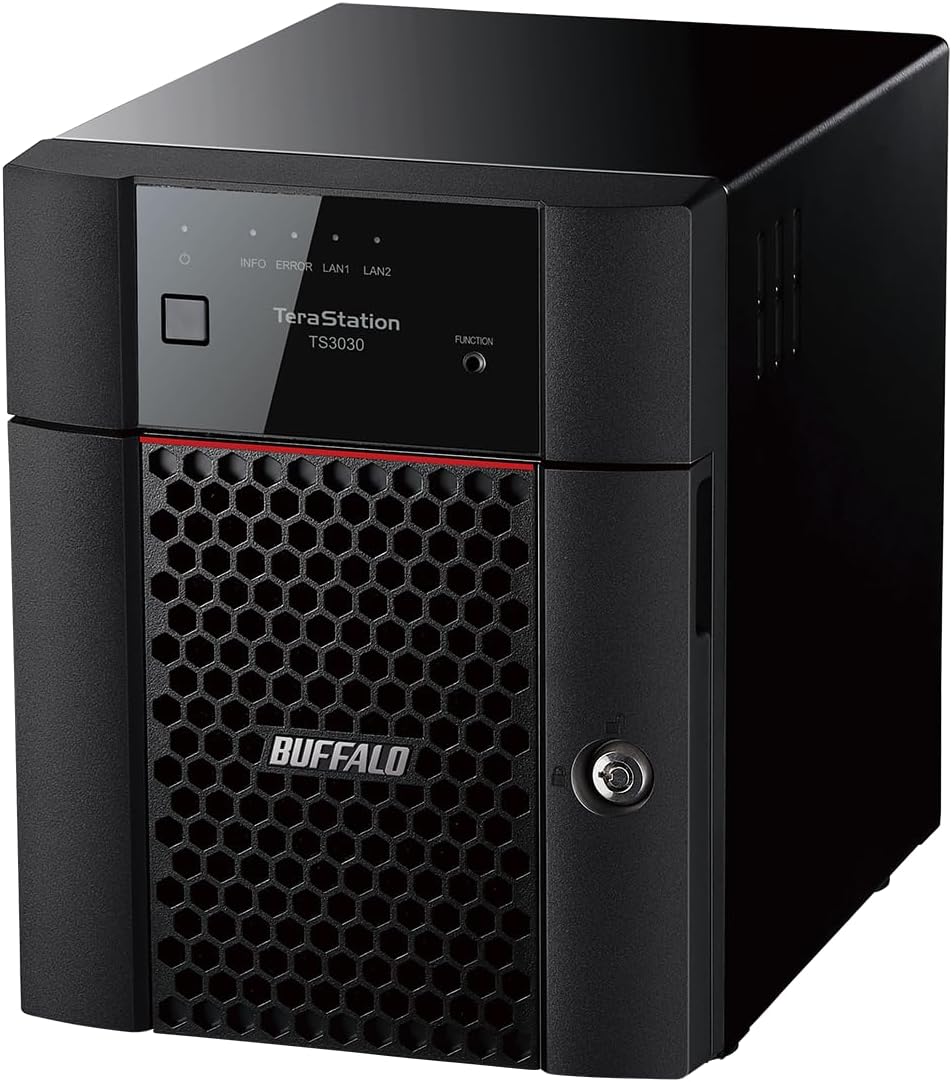
BUFFALO TeraStation 5420DN 4-Bay Business Desktop NAS 32TB (4x8TB) with Hard Drives Included RAID iSCSI Network Storage File Server
32TB Total Capacity
10GbE Network Port
256-bit Encryption
3 Year Warranty
This device stands out as the top choice for business environments needing robust storage. With a 4.8 rating it delivers exceptional performance and reliability for demanding workloads. The inclusion of NAS-grade drives ensures you get a complete solution right out of the box.
Pros
High speed 10GbE port included
Advanced snapshot recovery features
Full hard drive included
Professional grade stability
Excellent US support team
Cons
High entry cost for home use
Requires compatible network gear
We may earn a commission when you buy through this link, at no additional cost to you.
Its standout feature is the native 10GbE port allowing extremely fast file transfers without extra hardware. Security is handled with 256-bit drive encryption and two-factor authentication to keep sensitive data safe. Snapshot technology adds an extra layer of protection against ransomware by enabling instant recovery.
While the price is higher than consumer models it offers value through reduced downtime and better data protection. The closed system design minimizes vulnerabilities from third party apps making it safer for business use. Some users might find the initial setup complex if they lack network expertise.
Business owners and IT administrators will appreciate the reliability and advanced features this NAS provides. It is ideal for offices that need to centralize large amounts of data securely. The strong warranty and support coverage give peace of mind for critical business operations.
Advanced Data Protection
Snapshots allow near instant data recovery minimizing disruptions during incidents or malware attacks.
High Speed Networking
The native 10GbE port supports fast file transfers without needing expensive network cable upgrades.
BUFFALO LinkStation 210 6TB 1-Bay NAS Network Attached Storage with HDD Hard Drives Included NAS Storage that Works as Home Cloud or Network Storage Device for Home
6TB Total Capacity
1 Drive Bay
Gigabit LAN
SSL Encryption
The LinkStation 210 offers an accessible entry point into network storage for home users. Rated at 3.9 stars it provides solid functionality for basic file sharing and backup needs. Its simplicity makes it a great choice for those new to NAS technology.
Pros
Affordable entry point for NAS
Included hard drive saves cost
Easy plug and play setup
Subscription free cloud access
Closed system security
Cons
Limited to single drive bay
Slower performance compared to higher models
We may earn a commission when you buy through this link, at no additional cost to you.
It excels at providing centralized storage where you can access files from any device on your network. The subscription-free personal cloud feature lets you store and share media without monthly fees. Security is maintained through a closed system and SSL encryption for safe file transfers.
The main limitation is the single drive bay which restricts RAID options and redundancy. Performance is adequate for general use but may not keep up with heavy multitasking or large media libraries. Users needing more capacity or speed might outgrow this model quickly.
Ideal for individuals or small families wanting a simple backup solution without complexity. The low cost and included drive make it a budget friendly option. It works well for storing documents and photos securely at home.
Simple Setup
Plug the device into your router and use included software to start sharing files quickly.
No Monthly Fees
Access your stored files from anywhere without paying for subscription-based cloud storage services.
BUFFALO TeraStation Essentials 2025 4-Bay Value Desktop NAS 24TB (4x6TB) with Hard Drives Included
24TB Total Capacity
4 Drive Bays
2.5GbE Port
RAID Pre-Configured
This model balances performance and capacity making it a top pick for power users. With a 4.3 rating it delivers reliable storage for growing media collections or business data. The 24TB capacity ensures you have plenty of room without immediate upgrades.
Pros
Large capacity out of the box
Fast 2.5GbE connectivity
Flexible RAID configuration options
Hybrid cloud integration
Strong three year warranty
Cons
Premium pricing compared to entry models
Higher power consumption
We may earn a commission when you buy through this link, at no additional cost to you.
It features a native 2.5GbE port for faster file transfers than standard gigabit networks. You can choose RAID modes to prioritize speed or redundancy based on your needs. Cloud sync with services like Dropbox and Azure adds an extra layer of backup flexibility.
The higher price reflects the professional features and large included drive set. Power usage is higher than single-bay units which may impact long term electricity costs. However the reliability and speed make it worthwhile for demanding environments.
Best suited for media editors or small businesses needing substantial storage and speed. The ease of setup and included warranty reduce initial friction. It offers a premium experience without enterprise-level complexity.
Flexible Storage Modes
Change RAID configurations to suit your needs for redundancy or maximum capacity.
Cloud Integration
Sync files to major cloud providers for hybrid backups and increased data security.
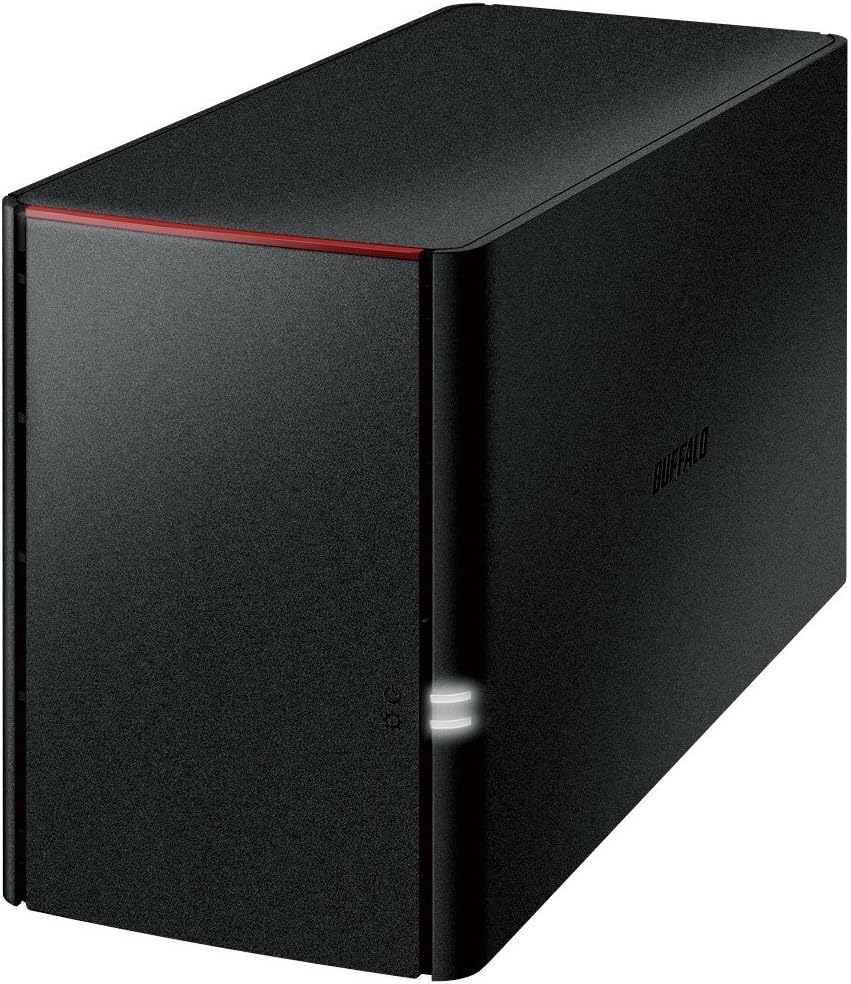
BUFFALO LinkStation SoHo 220 2-Bay Personal Cloud Office NAS 4TB (2x2TB) with Hard Drives Included
4TB Total Capacity
2 Drive Bays
USB Direct Copy
RAID Support
The LinkStation SoHo 220 is optimized for small offices needing reliable shared storage. It supports up to two drives for flexible RAID configurations. The direct copy function allows quick backups from USB devices without a computer.
Pros
Dual drive bays for redundancy
Direct USB copy feature
Personal cloud access
Secure file sharing
Easy setup and management
Cons
Slower gigabit networking
Limited capacity for large media
We may earn a commission when you buy through this link, at no additional cost to you.
It enables secure file sharing with individual access restrictions to keep sensitive data private. Personal cloud access means you can retrieve files remotely without monthly fees. The closed system helps protect against vulnerabilities from external apps.
While it lacks faster networking options it provides solid performance for typical office tasks. The 4TB capacity may fill up quickly with video or large design files. Users may need to add external drives or upgrade later.
Small teams or freelancers will find this a practical solution for centralizing work files. The built-in backup tools simplify routine data protection tasks. It strikes a balance between security and affordability for home businesses.
Direct USB Copy
Copy photos and files directly from USB drives without needing a connected computer.
Secure Sharing
Set individual folder permissions to control who accesses specific files on the network.
BUFFALO TeraStation Essentials 4-Bay Value-Focused Rackmount NAS 8TB (4x2TB) with Hard Drives Included
8TB Total Capacity
4 Drive Bays
Rackmount Design
2.5GbE Port
This rackmount NAS fits seamlessly into professional server racks for organized deployment. With 4 drive bays it offers expandable storage and redundancy options. The 2.5GbE port supports faster data movement across the network.
Pros
Rackmount form factor included
High port density for servers
Fast 2.5GbE networking
Strong data protection
Reliable US support
Cons
Requires rack or mounting space
Complex setup for non-technical users
We may earn a commission when you buy through this link, at no additional cost to you.
It is designed for environments where space efficiency and stability matter. Encryption and replication features ensure data remains safe from theft or corruption. The included warranty covers drives and hardware for three years.
Installation requires a rack or similar mounting solution which may not suit home closets. The interface and features are geared toward IT administrators familiar with server management. Smaller offices might find desktop models easier to handle.
Businesses with dedicated server rooms will benefit from the space-saving design. It integrates well into existing network infrastructure for centralized management. Choose this if you need professional features in a compact format.
Rackmount Design
Fits standard server racks to save space and organize cabling efficiently in offices.
Fast Networking
Native 2.5GbE support provides quicker file access for multiple users simultaneously.
BUFFALO TeraStation WS5220DN 2-Bay Windows Server IoT 2025 Desktop NAS 4TB (2x2TB) w/HDD Included
4TB Total Capacity
Windows Server IoT
NovaBACKUP Software
No CAL Required
This NAS runs Windows Server IoT 2025 making it a seamless addition to Windows environments. It simplifies storage management for IT teams familiar with Microsoft tools. The included NovaBACKUP software provides versatile server and PC backup capabilities.
Pros
Native Windows Server OS
No client access licenses needed
Professional backup software included
Microsoft cloud integration
Simple network setup
Cons
Niche Windows dependency
Limited to Windows ecosystem
We may earn a commission when you buy through this link, at no additional cost to you.
Access is streamlined without requiring client access licenses which reduces overhead for small businesses. Integration with Azure and OneDrive allows hybrid cloud workflows easily. The system supports RAID configurations for data redundancy and performance.
It is best for users already committed to the Windows ecosystem. Non-Windows users might find the interface restrictive compared to other operating systems. The specialized OS requires some familiarity with server administration.
Offices with active directory or Windows file servers will appreciate the compatibility. It acts as both storage and a lightweight server. Consider this for environments where Microsoft tools are already in use.
No CAL Needed
Avoid extra licensing costs by using a system that does not require client access licenses.
Backup Integration
NovaBACKUP software simplifies scheduling and managing backups for PCs and servers.
The LinkStation 220 is a legacy model offering basic storage for home use. It supports DLNA streaming for media playback on smart TVs and devices. While older it remains functional for simple file storage needs.
Pros
Affordable second-hand option
DLNA media streaming
USB 2.0 support
Simple interface
Compact design
Cons
Outdated USB 2.0 interface
Slower processor limits speed
We may earn a commission when you buy through this link, at no additional cost to you.
Its 800MHz processor handles light tasks well but struggles with heavy multitasking. USB 2.0 limits the speed of external transfers compared to newer standards. The closed system provides basic security without advanced encryption features.
For budget-conscious buyers this model can be found at lower prices. However the slow connectivity may not meet modern expectations for speed. It serves well as a backup drive for infrequent access.
Ideal for secondary storage or media servers where speed is not critical. Users should be aware of the age and potential lack of firmware updates. It remains a reliable choice for basic home networking.
Media Streaming
DLNA support allows easy streaming of photos and videos to compatible devices.
Budget Option
Older models often come at lower prices making them attractive for low budget needs.
Buffalo TeraStation 1200D Desktop 4 TB NAS with Hard Drives Included
4TB Total Capacity
2 Drive Bays
Desktop Form Factor
RAID 1 Default
This desktop NAS provides straightforward network storage for small offices. It ships with pre-tested drives and configured RAID for immediate protection. The form factor fits easily on desks or shelves without taking much space.
Pros
Compact desktop design
Included hard drives
RAID 1 for safety
Simple plug and play
Personal cloud access
Cons
Limited to desktop use
Standard gigabit networking
We may earn a commission when you buy through this link, at no additional cost to you.
Users benefit from automatic backups and easy sharing via the included software. It works with most operating systems and supports personal cloud access. The focus is on reliability and ease of use over advanced features.
It lacks high-speed networking or large capacity compared to newer models. The 4TB limit may require upgrades as data grows. Performance is sufficient for general tasks like document storage.
Small offices needing plug-and-play storage will find this model convenient. It is a good middle ground between consumer drives and enterprise systems. Ideal for teams needing shared access without complex setup.
RAID Protection
RAID 1 configuration mirrors data to protect against single drive failure automatically.
Plug and Play
Connect to router and start sharing files quickly without technical configuration.
Buffalo NAS Smartphone/Tablet/PC Network HDD ls220dg Series
4TB Total Capacity
Mobile Apps
USB 2.0
Mirroring Function
The ls220dg Series focuses on ease of access via smartphones and tablets. It includes mirroring features to protect data against drive failure. This model targets users wanting simple mobile media access without complex setups.
Pros
Mobile app support
Mirroring for safety
Compact size
USB backup support
Affordable price point
Cons
Slow USB 2.0 interface
Basic performance
We may earn a commission when you buy through this link, at no additional cost to you.
Files can be managed through apps allowing remote viewing of photos and videos. The USB port allows quick backups from devices directly. However the hardware limits speed for large data transfers.
It is suitable for light personal use rather than business environments. The limited capacity may fill up with high-resolution media. Users prioritizing speed may find it too slow for modern needs.
Individuals looking for basic cloud-like storage at home will find this useful. It works well as a secondary backup target. Keep expectations realistic regarding performance and capacity.
Mobile Access
Manage and view files from your phone or tablet using dedicated applications.
Mirroring
Data is duplicated across drives to protect against loss from hardware failure.
BUFFALO DriveStation Duo 2-Bay 8TB (2x4TB) TAA Desktop External Hard Drive USB 3.2
8TB Total Capacity
USB 3.2 Gen 1
DAS Form Factor
Hot Swap Feature
The DriveStation Duo is an external hard drive rather than a network NAS. It connects via USB and provides high capacity storage for creative pros. Hot swap allows replacing drives without shutting down the device.
Pros
High capacity external storage
Fast USB 3.2 speeds
Hot swap drive replacement
Compatible with Mac and PC
Includes backup software
Cons
Not a true NAS
No network sharing
We may earn a commission when you buy through this link, at no additional cost to you.
It supports RAID 1 for redundancy and includes software for automated backups. Compatibility with both Mac and Windows makes it versatile. However it lacks network capabilities required for multi-user sharing.
For single-user backup or local storage this is a solid choice. Users needing remote access or network features should look at TeraStation models. The USB connection ensures fast direct transfer speeds.
Ideal for users needing portable high capacity storage or a backup target. It avoids the complexity of network setup. Consider this if you do not need network connectivity.
Hot Swap
Replace a failed drive while the system is running to reduce downtime and effort.
Fast Transfers
USB 3.2 Gen 1 provides quick data movement for large files and backups.
We may earn a commission when you buy through this link, at no additional cost to you.
Buying Guide – How to Choose the Best Buffalo NAS
Choosing the right Buffalo NAS depends on your storage needs budget and technical comfort. This section outlines key factors to consider before buying.
Storage Capacity
Consider how much data you currently have and future growth. Options range from 4TB to 32TB or more across models.
Pick a capacity that leaves room for expansion without immediate upgrades.
Drive Bays and RAID
More drive bays allow RAID configurations for data redundancy. Single bay models offer simplicity while multiple bays provide protection.
Choose at least two bays if data safety is a priority.
Network Speed
Networking ports determine file transfer speed. Gigabit LAN is standard but some models offer 2.5GbE or 10GbE for faster access.
Ensure your router supports the same speed for best performance.
Operating System
Most Buffalo NAS devices use custom Linux-based systems. Some models support Windows Server IoT for deeper integration.
Match the OS to your existing environment for easier management.
Cloud Integration
Hybrid cloud features allow syncing with services like Dropbox or Azure. This adds remote access and extra backup layers.
Check supported services to ensure compatibility with your workflow.
Security Features
Look for encryption SSL and two-factor authentication to protect data. Closed system designs reduce attack vectors from third party apps.
Prioritize models with strong security if storing sensitive files.
Warranty and Support
Warranties range from two to five years with US-based support. Some include hard drive coverage for complete peace of mind.
Verify warranty terms to ensure long term reliability.
Budget
Prices vary widely based on capacity and features. Entry models start low while business grade units cost more.
Balance cost with the performance and reliability you require.
How to Use and Care for Your Buffalo NAS
Start by connecting the NAS to your router via Ethernet. Install the included software to configure network settings and create user accounts.
Set up automatic backups for your computers using the built-in tools. Schedule regular backups to ensure critical data is protected continuously.
Keep firmware updated through the admin panel to maintain security and performance. Monitor drive health periodically to catch issues before they cause data loss.
Frequently Asked Questions
Do I need to buy hard drives separately?
Most Buffalo NAS units include pre-tested hard drives so no purchase is needed. Some older or specialized models may sell without drives so check the product description carefully.
Can I access files remotely?
Yes most models support personal cloud access via dedicated apps or web interfaces. This allows you to retrieve files from anywhere with internet connection securely.
What happens if a drive fails?
If using RAID you can replace the failed drive without data loss. The system rebuilds data from remaining drives automatically if configured properly.
Is Buffalo NAS compatible with Mac?
Most models support macOS with compatible software versions. Always check system requirements before installing for guaranteed compatibility.
How do I update firmware?
Use the web admin panel to download and install firmware updates. Buffalo provides updates for security and performance improvements.
Can I share files with others?
You can create user accounts with folder permissions to share files securely. Access restrictions ensure privacy while allowing collaboration.
Does it support Time Machine?
Many models support macOS Time Machine backups directly. Enable this feature in the NAS settings for automated Mac backups.
What is the warranty?
Warranties typically cover hardware and drives for up to five years. Registration may extend coverage so keep proof of purchase.
Final Thoughts on Choosing the Best Buffalo NAS
The TeraStation 5420DN leads as the best overall choice for business use. Its speed security and reliability set a high standard for network storage.
For budget buyers the LinkStation 210 offers essential features at a low cost. The TeraStation Essentials 2025 provides premium performance for those needing more capacity.
Review current pricing and availability before making your decision as deals vary. Choose the model that fits your specific capacity and performance needs.