
Clip Busy Light Standard
4.4Editor score
59 inch USB cable
Simple clip mounting
Manual color toggle
This guide compares the top 10 busy lights for office use, evaluating features, compatibility, and design to help you choose the best availability indicator
Finding the right busy light for office environments is essential for maintaining focus and reducing interruptions. These visual indicators help colleagues know when you are available or deep in work, fostering a culture of respect and productivity without constant verbal check-ins.
We evaluated ten top-rated models based on ease of use, integration with communication platforms like Teams and Zoom, and build quality. Our comparison covers wired and wireless options, manual controls versus auto-sync features, and designs suitable for desks or meeting rooms.
Each pick highlights specific strengths such as budget affordability, premium integration, or unique wireless capabilities. Prices and availability can change frequently, so check the current listings before purchasing to ensure you get the best deal for your specific office setup needs.
4.4Editor score

4.6Editor score
4.2Editor score
Below is a detailed side-by-side comparison of the ten selected busy lights, highlighting key specifications and unique features to help you make an informed decision for your office environment.


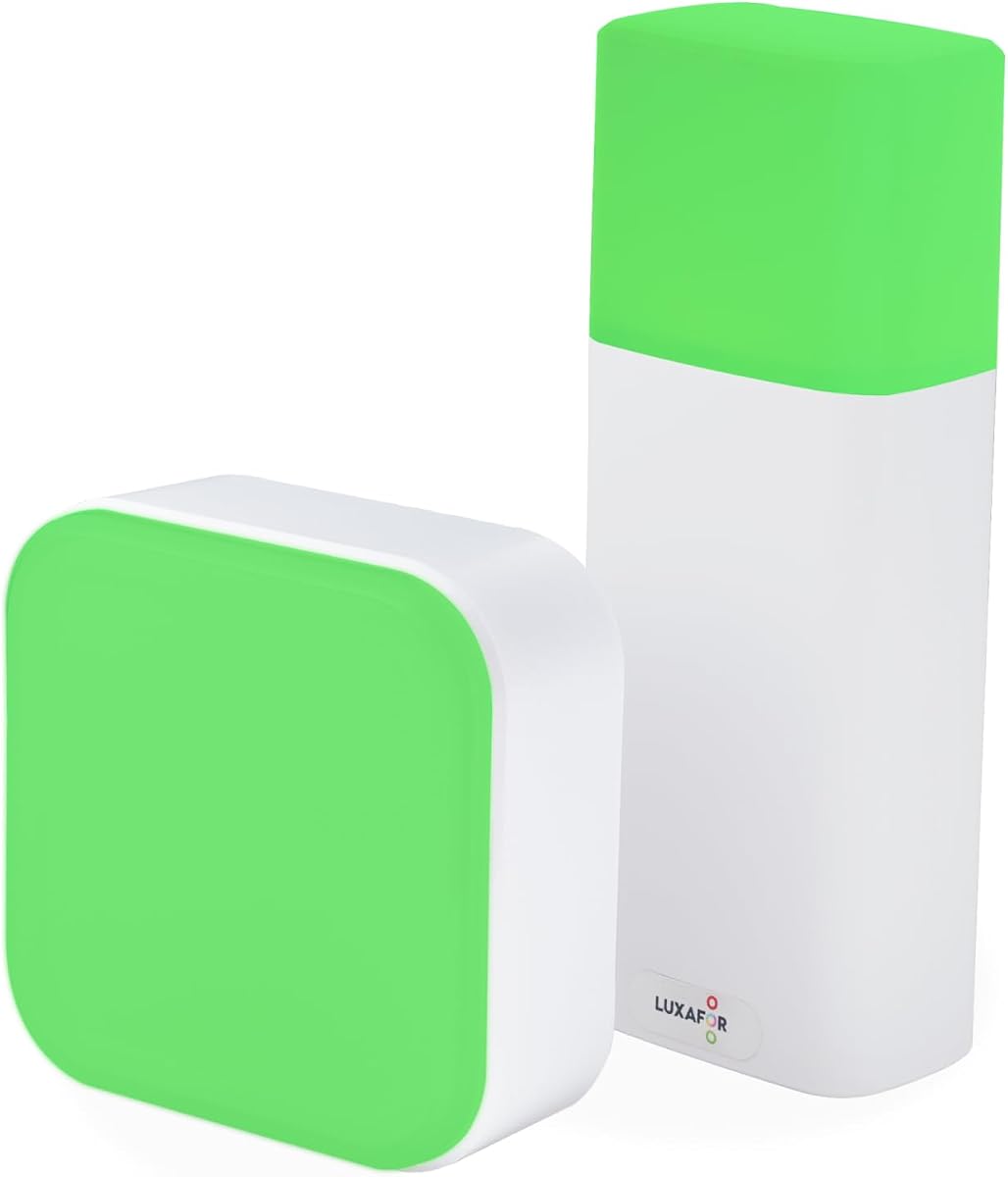
The Clip Busy Light Standard offers a straightforward solution for offices seeking basic availability signaling without complex setup. It holds a strong rating for its simplicity and effectiveness in preventing unnecessary interruptions during focused work sessions.
We may earn a commission when you buy through this link, at no additional cost to you.
Its tall tube design is clearly visible from a distance, using red for busy and green for available statuses. The included metal clip allows it to attach securely to monitors or door frames, making it versatile for various desk layouts.
While it lacks automatic integration with communication software like Teams or Zoom, the manual toggle is reliable and easy to understand. This trade-off is acceptable for users who want a set-and-forget indicator without relying on background software processes.
For teams on a tight budget or those needing simple status indicators across multiple desks, this model provides excellent value. It is highly recommended for small offices or individuals who prioritize cost efficiency over advanced features.
The bright LED indicators ensure colleagues can quickly determine your status without interrupting your workflow. Its design prioritizes clarity over aesthetic complexity.
The metal clip adapts to many surfaces, allowing you to position the light where it is most visible. This flexibility helps optimize communication within open office spaces.
We may earn a commission when you buy through this link, at no additional cost to you.
The USB Status Busylight stands out as the top choice for modern hybrid offices needing reliable synchronization with popular communication platforms. Its high rating reflects its ability to seamlessly integrate with Teams and Zoom to manage availability automatically.
We may earn a commission when you buy through this link, at no additional cost to you.
It offers dual modes: manual tapping for quick status changes or automatic syncing via free software. The color system includes green, red, yellow, blue, and purple, providing nuanced status information beyond just busy or free.
The only drawback is the requirement to install software for auto-sync features, which might be a minor hurdle for some users. However, once set up, it significantly reduces the need for manual updates during the workday.
This model is ideal for professionals who switch frequently between meetings and deep work. It balances ease of use with advanced functionality, making it the best all-around option for most office environments.
Auto-syncing ensures your status is always accurate without manual intervention, saving time and reducing errors. This is particularly useful for high-frequency meeting schedules.
Even without software, the tap-to-change feature allows quick status updates instantly. This dual approach ensures flexibility for any work scenario.
We may earn a commission when you buy through this link, at no additional cost to you.
The Switch Pro 2 Wireless delivers a premium, no-fuss solution specifically designed for meeting rooms and IT-restricted environments. Its rating underscores its effectiveness in preventing interruptions during critical business meetings without requiring complex IT setup.
We may earn a commission when you buy through this link, at no additional cost to you.
It features a unique cube control inside the room that updates an external indicator via Bluetooth. This wireless setup avoids cables and software dependencies, making it perfect for secure offices where installing apps is not an option.
While the price is higher than standard desk lights, the specialized functionality and ease of deployment justify the cost. It is an investment in professional communication efficiency that pays off in meeting productivity.
This model is best suited for organizations that need a reliable, software-free system for conference rooms. It offers peace of mind with its robust connectivity and clear visual signaling for attendees and visitors alike.
Designed for IT-locked offices, it works out of the box without administrator approval or desktop apps. This ensures compliance with strict security policies.
Unique colors like blue for calls help differentiate specific meeting states clearly. This reduces ambiguity and prevents accidental interruptions.
We may earn a commission when you buy through this link, at no additional cost to you.
This variant of the Clip Busy Light Standard offers similar value to the first pick, emphasizing affordability and reliability for general office use. It maintains a strong rating for its ability to help users focus without needing technical expertise to operate.
We may earn a commission when you buy through this link, at no additional cost to you.
The long USB cable allows placement flexibility, ensuring the light is visible even if the PC is far from the workspace. Its straightforward red and green indicators provide clear communication to colleagues immediately.
While it does not offer advanced software integration, the simplicity makes it robust and less prone to technical failures. This is a solid choice for teams prioritizing basic functionality over smart features.
Recommended for budget-conscious offices or remote workers needing a simple visual cue, this model consistently delivers on its core promise of reducing distractions effectively.
Priced competitively, it offers a low-risk entry point for testing busy light effectiveness in your office. This allows organizations to scale usage without high costs.
Requires no drivers or configuration, making it ideal for quick deployment across multiple desks. Users can start benefiting immediately after unboxing.
We may earn a commission when you buy through this link, at no additional cost to you.
The Kuando Busylight UC Alpha is a reliable option for users who need a compact presence indicator with robust software integration. Its slim design ensures it does not clutter the workspace while still providing clear visibility for nearby colleagues.
We may earn a commission when you buy through this link, at no additional cost to you.
It integrates with major platforms like Teams and Zoom via free software, automatically updating status and alerting users to incoming calls with an audible ring. This helps prevent missed communications even when away from the desk.
The software allows brightness adjustments to suit different lighting environments, making it adaptable for both bright offices and dim homes. While the setup requires some initial configuration, the long-term benefits in focus and coordination are significant.
Best for professionals who value software integration in a smaller package, this model strikes a balance between functionality and desk space optimization effectively.
The thin profile fits neatly next to monitors without obstructing views or taking up excessive space. This is ideal for minimalistic office setups.
Built-in ringer ensures you hear incoming calls even if not wearing a headset. This prevents lost opportunities during busy work sessions.
We may earn a commission when you buy through this link, at no additional cost to you.
The Kuando Busylight UC Omega provides a trustworthy solution for managing availability in collaborative office environments. With a solid rating, it is known for its consistency in displaying accurate status information and alerting users to incoming calls effectively.
We may earn a commission when you buy through this link, at no additional cost to you.
Its round design is visually pleasing and sits securely on any flat surface. The integration with UC platforms ensures that colleagues can see your availability status in real time, reducing unnecessary interruptions during focused periods.
The software includes brightness controls and multiple color options to differentiate between various statuses like busy or away. This clarity helps foster a better understanding of availability across teams.
It is highly recommended for offices already invested in software ecosystems like Teams or Zoom. The automated sync reduces manual effort and keeps communication flows smooth and transparent for everyone involved.
Bright LEDs are visible even in well-lit rooms, ensuring your status is never missed. This helps maintain professional boundaries throughout the day.
Syncing automatically with calls reduces the need for manual status updates. This keeps your focus on tasks rather than administrative details.
We may earn a commission when you buy through this link, at no additional cost to you.
The Embrava Blynclight Standard is a versatile option for both home and office users needing reliable call and message alerts. Its rating highlights its effectiveness in reducing missed communications through clear visual signaling and flash notifications.
We may earn a commission when you buy through this link, at no additional cost to you.
It supports Microsoft Teams and other platforms via dedicated software, ensuring status updates happen automatically. The adjustable brightness allows users to tailor the light intensity to their surroundings without causing distraction.
An added benefit is the availability of a Software Development Kit, allowing tech-savvy users to integrate it with custom business applications. This makes it unique among standard consumer models for those needing custom solutions.
While it may require more setup for advanced features, the flexibility it offers is unmatched. It is ideal for businesses that want to tailor their status indicators to fit specific workflow requirements.
The SDK allows deep integration into proprietary software, enhancing workflow efficiency. This sets it apart for technical teams.
Users can adjust light intensity to match ambient conditions perfectly. This prevents glare in low-light office environments.
We may earn a commission when you buy through this link, at no additional cost to you.
This LED Busy Light Indicator offers a straightforward, manual approach to signaling availability without requiring software or internet connections. Its high rating reflects user satisfaction with its ease of use and ability to prevent interruptions through clear visual cues.
We may earn a commission when you buy through this link, at no additional cost to you.
The touch-sensitive buttons make changing status easy, and pressing and holding adjusts brightness to suit different room lighting. This flexibility allows users to tailor the visual signal to their specific environment effectively.
While it does not sync with Teams or Zoom, the manual control ensures reliability without technical dependencies. It is a robust choice for offices where software policies restrict installation or internet usage.
Ideal for users who prefer simplicity and reliability, this model delivers consistent performance with minimal maintenance. It is a great fit for home offices or small teams valuing independent operation.
Works fully offline, making it ideal for secure environments with strict network rules. Users do not need IT support to operate it.
Dimmable feature ensures the light is never too bright at night or too dim during the day. This improves comfort and visibility.
We may earn a commission when you buy through this link, at no additional cost to you.
The Busy Light Magnetic Base stands out for its versatility and cordless design, making it easy to move around the office or home. Its excellent rating highlights user appreciation for the freedom of placement and intuitive remote control.
We may earn a commission when you buy through this link, at no additional cost to you.
It features a strong magnetic base that attaches to metal surfaces like filing cabinets or monitor frames, allowing for flexible positioning without permanent installation. This is great for temporary workspaces or hot-desking environments.
Water resistance adds durability for daily use, while multiple light modes offer status signaling plus ambient lighting. The included remote control allows changing colors without needing to touch the lamp itself.
Recommended for users needing mobility and durability, this model provides a practical and modern approach to availability signaling. It is particularly useful for dynamic office environments where desks change frequently.
Magnetic attachment allows quick moves between desks or walls without tools. This adapts easily to changing office layouts.
Water resistance protects against spills, extending the device life. This ensures long-term reliability in active workspaces.
We may earn a commission when you buy through this link, at no additional cost to you.
The Kuando Busylight Omega Plus offers a comprehensive solution with a magnet kit for flexible mounting and robust software integration. Its rating reflects solid performance in communicating availability accurately to colleagues using Teams or Zoom.
We may earn a commission when you buy through this link, at no additional cost to you.
Designed to be compact, it fits easily on desks without clutter. The magnet kit simplifies installation on various surfaces, including vertical ones, increasing visibility options for remote or in-office staff alike.
While it requires software setup, once configured, it provides automatic status updates and call alerts. This automation helps maintain focus by eliminating manual status toggling during busy meetings.
For offices seeking a reliable, full-featured presence indicator, this model is a dependable choice. It balances functionality with a neat design that integrates well into professional settings.
The included magnet kit ensures quick setup without extra purchases. This makes it a complete package out of the box.
Compatible with major UC platforms, ensuring broad utility. This suits organizations with diverse communication tool stacks.
We may earn a commission when you buy through this link, at no additional cost to you.
Selecting the right busy light depends on your specific office needs, budget, and tech stack. Use this guide to evaluate key factors before making a decision.
Check if the light supports automatic synchronization with your communication tools like Microsoft Teams, Zoom, or Slack. Some models use free software to mirror your status automatically, saving manual effort and keeping data accurate.
Choose a model that matches your software environment to ensure seamless updates and reliable availability signaling.
Decide between wired USB power and cordless battery options. USB lights offer continuous operation without charging, while battery-powered ones provide mobility and flexible placement around your desk or meeting room.
Select based on whether you prioritize portability or uninterrupted uptime for your workday.
Consider how the device mounts to your workspace. Look for options with clips, magnets, or stands that fit your desk or door frames securely without causing damage.
Ensure the mounting method is simple to install and stable enough to prevent accidental movement or falls.
Ensure the LEDs are bright enough to be seen from a distance but not so glaring that they cause distractions or eye strain. Some models allow brightness adjustment to suit ambient lighting conditions.
Adjustable brightness ensures the signal is clear in both bright offices and dim home environments.
Compare prices across models to find one that fits your financial limits while meeting core needs. Budget models may lack smart features but offer reliable manual signaling for small teams.
Invest in higher-end options if automation and advanced features will save significant time and increase productivity.
Look for lights that offer multiple color options to represent different states like busy, available, or in a meeting. Clear color coding helps colleagues understand your status without needing to ask.
More color options provide nuanced communication for complex work schedules and meeting workflows.
Check for durable materials and features like water resistance to withstand daily office use. A sturdy build ensures the device lasts longer and resists wear from accidental spills or frequent handling.
Opt for rugged models in active environments to maximize the return on investment over time.
If working in secure environments, verify that the device does not require cloud access or complex software installation. Some wireless or manual models are designed to comply with strict IT security policies.
Choose devices that align with your organization's security protocols to avoid conflicts with IT departments.
To start, connect your busy light to a USB power source or charge it fully before first use. Ensure the mounting clip or magnet is securely attached to your monitor, desk, or door frame for maximum visibility.
Sync the device with your communication software if auto-updates are desired. Follow the manufacturer's guide to install drivers and link your Teams or Zoom account for seamless status tracking.
Regularly clean the LED surface with a soft cloth to maintain brightness and clarity. Avoid exposing the unit to excessive moisture or direct sunlight to prolong its functional lifespan.
Manual busy lights do not need internet as they are physically toggled by users. Automatic syncing models typically require an internet connection to communicate with your communication platform.
Most brands provide a free download link on their product page. Install the software, log in with your communication platform credentials, and the light will mirror your status automatically.
Yes, many models are designed specifically for Zoom integration. Check product details to ensure your chosen light supports Zoom status synchronization.
Absolutely, busy lights are effective for remote work to signal availability to family members or roommates. They help create clear boundaries in shared living spaces.
Manual controls usually remain functional even if the software crashes. Most lights allow you to tap or switch colors directly for emergency status updates.
Yes, shared meeting rooms often use one light for all occupants. A remote or control box inside the room allows anyone to update the external status indicator.
Most modern models support Mac operating systems, but some older tools may be Windows-only. Always verify Mac compatibility before purchasing to ensure seamless integration.
Cordless models typically last from 10 to 20 hours on a single charge. Actual duration depends on brightness settings and usage frequency during the day.
We reviewed ten top models to help you select the ideal busy light for your office needs, from budget-friendly manual lights to premium wireless options with deep software integration.
Prioritize models that match your existing software stack and office environment, whether that means needing auto-sync for Teams or simple manual control for secure rooms.
Remember to verify current prices and availability before purchasing as listings change frequently. Choosing the right device today can improve your focus and team communication immediately.