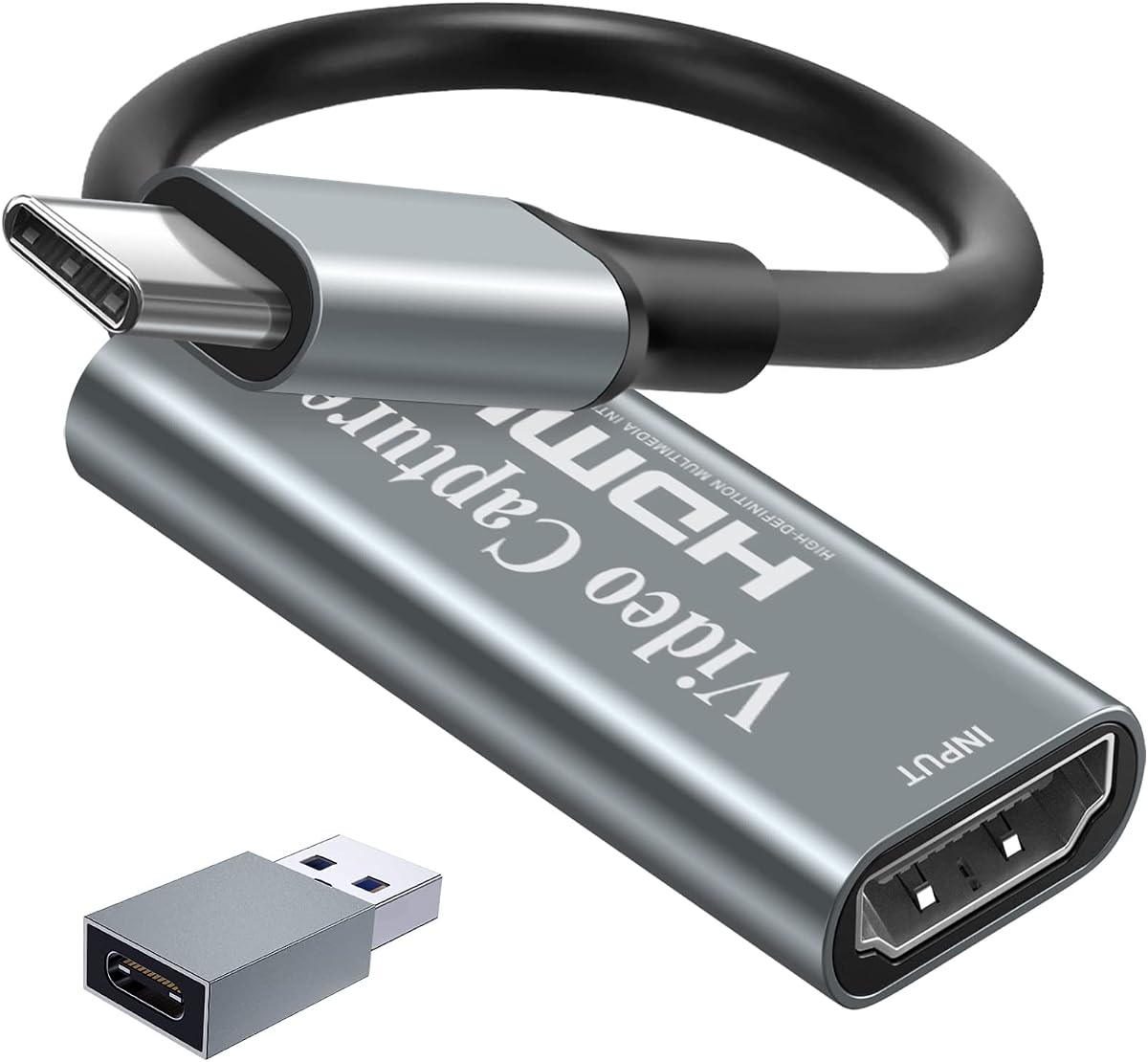
Papeaso Video Capture Card
4.2Editor score
1080P 60FPS recording
Linux and Mac compatible
Plug and play setup
Discover the top capture cards for Linux systems. This guide compares features, compatibility, and performance to help you choose the right device.
Finding a reliable capture card for Linux can be challenging due to driver limitations. You need hardware that supports UVC protocols and works seamlessly with open-source software like OBS Studio for smooth streaming and recording experiences.
We evaluated ten top models based on Linux compatibility, video resolution support, latency performance, and ease of use. Each product was analyzed for its ability to handle HDMI inputs from consoles and cameras without requiring proprietary drivers or complex setup steps.
Each pick highlights specific strengths such as 4K pass-through, low latency, or portability. Note that product availability and pricing change frequently, so verify current details before purchasing to ensure you get the best value for your setup.
4.2Editor score

4.5Editor score

4.2Editor score
This side-by-side comparison highlights key specifications across all ten models to help you identify the best fit for your Linux streaming and recording needs based on resolution and connectivity.







This acer capture card stands out for Linux users due to its plug-and-play functionality and strong OBS compatibility. With a 4.4 rating, it delivers 1080P at 60Hz smoothly, making it ideal for daily streaming and recording tasks.
We may earn a commission when you buy through this link, at no additional cost to you.
Its YUY2 technology ensures richer colors compared to MJPEG, enhancing video quality for live broadcasts. The built-in mic-in allows easy commentary without extra adapters, and the HDMI loop-out supports real-time monitoring.
While it supports 4K input, the output is capped at 1080P, which may limit ultra-high-definition workflows. However, this trade-off is acceptable for most streamers prioritizing smooth 60Hz performance over raw resolution.
Best for creators needing reliable, affordable hardware that works immediately on Linux systems. If you value ease of use and consistent performance without driver headaches, this model is a top recommendation.
The card uses standard UVC protocols ensuring instant recognition on Ubuntu and other distros without manual setup.
Direct mic-in support simplifies commentary recording while keeping audio and video perfectly synchronized during live sessions.
We may earn a commission when you buy through this link, at no additional cost to you.
UGREEN offers solid performance with 4K input and HDMI loop-out, enabling high-quality previews during gameplay. The aluminum casing aids heat dissipation during extended Linux sessions, ensuring stable recording and streaming without overheating.
We may earn a commission when you buy through this link, at no additional cost to you.
Support for both USB-A and USB-C interfaces provides flexibility for modern laptops and desktops. The ability to choose between MJPEG and YUY2 formats allows users to balance file size and video clarity effectively.
Note that 4K output is not supported, limiting full resolution capture, and HDCP must be disabled on consoles like PS5. These constraints are manageable for most users focused on 1080P or 2K streams.
Ideal for streamers needing versatile connectivity and reliable thermal performance. If you want a durable device that handles high-bandwidth inputs on Linux, this UGREEN card delivers consistent results.
USB-A and USB-C ports allow direct connection to various devices without needing extra adapters for different laptops.
The aluminum body actively dissipates heat, maintaining stable performance during long recording or streaming sessions.
We may earn a commission when you buy through this link, at no additional cost to you.
Guermok delivers solid performance with 4K input and 2K output options, fitting well for Linux setups needing mobility. Its lightweight design makes it easy to carry for outdoor events or LAN parties without bulk.
We may earn a commission when you buy through this link, at no additional cost to you.
The aluminum alloy casing ensures efficient heat management, reducing lag during extended use. It supports various platforms including OBS and VLC, making it versatile for gaming and online meetings on Linux systems.
Adapters may be required for USB-C connections, and it only supports one-way transmission, limiting bidirectional use. These minor drawbacks are balanced by its portability and consistent 60Hz video delivery.
Perfect for travelers and content creators needing a portable capture solution. If you prioritize size and Linux compatibility over advanced features, this card meets essential recording and streaming needs effectively.
Its small form factor allows it to fit into bags easily, supporting on-the-go recording for various Linux devices.
Aluminum construction helps dissipate heat efficiently, ensuring stable performance even during prolonged usage sessions.
We may earn a commission when you buy through this link, at no additional cost to you.
Newhope focuses on simplicity with plug-and-play functionality, requiring no driver installation on Linux. It delivers 1080P at 60FPS smoothly, making it suitable for gaming and video conferencing with reliable performance.
We may earn a commission when you buy through this link, at no additional cost to you.
The HDMI loop-out enables real-time monitoring without latency, while mic-in support adds commentary options. Its affordable pricing and lack of external power requirements make it an accessible choice for beginners.
While 4K pass-through exists, actual capture is limited to 1080P, which may not satisfy high-resolution demands. However, for most streaming scenarios, the balance of quality and ease of use remains strong.
Best for users seeking a no-fuss, budget-friendly capture card. If you want immediate setup and solid 1080P performance on Linux, this model offers straightforward value without complexity.
No driver installation is needed, allowing Linux users to start capturing video immediately after plugging in the device.
Mic-in support allows direct voice recording, simplifying commentary capture during gaming or tutorial sessions.
We may earn a commission when you buy through this link, at no additional cost to you.
This capture card offers excellent value with 1080P 60FPS performance and plug-and-play operation on Linux. Its compact design makes it ideal for portable setups, ensuring easy transport and quick deployment for streamers.
We may earn a commission when you buy through this link, at no additional cost to you.
It supports seamless passthrough for lag-free gameplay and works with major streaming software like OBS and Streamlabs. The lack of driver installation simplifies the process for users seeking immediate functionality.
Build quality is basic, and it may not handle extended heavy usage as well as premium models. Despite this, it remains a strong option for budget-conscious creators needing reliable capture without extra costs.
Ideal for beginners or casual users needing a cost-effective solution. If you prioritize affordability and simplicity for Linux streaming, this device provides essential features without unnecessary complexity.
The lightweight and compact form factor makes it easy to carry in bags for travel or event-based streaming needs.
Works seamlessly with OBS, Streamlabs, and XSplit, ensuring smooth integration into existing Linux streaming workflows.
We may earn a commission when you buy through this link, at no additional cost to you.
UGREEN provides premium performance with 2K 30FPS output and 5 Gbps transfer speeds, ensuring high-quality recordings on Linux. The aluminum alloy casing offers robust heat dissipation, preventing performance drops during long sessions.
We may earn a commission when you buy through this link, at no additional cost to you.
Dual USB-A and USB-C interfaces enhance versatility across devices, while EMI shielding maintains stable signal transmission. Compatibility with OBS, XSplit, and VLC ensures smooth workflow integration for professional creators.
Note that it supports HDMI inputs only and requires HDCP disabled on consoles, limiting some use cases. However, the overall balance of resolution, speed, and durability makes it a top choice for serious streamers.
Best for users needing high-quality capture with reliability. If you want premium features and Linux compatibility, this UGREEN model delivers superior performance and build quality.
5 Gbps USB 3.0 ensures fast data transmission, reducing latency during live streaming and recording on Linux.
EMI shielding in the build maintains consistent signal quality, preventing interruptions during extended usage sessions.
We may earn a commission when you buy through this link, at no additional cost to you.
This capture card delivers solid 1080P 60FPS performance with a 4.6 rating, earning trust among Linux users. It includes both mic-in and headphone monitoring, allowing synchronized audio recording without external hardware.
We may earn a commission when you buy through this link, at no additional cost to you.
Plug-and-play design eliminates driver hassles, and the 18-month warranty adds confidence for long-term use. It supports a wide range of consoles and cameras, making it versatile for various content creation needs.
While it accepts 4K input, output remains at 1080P, which is sufficient for most streaming platforms. Some users may find the packaging minimal, but the device performance remains consistent and reliable.
Best for those seeking dependable capture with audio features. If you want a well-reviewed option for Linux streaming with comprehensive connectivity, this card offers strong value.
Includes both mic-in and headphone outputs for seamless audio monitoring and recording during live broadcasts.
An 18-month warranty ensures peace of mind, covering potential defects or issues during regular usage.
We may earn a commission when you buy through this link, at no additional cost to you.
AVerMedia offers ultra-low latency capture with 4K60 HDR passthrough, ideal for gaming on Linux. Its Streaming Center software simplifies setup for beginners while supporting professional tools like OBS for advanced workflows.
We may earn a commission when you buy through this link, at no additional cost to you.
The ability to choose between NV12, YUY2, and MJPEG formats provides flexibility for different editing needs. Compact design allows portability, and the device works with major consoles without extra adapters.
Some users report average ratings due to occasional software quirks, requiring careful configuration. However, for those needing near-instant response during competitive streaming, this device remains a strong contender.
Best for gamers prioritizing low latency and passthrough features. If you want reliable performance with flexible format options on Linux, this model offers distinct advantages.
Ultra-low latency ensures real-time feedback during gameplay, crucial for competitive gaming streams and interactive sessions.
Multiple video format options allow users to optimize settings for specific workflows and performance requirements.
We may earn a commission when you buy through this link, at no additional cost to you.
Papeaso delivers solid value as a budget option with Linux support and 1080P 60FPS performance. It requires no drivers, making setup instant, and the USB-C end enhances compatibility with modern devices.
We may earn a commission when you buy through this link, at no additional cost to you.
Despite relying on USB 2.0 technology, it maintains fluid recording without freezing for most use cases. Its lightweight design makes it easy to carry for casual streamers and educators needing portable capture solutions.
Build quality is basic, and some users may experience signal loss if the adapter is misused. However, for the price, it remains an accessible entry point for Linux-based streaming setups.
Ideal for beginners or budget users needing reliable capture. If you want a cost-effective solution that works on Linux without complexity, this model offers strong value.
An inexpensive price point makes this card accessible for beginners without sacrificing essential capture features.
USB-C compatibility expands connectivity options for modern laptops and mobile devices used for Linux-based setups.
We may earn a commission when you buy through this link, at no additional cost to you.
AVerMedia delivers premium capture with 4K60 HDR and VRR passthrough, suitable for high-end gaming setups on Linux. Its support for 5.1-channel audio ensures immersive sound capture alongside video for professional production.
We may earn a commission when you buy through this link, at no additional cost to you.
The RGB24 support enhances color accuracy, while USB-C connectivity provides fast data transfer rates. It works with PCs, consoles, and even iPadOS, offering broad compatibility for versatile content creation needs.
Higher cost may not suit budget users, and specific USB requirements limit older systems. Despite this, the advanced features justify the investment for professionals needing top-tier performance and audio capabilities.
Best for advanced users requiring high fidelity capture. If you want VRR and HDR support with Linux compatibility, this device offers exceptional quality and features.
Supports HDR and VRR passthrough for high dynamic range and variable refresh rate gaming without frame loss.
5.1-channel audio recording ensures immersive sound quality for professional video and streaming projects.
We may earn a commission when you buy through this link, at no additional cost to you.
Selecting the right capture card requires understanding Linux compatibility, resolution needs, and connectivity options. Here are key factors to consider before purchasing.
Ensure the capture card uses UVC (USB Video Class) protocols for driverless operation on Linux. Most modern models support this, but verify in specifications to avoid dependency on Windows-only software.
Check for UVC support to guarantee seamless integration with tools like OBS and VLC on your distribution.
Identify the input and output resolutions you need. While many capture 4K input, outputs often cap at 1080P or 2K, affecting your stream quality.
Confirm resolution limits to match your target streaming platform requirements.
USB-A and USB-C interfaces offer flexibility for different laptops and ports. Some cards include adapters, ensuring broader compatibility with modern devices.
Choose USB 3.0 or higher for reliable data transfer speeds.
Low latency is critical for real-time streaming and gaming feedback. Look for models with HDMI loop-out to monitor without delay.
Prioritize cards with zero-latency monitoring features for interactive sessions.
Built-in mic-in or audio passthrough simplifies commentary recording. Ensure compatibility with your headset or microphone standards.
Select models with audio inputs if you need direct commentary capture.
Aluminum casings improve heat dissipation, ensuring stable performance during prolonged use. Durability is key for daily streaming or recording tasks.
Opt for metal builds to prevent overheating during extended sessions.
Verify compatibility with OBS, VLC, or other open-source tools. Driverless models reduce complexity on Linux.
Ensure the card works with your preferred Linux streaming software.
A warranty provides protection against defects and ensures reliable long-term use. Brands offering 18-month warranties indicate product confidence.
Prioritize brands offering extended warranties for peace of mind.
Plug the capture card into a USB 3.0 port and connect your HDMI source via cable. Ensure your Linux system recognizes it using lsusb before launching OBS or similar software.
Adjust OBS settings to match the capture card resolution and refresh rate. Select appropriate video codecs like YUY2 or MJPEG based on your bandwidth needs.
Keep the device in a well-ventilated area to prevent overheating during long sessions. Regularly update your USB controller drivers for optimal performance.
Most modern capture cards use UVC protocols and work plug-and-play without drivers on Linux. However, verify specific model compatibility as some may require basic USB controller updates.
Yes, but you must disable HDCP on consoles to bypass copy protection. Most Linux-compatible capture cards support this requirement for smooth signal capture.
OBS Studio, VLC, and XSplit are top choices for Linux users. They support UVC devices natively and offer robust recording and streaming features.
Low resolution may occur if the USB port is USB 2.0 or if the capture card is set incorrectly. Use USB 3.0 ports and check software input settings.
Some models support 4K input but often output at 1080P or 2K. Check specs carefully if 4K output is required for your workflow.
Yes, many modern cards offer USB-C ports for direct connection to laptops. Ensure your Linux kernel supports USB-C video transmission protocols.
Adjust audio latency settings in OBS or your streaming software. Ensure your mic-in is correctly configured and avoid using unsupported audio formats.
Many models are compact and lightweight, making them ideal for travel. Choose small designs with durable build quality for consistent performance on the go.
The acer USB 3.0 HDMI Capture Card and UGREEN 2K@30Hz models offer excellent balance of performance and compatibility for Linux users. Their plug-and-play design ensures minimal setup hassle.
Prioritize USB 3.0 connectivity and UVC support when selecting your card. Features like HDMI loop-out and low latency enhance streaming quality significantly.
Prices and availability fluctuate frequently, so review current listings before purchasing. Check compatibility with your specific Linux distribution and streaming goals for the best experience.