10 Best Conference Room Monitor (November 2026) Expert Guide
Written by Jamie · Updated November 2026
Selecting the right conference room monitor is critical for modern business communication. A high-quality display ensures clear visuals during meetings, presentations, and digital signage tasks. The ideal model offers sharp resolution, wide viewing angles, and robust connectivity options for seamless collaboration.
We compared ten top-rated commercial displays based on resolution, brightness, connectivity, and specialized conferencing features. Our analysis includes models from leading brands like Dell, Samsung, LG, and Sony. We evaluated each unit's suitability for different room sizes and specific business use cases.
Each pick highlights unique strengths such as 4K clarity, built-in smart features, or budget-friendly performance. Prices and availability can change rapidly, so verify current details before purchasing. This guide aims to streamline your decision process with clear comparisons and expert insights.
Top 3 Picks for Best Conference Room Monitor
Best Budget
LG UL3G 43" Class 4K UHD Conference Room & Digital Signage IPS LED Display (43UL3G-B) Bundle Including: 2X HDMI Cable, Surge Protector, Cable Ties, TV Cleaning Kit
As an Amazon Associate we earn from qualifying purchases.
Top 10 Best Conference Room Monitor in 2026 Compared
The following table provides a side-by-side overview of the ten leading conference room monitors available this year. We highlight key specifications to help you quickly identify which model fits your spatial and functional requirements.
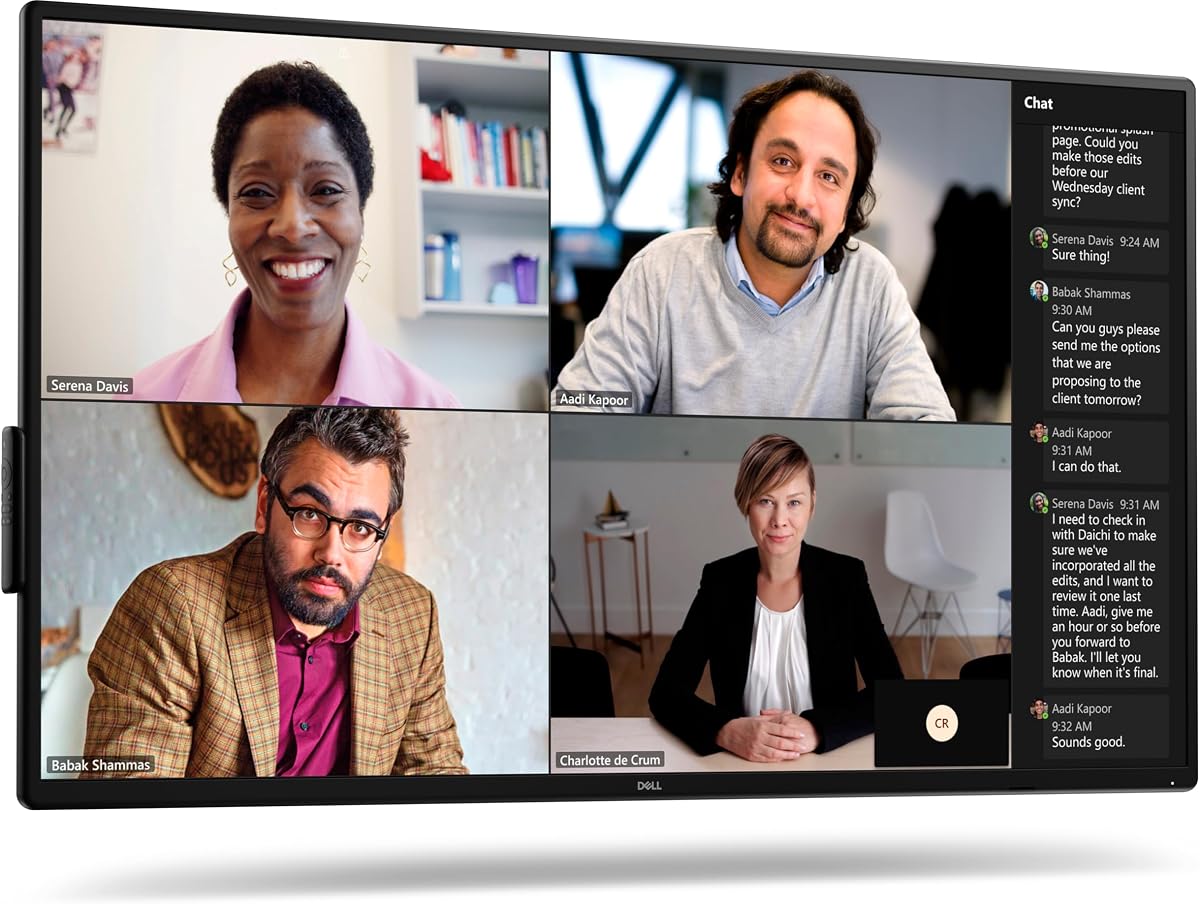
The Dell P5524Q stands out as a premier choice for professional settings. Its 55-inch 4K UHD panel delivers exceptional clarity for detailed presentations. The anti-glare coating ensures visibility in various lighting conditions, making it versatile for standard meeting rooms.
Pros
Excellent 4K Clarity
Anti-Glare Surface
Secure Mounting Options
Strong Speaker Output
Professional Design
Cons
Higher Price Point
Requires Wall Mount
We may earn a commission when you buy through this link, at no additional cost to you.
Key strengths include its robust build quality and comprehensive security features. The security lock and cable lock slot protect investments from theft or accidental disconnection. Built-in speakers provide clear audio, reducing the need for external hardware in smaller setups.
While the price is higher than some competitors, the durability and feature set justify the cost. Users should note that optimal installation often requires a wall mount or stand sold separately. This is acceptable given the professional-grade nature of the unit.
This model is ideal for businesses prioritizing visual fidelity and security. We recommend it for boardrooms or training spaces where reliable performance is paramount. The combination of resolution and protection makes it a top contender.
Visual Clarity
The 4K UHD resolution ensures text and graphics remain sharp even when viewed from a distance.
Security Features
Integrated lock slots allow users to secure cables and the unit itself against unauthorized removal.
Samsung QB65R 65 inch 4K UHD LED Commercial Signage Display
65 Inch Display
Crystal Color Tech
350 Nit Brightness
Built-in WiFi
The Samsung QB65R offers a massive 65-inch viewing area suitable for large conference spaces. It features dynamic Crystal Color technology to enhance color accuracy and vibrancy. The integrated System-on-chip allows for standalone operation without external media players.
Pros
Large Screen Size
Dynamic Color Quality
Smart Connectivity
Slim Design
WebEx Compatible
Cons
Complex Setup
Higher Power Draw
We may earn a commission when you buy through this link, at no additional cost to you.
Connectivity is a strong point with built-in Wi-Fi and Bluetooth for easy content sharing. It is also Cisco WebEx room kit compatible, streamlining video conferencing setups. The slim design facilitates easy mounting and clean cable management for a professional look.
However, the size and features can lead to a more complex initial setup. Power consumption is also higher than smaller monitors. These trade-offs are acceptable for large meeting rooms where impact and visibility are critical priorities.
This unit is best suited for large boardrooms or public spaces. We recommend it for organizations needing a central hub for presentations and remote meetings. The balance of size and smart features makes it a powerful tool.
Content Sharing
Built-in wireless capabilities enable quick sharing of content from mobile devices and tablets.
Smart Integration
Compatible with business ecosystems like Cisco WebEx for seamless conferencing experiences.
LG UL3G 43" Class 4K UHD Conference Room & Digital Signage IPS LED Display
43 Inch Screen
IPS Panel Type
WebOS Interface
Bundle Accessories
The LG UL3G provides an affordable entry point into commercial-grade displays. Its 43-inch 4K UHD panel offers excellent detail and consistent quality through its IPS technology. The bundle includes essential accessories like HDMI cables and a surge protector, simplifying deployment.
Pros
Cost Effective
Bundle Included
Wide Viewing Angle
Remote Monitoring
Virtual Router
Cons
Smaller Screen
Basic Audio
We may earn a commission when you buy through this link, at no additional cost to you.
A key benefit is the WebOS interface which removes the need for external media players. It supports remote monitoring and content management via LG Control Manager. This makes it ideal for distributed displays or multi-screen setups without added hardware costs.
The screen size is smaller than premium options which may limit large room usage. Audio performance is basic and external speakers may be needed for larger audiences. These limitations are acceptable given the competitive price point and included accessories.
This model is perfect for small meeting rooms or budget-conscious buyers. We recommend it for startups or offices needing reliable digital signage and meeting capabilities. The bundle value makes it a standout budget choice.
Setup Convenience
The included bundle reduces the need for additional purchases during initial installation.
Remote Management
Control Manager allows administrators to oversee multiple units from a single interface.
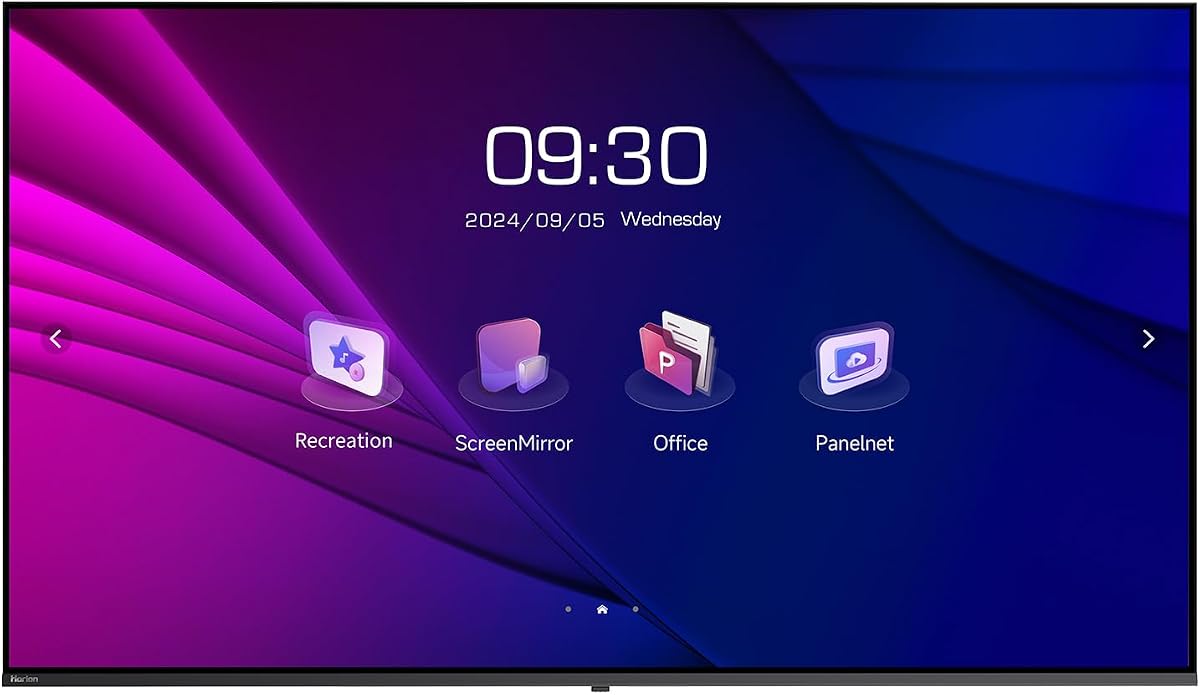
HORION delivers a robust 75-inch display with all-in-one functionality. The ad-free Horion OS ensures a distraction-free environment for meetings and signage. With dual WiFi modules, it maintains stable connections for casting and internet simultaneously without lag.
Pros
High Brightness
Ad-Free OS
Dual WiFi Stability
Portrait Mode
Low Blue Light
Cons
Brand Recognition
Limited Ports
We may earn a commission when you buy through this link, at no additional cost to you.
The display supports low blue light certification which protects eyes during long sessions. It is versatile enough for both vertical and horizontal mounting. This makes it suitable for various environments including retail lobbies or educational settings.
As a newer brand, service support may differ from established giants. Port selection is adequate but not extensive for complex setups. These factors are acceptable given the high performance and feature set available at this price.
This display is ideal for diverse environments needing reliability. We recommend it for retail or classrooms requiring durable and flexible visual solutions. The stability and eye protection features add significant value.
Stability
Dual independent WiFi modules ensure uninterrupted connectivity during critical presentations.
Eye Comfort
TUV certified low blue light technology reduces strain during extended viewing periods.
The Dell P5525QC features modern connectivity options like USB-C for streamlined laptop connections. It offers a bright 400 cd/m2 display that remains visible in well-lit rooms. The IPS panel ensures consistent color accuracy across wide viewing angles.
Pros
USB-C Docking
High Brightness
IPSC Panel
Modern Design
Clear Image
Cons
Price
Limited Accessories
We may earn a commission when you buy through this link, at no additional cost to you.
This model is designed for efficiency with high-speed data transfer and power delivery. It supports smooth content playback and easy customization. The sleek design complements professional office environments without drawing unnecessary attention.
Similar to other Dell models, it comes at a premium price point. Accessories are not always bundled so additional investment may be required for mounting. These trade-offs are minor given the high quality of the display panel.
We recommend this for businesses investing in modern IT infrastructure. It fits well in tech-forward offices needing reliable and clean setups. The connectivity options make it a future-proof choice for daily use.
Connectivity
USB-C ports simplify cable management by combining video and power into one connection.
Viewing Experience
IPS technology ensures colors remain consistent even when viewed from the side.
The Philips 34-inch model brings ultra-wide productivity to smaller desks. It includes a built-in webcam with noise-canceling mic for integrated video calls. The curved VA panel offers immersion and better color accuracy for detailed work.
Pros
UltraWide View
Webcam Included
Noise Canceling Mic
USB-C Docking
Compact Size
Cons
Lower Brightness
Curved Screen
We may earn a commission when you buy through this link, at no additional cost to you.
Features like Windows Hello and USB-C docking simplify daily workflows. Power delivery supports laptop charging while streaming high resolution video. This reduces cable clutter and keeps the workspace clean and organized.
The screen is smaller than commercial signage options which limits group visibility. Curved screens can sometimes cause glare depending on lighting. However, the integrated conferencing tools make it a strong choice for personal workspaces.
This unit is best for huddle rooms or executive desks. We recommend it for teams needing a compact solution for remote collaboration. The all-in-one design saves space and reduces setup time.
Remote Work
Integrated webcam and mic eliminate the need for external conference peripherals.
Workspace Efficiency
USB-C docking allows a single cable to handle video, data, and power needs.
The Samsung QB43R balances size and performance for standard meeting rooms. It features 4K UHD quality with dynamic Crystal Color for clear visuals. Built-in Wi-Fi and Bluetooth facilitate easy content sharing from mobile devices.
Pros
Bright Display
WebEx Compatible
Long Warranty
Slim Design
Intelligent Upscaling
Cons
Standard Ports
No Touch Support
We may earn a commission when you buy through this link, at no additional cost to you.
It is Cisco WebEx room kit compatible for powerful conferencing solutions. The slim design supports clean cable management and easy wall mounting. With a 3-year warranty, it offers reliable commercial-grade support for businesses.
The lack of touch support may limit interactive uses in some contexts. Connectivity is standard but sufficient for most office needs. These constraints are minor given the high resolution and warranty coverage provided.
This monitor is recommended for medium-sized meeting rooms. We suggest it for businesses prioritizing reliability and ease of use. The compatibility with major conferencing platforms adds significant value.
Reliability
The commercial warranty ensures peace of mind for business-critical deployments.
Image Quality
Intelligent UHD upscaling enhances standard content to near 4K clarity.
Sony FW75BZ30L 75 in. Series UHD 4K HDR Commercial Monitor
75 Inch Screen
VA LCD Panel
4K HDR Support
Landscape Mode
Sony offers a top-tier 75-inch commercial monitor with HDR capabilities. The VA LCD panel delivers deep contrast and rich colors for professional presentations. It supports both landscape and portrait orientations for flexible installation.
Pros
Premium Build
High Resolution
Rich Contrast
Portrait Option
Stable Base
Cons
Highest Cost
Heavy Weight
We may earn a commission when you buy through this link, at no additional cost to you.
Build quality is exceptional with durable materials suited for daily commercial use. The display handles high brightness environments well while maintaining clarity. It stands as a benchmark for visual fidelity in large meeting spaces.
The premium cost may be prohibitive for smaller budgets. The weight also requires sturdy mounting solutions which must be verified separately. These factors are acceptable for those prioritizing top-tier visual performance.
This model is ideal for high-end boardrooms and executive suites. We recommend it for businesses where visual impact and quality are paramount. The HDR support ensures stunning presentation details.
Visual Fidelity
HDR support ensures vibrant and dynamic images during media playback.
Installation Flexibility
Support for both orientations allows creative display layouts.
The Samsung QE50T is built for reliable daily operation in offices. It features a 50-inch display with a non-glare panel for comfortable viewing. Built-in media player allows content playback directly from USB without a PC.
Pros
Daily Use Rated
Media Player Built-in
Non-Glare Panel
3-Year Warranty
Slim Bezels
Cons
Average Brightness
Basic Audio
We may earn a commission when you buy through this link, at no additional cost to you.
Designed for 16 hours a day operation, it withstands heavy commercial use. A 3-year commercial warranty ensures long-term reliability and peace of mind. Slim bezels support multi-screen configurations with minimal visual gaps.
Brightness is standard which may limit use in very bright windows. Audio is basic so external systems are often required. These are typical compromises for commercial-grade durability in a mid-size frame.
We recommend this for standard business meeting rooms needing reliability. It suits environments where the display stays on for long hours. The durability and media features make it practical for daily use.
Durability
Rated for long daily hours, it handles sustained commercial schedules well.
Media Playback
USB connectivity allows direct content viewing without external hardware.
Logitech MeetUp is a dedicated conferencing system ideal for huddle rooms. It captures participants with a wide 120-degree field of view and 4K clarity. Beamforming microphones pick up voices clearly from across the room.
Pros
Wide Field of View
Beamforming Mics
Motorized Movement
Plug-and-Play
4K Quality
Cons
Not a Monitor
Extra Purchase
We may earn a commission when you buy through this link, at no additional cost to you.
The motorized pan and tilt expand the view further to follow action. It supports multiple mounting options for flexible installation. Plug-and-play connectivity simplifies setup for bring-your-own-device environments.
Note that this is a camera system and not a monitor itself. It pairs best with existing displays rather than replacing them. This distinction is important for users expecting a full screen solution.
We recommend this for small rooms needing high-quality video input. It complements existing monitors for a complete video setup. The clarity and ease of use make it a strong partner.
Capture Quality
The 4K sensor ensures every face is visible during calls.
Integration
Seamlessly connects to PCs or controllers for various meeting platforms.
We may earn a commission when you buy through this link, at no additional cost to you.
Buying Guide – How to Choose the Best Conference Room Monitor
Choosing the right monitor depends on room size, usage patterns, and technical requirements.
Screen Size and Resolution
Select a size that allows all participants to see clearly. Larger rooms benefit from 55-inch or larger displays. Always opt for 4K resolution for sharp text and detailed graphics.
Panel Type and Brightness
IPS panels offer better color and viewing angles. VA panels provide deeper contrast. Brightness should match room lighting; 300 to 400 nits is standard for indoor use.
Connectivity and Ports
Ensure the unit has enough HDMI and USB ports for all devices. USB-C docking simplifies laptop connections. Check for wireless casting capabilities for mobile sharing.
Smart Features and OS
Built-in operating systems remove the need for external PCs. Look for intuitive interfaces and remote management tools. These features streamline content updates and maintenance.
Durability and Warranty
Commercial monitors are built for longer runtimes than consumer TVs. Check the operating hours rating. A robust warranty ensures support for long-term business use.
Audio and Video Features
Built-in speakers work for small rooms. Larger spaces may need external sound. Consider integrated webcams if not using a separate conferencing system.
Mounting and Installation
Verify VESA mount compatibility for wall or stand installation. Some models support vertical orientation for signage. Ensure you have necessary hardware or budget for it.
Budget and Value
Higher prices often mean better durability and features. Balance cost with your specific needs. Bundles can offer significant savings on essential accessories.
How to Use and Care for Your Conference Room Monitor
Position the monitor at a comfortable viewing height and distance. Ensure the screen is clean before first use. Connect cables securely to avoid loose connections during meetings.
Frequently Asked Questions
What is the ideal size for a conference room monitor?
For small rooms, 43 inches is sufficient. Medium rooms require 55 inches, while large boardrooms benefit from 65 to 75 inches. Consider the furthest participant distance when choosing.
Do commercial monitors last longer than consumer TVs?
Yes, commercial monitors are designed for 16/7 operation with better heat dissipation. Consumer TVs typically have lower hour ratings and may fail faster under constant use.
Are built-in speakers enough for meetings?
For small huddle rooms, built-in speakers often work well. Larger rooms usually require external speakers to ensure all participants hear audio clearly.
What is the benefit of IPS panels?
IPS panels provide consistent color and brightness from wide angles. This ensures the image remains clear even for people sitting far to the side.
Can I use these monitors for digital signage?
Yes, many models come with built-in media players and signage features. Check the specifications for remote management tools to update content easily.
Do I need a wall mount?
Most commercial monitors come without a stand. You will need to purchase a VESA mount or a dedicated stand for proper installation.
Final Thoughts on Choosing the Best Conference Room Monitor
The Dell P5524Q leads our list for its balance of clarity and security. The LG UL3G offers exceptional value with its complete bundle for budget buyers.