
Creality Falcon 10W Laser Engraver Machine
4.2Editor score
72W effective laser power
15.7×16.3 inch workspace
Offline SD card creation
Finding the right laser engraver can transform your creative projects into professional products. Creality offers a diverse range of desktop engraving machines suitable for hobbyists and professionals alike.
We have analyzed ten top-rated models based on power, speed, safety features, and user feedback. This list covers everything from compact units to high-power enclosed systems.
Each pick highlights key capabilities and ideal use cases to streamline your decision process. Please note that product availability and pricing may change over time.
4.2Editor score

4.1Editor score

4.2Editor score
As an Amazon Associate we earn from qualifying purchases.
The following table provides a quick side-by-side comparison of all ten selected Creality laser engraver models highlighting their key specifications and unique strengths.



The Creality Falcon A1 10W Laser Engraver stands out as a top choice for those seeking a balance of safety and performance. With a rating of 4.1 stars it delivers reliable results for wood and metal projects.
We may earn a commission when you buy through this link, at no additional cost to you.
Its standout quality is the fully enclosed Class 1 safety design which blocks 99% of laser light eliminating the need for goggles. The HD camera auto positioning ensures precise engraving without manual calibration struggles.
While highly capable the unit is strictly prohibited from engraving highly reflective materials like mirrored metals. Users must also note compatibility is limited to specific honeycomb panel sizes which may affect project planning.
This model is perfect for beginners and professionals who prioritize safety and ease of use. The pre-assembled design lets you start engraving immediately without technical setup hurdles.
The Class 1 safety certification and emergency stop button ensure a secure working environment for users of all experience levels.
With double doors and transparent panels monitoring your work is effortless while the Falcon Design Space software simplifies pattern adjustments.
We may earn a commission when you buy through this link, at no additional cost to you.
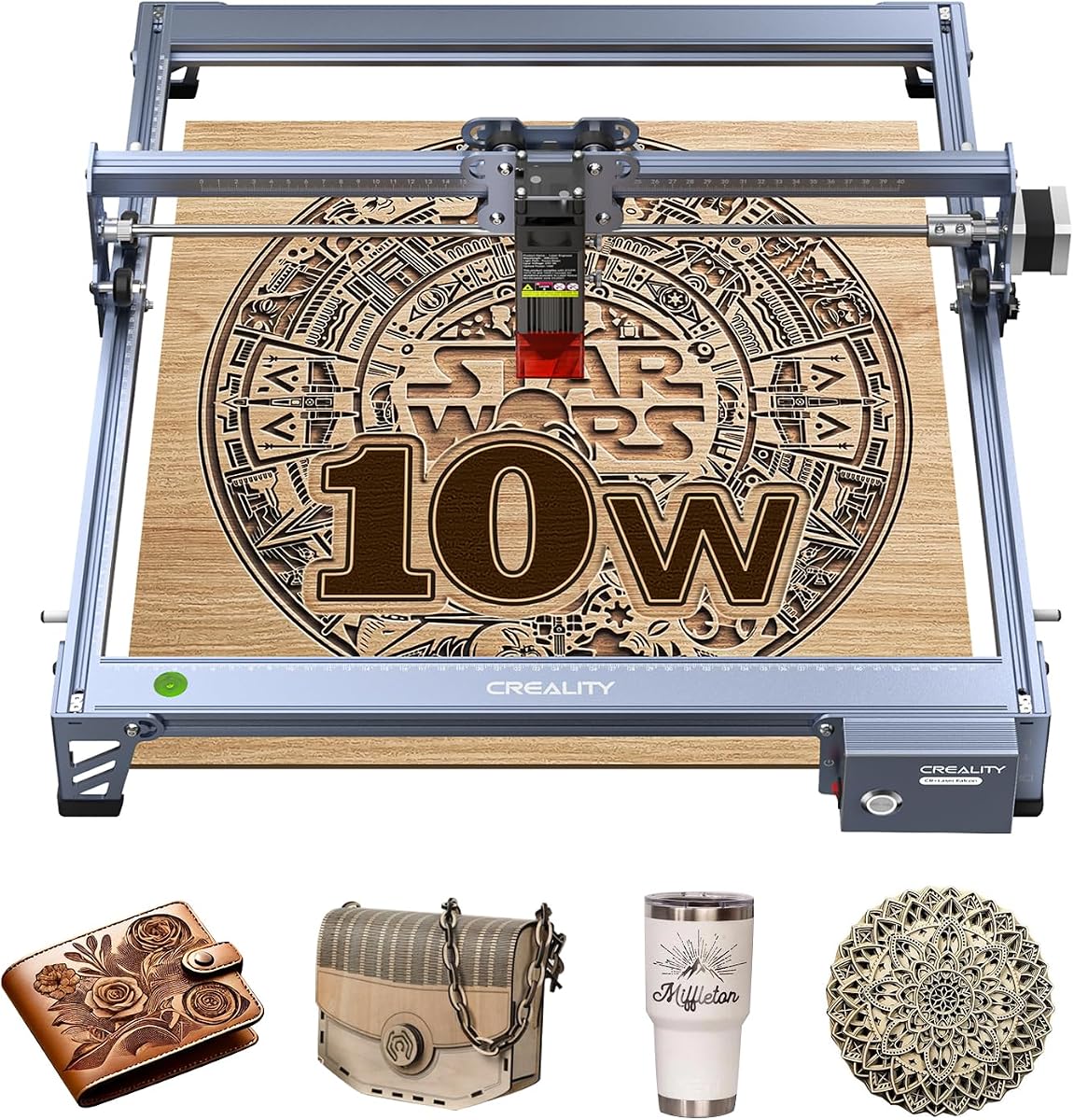
The Creality Falcon 10W Laser Engraver Machine offers exceptional value for hobbyists seeking high precision without a high price tag. It boasts a 4.2 rating and supports over 200 material types.
We may earn a commission when you buy through this link, at no additional cost to you.
Its 72W effective power allows it to cut through 12mm wood boards and 5mm black acrylic in a single pass. The 0.06mm compressed spot ensures intricate details are captured accurately every time.
Although it lacks the full enclosure of premium models it includes an anti-UV filter and safety goggles for protection. The lack of pre-assembly means a short setup time is required before first use.
Ideal for budget-conscious creators this machine delivers professional results on wood leather and acrylic. Its offline SD card functionality means you can work without a constant computer connection.
The 32-bit chip and 0.06mm spot size deliver precise control for complex designs and fast production batches.
Compatible with LightBurn and LaserGRBL this unit supports both Windows and Mac systems for broad software flexibility.
We may earn a commission when you buy through this link, at no additional cost to you.
The Creality Falcon A1 Pro 20W Laser Engraver is the ultimate choice for power users needing speed and automation. With a 4.2 rating it features a sleek touchscreen and robust app control capabilities.
We may earn a commission when you buy through this link, at no additional cost to you.
Its 180W output is three times faster than standard models allowing for rapid batch processing. The high-definition camera and Z-axis auto-lift achieve autofocus in just 3 seconds for flawless cuts.
While it cuts through 10mm basswood effortlessly fine jewelry engraving requires a separate 2W IR module. The high price reflects its advanced features but may be a barrier for casual hobbyists.
This machine is best suited for small businesses and designers who need reliability and speed. The pre-assembled design and streamlined UI ensure minimal downtime between projects.
App control allows you to monitor progress remotely while the emergency stop button enhances safety during long runs.
The AI vision system and red-dot ranging laser ensure measurement accuracy within 0.012 inches for professional results.
We may earn a commission when you buy through this link, at no additional cost to you.
The CREALITY FALCON A1 10W Laser Engraver features an air assist system that keeps cuts clean and free of scorch marks. It maintains the 4.2 rating of the series with smart camera enhancements.
We may earn a commission when you buy through this link, at no additional cost to you.
Its graphic outline extraction feature automatically converts design patterns into engraving paths saving significant manual editing time. The CoreXY motion system allows speeds up to 600mm/s for rapid production.
Be aware that this model does not support 500x500mm panels and cannot engrave acrylic without surface coating. These limitations require careful material selection to ensure successful project outcomes.
Ideal for makers needing clean edges on wood and metal this unit combines convenience with safety. The auto-lock and smoke control features make it a reliable choice for workshops.
The Falcon Design Space software integrates creative browsing and vector design to streamline your workflow from start to finish.
With pre-set parameter settings you can skip trials and jump straight to successful engraving runs every time.
We may earn a commission when you buy through this link, at no additional cost to you.
The Creality Laser Engraver Machine with 10W output power is a robust DIY-friendly unit with a 4.2 rating. It features an aluminum alloy structure for durability and a working area of 17 by 16 inches.
We may earn a commission when you buy through this link, at no additional cost to you.
Its belt tension adjustment device and 0.06mm spot focus allow for precise cutting of 5mm basswood or 3mm acrylic in one pass. The focusing plate included with the new laser head simplifies adjustment.
Assembly typically takes 10 to 20 minutes making it quick to get started. However the lack of a fully enclosed design means it requires more safety precautions than premium units.
This model suits DIY enthusiasts who want value and modularity. The included 1-year free parts replacement and lifetime technical support add significant peace of mind for new users.
Transfer data via Wi-Fi USB or SD card to use the machine anywhere without being tethered to a computer.
Anti-UV filter acrylic blocks 97% of UV rays to protect eyes during operation in home environments.
We may earn a commission when you buy through this link, at no additional cost to you.
The Creality Falcon2 Pro S 22W Laser Engraver is a professional machine designed for high efficiency batch production. With a 3.8 rating it offers an output of 120000mW for serious cutting tasks.
We may earn a commission when you buy through this link, at no additional cost to you.
It can cut 15mm basswood and 10mm black acrylic in a single pass thanks to its auto cut through path compensation. The built-in camera allows for intuitive positioning without manual measurement.
Safety is prioritized with a flame detector and five protection features including an emergency stop. While powerful the lower rating suggests some users may find the setup or consistency challenging.
Best for small studios needing heavy-duty cutting this unit includes a debris drawer for easy cleaning. The full metal frame ensures durability for long term industrial applications.
With 600mm/s speed and auto focus you can complete more projects in less time with minimal supervision.
Shipped 80% pre-assembled the machine can be installed and tested in 10 minutes or less.
We may earn a commission when you buy through this link, at no additional cost to you.
The Creality Falcon A1C 10W AI Laser Engraver leads the list with a 4.7 rating for its advanced AI features. It converts photos into artwork instantly using AI One-Tap Engraving.
We may earn a commission when you buy through this link, at no additional cost to you.
Its interchangeable laser platform allows switching between 5W 10W and 1.2W modules to match different tasks. The AI camera and auto focus reduce setup time and ensure accuracy within 0.1mm.
While the workspace is compact at 150x150mm it is perfect for personal gifts and small items. The lack of a large bed limits production of big projects without custom jigs.
Ideal for classrooms and home users this machine offers professional performance in a portable design. The AI assistant simplifies design and layout making it perfect for beginners.
Smart Fill and Layout features recommend optimal settings automatically ensuring consistent quality across different materials.
Take it to maker events or move it between rooms thanks to its lightweight compact footprint and space-saving design.
We may earn a commission when you buy through this link, at no additional cost to you.
The Creality Falcon A1 Pro 20W Laser Engraver with Touch Screen offers a cable-free experience with a 4.0 rating. It simplifies everyday tasks with quick access to history files and recent projects.
We may earn a commission when you buy through this link, at no additional cost to you.
Its autofocus completes in about 3 seconds with a full bed preview allowing for precise placement. The 180W power handles 10mm basswood and 8mm black acrylic with smooth edges.
The touchscreen interface removes messy cables and complicated steps from your workflow. However the optional 2W infrared laser module for jewelry is not included and must be bought separately.
Best for users who prefer touch interaction this unit ensures a cleaner shop with smoke and noise blocking. The air assist and emergency stop button add extra security and precision.
Real-time previews on the touchscreen help you visualize results before cutting to prevent material waste.
Batch productivity is boosted by the CoreXY system which moves 3x faster than standard models.
We may earn a commission when you buy through this link, at no additional cost to you.
The Creality Falcon A1C 10W Mini Laser Engraver supports over 300 materials and has a 4.6 rating. Its quick-swap modular design lets you change laser modules in as little as 15 seconds.
We may earn a commission when you buy through this link, at no additional cost to you.
The smart camera provides real-time preview and precise visual positioning to reduce material waste. Auto focus adjusts the height automatically so you don't need manual calibration for every job.
While the workspace is small it is perfect for desktop use and retail counters. The software includes a material library and image extraction tools that simplify the creative process.
This model is great for makers who need flexibility without replacing hardware. The Class 1 enclosed design ensures safety without goggles during normal operations.
Compatible with Diode and IR modules this machine adapts to wood leather and even some metals easily.
Intelligent flame detection stops operation instantly and sends alerts to your PC and mobile app.
We may earn a commission when you buy through this link, at no additional cost to you.
The Creality Laser Engraver Falcon A1 10W offers zero assembly and a 4.5 rating for ease of use. It starts engraving immediately after unboxing with auto material recognition settings.
We may earn a commission when you buy through this link, at no additional cost to you.
Its speed reaches up to 600mm/s thanks to the CoreXY motion system which accelerates instantly. The smart HD camera allows users to drag and drop designs onto material for precision.
With six safety protections including an emergency stop and safety lock it is very secure. The compact design makes it 47% more efficient in footprint compared to similar models.
Perfect for home and small office use this unit combines speed with safety. The three-step operation and free software tools make it accessible for non-technical users.
Automatic belt tensioning prevents slippage maintaining a precision level of 0.01mm for intricate designs.
Dual windows allow you to monitor progress without opening the device keeping smoke and noise contained.
We may earn a commission when you buy through this link, at no additional cost to you.
Selecting the right engraver requires understanding power safety and features to match your specific needs.
Power determines what materials you can cut and how quickly. Higher wattage like 20W allows for cutting thicker wood and acrylic while lower power suits engraving thin surfaces.
Choose higher power if you plan on cutting thicker materials regularly but balance it with speed requirements.
Fully enclosed models block 99% of laser light making them Class 1 safe for home use without goggles. Open frame designs require strict safety protocols and goggles.
Always prioritize enclosed units if safety and smoke containment are priorities in your workspace.
HD cameras with auto positioning simplify setup by aligning designs visually. Auto focus saves time adjusting height for different materials manually.
Look for models with camera features if you want to reduce setup time and errors.
Compatible software like LightBurn and Falcon Design Space expands creative control. Offline modes via SD cards allow standalone operation without a computer.
Ensure the machine supports the software you prefer or comes with user-friendly built-in tools.
Working area size dictates project dimensions. Compact units fit on desks but limit batch production size while larger beds handle bigger items.
Select a workspace that fits your common project sizes and available desk space.
Most units handle wood leather and acrylic well but reflective metals require special IR modules. Check prohibited material lists before buying to avoid limitations.
If you need to engrave metals verify if IR modules are included or sold separately.
Pre-assembled models save time and technical effort. Some DIY kits require 10 to 20 minutes of setup with tools.
Choose pre-assembled units for immediate use if you are not comfortable with assembly.
Key features include emergency stop buttons flame detectors and safety locks. These prevent accidents during operation.
Ensure the model has basic safety mechanisms like auto lock and stop features.
Start by placing your material on the honeycomb bed and closing the enclosure securely. Use the camera or manual controls to align your design on the material surface.
Adjust focus settings using auto focus tools or the provided plate to ensure sharp results. Select material-specific settings in the software to optimize power and speed for your job.
After use clean the debris drawer and inspect the lens for dust or residue. Regular maintenance keeps the laser efficient and extends the machine lifespan significantly.
Yes but only specific materials like dark anodized aluminum or coated metals. Reflective metals require a 2W infrared module which is often sold separately on A1 Pro models.
Most models support LightBurn and LaserGRBL. Newer units also include Falcon Design Space which offers AI tools and pre-set parameters for easier operation.
If the model is Class 1 enclosed you generally do not need goggles. Open frame or Class 3 models require protective eyewear to avoid eye damage.
It can cut 6mm wood or 8mm acrylic in a single pass. Avoid reflective materials like mirrored acrylic or polished metals unless using the IR module.
High-end models like the A1 Pro reach speeds of 600mm/s. Standard units typically operate up to 10000mm/min depending on the load and material type.
Yes the A1C and mini models are lightweight and compact. However larger Pro models are heavier due to their robust enclosures and frames.
The Creality Falcon A1 10W leads as a top pick for safety and ease while the Falcon 10W offers budget value. The A1 Pro 20W stands out for those needing premium power and touch controls.
Prioritize safety features like Class 1 enclosures and auto focus tools if you work in home environments. Consider your typical material types to decide on power levels and module compatibility.
Always check current prices and availability as models and bundles change over time. Investing in the right machine ensures years of creative and professional engraving success.