
Square Reader for magstripe (USB-C)
4.6Editor score
Accepts magnetic stripe cards
Connects via USB-C
Free POS app integration
This guide compares the top credit card readers for phones in 2026. We review mobile POS systems and swiping tools for small businesses and freelancers.
Mobile payment solutions have transformed how small businesses accept transactions today. Modern credit card readers for phones enable merchants to process payments anywhere using smartphones or tablets. These devices offer convenience, security, and speed for retail and service industries alike.
We evaluated ten top-rated card readers based on compatibility, features, security, and ease of use. Our comparison covers mobile-only devices and all-in-one terminals. Each option supports different payment methods and integrates with specific point-of-sale applications for seamless operations.
Every product listing includes key specifications, user ratings, and direct links to verified retailers. Prices fluctuate frequently so check current offers before purchasing. These selections help you choose the right hardware for your business needs and budget constraints effectively.
4.6Editor score

4.5Editor score

5.0Editor score
The following table provides a side-by-side comparison of all ten selected devices. We highlight core specifications and capabilities to help you identify the most suitable reader for your specific mobile payment requirements quickly.




The Square Reader for magstripe (USB-C) stands out as the most accessible option for new sellers seeking mobile payment solutions. With a high user rating of 4.6 stars it offers reliable performance for businesses primarily dealing with magnetic stripe cards. Its compact design and USB-C compatibility make it ideal for Apple device users who need quick transaction capabilities without bulky hardware.
We may earn a commission when you buy through this link, at no additional cost to you.
This device enables merchants to accept payments anywhere with instant setup through the free Square Point of Sale app. You can track sales manage inventory and send digital receipts all from one centralized system. The ability to receive funds by the next business day ensures cash flow stability for small operations. Furthermore the lack of long-term contracts or monthly fees reduces financial risk significantly for startups.
While highly functional the reader only accepts magnetic stripe cards and does not support chip or contactless payments which may limit modern transaction acceptance. This limitation might require an upgrade if customers demand tap-to-pay options. However for low-volume sellers or those already using Square POS the value proposition remains strong despite this hardware constraint.
We recommend this reader for entrepreneurs launching mobile businesses on a tight budget who prioritize simplicity and low upfront costs. It works seamlessly with iOS devices and provides essential tools for managing sales. If you anticipate needing chip support later you can transition to Square's contactless models but this remains the best starting point for basic needs.
The Square Point of Sale app provides powerful management tools including inventory tracking and digital receipts that integrate directly with this reader.
Merchants can access their earnings as early as the next business day improving cash flow for daily business operations.
We may earn a commission when you buy through this link, at no additional cost to you.
The Square Reader for contactless and chip (2nd Generation) represents the ideal balance of modern payment support and user-friendly design. Rated 4.5 stars by users it accepts tap-to-pay methods and chip cards making it versatile for today's customers. Enhanced connectivity and battery life ensure reliability during busy shifts while offline capabilities protect sales during connectivity interruptions.
We may earn a commission when you buy through this link, at no additional cost to you.
This device simplifies payment acceptance by supporting major contactless wallets and chip cards with a single low rate per transaction. The built-in security features and fraud prevention tools operate at no extra cost adding peace of mind for merchants. Setup remains quick with no long-term contracts required allowing businesses to scale their payment capabilities as they grow without commitment.
Although the upfront price exceeds basic magstripe readers the expanded payment acceptance justifies the investment for most retailers. Offline mode is particularly valuable for events or remote locations with spotty internet access. However users must still rely on the Square Point of Sale app which may not suit those preferring alternative POS software platforms.
This reader is the top choice for mobile businesses needing modern payment flexibility without complex hardware. It suits vendors at markets or pop-up shops where speed and reliability matter most. If you want future-proof hardware that accepts all major payment types seamlessly this device offers the best overall value in the Square ecosystem.
Supporting Apple Pay Google Pay and chip cards this reader ensures you can serve customers using any payment method today.
Process payments even without internet for up to 24 hours ensuring you never miss a sale due to connectivity issues.
We may earn a commission when you buy through this link, at no additional cost to you.
The Clover GO (3rd Generation) earns a perfect 5.0 rating for its robust features tailored to growing businesses needing detailed transaction controls. This mobile POS system connects wirelessly via Bluetooth to any smartphone providing flexibility for sales anywhere. Built-in security and employee permission tools help merchants maintain oversight and protect data throughout the transaction lifecycle effectively.
We may earn a commission when you buy through this link, at no additional cost to you.
Key strengths include customizable tip and tax settings that adapt to various business models without needing external software adjustments. Paperless receipt options via email or text enhance customer experience while reducing operational costs. The device is managed through a US-based support team available via phone or chat ensuring help is accessible when technical issues arise during busy periods.
A notable requirement is the need for processing through SwyftPAY which limits flexibility for businesses preferring other payment processors. The hardware cost is higher than basic readers but the comprehensive features justify it for established operations needing deeper business tools. This requirement might be a barrier for very small sellers who prefer simpler more independent systems.
We recommend this system for small to medium businesses needing advanced features like staff permissions and detailed tax management. It is ideal for retail stores or food trucks requiring a professional mobile setup without fixed counters. If you can accept SwyftPAY this device provides the most complete mobile POS experience available on smartphones today.
Create and manage multiple employee permissions easily to ensure only authorized staff can access sensitive business information and features.
Send receipts directly to customer phones via email or text for a paperless solution that improves customer satisfaction.
We may earn a commission when you buy through this link, at no additional cost to you.
The 2-in-1 Smart Card Reader with NFC is a specialized device designed for government military and identity verification tasks rather than retail sales. Rated 4.3 stars it supports Common Access Cards PIV and military IDs alongside standard bank cards. Its dual USB connectivity and broad OS support make it versatile for IT admins needing secure access authentication across different platforms efficiently.
We may earn a commission when you buy through this link, at no additional cost to you.
This reader features certifications like FCC CE and Microsoft WHQL ensuring compliance with security standards for sensitive data operations. It handles both contact and contactless smart cards making it suitable for secure identification scenarios. The built-in LED and buzzer provide immediate visual and audio feedback during reading processes reducing user errors during critical verification steps.
It is important to note this device is not primarily for accepting retail credit card payments but for identity and authentication purposes. Users must install third-party middleware software to function fully which adds complexity compared to plug-and-play retail readers. The durable design is optimized for travel and field use but may be overkill for simple point-of-sale needs.
We suggest this reader for government contractors security personnel or organizations requiring secure identity verification across multiple systems. It is less ideal for general merchants needing simple payment processing. If your primary need is accessing secure government systems or verifying military IDs this specialized hardware offers necessary certifications and broad compatibility for security applications.
Works seamlessly on Windows Mac Linux and Android devices providing flexible deployment options across different operating system environments.
Built to meet high-security standards for military and government authentication ensuring reliable and safe identity checking processes.
We may earn a commission when you buy through this link, at no additional cost to you.
The Square Terminal is a comprehensive mobile point-of-sale system that combines card reading payment processing and receipt printing into one standalone device. Rated 4.5 stars it eliminates the need for external phones or tablets during transactions. Its built-in battery allows cordless operation for all-day use making it ideal for counters or mobile sales teams needing self-contained solutions.
We may earn a commission when you buy through this link, at no additional cost to you.
This device accepts all major credit and debit cards including chip cards in just two seconds ensuring quick customer interactions. Funds are available as early as the next business day maintaining steady cash flow. The single low rate with no hidden fees simplifies pricing expectations for business owners managing multiple locations or sales channels consistently.
While more expensive than basic card readers the Terminal offers significant convenience by removing dependency on customer devices or phone connectivity. The integrated printer ensures customers receive physical receipts immediately which can improve trust and professionalism. However the larger size may make it less suitable for very small pockets or casual mobile vendors needing minimal footprint options.
We recommend this terminal for retail stores cafes or food trucks that want a professional standalone counter device. It suits businesses needing speed reliability and professional transaction records without complex setups. If you value having a dedicated machine that handles everything from payment to receipt printing this terminal delivers unmatched convenience for mobile operations.
Ring up sales accept payments and print receipts all in one device without needing external smartphones or tablets for transactions.
Process chip cards in just two seconds ensuring customers can pay quickly and you can keep lines moving efficiently.
We may earn a commission when you buy through this link, at no additional cost to you.
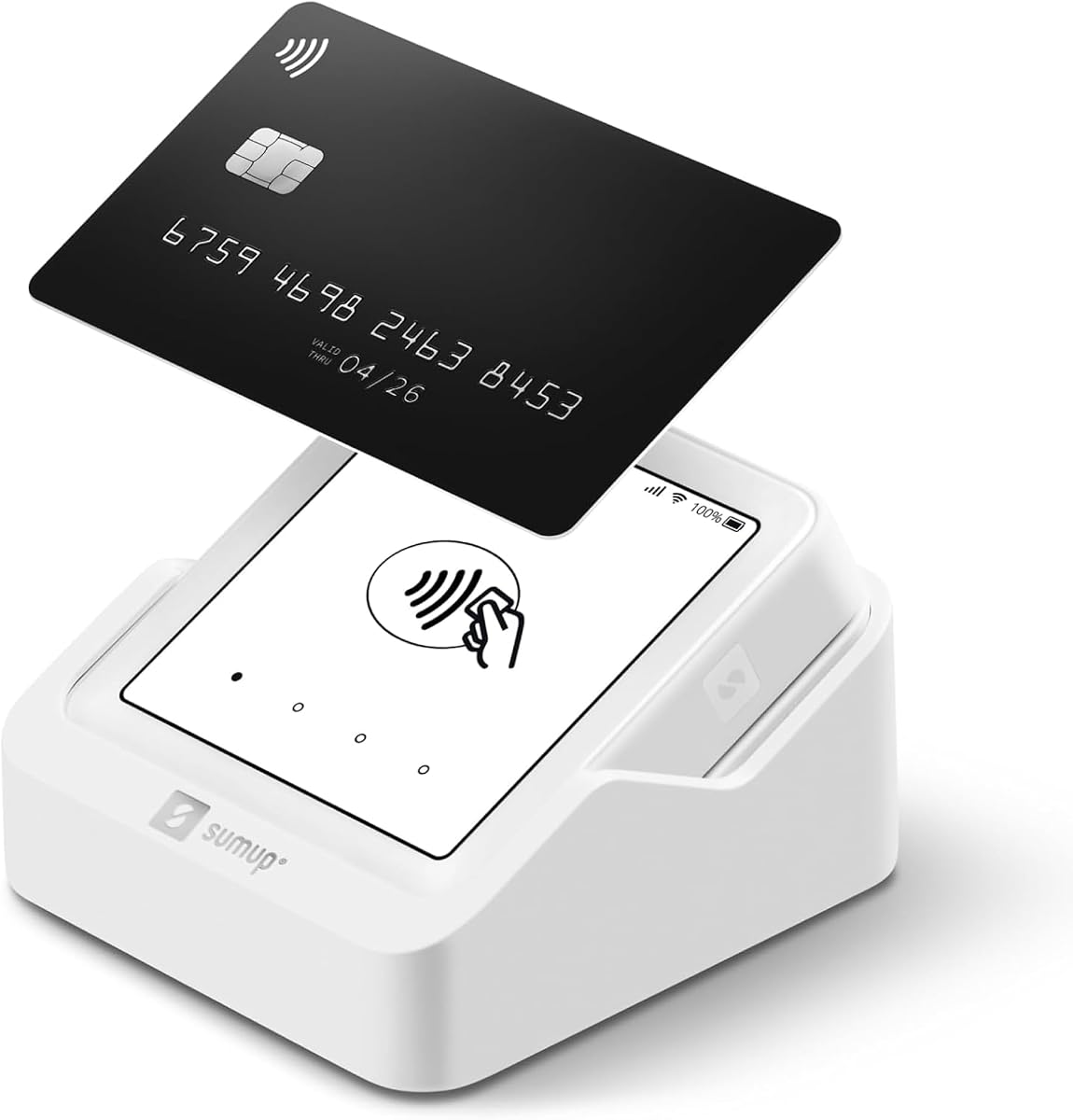
The SumUp Plus Card Reader offers a straightforward Bluetooth solution for small businesses needing simple contactless payment acceptance. With a 3.8 rating users appreciate its ease of pairing with smartphones or tablets to process transactions anywhere. The free SumUp App provides essential management tools without demanding steep monthly fees or complex setup steps for startups.
We may earn a commission when you buy through this link, at no additional cost to you.
This device accepts major credit and debit cards including contactless methods with a single low rate per transaction. Its compact design and lack of long-term contracts make it attractive for seasonal vendors or freelancers testing payment processing waters. Setup is quick allowing you to start accepting payments almost immediately after downloading the app and pairing the device.
However the lower rating suggests occasional connectivity or reliability issues that may frustrate high-volume sellers. While it covers basic needs it lacks advanced inventory or employee features found in premium systems. If you prioritize low cost and basic functionality over extensive business tools this reader provides adequate value for casual mobile sales environments.
We recommend this reader for occasional sellers or those needing a backup payment method on a tight budget. It works well for pop-up stalls or service providers accepting tips and small payments. If you expect heavy daily usage you might consider more robust options but for simple Bluetooth transactions this reader meets entry-level needs effectively.
Start accepting transactions quickly using the free SumUp App on your smartphone or tablet without needing technical expertise.
Pays one low rate with no hidden fees and no long-term contracts ensuring transparent and flexible pricing.
We may earn a commission when you buy through this link, at no additional cost to you.
The SumUp Solo is an independent mobile terminal featuring a full touch-screen interface and built-in SIM for internet connectivity without phones. Rated 3.5 stars it allows users to process payments directly on the device with free mobile data included. This standalone capability enhances reliability for mobile vendors who prefer not to rely on personal smartphones during transactions.
We may earn a commission when you buy through this link, at no additional cost to you.
Its intuitive interface enables easy payment acceptance and sales management without needing external hardware. The included charging station extends battery life for extended shifts while the free SIM ensures connection even in remote areas. US-based support provides assistance via phone or chat which can be reassuring for businesses needing timely help with technical issues.
Despite these features the lower rating indicates some users face connectivity or usability challenges compared to competitors. The price is higher than basic readers which might deter budget-focused buyers. While the self-contained nature is convenient the hardware performance must justify the added cost for businesses relying solely on this device for daily sales processing.
We recommend this system for mobile businesses wanting an independent transaction machine without phone dependency. It suits event vendors or food trucks needing reliable Wi-Fi or cellular connectivity built-in. If you value having a dedicated terminal with included data and strong support this device offers a self-contained solution for flexible payment processing.
Free SIM card and mobile data ensure you can process payments anywhere without relying on personal phone internet connections.
An intuitive interface allows you to easily accept payments and manage sales without needing complex training or external devices.
We may earn a commission when you buy through this link, at no additional cost to you.
The Clover GO (Newest Model) is an updated mobile POS system designed to integrate with the Clover ecosystem for businesses seeking advanced features. Rated 3.6 stars it pairs wirelessly via Bluetooth to any smartphone offering flexibility for mobile sales. It includes employee permission tools and paperless receipt options that help manage operations securely and efficiently without extra hardware.
We may earn a commission when you buy through this link, at no additional cost to you.
This device supports custom tax rates and tip percentages giving merchants control over transaction details. End-to-end security protects data from the moment a card is accepted ensuring compliance and safety. Setup is straightforward but requires processing through Powering POS which may limit flexibility for those already using different payment processors for their business accounts.
Some users may find the rating suggests occasional connectivity issues compared to other Bluetooth readers. The hardware cost is moderate but depends on accepting Powering POS terms which might not suit all businesses. However for existing Clover users this reader provides seamless integration with familiar software tools and management capabilities within the Clover network.
We recommend this model for businesses already in the Clover ecosystem needing mobile processing. It suits those needing employee management and flexible tax settings without separate hardware. If you want a modern mobile POS that integrates well with Clover software and offers good security this newest model offers a solid upgrade for existing users.
End to End security protects customer and business data throughout the entire transaction process for peace of mind.
Create multiple tax rates for the things you sell ensuring accurate calculations for various product types.
We may earn a commission when you buy through this link, at no additional cost to you.
The Clover Go Contactless Reader is a compact device supporting EMV chip and contactless payments without needing a traditional merchant account. With a 4.0 rating it offers straightforward mobile payment acceptance for businesses wanting to avoid complex onboarding processes. It works seamlessly with both iOS and Android devices providing wide compatibility for different phone users seeking reliable transaction tools.
We may earn a commission when you buy through this link, at no additional cost to you.
This reader emphasizes security by supporting modern chip and contactless standards ensuring safe transactions for customers and merchants. Its design is simple and portable making it suitable for pop-up events or quick retail setups. However availability is limited as this version is nearing end of life so newer models may replace it soon in inventory.
While convenient for basic needs it lacks advanced inventory or accounting features found in full POS systems. Businesses requiring detailed sales reports or employee controls might find it too simple for their operations. Still for those needing a quick secure way to accept cards without long-term commitments this reader provides essential functionality.
We recommend this reader for sellers needing basic chip and contactless acceptance with minimal setup. It suits freelancers or small vendors wanting to accept payments without a merchant account. If you need a compact secure reader for basic needs and stock is available this option provides reliable functionality for mobile transactions.
EMV and chip ready capabilities ensure secure and compliant transactions protecting both merchants and customers during processing.
Start accepting payments without needing a traditional merchant account streamlining setup for small businesses and startups.
We may earn a commission when you buy through this link, at no additional cost to you.
The Clover Go Bluetooth Reader (3rd Gen) provides a reliable mobile payment solution for businesses using the Clover platform. Rated 3.6 stars it connects wirelessly to smartphones enabling payments anywhere with secure end-to-end protection. Its design supports custom tip and tax settings giving merchants flexibility in managing transaction details without extra setup or external software requirements.
We may earn a commission when you buy through this link, at no additional cost to you.
This reader works with any existing Clover Go account allowing seamless integration for users already invested in the Clover ecosystem. It supports all major card types and maintains data security throughout the process ensuring compliance. Setup is straightforward for account holders but those without a Clover relationship may need to establish one before using this hardware effectively.
Some users report occasional connectivity issues which can interrupt high-volume sales periods. The device is functional but lacks some advanced features found in standalone terminals like built-in printing. Still for mobile sellers needing a simple card reader compatible with their existing Clover setup it offers practical value and convenience for everyday transactions.
We recommend this reader for existing Clover users seeking a simple mobile payment option. It suits businesses needing basic card acceptance with customizable tax features and strong security. If you want to add mobile processing to your Clover setup without significant hardware costs this Bluetooth reader provides a solid and flexible solution.
Set custom percentage amounts for tips and create multiple tax rates for the things you sell easily.
End to End security ensures customer and business data remains protected throughout the entire transaction process.
We may earn a commission when you buy through this link, at no additional cost to you.
Selecting the right mobile card reader depends on your payment needs business size and existing software. Below are key factors to consider when evaluating devices for your operations.
Ensure the reader accepts the payment types your customers use most such as chip cards contactless taps or magnetic stripes. Modern readers support NFC for Apple and Google Pay which are increasingly preferred by shoppers.
Prioritize readers that accept chip and contactless payments to reduce fraud and speed up transactions.
Readers connect via Bluetooth USB or audio jacks. Bluetooth offers flexibility but requires pairing and battery management. USB connections are stable but may restrict device movement or battery usage on your phone.
Choose Bluetooth for portability or USB for stable connections depending on your operational environment.
Most readers work only with specific POS apps like Square SumUp or Clover. Verify that the hardware integrates with your existing or preferred software before purchasing to avoid workflow issues.
Confirm software compatibility with your business management tools before buying hardware.
Compare processing rates and check for hidden monthly fees or long-term contract obligations. Some providers charge flat rates while others have tiered pricing based on transaction volume.
Look for transparent fee structures and flexible contract terms that suit your budget and business model.
Security is critical for protecting sensitive card data. Look for devices with end-to-end encryption and PCI compliance to safeguard transactions and build customer trust.
Choose readers with strong encryption and security certifications to protect sensitive payment data.
Check if the reader supports your phone's operating system and connector type such as USB-C or Lightning. Some readers are iOS only while others support Android too.
Ensure the hardware supports your specific smartphone operating system and port type.
Consider the size and weight if you move locations frequently. Compact and lightweight designs are easier to carry in pockets or bags for on-the-go sales.
Opt for a lightweight and compact design if you operate at multiple locations or events.
Access to reliable support is vital when technical issues arise. Check if the provider offers phone email or chat support and review user feedback on service responsiveness.
Verify that the provider offers accessible and responsive customer support channels.
To start using your card reader download the recommended POS app from your app store and create an account. Pair the device with your smartphone following the manufacturer's instructions which typically involve enabling Bluetooth or inserting the adapter.
Process payments by entering the amount in the app and presenting the customer's card to the reader. Confirm the transaction on the screen and send the receipt via email or text for your records.
Keep your reader clean and dry by storing it in a protective case when not in use. Regularly update the POS app and device firmware to ensure security and performance stability.
Most modern readers like Square and SumUp include merchant processing services so you do not need a separate traditional merchant account. Some systems like Clover require setting up an account with their specific payment processor which acts as your merchant account.
Many modern card readers support contactless payments via NFC technology. Models like Square Reader for contactless and chip allow Apple Pay and Google Pay transactions for convenient tap-to-pay experiences.
Some readers like the Square Reader for contactless can store offline transactions for up to 24 hours. Once connectivity is restored the device automatically uploads the data to complete the payment.
Yes reputable card readers use end-to-end encryption and meet PCI security standards to protect sensitive card data. Always ensure your device and software are up to date for maximum security.
Most readers support both operating systems but some models are optimized for iOS. Check the product specifications for compatibility with your specific phone model before purchasing.
Most providers deposit funds within one to three business days. Some services offer instant transfers for an additional fee to access your money immediately.
Most modern readers do not charge monthly fees for hardware usage though transaction fees apply. Always check the pricing terms of the payment processor associated with your reader.
First check your phone's Bluetooth connection and ensure the app is updated. If issues persist contact the manufacturer's customer support for troubleshooting or replacement options.
The Square Reader for contactless and chip (2nd Generation) remains our top choice for most small businesses due to its versatile payment support and security features. For those on a strict budget the Square Reader for magstripe offers essential functionality at minimal cost.
When selecting a reader prioritize devices that match your payment needs existing software and mobility requirements. Consider factors like connectivity type and transaction fees to ensure long-term suitability for your business.
Prices and availability change frequently so verify current details directly with retailers before purchasing. The right card reader can streamline your operations and improve customer satisfaction when chosen carefully.