
2026 WiFi Extender Signal Booster for Home
5.0Editor score
15000 sq ft coverage claim
1-Tap WPS setup
4 modes for flexibility
This guide compares the top distance WiFi extender models for 2026, evaluating range, speed, and security to help you choose the right wireless booster.
Choosing the right distance WiFi extender can transform your home network by eliminating dead zones and ensuring stable connectivity throughout your property. Whether you need to cover a large yard or a multi-story house, the right device delivers reliable performance.
We evaluated ten leading models based on coverage area, speed capabilities, security features, and ease of setup. Our analysis focuses on real-world performance metrics and user feedback to provide a clear comparison of the best options available today.
Each pick highlights key strengths and ideal use cases to help you match a device to your specific needs. Keep in mind that pricing and availability can change frequently, so check current listings before making your final purchase decision.
5.0Editor score

4.1Editor score
4.5Editor score
This side-by-side comparison highlights the core specifications and capabilities of each model to help you quickly identify which device aligns with your coverage and performance requirements.


The TP-Link AX3000 is a top-tier distance WiFi extender that leverages WiFi 6 technology to deliver reliable connectivity across large areas. With a rating of 4.1 stars, it stands out for its dual-band speed and extensive coverage claims up to 2400 square feet.
We may earn a commission when you buy through this link, at no additional cost to you.
Its high-gain directional antennas and beamforming technology enhance signal strength to penetrate walls effectively. The device supports up to 64 connections, making it suitable for homes with many smart devices. Additionally, the Gigabit Ethernet port allows for wired reliability where needed.
While it promises broad coverage, users should note that wireless extenders generally do not increase base internet speeds. Compatibility with EasyMesh routers is supported, but it may not work seamlessly with all proprietary mesh systems like Deco.
This model is ideal for users seeking a balanced mix of speed, range, and security. Its intelligent signal indicator simplifies placement, ensuring you get the most out of the device in your specific environment.
WiFi 6 technology optimizes data transmission for better performance with multiple devices simultaneously.
Built with Secure-by-Design principles to protect your network from common vulnerabilities.
We may earn a commission when you buy through this link, at no additional cost to you.
This 2026 model offers an aggressive coverage claim of 15000 square feet, positioning itself as a powerful budget-friendly option. It boasts a perfect 5.0 rating from users who appreciate its straightforward setup and ability to eliminate dead zones.
We may earn a commission when you buy through this link, at no additional cost to you.
Four adjustable external antennas provide flexibility in directing signal strength to hard-to-reach areas. The one-tap WPS setup makes it accessible even for non-technical users. It supports up to 70 devices, ensuring your home network remains responsive.
While the coverage claim is significant, real-world performance depends on building materials and existing interference. It uses a standard 2.4GHz processor which may limit speed compared to newer WiFi 6 models but remains effective for general streaming and browsing.
For those needing broad coverage without breaking the bank, this extender delivers reliable value. Its versatile modes allow it to function as a router or access point depending on your specific networking needs.
Supports Repeater, Bridge, Access Point, and Router modes for varied deployment scenarios.
The 1-Tap setup ensures you can get online quickly without complex technical steps.
We may earn a commission when you buy through this link, at no additional cost to you.
The TP-Link AC1900 stands as a reliable choice for users needing consistent dual-band performance. With speeds up to 1300Mbps on the 5GHz band, it handles high-bandwidth tasks like streaming effectively across up to 2100 square feet.
We may earn a commission when you buy through this link, at no additional cost to you.
Three adjustable external antennas allow for optimized signal direction to minimize dead zones. Smart adaptive roaming ensures that your devices connect to the strongest signal available as you move around your home. It also includes a Gigabit Ethernet port for wired connections.
While it is compatible with EasyMesh routers, it does not work with all proprietary mesh systems. Additionally, being an AC standard device, it may not offer the efficiency improvements of newer WiFi 6 models for very dense networks.
This model is best suited for households looking for a balance of performance and affordability. Its simple setup process and user-friendly app make managing your network straightforward and efficient.
Adjustable external antennas help target specific areas where signal strength is needed most.
Devices automatically switch to the strongest signal to maintain connectivity while moving.
We may earn a commission when you buy through this link, at no additional cost to you.
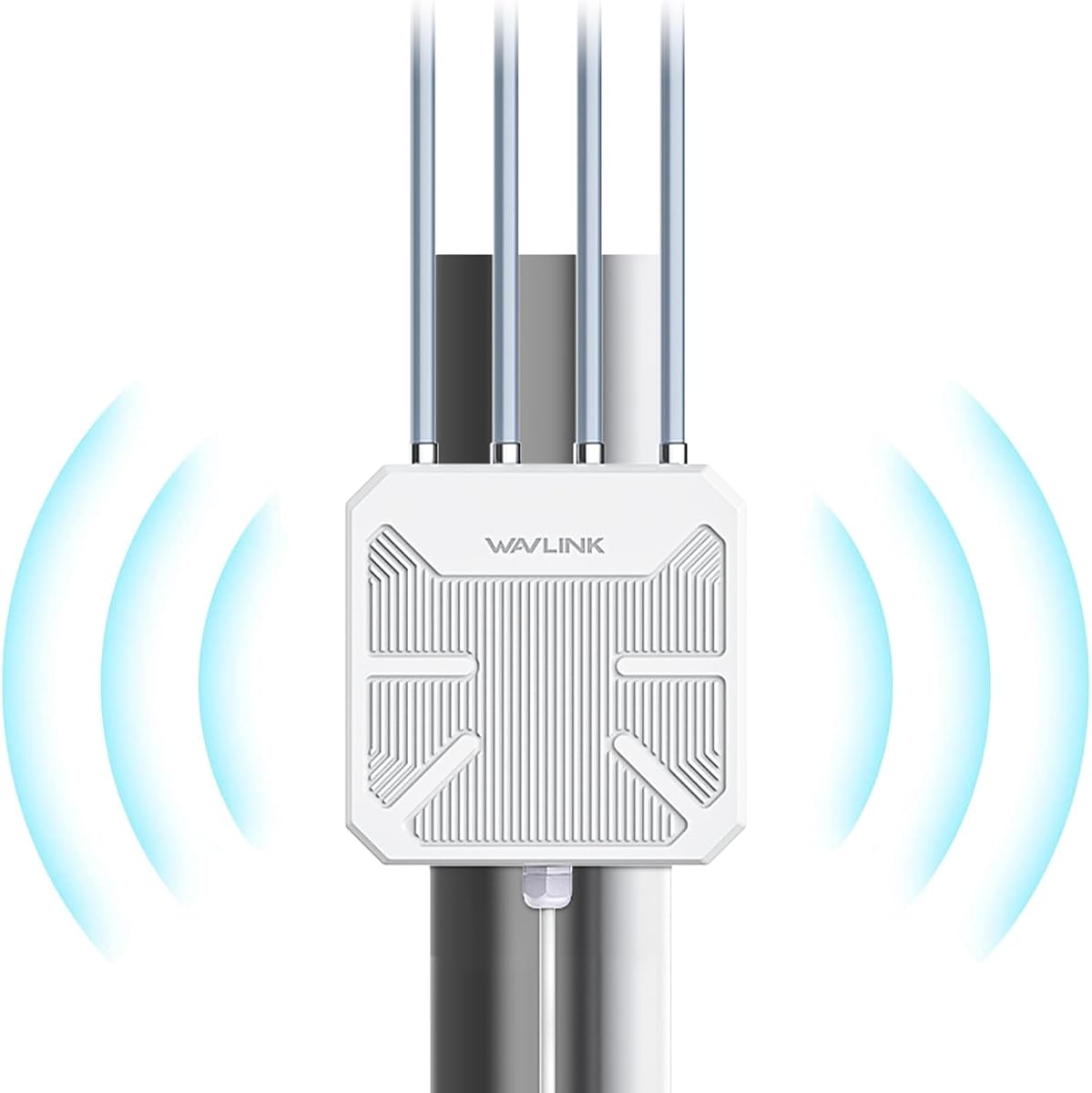
Designed for harsh environments, this WAVLINK outdoor extender brings WiFi 6 performance outside with an IP67 weatherproof rating. It offers impressive range up to 300 meters in line-of-sight scenarios, making it ideal for large yards or rural properties.
We may earn a commission when you buy through this link, at no additional cost to you.
The device features four high-gain detachable antennas for robust signal transmission. It supports Starlink connections via an adapter, which is perfect for remote setups. PoE power options allow for flexible installation without needing nearby electrical outlets.
While it is a premium solution, the investment pays off in durability and extended range. It supports up to 256 devices, ensuring that large outdoor gatherings or complex setups remain connected without interruption.
Choose this model if you need reliable connectivity outside the home. Its versatile modes and rugged build make it a top choice for farms, estates, and any outdoor area requiring strong network coverage.
IP67 rating protects against rain dust and extreme temperatures from -20C to 50C.
PoE support allows installation in locations without direct access to power outlets.
We may earn a commission when you buy through this link, at no additional cost to you.
This BE3200 model brings Wi-Fi 7 technology to the extender category, offering next-generation speeds up to 3.2Gbps. It leverages Multi-Link Operation to optimize signal distribution throughout your home for high performance on modern devices.
We may earn a commission when you buy through this link, at no additional cost to you.
With four optimally positioned antennas and beamforming, it ensures reliable coverage for up to 64 devices. The device supports 4K/8K streaming and AR/VR gaming effectively. Its intelligent signal indicator helps find the best location for setup.
Note that it operates only on 2.4GHz and 5GHz bands, skipping the 6GHz band. Full benefits require pairing with a Wi-Fi 7 router. While a premium option, it future-proofs your network for emerging high-bandwidth applications.
Ideal for tech enthusiasts seeking the fastest possible connection, this extender delivers optimized throughput. Its easy setup and mesh compatibility make integrating it into a modern home network straightforward.
MLO combines frequency bands to deliver enhanced throughput and lower latency.
Supports up to 64 devices with seamless performance even during peak usage.
We may earn a commission when you buy through this link, at no additional cost to you.
This extender offers a coverage claim of 10000 square feet, supported by four external antennas for strong penetration. With a perfect user rating, it is praised for handling multiple devices without significant buffering or lag.
We may earn a commission when you buy through this link, at no additional cost to you.
It supports up to 65 devices simultaneously, making it a solid choice for families with many connected gadgets. The five smart modes provide flexibility to adapt the device to different networking needs like bridging or repeating.
While the 10000 sq ft claim is ambitious, performance depends heavily on the environment. Setup is simplified with WPS, requiring no technical skills. Security is maintained with standard WPA protocols to keep data safe.
For households needing dependable performance across a large area, this model provides good value. Its ability to transform wired connections into wireless hotspots adds versatility to home network setups.
Efficiently manages up to 65 devices to ensure everyone stays connected.
Five modes let you adapt the device to routers repeaters, or access points easily.
We may earn a commission when you buy through this link, at no additional cost to you.
The Hyzom booster claims coverage up to 15000 square feet using a Bionic Chip for stable performance. With a strong 4.8 rating, it is trusted by hundreds of thousands of families for reliable connectivity and reduced buffering.
We may earn a commission when you buy through this link, at no additional cost to you.
It handles up to 65 devices, which is significant for a budget-friendly extender. The WPA2 encryption protects your personal data and network from unauthorized access effectively. Setup is straightforward with WPS or browser guidance.
While the coverage claims are high, real results depend on wall density and interference. It serves well for streaming and calls without frustrating lag. The included Ethernet port offers wired options where stability is critical.
This is a great pick for users needing broad coverage and security without high costs. Its consistent performance makes it a reliable choice for typical home environments.
The Bionic Chip provides high-speed processing to handle multiple data streams efficiently.
WPA2 encryption safeguards your browsing and personal data from potential threats.
We may earn a commission when you buy through this link, at no additional cost to you.
Eboous offers a robust extender with 8 high-power antennas claiming to deliver 6X faster speeds. It aims for whole-home coverage up to 15000 square feet and supports up to 65 devices for modern smart homes.
We may earn a commission when you buy through this link, at no additional cost to you.
Setup is quick with a simple WPS press, and five modes allow for customization. Bank-grade encryption protects your home network and IoT devices from potential cyber threats. It works with nearly all routers on the market.
While speed claims vary by internet plan, the hardware supports smooth streaming and gaming. The device is versatile enough for home or office needs. Its high user rating reflects satisfaction with performance and ease of use.
Ideal for users wanting a plug-and-play solution with broad coverage, this extender delivers value. Its multiple modes provide flexibility to adapt to different network environments easily.
4+4 high-power FEM antennas provide stronger signals with less interference.
Five modes make it suitable for repeaters bridges access points and routers.
We may earn a commission when you buy through this link, at no additional cost to you.
The RE615X offers WiFi 6 speeds in a compact form factor suitable for smaller spaces. With coverage up to 2100 square feet, it handles 4K streaming and gaming reliably using dual-band technology.
We may earn a commission when you buy through this link, at no additional cost to you.
It features two high-gain directional antennas for targeted signal strength. The intelligent signal indicator helps find the perfect spot for installation. Setup is managed through the Tether app for easy control.
Like other models, it does not support the 6GHz band. Compatibility with EasyMesh routers is available but may not work with Deco systems. It remains a solid choice for those upgrading from AC standards.
This extender is best for users needing reliable performance without bulk. Its secure design and easy management make it a practical addition to most home networks.
Smaller size fits discreetly while still delivering strong WiFi 6 connectivity.
Tether app helps find the best location and keeps firmware updated easily.
We may earn a commission when you buy through this link, at no additional cost to you.
The AdaLov CPE660 is designed specifically for long-distance wireless bridging between buildings. It delivers up to 300Mbps over distances up to 3KM using a focused 5.8GHz signal and high-gain directional antennas.
We may earn a commission when you buy through this link, at no additional cost to you.
This model is ideal for connecting remote buildings like barns or warehouses without trenching cables. Dual Ethernet ports provide flexible connectivity options for your devices. It is pre-paired for simple WDS setup to reduce configuration time.
It features IP65 housing to protect against rain and dust year-round. Note that clear line-of-sight is essential for optimal performance. This specialized tool solves problems that standard indoor extenders cannot address.
Choose this if you need to connect separate properties efficiently. Its robust design and ease of alignment make it a practical solution for rural or industrial setups.
Creates a dedicated wireless link between buildings without costly Ethernet trenching.
IP65 rating ensures reliable operation in various weather conditions year round.
We may earn a commission when you buy through this link, at no additional cost to you.
Selecting the right extender involves assessing your specific coverage needs and existing network capabilities. Understanding these factors ensures you invest in a device that delivers optimal performance for your home or business.
Assess the square footage of your home and the locations of dead zones. Devices with multiple high-gain antennas typically provide stronger penetration through walls and floors compared to those with fewer antennas.
Look for models that specify coverage areas matching your home size to ensure reliable connectivity in every room.
Newer standards like WiFi 6 or WiFi 7 offer better efficiency for multiple devices and higher throughput. If you have many connected gadgets, opting for these modern standards can prevent bottlenecks during peak usage.
Ensure the extender supports speed tiers that align with your internet plan to maximize potential performance without unnecessary costs.
Ease of setup varies significantly between models. Many modern devices feature WPS buttons or smartphone apps that guide you through installation with minimal technical expertise required.
Prioritize user-friendly setups to avoid frustration during configuration and to allow for quick troubleshooting when issues arise.
Having a Gigabit Ethernet port on the extender allows you to connect devices like gaming consoles or smart TVs directly. This wired connection often provides more stability and speed than wireless alternatives.
Check for at least one Ethernet port if you need reliable connections for stationary high-bandwidth devices in your home.
Most extenders work with any router, but some proprietary mesh systems have specific compatibility requirements. Verify whether the extender supports mesh protocols like EasyMesh if you plan to expand your network later.
Choosing a universal model ensures you can switch routers in the future without needing to replace your networking infrastructure.
Standard indoor extenders may not withstand outdoor conditions. If you need coverage in a garage or yard, select a device with a weatherproof rating like IP65 or IP67 to protect against rain and temperature extremes.
Outdoor models often include mounting brackets and flexible power options to facilitate installation in external locations.
Network security is vital when extending your WiFi. Look for extenders that support WPA2 or WPA3 encryption to protect your data from unauthorized access and potential cyber threats.
Advanced security features like automatic firmware updates ensure your network remains protected against emerging vulnerabilities over time.
Modern homes have dozens of connected devices including smart bulbs and phones. Ensure the extender can handle the total number of devices you plan to connect simultaneously without slowing down the network.
Higher connection limits help maintain performance stability even when many gadgets are active at the same time.
Placement is critical for optimal performance. Position the extender halfway between your router and the dead zone. Avoid placing it inside cabinets or near large appliances that may interfere with the signal transmission.
Update the firmware regularly to ensure your device has the latest security patches and performance improvements. Most manufacturers provide apps that automate this process to keep your network running smoothly.
Regularly reboot your extender to clear temporary cache issues and maintain consistent signal quality. This simple maintenance step can prevent unexpected slowdowns and keep your home network reliable.
No, extender extenders are designed to improve coverage rather than increase raw speed. They relay existing signals, which can sometimes halve bandwidth, but better signal reliability often boosts overall performance significantly.
Most universal extenders work with any standard WiFi router. However, proprietary mesh systems may require specific compatibility. Always check the product details to ensure it works with your current network hardware.
Many modern extenders support mesh protocols like EasyMesh, but not all are compatible with branded mesh systems. Verify compatibility with your specific router brand before purchasing to avoid connection issues.
Standard indoor models are not weatherproof and may fail outdoors. For external coverage, choose a dedicated outdoor extender with a weatherproof rating like IP67 to withstand rain and temperature changes.
Most extenders support between 30 to 70 devices depending on the model and processor power. High-end models with WiFi 6 can handle more connections efficiently to keep your smart home network responsive.
Place the device halfway between the router and the area with poor coverage. Ensure it is plugged into a visible outlet to check signal indicators during setup for optimal signal reception.
Wireless backhaul can sometimes reduce speed by half due to signal relay limitations. Using an Ethernet port for wired backhaul can mitigate this issue and maintain higher speeds in extended areas.
Ideally, check for updates monthly or enable automatic updates if available. Regular updates ensure you have the latest security features and performance optimizations for your network.
Whether you need the robust performance of the TP-Link AX3000 or the rugged durability of the WAVLINK outdoor model, there is a solution for every scenario. These top picks balance speed coverage and reliability to meet diverse home networking demands.
Prioritize features that match your specific needs like weather resistance for outdoor spaces or high device capacity for smart homes. Evaluating your unique environment ensures you select the most effective tool for your connectivity gaps.
Always verify current availability and pricing as market conditions change frequently. Checking the latest listings helps you secure the best deal and ensures the device you choose remains supported by the manufacturer.