
Sceptre Curved 34-inch
4.4Editor score
240Hz refresh rate
1ms response time
Built-in speakers
Edge to edge monitors provide an immersive viewing experience by minimizing bezels and maximizing screen real estate. These displays are ideal for productivity, gaming, and creative work where seamless visuals matter most.
We analyzed ten top-rated models based on resolution, refresh rate, panel technology, and user feedback. Each product was evaluated for its ability to deliver uninterrupted visuals and robust connectivity options.
This guide highlights key strengths and trade-offs for every pick. Prices fluctuate frequently, so verify current deals before purchasing. Our goal is to help you find the perfect match for your setup needs.
4.4Editor score

4.4Editor score

4.3Editor score
As an Amazon Associate we earn from qualifying purchases.
The following table offers a side-by-side comparison of all ten products. We focus on key specifications that define performance and usability for different tasks.





The Dell 34 Monitor S3425DW stands out as a versatile choice for mixed use. Its WQHD VA panel delivers deep contrast while maintaining color accuracy. A 4.4 rating reflects strong user satisfaction across productivity and entertainment.
We may earn a commission when you buy through this link, at no additional cost to you.
Its standout feature is ComfortView Plus, which reduces blue light significantly without sacrificing color quality. The 120Hz refresh rate paired with AMD FreeSync Premium ensures smooth visuals for gaming. USB-C connectivity with 65W power delivery cleans up cables effectively.
While it lacks the ultra-high refresh rates of dedicated gaming monitors, its 0.03ms response time minimizes ghosting. The sound quality is improved over previous generations but might still benefit from external speakers for critical listening.
This monitor is ideal for professionals who need a large workspace and occasional gaming. It balances comfort, performance, and connectivity well. If you prioritize eye care and desk organization, this model is a top recommendation.
ComfortView Plus reduces harmful blue light emissions by up to 65%. This feature allows for extended viewing sessions with reduced strain.
A single USB-C cable handles data, video, and up to 65W power delivery. This reduces cable clutter and keeps your workspace organized.
We may earn a commission when you buy through this link, at no additional cost to you.
The Z-Edge 49-inch model offers a panoramic view ideal for multitasking. Its DQHD resolution equals two QHD monitors side-by-side. The 165Hz refresh rate ensures fluid motion for gaming and video.
We may earn a commission when you buy through this link, at no additional cost to you.
Key strengths include a built-in KVM switch that lets you control two devices with one keyboard and mouse. The 32:9 aspect ratio supports seamless workflows across apps. Picture-in-Picture and Picture-by-Picture modes maximize screen utility.
The stand supports height and tilt adjustments for ergonomic comfort. Built-in speakers provide basic audio though external options are better for immersion. Some users note it requires a strong GPU to drive the full resolution at high frame rates.
This monitor is perfect for power users who juggle multiple systems. It replaces dual monitors with a single cohesive screen. If you need maximum workspace and device control, this setup delivers exceptional value.
The 5120×1440 resolution provides ample space for multiple windows. PIP and PBP modes allow viewing content from different sources simultaneously.
Built-in KVM functionality switches between connected devices instantly. This feature eliminates the need for separate input switching hardware.
We may earn a commission when you buy through this link, at no additional cost to you.
The Dell UltraSharp U4924DW is a premium choice for professional environments. Its Edge WLED technology ensures clear and smooth display performance. The 49-inch screen size offers striking clarity for movies and data.
We may earn a commission when you buy through this link, at no additional cost to you.
Key strengths include USB Type-C for efficient data transfer and power. The 350 Nit brightness ensures visibility in various lighting conditions. Dual Quad HD mode provides visual clarity essential for detailed work.
The 5ms response time is acceptable for office tasks but slower for fast gaming. VESA mount compatibility allows flexible wall or arm mounting. The reliability and consistency make it a solid investment.
This monitor is best for professionals who prioritize stability and clarity. It handles complex data displays effectively. If you need a robust tool for intensive work, this model is a trusted option.
Dell's reputation for durability shines here. The monitor offers consistent performance for demanding professional workflows.
VESA mount compatibility allows you to customize your setup. This flexibility supports ergonomic positioning and space-saving wall mounts.
We may earn a commission when you buy through this link, at no additional cost to you.
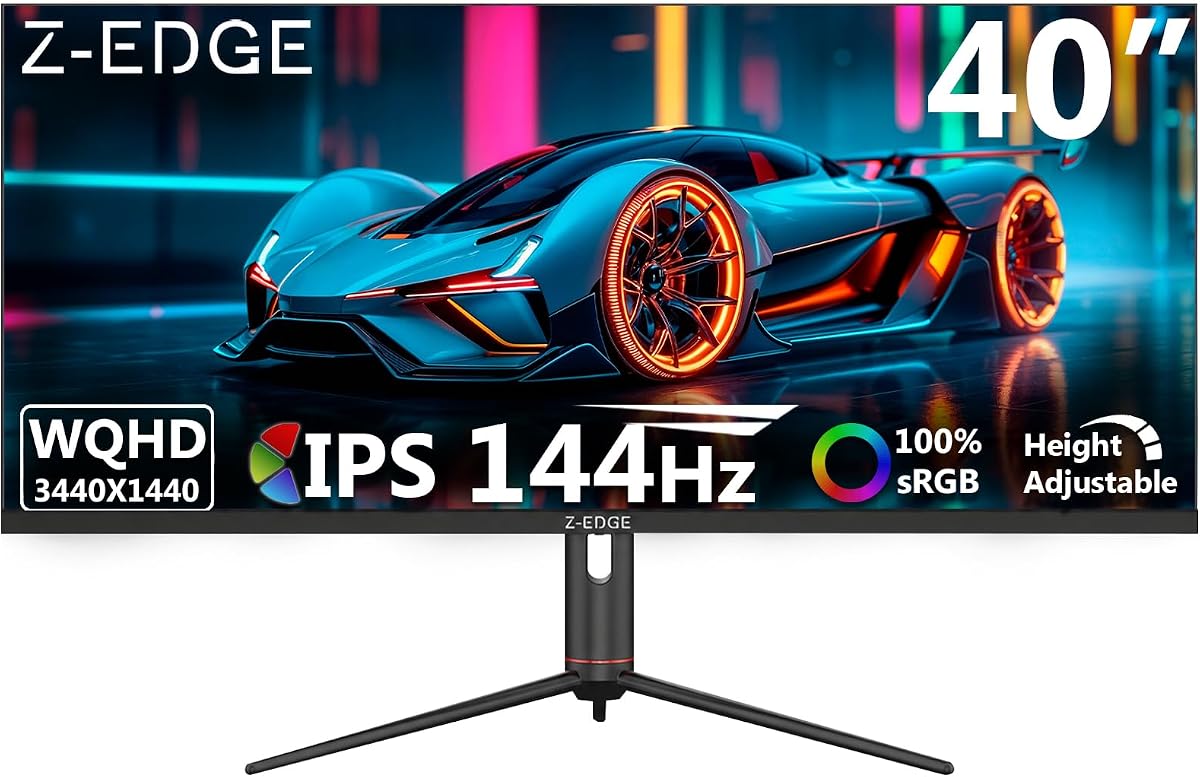
The Z-Edge 40-inch monitor is designed for immersive gaming. Its IPS panel ensures consistent colors from nearly any angle. The 144Hz refresh rate via DP ports delivers fluid motion for fast-paced titles.
We may earn a commission when you buy through this link, at no additional cost to you.
Key strengths include USB-C connectivity for efficient data transmission. Gaming modes like Shadow Balance enhance visibility in dark scenes. PIP and PBP split-screen modes support multitasking between games and tools.
The stand allows height adjustment and swivel support. Built-in speakers provide clear audio without external peripherals. Users note the gaming modes require tweaking to suit personal preferences effectively.
This monitor is ideal for gamers who want a balanced setup. It combines gaming features with workstation utility. If you seek a versatile screen for play and work, this model fits well.
Features like Hawk-eye Vision and Game Timer improve player precision. These tools help track time and enhance visual clarity in action.
The stand supports tilt, height, and swivel adjustments. This customization ensures comfort during long gaming or work sessions.
We may earn a commission when you buy through this link, at no additional cost to you.
The Corsair XENEON Edge offers unique versatility for PC enthusiasts. Its 14.5-inch display works inside the case or as a standalone monitor. Touchscreen capability adds interaction for widgets and apps.
We may earn a commission when you buy through this link, at no additional cost to you.
Key strengths include 14x magnets for internal installation. The multi-touch capacitive screen allows easy widget control. Stand included setup makes it a functional secondary display for desktops.
Resolution and refresh rate are modest compared to desktop monitors. It is designed for specific use cases like stats monitoring rather than main display duty. The form factor is the true selling point here.
This display is best for builders who want visible system data. It adds visual flair to a gaming rig. If you want a modular addition to your setup, this model is innovative.
Four corner screws fit standard fan mounting positions. This allows the screen to be mounted directly inside your PC case.
Five-point multi-touch supports intuitive interaction. This feature makes managing apps and games more direct.
We may earn a commission when you buy through this link, at no additional cost to you.
The Sceptre Curved 34-inch delivers exceptional performance for the price. With 240Hz refresh rate and 1ms response time, it supports high-speed gaming. 100% sRGB ensures true-to-life visuals for creative tasks.
We may earn a commission when you buy through this link, at no additional cost to you.
Key strengths include versatile ports with HDMI and DisplayPort options. Blue-Light Shift technology reduces eye strain for long use. The 1500R curvature enhances immersion without dominating desk space.
Built-in speakers provide diverse audio options though external ones are preferred. The machine black finish looks professional. Users praise the value and smooth visual experience for work and play.
This monitor is perfect for budget-conscious gamers. It offers specs rivaling more expensive models. If you want speed and color without spending too much, this is a top choice.
The 240Hz refresh rate ensures smooth visuals. Combined with 1ms response, motion blur is minimized significantly.
Blue-Light Shift reduces harmful emissions. This feature helps alleviate eye strain during long viewing sessions.
We may earn a commission when you buy through this link, at no additional cost to you.
The LG 45GX950A-B brings OLED technology to ultra-wide gaming. Its 5K2K resolution provides unmatched clarity for visuals and text. The dual mode feature allows switching to 330Hz for competitive titles.
We may earn a commission when you buy through this link, at no additional cost to you.
Key strengths include 1300 nits peak brightness and HDR True Black 400. 0.03ms response time eliminates ghosting. DisplayPort 2.1 ensures ultra-fast data speeds for next-gen consoles.
Users note the steep 800R curve enhances immersion. However, the high price and potential burn-in risks require careful consideration. It remains a top choice for enthusiasts demanding the best visuals.
This monitor is ideal for those seeking the ultimate OLED experience. It dominates in color and contrast. If budget allows and you want peak performance, this is the definitive choice.
OLED technology delivers infinite contrast for deep blacks. This creates a cinematic feel for movies and games.
Dual Mode lets you switch to 330Hz for FPS games. This feature provides ultra-responsive gameplay for competitive titles.
We may earn a commission when you buy through this link, at no additional cost to you.
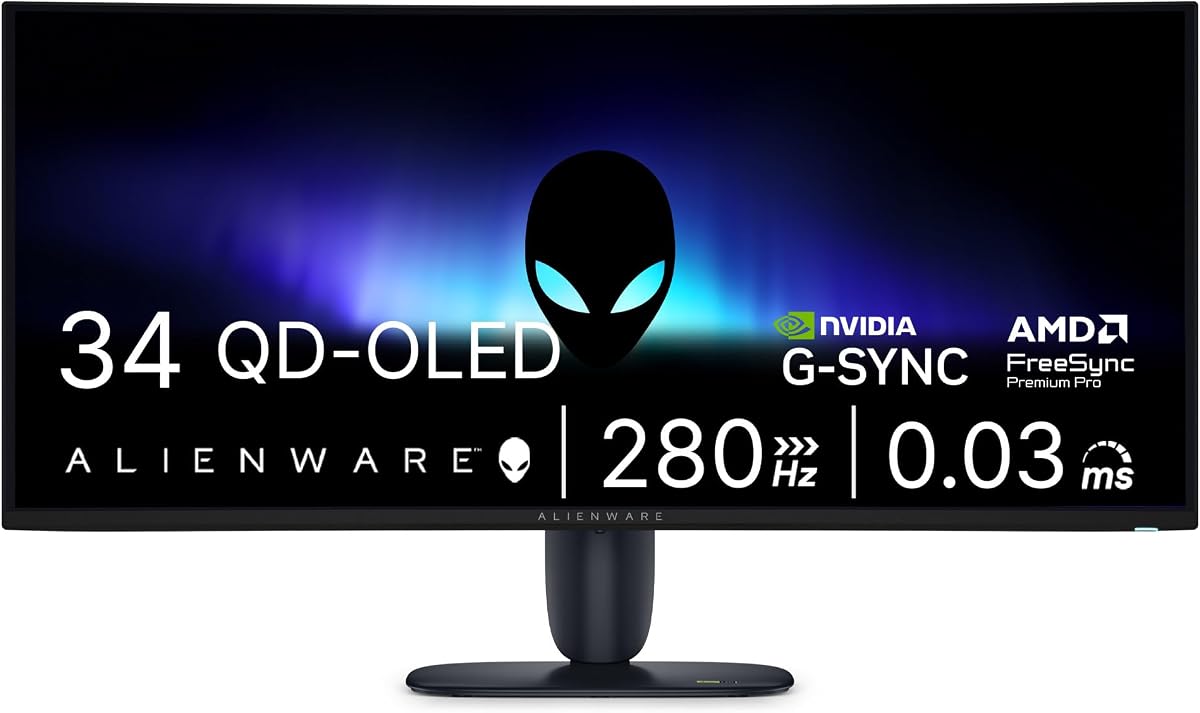
The Alienware 34 Gaming Monitor combines QD-OLED technology with high refresh rates. Its 280Hz speed supports fast-paced gaming effectively. The 0.03ms response time ensures sharp, fluid visuals.
We may earn a commission when you buy through this link, at no additional cost to you.
Key strengths include G-SYNC compatibility for tear-free gaming. The QD-OLED panel offers richer color than standard OLED. Users praise its design and color accuracy for immersive play.
Setup may require precise alignment for best results. The cost reflects premium hardware. It fits well in high-end setups needing color and performance.
This monitor is best for gamers prioritizing visual fidelity. It balances design and speed. If you want a reliable OLED experience, this model is strong.
Quantum Dot technology enhances brightness and color. This results in vibrant visuals for gaming and media.
NVIDIA G-SYNC ensures seamless frame synchronization. This eliminates stutter and tearing for smooth gameplay.
We may earn a commission when you buy through this link, at no additional cost to you.
The Acer SB240Y G0bi is a reliable choice for basic needs. Its zero-frame design maximizes visibility for edge-to-edge viewing. At 4.6 stars, it is well-regarded for build quality.
We may earn a commission when you buy through this link, at no additional cost to you.
Key strengths include Adaptive-Sync support for smooth motion. The 1ms VRB response time reduces ghosting. The slim design fits easily into tight desks without overwhelming space.
Limited to Full HD resolution, it is best for office or entry gaming. Users appreciate the cost-effective performance. The basic tilt stand offers minimal adjustment options.
This monitor is perfect for small spaces and budgets. It delivers essential performance effectively. If you need a compact and reliable screen, this model works well.
The ultra-slim profile saves valuable desk space. This design suits smaller setups effectively.
120Hz refresh rate and 1ms response ensure clear motion. This reduces blur during fast-moving content.
We may earn a commission when you buy through this link, at no additional cost to you.
The Samsung 57" Odyssey Neo G9 offers extreme immersion. Its 1000R curvature matches human eye arc perfectly. The Dual UHD resolution provides pin-sharp images across the massive width.
We may earn a commission when you buy through this link, at no additional cost to you.
Key strengths include Mini-LED HDR 1000 for brightness control. Quantum Matrix Technology manages dimming zones for better contrast. Dynamic Core Lighting matches on-screen colors to real room lighting.
Users note it requires a large desk and powerful GPU. The price is high but reflects premium specs. It remains a standout for those seeking the ultimate visual experience.
This monitor is best for home theater or flagship gaming setups. It wraps you in the action. If you want the most immersive display possible, this model leads.
The 1000R curvature wraps around your vision. This creates a sense of being inside the game.
Dynamic Core Lighting syncs monitor colors with room lighting. This enhances immersion by extending visuals into the room.
We may earn a commission when you buy through this link, at no additional cost to you.
Selecting the right edge to edge monitor requires understanding key specs. This section breaks down the factors that impact performance and value.
Panel type determines color and viewing angle performance. IPS offers best colors but VA provides deeper blacks.
Choose IPS for accuracy and VA for contrast in dark rooms.
Higher refresh rates like 144Hz or 240Hz ensure smooth visuals for gaming. Lower rates suit office work but limit motion clarity.
Pick high refresh rates if you play competitive games.
Resolution defines image clarity and detail. 1440p balances performance and quality well for gaming.
Opt for 1440p or higher for sharp text and visuals.
USB-C, HDMI, and DP ports affect how you connect devices. Ensure your cables match your monitor's inputs.
Look for versatile ports to support your current setup.
Adjustable stands help reduce neck strain. Height and tilt adjustments are essential for long sessions.
Select a model with full ergonomic support.
Standard 16:9 is common but ultra-wide 21:9 offers more width. Consider your desk space before buying wider screens.
Use 21:9 for multitasking but check desk size first.
Faster response times like 1ms reduce motion blur. It is critical for competitive gaming performance.
Prioritize 1ms or lower for gaming use.
Brightness affects visibility in bright environments. 300 nits is standard but HDR needs more for impact.
Aim for 300 nits or higher for clear viewing.
Set up your monitor at eye level to avoid neck strain. Use a stand or VESA mount for stability and proper height.
Clean the screen regularly with a soft microfiber cloth. Avoid using harsh chemicals that might damage the panel coating.
Adjust brightness settings to match your room lighting. Use built-in blue light filters to reduce strain during night use.
An edge to edge monitor has minimal bezels around the display area. This design creates an uninterrupted viewing experience for productivity and gaming. It allows for immersive visuals without distracting borders.
Yes, ultrawide monitors offer extra horizontal space for multiple windows. This reduces the need for dual monitors. It simplifies your workspace while improving workflow efficiency.
1440p is often the sweet spot for gaming performance. It balances detail and frame rates better than 4K. This resolution ensures smooth gameplay on most graphics cards.
Use a dry microfiber cloth to wipe dust gently. Avoid liquid cleaners unless they are screen-safe. Direct spray can damage internal components permanently.
Many models include features like blue light reduction. This helps reduce strain during long sessions. Proper brightness settings also play a role in comfort.
HDMI and DisplayPort are standard for modern setups. USB-C is useful for laptops needing charging. Ensure your cables match these ports for best performance.
Most models support VESA wall mounts. Check the mounting pattern compatibility before purchasing. This allows flexible placement options for your space.
Curved screens can enhance immersion in games. They wrap visuals around your peripheral vision. This is especially beneficial for large ultrawide monitors.
We highlighted top picks ranging from budget-friendly options to premium OLED displays. Each model serves different needs based on performance and price.
Prioritize the specs that matter most for your daily tasks. Whether it is speed for gaming or accuracy for work, match the features to your goals.
Remember that prices and stock fluctuate frequently. Check current deals before finalizing your purchase to ensure the best value for your investment.