
MINISFORUM DEG1
4.5Editor score
OCuLink 64Gbps support
Compact 14cm design
ATX SFX PSU compatible
Discover the top egpu docks for laptops and mini pcs. Compare performance, compatibility, and features to find the ideal external GPU enclosure for your setup.
External GPU docks transform lightweight laptops into powerful desktop workstations. They allow users to connect high-performance graphics cards for gaming, rendering, and AI tasks. Choosing the right dock ensures stable connections and maximum bandwidth for your specific needs.
We compared ten leading egpu docks based on interface speed, power support, and build quality. Our analysis focuses on Thunderbolt, USB4, and OCuLink options to help you decide. Each product offers unique features like dual-mode switching or integrated storage slots.
This guide highlights standout models for budget, performance, and premium builds. You will find detailed reviews and specifications for every pick. Prices and availability change frequently, so verify current details before purchasing your external graphics enclosure.
4.5Editor score

4.4Editor score

4.8Editor score
This side-by-side comparison details the key specifications of all ten egpu docks. Review interface types, power compatibility, and unique features to find the perfect match for your laptop or mini pc setup.


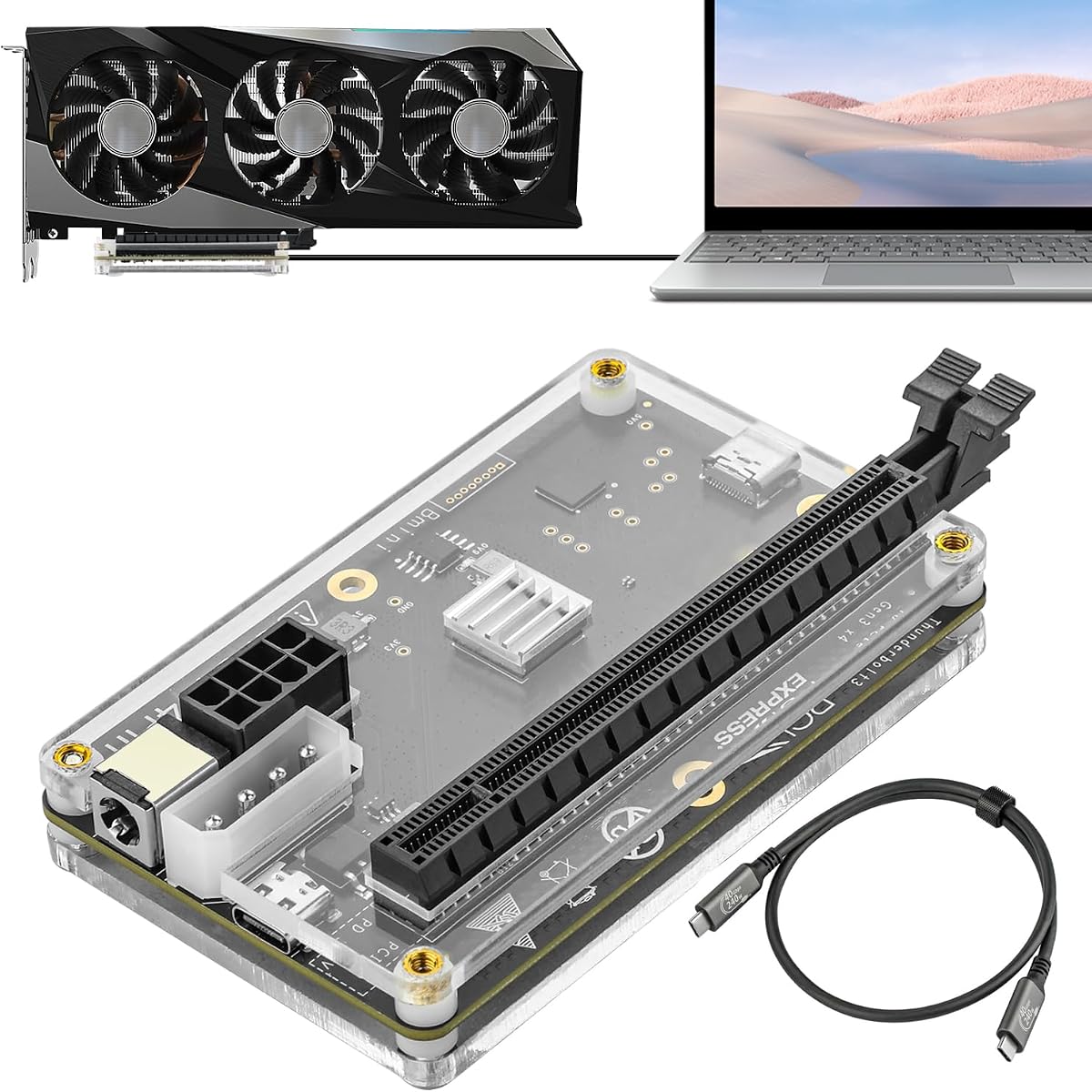


The MINISFORUM DEG2 ranks highly with a 4.4 rating for its versatile dual-link design. It supports both Thunderbolt 5 and OCuLink interfaces, giving users flexibility in connection types. This flexibility is rare in the current market.
We may earn a commission when you buy through this link, at no additional cost to you.
Its standout feature is the built-in M.2 NVMe slot, allowing direct storage of project files on the dock. This reduces file transfers between devices during rendering or AI inference. The single-cable workflow also simplifies desktop setups significantly.
Trade-offs include the need to buy GPU and power supplies separately, which adds to the total cost. The unit also does not work with the MINISFORUM MS-02 workstation, limiting compatibility for some users. These factors are minor for most enthusiasts.
Buyers seeking a future-proof dock with high bandwidth and storage integration should choose this model. It balances performance and convenience better than most competitors. We recommend it for professionals needing reliable external graphics power.
Toggle between TB5 and OCuLink instantly without swapping cables or software.
Store AI models or project files directly on the dock for faster access.
We may earn a commission when you buy through this link, at no additional cost to you.
With a perfect 5.0 rating, this variant of the DEG2 offers exceptional build quality and features. It maintains the dual-link capability while adding a dedicated 2.5G LAN port for network needs. The high rating suggests strong user satisfaction.
We may earn a commission when you buy through this link, at no additional cost to you.
Key strengths include its rich connectivity with multiple USB ports and a dedicated LAN connection. This makes it an excellent hub beyond just graphics expansion. The automatic power sync ensures a seamless plug-and-play desktop experience.
Users must note that the GPU and power supply are not included, requiring separate purchases. Compatibility is also noted for specific setups, so checking device support is advised. These constraints are standard for modular docks.
This model is ideal for premium setups needing maximum speed and network integration. Its versatility justifies the investment for serious creators and gamers. We highly recommend it for those wanting top-tier external graphics performance.
Built-in 2.5G LAN port provides stable internet without consuming USB ports.
Multiple USB ports turn the dock into a full workspace expansion station.
We may earn a commission when you buy through this link, at no additional cost to you.
The MINISFORUM DEG1 delivers strong performance at a budget-friendly price. It uses OCuLink for 64Gbps speeds, ensuring near-native GPU performance. The compact size makes it ideal for users needing portability.
We may earn a commission when you buy through this link, at no additional cost to you.
Its small form factor is a major advantage, fitting easily into backpacks or handbags. This mobility allows for quick performance upgrades anywhere. The Force Power On feature simplifies startup routines without manual tweaks.
Trade-offs include the lack of Thunderbolt support, limiting use to OCuLink devices. Hot plugging is not supported, requiring a shutdown to disconnect safely. These are acceptable limits for a budget-focused device.
For those prioritizing cost and portability without sacrificing speed, this is the top choice. It offers incredible value for mini pc owners seeking a quick upgrade. We recommend it for mobile workstations.
Compact 14cm dimensions allow you to carry the dock in any bag.
One-click Force Power On avoids needing complex BIOS settings every time.
We may earn a commission when you buy through this link, at no additional cost to you.
This PCIe 4.0 x4 dock offers a straightforward solution for OCuLink connections. It supports standard ATX power supplies and includes a flat cable for easier routing. The LED indicators provide clear status feedback for users.
We may earn a commission when you buy through this link, at no additional cost to you.
The detachable design on both ends improves portability and storage. The flat cable reduces physical damage risks compared to rigid alternatives. This makes it a solid pick for casual users.
Trade-offs include the lack of Thunderbolt compatibility, restricting it to OCuLink ports. Hot plugging is unsupported, which can be inconvenient for frequent disconnections. These are minor for a budget device.
Buyers looking for a basic, affordable OCuLink solution will appreciate this dock. It covers essential needs without extra cost. We recommend it for simple laptop GPU expansions.
Thin flat cables reduce bulk and prevent port damage during transport.
LED lights give immediate visual feedback on device connection status.
We may earn a commission when you buy through this link, at no additional cost to you.
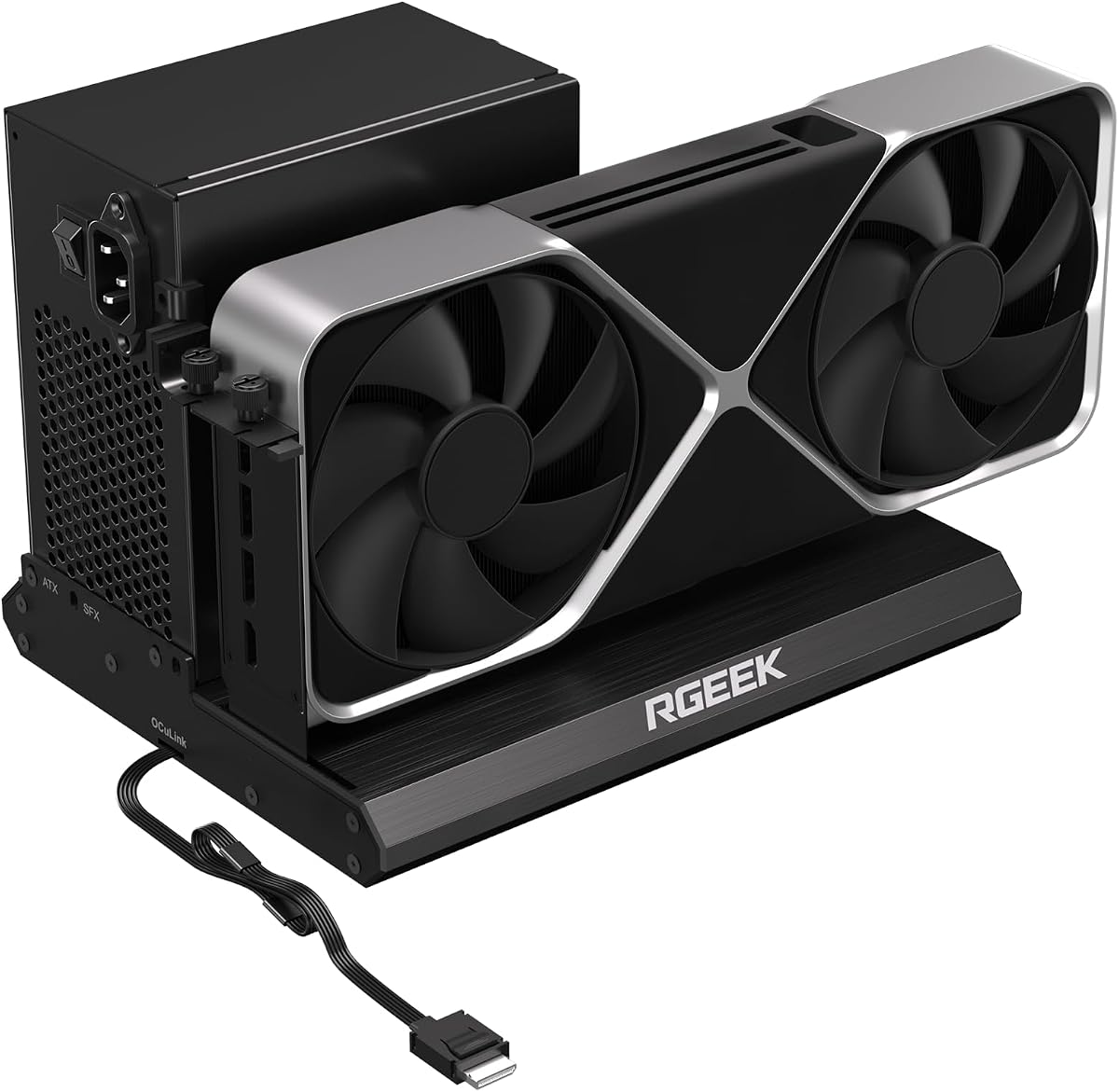
This RGEEK dock stands out with PCIe 5.0 support, delivering up to 128Gbps bandwidth. Its aluminum chassis ensures effective heat dissipation during intense workloads. It is built for longevity and stability.
We may earn a commission when you buy through this link, at no additional cost to you.
The full aluminum material provides durability and sturdiness. It supports both ATX and SFX power supplies for flexibility. This is a strong choice for enthusiasts planning future upgrades.
To reach full speed, you need an M.2 slot or adapter not included. The unit does not support hot plugging, requiring shutdowns for disconnection. These factors may limit casual use.
Advanced users wanting maximum theoretical speed should consider this model. It prepares your setup for next-gen cards easily. We recommend it for tech-savvy builders.
PCIe 5.0 support offers double the speed of current PCIe 4.0 docks.
Solid aluminum chassis handles high thermal loads during heavy rendering.
We may earn a commission when you buy through this link, at no additional cost to you.
The UGREEN LinkStation offers a balanced hybrid approach with OCuLink and USB4. It supports large 370mm GPUs and provides 100W PD charging for laptops. Its 4.8 rating reflects strong user approval.
We may earn a commission when you buy through this link, at no additional cost to you.
It supports a wide range of GPUs from NVIDIA, AMD, and Intel. The removable top cover extends compatibility for oversized cards. This flexibility is rare in standard enclosures.
The higher price might be a concern for budget buyers. Also, it only supports dual-slot bracket GPUs. These constraints are manageable for most users seeking premium features.
This dock is perfect for those needing both maximum bandwidth and universal compatibility. Its design supports professional workflows seamlessly. We recommend it for hybrid workstations.
Removable cover allows fitting GPUs up to 370mm in length without limits.
Switch between OCuLink speed and USB4 convenience with ease.
We may earn a commission when you buy through this link, at no additional cost to you.
This dock supports Thunderbolt 3 and 4, offering a bridge for older devices. It includes a Thunderbolt 4 cable and supports multiple power inputs. The JHL6340 controller ensures stable operation on Windows systems.
We may earn a commission when you buy through this link, at no additional cost to you.
It provides four power input options, adding flexibility for different setups. Compatibility extends to consoles like the Legion Go, making it versatile. This broad support is its main strength.
Trade-offs include slower transfer speeds around 22Gbps. The rating is lower due to these limitations. These are acceptable if you prioritize cost over speed.
Users with older Thunderbolt laptops or consoles will find it useful. It covers legacy needs effectively without breaking the bank. We recommend it for budget-friendly legacy setups.
Choose from PD, Molex, or ATX connections for flexible power.
Works with select gaming consoles that support USB4 or TB ports.
We may earn a commission when you buy through this link, at no additional cost to you.
This variant of the DEG2 mirrors the original with dual mode and storage. It adds a dedicated LAN port and supports full-size GPUs. The rich connectivity options enhance its utility as a hub.
We may earn a commission when you buy through this link, at no additional cost to you.
The physical toggle allows easy switching between connection types. The integrated M.2 slot streamlines workflow for creators needing storage access. These features make it highly capable.
The lower rating suggests some users faced compatibility issues. It specifically notes incompatibility with the MINISFORUM MS-02 workstation. Checking device support is critical before purchase.
Those needing a full docking solution beyond just GPU will benefit. It offers a complete desktop replacement experience. We recommend it for multi-device setups.
Multiple ports replace your need for extra USB or network hubs.
Integrated storage ensures seamless file access across different devices.
We may earn a commission when you buy through this link, at no additional cost to you.
This dock offers standard Thunderbolt support with 40Gbps speeds. It includes an 85W PD output to charge your laptop while docked. The USB A port and daisy chain support add extra utility.
We may earn a commission when you buy through this link, at no additional cost to you.
The JHL7440 controller ensures official certification for stable performance. It supports local deployment of AI models like Deepseek-R1. This makes it suitable for modern AI tasks.
The ATX power and GPU are not included, adding to costs. The rating is moderate, indicating average user satisfaction. These are standard limitations for basic models.
Users needing reliable Thunderbolt support without extra frills will appreciate it. It offers a stable bridge for GPU expansion. We recommend it for general use.
Connect additional monitors or devices via the daisy chain port.
Stable controller handles local AI model deployment efficiently.
We may earn a commission when you buy through this link, at no additional cost to you.
The Razer Core X V2 brings a trusted brand to the egpu market. It features a vented steel chassis with active cooling to maintain performance. The 140W charging supports demanding laptops effectively.
We may earn a commission when you buy through this link, at no additional cost to you.
Its support for up to 4-slot wide cards provides flexibility for high-end GPUs. Tool-free installation makes swapping cards easy. This convenience is appreciated by enthusiasts.
The main trade-off is the higher price point. Mac support is limited to older chips, restricting some users. These are reasonable for a premium brand.
Users preferring a proven brand with solid build quality will find value. It balances durability and performance well. We recommend it for reliable desktop replacement.
Built-in fan ramps up during heavy loads to sustain peak performance.
140W PD charging powers high-performance laptops without external bricks.
We may earn a commission when you buy through this link, at no additional cost to you.
Choosing the right egpu dock requires understanding interface compatibility, power needs, and physical constraints. This guide details key factors to consider for your specific laptop or mini pc setup.
The connection interface determines bandwidth. Thunderbolt 5 or OCuLink offer speeds up to 128Gbps, while older USB4 might cap at 40Gbps. Match the dock to your device's port to avoid bottlenecks.
Prioritize OCuLink or Thunderbolt 5 for high-end GPUs.
Ensure the dock supports your preferred power supply type. ATX is standard, but SFX is better for compact builds. Check if the dock requires external power or internal components.
Verify PSU compatibility to avoid voltage mismatches.
Physical dimensions matter for high-end graphics cards. Look for docks supporting 370mm lengths or up to 4 slots wide. Measure your GPU to ensure it fits inside the enclosure.
Check dimensions before purchasing to ensure fit.
Consider additional ports like USB, Ethernet, or M.2 slots. A dock with a LAN port can offload network traffic. USB ports provide extra hub functionality.
Select docks with integrated ports to reduce clutter.
A well-ventilated chassis prevents thermal throttling during long sessions. Aluminum offers better heat dissipation than plastic. Active fans are preferred for high-performance setups.
Choose robust builds to maintain GPU longevity.
Ensure the dock supports your operating system. Some models are limited to Windows or Linux. Apple Mac users should check for specific M-series chip compatibility.
Verify OS support for seamless driver integration.
Many OCuLink docks do not support hot plugging. If you disconnect frequently, this is a major convenience factor. Thunderbolt models often support this feature.
Check hot plugging specs for daily use.
Look for PCIe 5.0 support or dual-mode switching to extend the dock's life. As GPUs evolve, higher bandwidth interfaces become standard. Investing in dual-mode ensures longevity.
Prioritize dual-mode docks for long-term use.
Connect the dock to your laptop via the appropriate cable, ensuring the link is secure. Install necessary drivers from the manufacturer's website. Restart your system to detect the new GPU properly.
Ensure your power supply is correctly installed and secured with screws. Verify that the GPU is properly seated in the PCIe slot. Check all cables for tight connections before powering on.
Keep the dock in a well-ventilated area to prevent overheating. Dust the vents regularly to maintain airflow. Avoid forcing cables if the port is locked to prevent damage.
Most egpu docks require Windows or Linux due to driver support. Apple Macs with M-series chips generally do not support external graphics cards. Intel Macs may work with Thunderbolt docks. Check manufacturer compatibility lists.
Thunderbolt supports hot plugging and is universal across laptops. OCuLink offers higher bandwidth but usually requires shutdowns to disconnect. Thunderbolt is better for convenience. OCuLink is better for raw speed.
Most egpu docks are sold without graphics cards or power supplies. You must install your own desktop GPU into the enclosure. This allows you to choose the specific card you need.
Many docks include USB ports for connecting peripherals. While they can function as hubs, their main purpose is GPU expansion. Some docks also offer LAN ports for networking. Verify port count for your needs.
OCuLink generally supports higher PCIe lane bandwidth, such as 128Gbps for PCIe 5.0. Thunderbolt 5 reaches up to 80Gbps. OCuLink minimizes overhead for better graphics performance. Choose based on available ports.
Many OCuLink docks do not support hot plugging for safety. Thunderbolt docks often allow safe disconnection while running. Always check the specific model's documentation before unplugging. This prevents data corruption.
Most docks support standard ATX power supplies. Some offer SFX options for compact builds. Verify the dock's mounting requirements for your PSU. Using the wrong PSU may cause installation issues.
Some docks like the Razer Core support handhelds with USB4 ports. Ensure the handheld has the necessary Thunderbolt or USB4 compatibility. Drivers must be installed on the handheld for success. Check device specifications.
The top picks offer distinct advantages for different budgets and needs. MINISFORUM DEG2 leads with dual-mode versatility and storage. UGREEN LinkStation excels in hybrid connectivity and size.
Prioritize interface speed and physical compatibility before purchasing. A dock that matches your GPU size and port type ensures stable performance. Do not overlook power supply requirements.
Prices and stock fluctuate frequently due to high demand. Always verify current availability and pricing before buying. These egpu docks unlock massive potential for mobile workstations.