
VisionOwl Portable Monitor 16 Inch 2.5K QHD 144Hz 16:10 Second Screen
4.8Editor score
16 inch 2.5K QHD resolution
144Hz refresh rate for smooth visuals
16:10 aspect ratio matches MacBook
Choosing the right external monitor for your MacBook Neo can transform your workflow and enhance your visual experience significantly. Whether you are a creative professional or a frequent traveler, having a reliable second screen is essential for productivity and entertainment alike in modern computing environments today.
We have meticulously evaluated ten leading portable monitors based on performance, build quality, and compatibility with Apple devices. Our analysis focuses on critical factors like resolution, refresh rates, and connection options to ensure you get a display that meets your specific needs without compromise or inconvenience.
Each selection in this guide highlights unique strengths and potential trade-offs to help you make an informed decision. Please note that product availability and pricing can fluctuate frequently so we recommend verifying current details before finalizing your purchase to secure the best value available.
4.8Editor score

4.3Editor score

4.4Editor score
As an Amazon Associate we earn from qualifying purchases.
This side-by-side comparison outlines the key specifications and features of each selected monitor to help you quickly identify the best fit for your MacBook Neo setup and usage requirements.




The ASUS ZenScreen MB16ACV stands out as a premier choice for users prioritizing long-term visual comfort and portability. With a rating of 4.5 stars, this monitor delivers a reliable 1080p IPS display that ensures vibrant colors and wide viewing angles for any task you undertake.
We may earn a commission when you buy through this link, at no additional cost to you.
Its TÜV Rheinland-certified Flicker-free and Low Blue Light technologies make it ideal for extended work sessions. The hybrid-signal solution allows seamless power and video transmission via USB Type-C or Type A ports, making it versatile for various devices including the MacBook Neo.
While the refresh rate is standard for productivity, the anti-glare surface reduces distractions in bright environments. The kickstand design offers flexibility for both portrait and landscape orientations, though some users might prefer higher brightness for outdoor use.
This monitor is perfect for professionals and travelers who need a dependable second screen without compromising eye health. Its durable build and extensive warranty provide peace of mind for daily use in diverse settings.
Certified flicker-free and low blue light technologies reduce eye strain during long work hours.
The ultraslim thin design and kickstand make it easy to carry and set up anywhere.
We may earn a commission when you buy through this link, at no additional cost to you.
The MNN 15.6 Portable Monitor offers an exceptional balance of performance and affordability for on-the-go users. Its Full HD resolution and IPS panel provide accurate colors and bright visuals suitable for both work and gaming scenarios effectively.
We may earn a commission when you buy through this link, at no additional cost to you.
With two full-feature Type-C ports, it simplifies connectivity for laptops and phones. The smart cover doubles as a stand, adding convenience for various setups. HDR mode enhances image quality for a more immersive viewing experience.
However, the glossy screen might reflect light in bright rooms. Additionally, full functionality requires a Thunderbolt 3.0 or USB 3.1 Type-C DP ALT-MODE compatible device. These limitations are minor considering the low cost and feature set.
Ideal for students and travelers, this monitor expands your workspace without breaking the bank. Its lightweight design ensures it fits easily in any suitcase or backpack for stress-free travel.
Dual Type-C ports allow for plug-and-play connection with power and video in one cable.
Includes a scratch-proof smart cover that acts as a stand and protects the screen.
We may earn a commission when you buy through this link, at no additional cost to you.
The InnoView Portable Monitor combines visual clarity with convenient audio features in a compact 15.6-inch frame. Rated 4.3 stars, it offers a plug-and-play experience without needing additional software or drivers for immediate use.
We may earn a commission when you buy through this link, at no additional cost to you.
Its built-in speakers allow for media consumption without external peripherals. The dual Type-C ports and HDMI option provide flexible connectivity for devices like MacBook, phones, or consoles. Low blue light technology protects eyes during long sessions.
The audio is functional but not premium. In some cases, an external power source might be needed to avoid flickering. These trade-offs are acceptable given the versatile features and protective case included.
This monitor is a great all-rounder for travelers needing a complete portable setup. It fits well in backpacks and supports a variety of display modes for enhanced productivity.
Built-in speakers eliminate the need for external speakers for casual media viewing.
Multiple ports including HDMI and USB-C ensure compatibility with almost any device.
We may earn a commission when you buy through this link, at no additional cost to you.
The VisionOwl Portable Monitor sets a high standard with its 16-inch 2.5K QHD display and 144Hz refresh rate. This premium option offers exceptional clarity and smooth visuals ideal for creative work and gaming enthusiasts.
We may earn a commission when you buy through this link, at no additional cost to you.
Its 16:10 aspect ratio perfectly matches MacBook screens for a seamless experience. The 8-bit + 2FRC IPS panel delivers 1.07 billion colors and 470 nits brightness. Dual USB-C and HDMI ports ensure versatile connectivity.
The metal construction adds durability but increases cost. A single-cable power and video connection requires specific device support. These factors are outweighed by the superior image quality and complete accessory package.
Best for professionals and gamers seeking top-tier portable performance, this monitor expands your workflow with impressive color accuracy. It is a robust investment for demanding users who need reliability and quality.
The 144Hz refresh rate and QHD resolution ensure fluid visuals for gaming and editing.
16:10 aspect ratio avoids black bars when mirroring MacBook screens for efficiency.
We may earn a commission when you buy through this link, at no additional cost to you.
The InnoView 15.6" 1080P Monitor delivers solid performance at an accessible price point. It features a reliable IPS screen and includes a protective sleeve and integrated stand for immediate portability and convenience.
We may earn a commission when you buy through this link, at no additional cost to you.
With two full-function Type-C ports and one HDMI port, it connects to most devices easily. The 90-degree adjustable stand allows flexible viewing angles. Low blue light technology ensures comfort during long hours.
While it lacks high refresh rates or extreme brightness, it covers essential needs well. It requires external power in some cases. For users seeking simplicity and affordability, this is a strong contender.
Perfect for budget-conscious travelers or students, this monitor offers a reliable extension for your MacBook. Its lightweight build and included accessories make it ready to use right out of the box.
Includes a protective sleeve and integrated stand, saving you from buying extras.
Multiple ports ensure compatibility with a wide range of laptops and consoles.
We may earn a commission when you buy through this link, at no additional cost to you.
The cocopar 16-inch monitor is engineered for color accuracy with 110% sRGB coverage. Rated 4.8 stars, it offers a sharp 2.5K resolution and 144Hz refresh rate for detailed and smooth visuals.
We may earn a commission when you buy through this link, at no additional cost to you.
Its full metal chassis provides durability compared to plastic alternatives. Dual built-in speakers and VESA mounting options enhance versatility. The protective fabric sleeve ensures safety during travel.
It may be heavier than some competitors. The premium price reflects its superior build and color performance. For professionals, these trade-offs are justified by the consistent output and robust construction.
Ideal for content creators and gamers, this monitor delivers vibrant colors and reliable performance. It is a high-quality choice for those who prioritize image fidelity and hardware longevity.
110% sRGB coverage ensures vibrant and accurate colors for creative workflows.
Full metal chassis offers better durability and a premium feel for travel.
We may earn a commission when you buy through this link, at no additional cost to you.
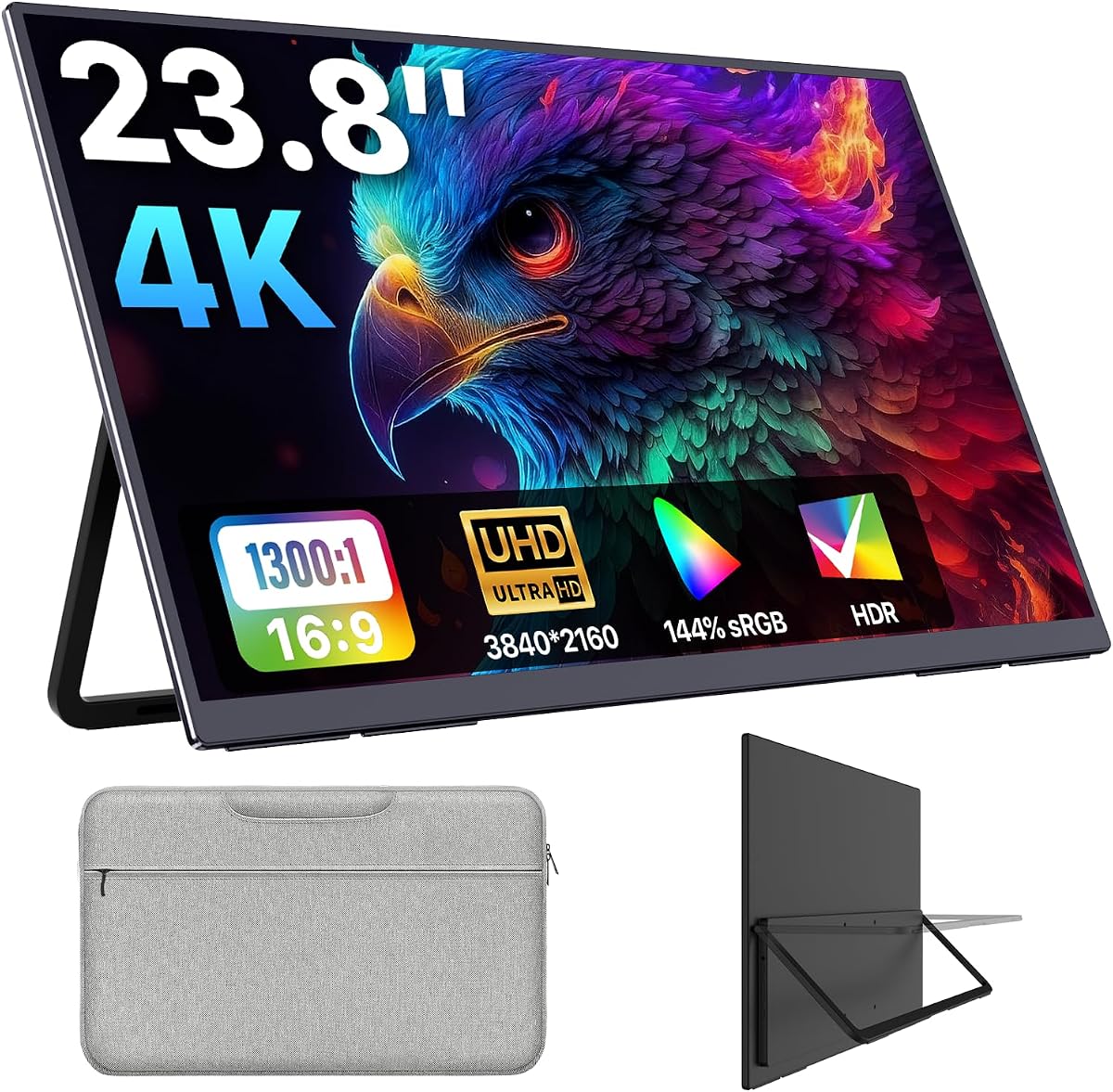
The Upperizon 23.8-inch monitor brings desktop-quality 4K resolution to a portable form factor. With 144% sRGB coverage, it delivers true-to-life hues for design and editing tasks that demand high fidelity.
We may earn a commission when you buy through this link, at no additional cost to you.
Its 3-sided frameless design maximizes screen real estate. Built-in speakers and anti-glare coating improve usability. VESA compatibility allows flexible mounting for various setups.
It is heavier than standard 15-inch monitors. Requires the original power adapter to function. For stationary portable use, its screen size and clarity outweigh the weight and power needs.
Best for power users needing a large workspace on the go, this monitor transforms meetings and multitasking. It is a top-tier choice for professionals who prioritize screen size.
The 23.8-inch 4K screen provides ample room for complex spreadsheets and design work.
Anti-glare coating and HDR support ensure clear details in varied lighting.
We may earn a commission when you buy through this link, at no additional cost to you.
The KEFEYA Laptop Screen Extender transforms your existing laptop into a dual-screen workstation. This 14-inch FHD panel attaches directly to the laptop, offering a seamless dual-screen experience without extra desk space.
We may earn a commission when you buy through this link, at no additional cost to you.
Its 180-degree rotation allows flexible viewing modes. Plug-and-play setup with all necessary cables included. Compatible with many OS systems and devices for broad usability.
It is designed for attachment rather than standalone use. This limits portability compared to traditional monitors. However, for laptop users, it offers a unique productivity boost with minimal setup effort.
Ideal for travelers who cannot carry an extra monitor, this extender maximizes your current device. It enhances efficiency for coding or trading on the go with immediate visual expansion.
Increases efficiency by allowing multiple windows without switching apps on one screen.
180-degree rotation allows for customized viewing angles and sharing screens easily.
We may earn a commission when you buy through this link, at no additional cost to you.
The kksmart 18.5-inch monitor bridges the gap between portable and desktop displays. With 100Hz refresh rate and 128% sRGB, it offers smooth and vibrant visuals for gaming and entertainment.
We may earn a commission when you buy through this link, at no additional cost to you.
Its frameless design enhances the viewing area. Lightweight at 2.24 pounds, it fits well in travel bags. VESA compatibility allows for flexible mounting options.
Resolution is standard 1080p which may limit detail for some users. Ensure your device supports the specific USB-C port. Overall, it balances size and performance well for travel needs.
Perfect for users needing more screen real estate without bulk, this monitor is a smart choice. It is suitable for spreadsheets, presentations, or gaming on the go.
18.5-inch frameless design provides ample space for multitasking and media.
100Hz refresh rate ensures smooth motion for casual and competitive gaming.
We may earn a commission when you buy through this link, at no additional cost to you.
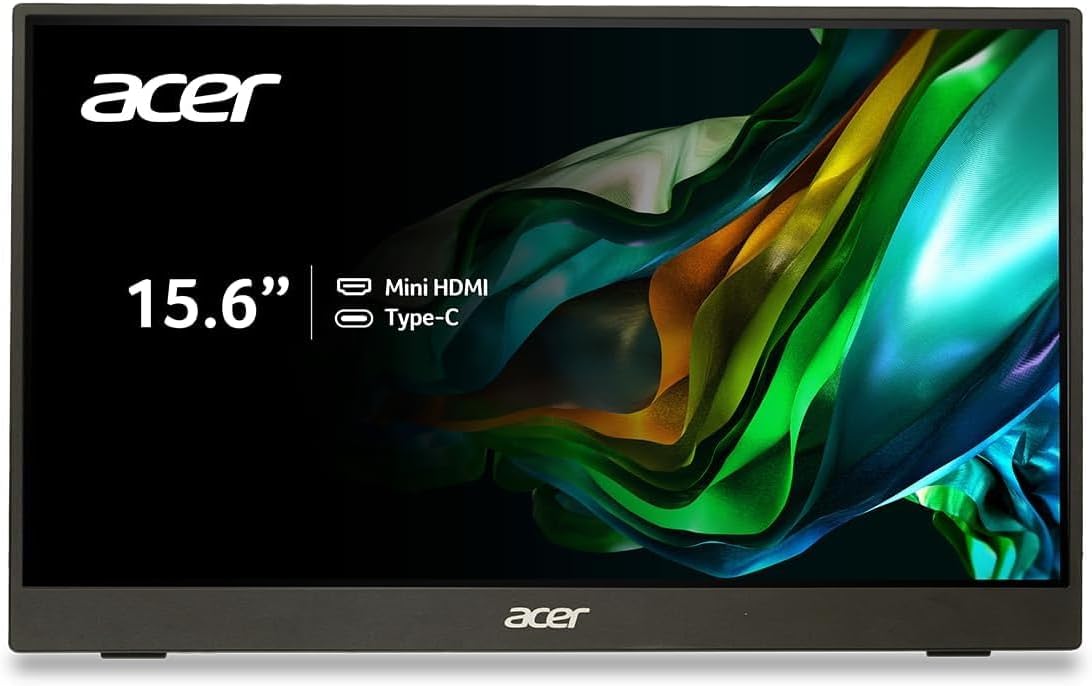
The Acer PM161Q offers a dependable and sleek solution for portable monitoring. Known for quality manufacturing, this 15.6-inch FHD display delivers consistent performance and ergonomic viewing angles for daily tasks.
We may earn a commission when you buy through this link, at no additional cost to you.
AMD FreeSync technology reduces screen tearing during content consumption. Its VESA mounting compliance allows flexible positioning. The ultra-slim design ensures easy transport in any bag.
It lacks advanced features like high refresh rates or multiple USB-C ports. This simplicity may appeal to users seeking basic functionality. Reliability and brand reputation make it a safe purchase.
Ideal for everyday users needing a trustworthy portable screen, this monitor delivers steady performance. It is a practical choice for students and professionals valuing durability.
Acer is known for durable products with consistent quality control.
Ergonomic tilt and VESA mounts allow comfortable viewing angles.
We may earn a commission when you buy through this link, at no additional cost to you.
Selecting the ideal external monitor involves balancing several technical and practical factors.
Consider how much desk space you have and your visual acuity. Larger screens like 23.8-inch offer immersive views but may be heavy. Resolution impacts clarity; 1080p is standard while 2.5K provides sharper text.
For frequent travelers, a lightweight monitor is essential to avoid burden. Aim for under 2 lbs for ease of carrying in backpacks. Some monitors come with protective sleeves or covers to prevent damage during transit.
Ensure compatibility with your MacBook Neo's ports. USB-C supports video and power but may need Thunderbolt support. HDMI is common but requires separate power cables. Verify cable inclusion in the package.
Higher refresh rates like 144Hz provide smoother motion for gaming. Standard 60Hz suffices for office work. Faster response times reduce ghosting during dynamic scenes. Gamers should prioritize these specs.
Designers need high sRGB coverage for accurate visuals. Look for monitors with at least 100% sRGB. HDR support improves contrast. This ensures your creative output matches professional standards.
Extended use requires eye comfort features. Flicker-free and low blue light certifications reduce strain. Anti-glare surfaces prevent reflections. These are vital for productivity and health.
Metal chassis offer better durability than plastic. Check kickstand stability and VESA compatibility. A sturdy build prevents damage in transit. Warranty terms also indicate manufacturer confidence.
Budget monitors are viable for basic tasks but lack advanced features. Premium options justify cost with better displays. Compare features against price to find the best value for your needs.
Connect your monitor using a compatible USB-C or HDMI cable. Ensure power is supplied either via the cable or an adapter. macOS will automatically detect the display allowing you to adjust settings in System Preferences.
Clean the screen with a soft microfiber cloth to avoid scratches. Avoid harsh chemicals. Store it in a protective sleeve when not in use. This preserves the panel and prevents physical damage.
Avoid leaving the monitor at extreme temperatures. Regularly check connections for wear. Update macOS drivers for optimal compatibility. Proper care extends the life of your device and ensures performance.
USB-C is ideal as it carries power and video through one cable. Ensure your device supports Thunderbolt or DP Alt Mode for full functionality. HDMI works well for displays without USB-C.
Many portable monitors can power via USB-C if the laptop supports enough wattage. Otherwise, a separate power adapter is required to avoid flickering or connection issues.
Yes for basic tasks but 2.5K or higher offers more detail. Look for 100% sRGB color accuracy for true colors. Resolution impacts sharpness of text and images.
Most portable monitors have VESA holes or adapters. Check specs before purchasing. VESA compatibility allows mounting on arms for ergonomic setups in offices or homes.
macOS allows you to set displays as Mirror, Extend, or Stop in System Preferences. Use command + F1 to toggle. Some monitors have buttons to cycle modes.
Yes many support HDMI input for PS5 or Xbox. Check refresh rate and input lag. Most work fine for casual gaming on the go with minimal setup.
We have reviewed ten top monitors tailored to MacBook Neo users balancing quality and portability. Each option offers unique strengths for different needs whether budget or premium.
Prioritize screen size and connection type to match your workflow. Consider eye care features for comfort. Choose a build that fits your travel habits to ensure longevity.
Prices and availability can change so always verify current details before buying. We hope this guide helps you select the perfect monitor for your needs.