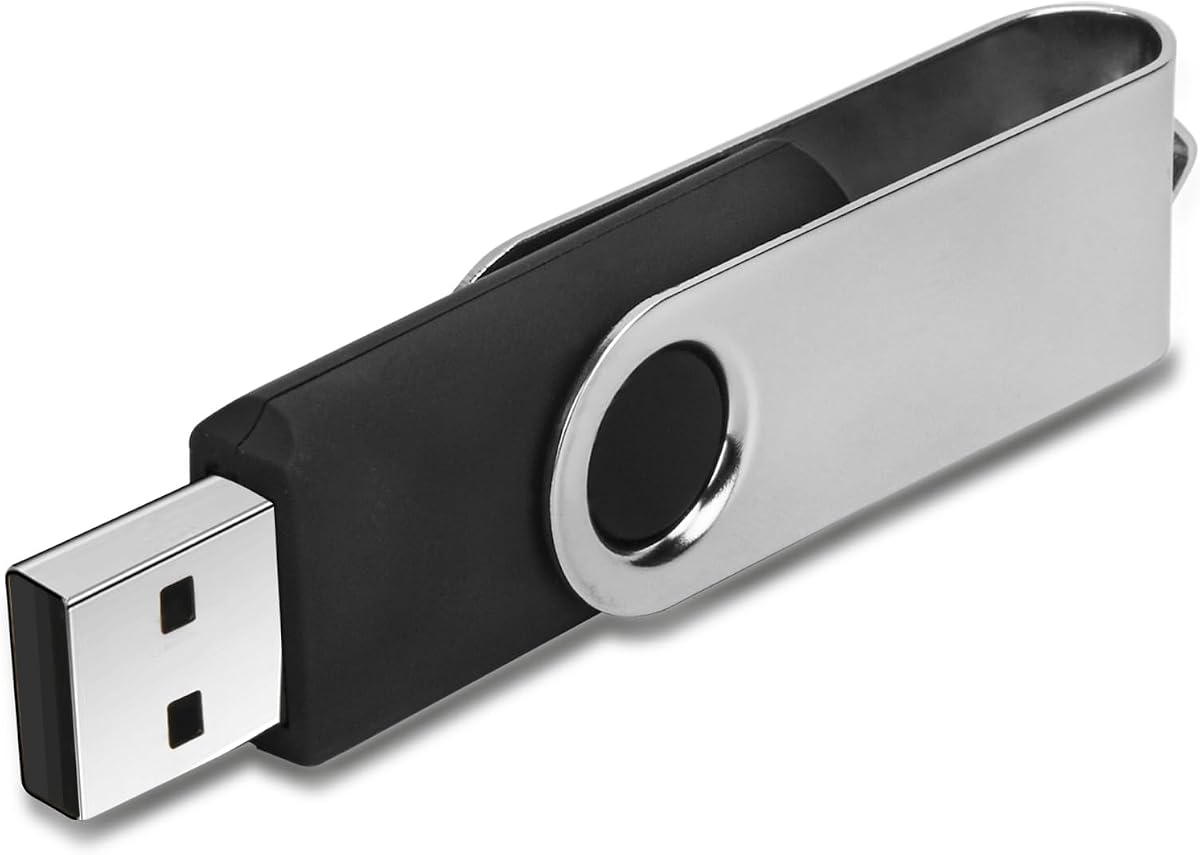
Swivel Design 16GB USB Flash Drive with Keychain
4.6Editor score
Compact swivel cap protects connector
Plug and play FAT32 format ready
Affordable price for everyday storage needs
This comprehensive guide compares the top FAT32 USB Flash Drive options available today, evaluating compatibility, speed, durability, and value for various
Finding the right FAT32 USB Flash Drive is essential for seamless data transfer across diverse devices. Whether you need to share files with older systems or ensure compatibility with car stereos, the right drive makes all the difference in your daily workflow.
We evaluated ten top-rated models based on speed, durability, and real-world performance. Our comparison focuses on practical features like portability, file system support, and build quality to help you choose the most reliable option for your specific requirements.
Each pick highlights unique strengths tailored to different use cases, from budget-friendly choices to premium performance drives. Please note that prices and availability change frequently, so verify current details before making your final purchase decision today.
4.6Editor score

4.5Editor score

4.6Editor score
This side-by-side comparison highlights key specifications across all ten selected drives. We focus on capacity, interface speed, physical design, and compatibility to help you quickly identify which model fits your unique storage requirements.


This drive stands out as our top pick due to its versatile dual interface capabilities and robust build quality. It delivers excellent USB 3.0 speeds while maintaining perfect compatibility with older systems requiring FAT32 formatting.
We may earn a commission when you buy through this link, at no additional cost to you.
The metal body with twill design not only looks premium but also helps dissipate heat effectively during large file transfers. Included USB-C adapter ensures you can connect to modern laptops without needing extra accessories, making it ideal for hybrid workflows.
While the adapter is small and easy to misplace, the included keychain and lanyard options mitigate this risk. The 32GB capacity balances portability with sufficient space for documents, media, and presentations without overwhelming your bag or keychain.
We recommend this drive for professionals and students who need reliable, fast storage across mixed device environments. Its rigorous quality control and long lifespan promise long-term value for demanding daily usage scenarios.
The inclusion of a USB-C adapter alongside the standard USB-A connector means this drive works effortlessly with Macs, PCs, and tablets without requiring dongles.
The textured metal casing conducts heat away from the internal controller, ensuring consistent performance during extended transfers even under heavy load.
We may earn a commission when you buy through this link, at no additional cost to you.
This USB 2.0 drive offers a straightforward, cost-effective solution for users who prioritize universal compatibility over raw transfer speeds. It arrives pre-formatted in FAT32, ensuring it works immediately with older devices like car stereos or printers.
We may earn a commission when you buy through this link, at no additional cost to you.
The LED indicator light provides visual confirmation during data transfers, which is helpful when using it with capture cards or cassette players where feedback is limited. The plastic body is lightweight yet sturdy enough for regular use in a backpack or office.
While not the fastest option available, its speed is sufficient for documents, photos, and small media files. The string attachment slot allows for easy integration with lanyards or keychains, reducing the risk of loss in busy environments.
Ideal for schools, offices, or events where multiple drives are needed for distribution. Its simplicity and reliability make it a practical choice for sharing handouts, manuals, or basic software without requiring driver installations.
The red LED light flashes during data activity, helping users confirm successful connections with devices that lack software status indicators.
The top cap design seals the USB connector when not in use, preventing dirt buildup and oxidation that can hinder connectivity over time.
We may earn a commission when you buy through this link, at no additional cost to you.
This budget-friendly drive delivers exceptional value for users with basic storage needs. Its metal swivel cap protects the connector without requiring a separate piece that can easily get lost, ensuring the drive stays functional longer.
We may earn a commission when you buy through this link, at no additional cost to you.
At 16GB, it holds enough photos, music, or documents for casual sharing and backups. The swivel mechanism allows for quick access while maintaining a slim profile that fits easily into pockets or attached to a key ring.
Although it uses USB 2.0 technology, the transfer speeds are adequate for small files. The FAT32 format ensures it works instantly on Windows, Mac, Linux, TVs, and cars without any formatting hassles or driver issues.
Perfect for students or parents who need an inexpensive, reliable drive for school projects or family photos. Its durability and convenience make it a practical everyday carry option that won't break the bank.
The integrated swivel cover eliminates the need for a detachable cap, reducing the risk of losing the protective cover during daily transport.
Pre-formatted in FAT32, this drive requires no setup time and works seamlessly across Windows, Mac, and Linux systems out of the box.
We may earn a commission when you buy through this link, at no additional cost to you.
This drive combines essential features with a minimalist design that works well for office or home use. The LED indicator provides useful visual cues during data transfers, ensuring you know exactly when the drive is active.
We may earn a commission when you buy through this link, at no additional cost to you.
The 32GB capacity offers enough space for diverse file types, from large video files to extensive document collections. Its sleek form factor slips easily into laptop bags or sleeves without adding bulk to your daily carry.
While the plastic body is durable, it lacks the premium feel of metal options. However, the included hang rope design allows for secure attachment to lanyards or keychains, making it practical for on-the-go users.
Recommended for general users seeking a balance of capacity and simplicity. Its plug-and-play functionality and wide compatibility make it a reliable tool for backing up essential files or sharing data between computers.
The red LED light activates during read or write operations, giving immediate confirmation that the system is communicating with the drive.
The slim and lightweight design ensures minimal bulk, making it easy to carry along with other essentials in a laptop sleeve or pocket.
We may earn a commission when you buy through this link, at no additional cost to you.
This two-pack option delivers excellent value for teams or families needing multiple drives for shared storage. The color-coded design helps distinguish between personal and professional data quickly, streamlining workflow and reducing file mix-ups.
We may earn a commission when you buy through this link, at no additional cost to you.
Each drive features a rotating metal clip that secures to bags or belts, eliminating the hassle of detachable caps. The LED indicator confirms data activity, which is helpful when managing multiple transfers across different devices.
While not the fastest option, the USB 2.0 interface suffices for general file sharing and backups. The compact design ensures easy portability, making these drives ideal for students or office workers needing reliable backups on the go.
We recommend this set for businesses or households where redundancy matters. Having two identical drives allows for simultaneous backups or distribution of data without extra cost, while the included warranty adds peace of mind for long-term use.
Black and blue color options allow users to instantly categorize drives by purpose, reducing time spent searching for the correct storage device.
The 360-degree rotating clip protects the USB port by covering it when not in use, while also providing a secure attachment point.
We may earn a commission when you buy through this link, at no additional cost to you.
This ultra-compact drive is perfect for users who prioritize portability without sacrificing modern USB 3.0 speeds. Its tiny design allows it to remain plugged into laptops without obstructing other ports or causing obstruction during travel.
We may earn a commission when you buy through this link, at no additional cost to you.
The included USB-C adapter extends compatibility to newer devices, while the main drive maintains classic USB-A access. A textured metal body ensures durability and helps manage heat during sustained data transfers, even in small enclosures.
The lanyard tethers the adapter to the drive, solving a common pain point where small accessories get lost. However, the adapter's build quality is functional rather than premium, which may wear faster under heavy use.
Ideal for tech-savvy users with mixed device environments. Its ability to plug and play across modern USB-C laptops and older USB-A systems makes it a versatile travel companion for professionals on the move.
Measuring only 0.75 inches in length, this drive fits comfortably in pockets or attached to a keychain without adding noticeable bulk.
The included lanyards physically connect the USB-C adapter to the main drive, ensuring both components stay together for immediate use.
We may earn a commission when you buy through this link, at no additional cost to you.
This drive features a unique clip mechanism designed for secure attachment to bags, keychains, or laptops without relying on a cap. The USB 3.0 Gen 1 technology provides fast transfer speeds suitable for video files and large datasets.
We may earn a commission when you buy through this link, at no additional cost to you.
The included USB-C adapter ensures compatibility with modern smartphones and laptops, while the main drive works with standard USB-A ports. Its design prioritizes convenience, allowing quick access to files without fumbling with caps.
While the plastic body is lightweight, the clip design ensures the drive stays firmly attached to your gear. This makes it particularly useful for active users who need reliable storage that won't detach easily during daily commutes.
We recommend this drive for students and travelers who need durable, fast storage. Its balanced feature set offers modern speed and connectivity without compromising on practical design elements that simplify daily use.
The exclusive clip design snaps firmly onto various materials, preventing accidental loss during travel or transit.
Stable read and write speeds ensure smooth playback or transfer of high-definition video files without stuttering or interruption.
We may earn a commission when you buy through this link, at no additional cost to you.
This premium drive stands out for its impressive speed and storage capacity. With read speeds up to 150MB/s, it transfers large files like movies in seconds, making it a top choice for power users and professionals.
We may earn a commission when you buy through this link, at no additional cost to you.
The sleek metal casing not only looks stylish but also protects internal components from physical damage. Built-in password protection software adds a critical layer of security, ensuring your private data remains safe if the drive is lost.
While the USB-A connector limits compatibility with newer USB-C devices without adapters, the performance gain makes it worth the trade-off for most desktop and laptop setups. Its robust design ensures it withstands daily wear and tear effectively.
We recommend this drive for anyone needing high-speed access to large datasets securely. Whether backing up photos or transporting sensitive work files, its combination of capacity, speed, and security justifies the investment for serious users.
The 150MB/s read speed enables near-instant access to large multimedia files, significantly reducing wait times during data retrieval.
Password protection software uses 128-bit AES encryption to secure private files, preventing unauthorized access to sensitive information.
We may earn a commission when you buy through this link, at no additional cost to you.
This three-pack offers excellent versatility for users requiring multiple drives for backups or distribution. Each drive features USB 3.2 Gen 1 speeds, ensuring rapid file transfers while maintaining a lightweight, portable profile for everyday carry.
We may earn a commission when you buy through this link, at no additional cost to you.
The push-button retractor eliminates the need for a detachable cap, protecting the connector from damage and loss. The included DataShield security software provides password protection and auto-encryption for files stored within a safe vault.
While the 32GB capacity is modest, having three drives allows for easy categorization of data or shared use among team members. The retractable design makes these ideal for users who prioritize durability and ease of access without extra parts.
We recommend this set for IT professionals or families needing redundant storage. Its balance of speed, security, and quantity makes it a practical solution for organizing and protecting digital assets across multiple devices efficiently.
Lexar DataShield creates a password-protected safe where files are encrypted and permanently deleted after recovery attempts.
The push-button mechanism extends the connector only when needed, minimizing the risk of physical damage or loss of protective caps.
We may earn a commission when you buy through this link, at no additional cost to you.
This drive is a dependable standard for general storage needs, backed by SanDisk's reputation for reliability. With read speeds up to 100MB/s, it handles daily file transfers efficiently while offering backward compatibility with USB 2.0 ports.
We may earn a commission when you buy through this link, at no additional cost to you.
The included SecureAccess software allows password protection for private files, adding a layer of security without complex setup. Its simple, no-nonsense design focuses on function, ensuring it works consistently across various devices and systems.
While it lacks the premium build of metal drives, the robust engineering ensures long-lasting performance. The 5-year warranty provides significant peace of mind, making this a low-risk purchase for users prioritizing durability over flashy aesthetics.
We recommend this drive for everyday users seeking a reliable storage solution. Its balance of speed, security, and warranty support makes it a practical choice for students, office workers, and home users alike.
SanDisk backs this product with a five-year limited warranty, ensuring support and replacement if defects occur during normal use.
USB 3.0 and USB 2.0 compatibility ensures this drive works with virtually any computer or device equipped with a USB port.
We may earn a commission when you buy through this link, at no additional cost to you.
Selecting the right FAT32 USB Flash Drive requires balancing capacity, speed, and compatibility with your specific devices. Below are key factors to consider before making your purchase decision.
Assess what types of files you plan to store. Larger capacities like 128GB are ideal for high-resolution photos and videos, while 16GB or 32GB options suffice for documents and presentations.
Choose a capacity that prevents constant file management but avoids paying for unused space.
USB 3.0 and higher versions offer significantly faster transfer rates than USB 2.0. Look for drives labeled 3.0 or 3.1 if you frequently move large files.
Prioritize USB 3.0 interfaces for efficiency, even if USB 2.0 compatibility remains important for older systems.
Modern laptops increasingly use USB-C ports, so verify if your drive includes an adapter or a dual interface. Traditional devices like car stereos still rely on USB-A.
Select drives with USB-C adapters if you use newer devices to ensure seamless connectivity without extra dongles.
Metal casings dissipate heat better and resist physical damage compared to plastic. Swivel or retractable designs prevent cap loss and port exposure during transport.
Invest in durable materials and protective designs to extend the lifespan of your drive under daily usage.
Ensure the drive is pre-formatted or easily re-formattable for your system. FAT32 works across Windows, Mac, Linux, and gaming consoles without driver installation.
Check the manufacturer notes to confirm native support for Mac OS or Linux if you use mixed environments.
Some drives include password protection or encryption software to protect sensitive data. This is crucial if you store financial records or private documents.
Prioritize drives with built-in security tools if data privacy is a primary concern for your usage.
Prices vary widely based on capacity and brand. A longer warranty period often indicates higher manufacturing quality and confidence in product reliability.
Set a budget range but consider extended warranties as a valuable investment for long-term protection.
Look for lightweight, compact designs that fit comfortably in pockets or bags. Keychain attachments or clips help keep drives secure and accessible.
Choose a physical form factor that matches your carrying habits to ensure you always have your drive ready when needed.
Insert the drive into an available USB port and wait for the system to recognize it automatically. Most modern operating systems display a notification when the device is ready for file access.
To transfer files, drag and drop them into the drive's directory. Always eject the drive safely via the system tray before unplugging to prevent data corruption.
Store the drive in a dry, cool place to avoid moisture or extreme heat damage. Avoid bending or exposing the connector to liquids, and clean it gently with a soft cloth when necessary.
FAT32 is universally compatible with most devices, including older computers, game consoles, car stereos, and printers. NTFS supports larger files but lacks compatibility with these systems, making FAT32 the safer choice for shared data.
Yes, most operating systems allow you to reformat drives to FAT32. However, this process deletes all existing data, so back up your files before changing the file system to avoid losing important content.
Yes, USB 3.0 drives work perfectly with USB 2.0 ports. While they will operate at slower USB 2.0 speeds, you maintain full functionality without needing specific hardware upgrades for older devices.
Purchase from reputable sellers and authorized retailers to avoid counterfeit products. Check packaging seals, brand logos, and warranty cards for inconsistencies that might indicate a fake drive claiming false capacity.
Modern drives can handle being connected for short periods, but prolonged connection increases wear and risk of power surges. It is best practice to eject and unplug the drive when not actively transferring files.
No, FAT32 drives are plug and play on Windows, Mac, and Linux systems without additional software. The operating system automatically detects and mounts the drive for immediate file access.
Our top picks balance speed, durability, and versatility for different user needs. The 32GB FAT32 USB 3.0 drive leads with dual interface support, while budget and premium options ensure there is something for every scenario.
Focus on interface compatibility and storage capacity first to match your daily workflow. Adding security features or rugged builds provides extra value if you handle sensitive or valuable data regularly.
Prices and availability shift frequently, so always verify current specs and offers before purchasing. A well-selected drive ensures your files remain safe and accessible across all your essential devices.