
ChaoQ Stylus Pen for Touchscreen
4.6Editor score
Lightweight aluminum body
Dual rubber tip options
Affordable multi-pack value
Compare the top 10 fine tip stylus options for touchscreens including active and passive pens with detailed reviews and expert tips for precise digital drawing.
Finding the right fine tip stylus can transform how you interact with your digital devices. Whether you need precision for drawing or simple navigation, these tools offer accuracy without fingerprints.
We compared ten highly rated options based on tip design, compatibility, durability, and user feedback. Our analysis covers both active and passive styluses to help you find the perfect match.
Each pick highlights specific strengths and ideal use cases for students artists and professionals. Prices may fluctuate so check current listings before purchasing to ensure the best value today.
4.6Editor score

4.6Editor score
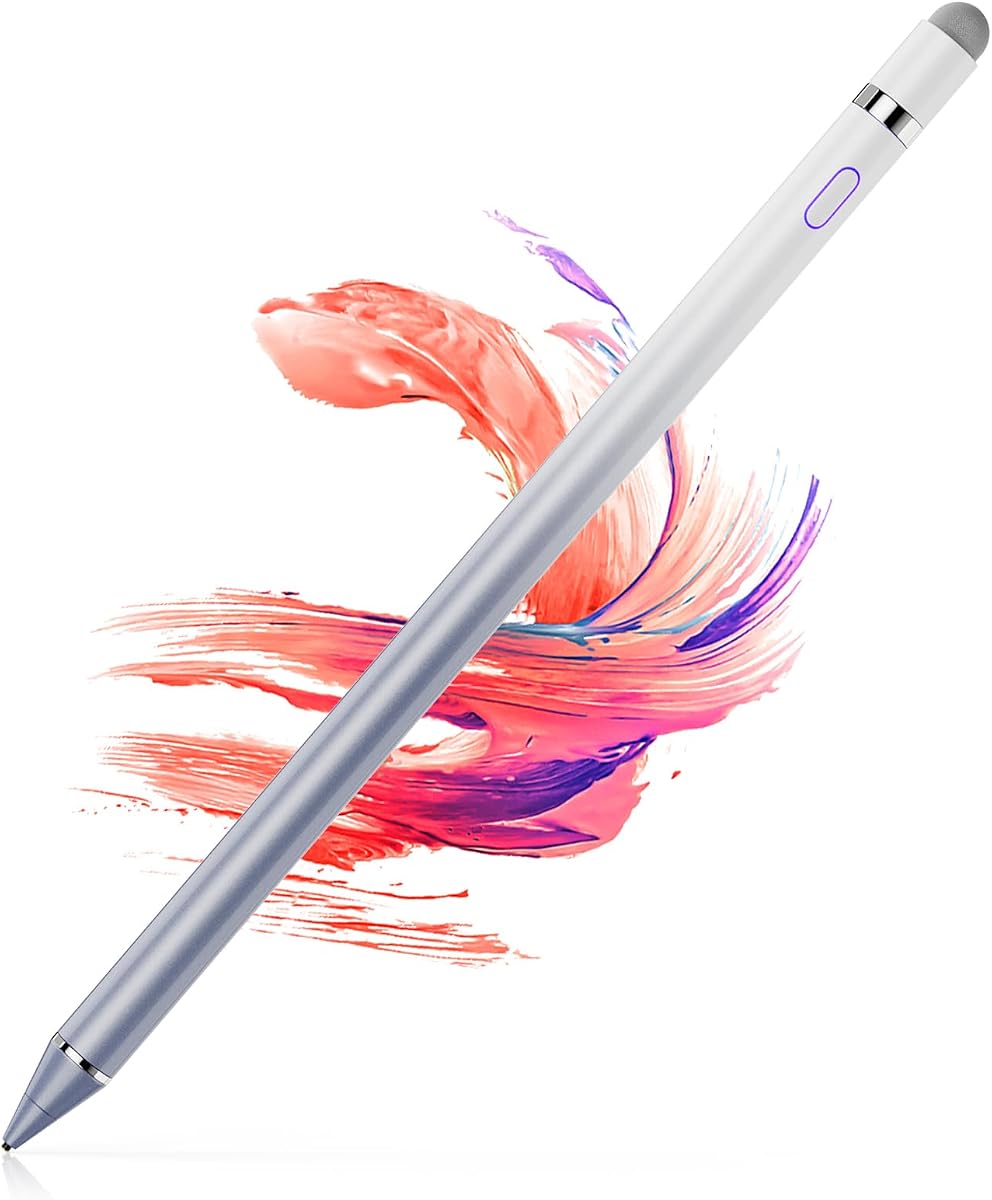
4.0Editor score
This side-by-side comparison outlines the key specifications and unique features of each stylus to help you make an informed decision based on your specific device and usage needs.


The MEKO Stylus Pen ranks as our top choice due to its versatile 3-in-1 design that adapts to various tasks. With a 4.6 rating it offers a transparent disc tip for high precision alongside durable rubber tips for general navigation. This flexibility makes it suitable for students professionals and casual users seeking accuracy without the cost of an active pen.
We may earn a commission when you buy through this link, at no additional cost to you.
Its standout feature is the transparent disc tip which allows you to see exactly where your pen contacts the screen. This clarity improves writing and drawing accuracy significantly compared to standard rubber tips. The 180 degree flexible writing angle ensures comfort during long sessions while the included protective cap keeps the tip safe when not in use.
While it lacks pressure sensitivity found in premium active styluses it delivers lag-free performance for most everyday tasks. The replaceable tips extend the product life making it a cost-effective choice. However users focused solely on professional digital art may find the disc tip limitations noticeable compared to higher-end alternatives.
We recommend this stylus for anyone needing a reliable universal tool for browsing note-taking and basic sketching. Its ease of use and broad device compatibility ensure it works seamlessly across iPads Android tablets and smartphones. The comprehensive package including extra tips offers excellent value for budget-conscious buyers prioritizing precision and convenience.
The combination of disc and rubber tips allows you to switch between detailed tasks and general screen navigation instantly.
With replaceable tips and a protective cap this stylus maintains longevity and protects against accidental damage during daily use.
We may earn a commission when you buy through this link, at no additional cost to you.
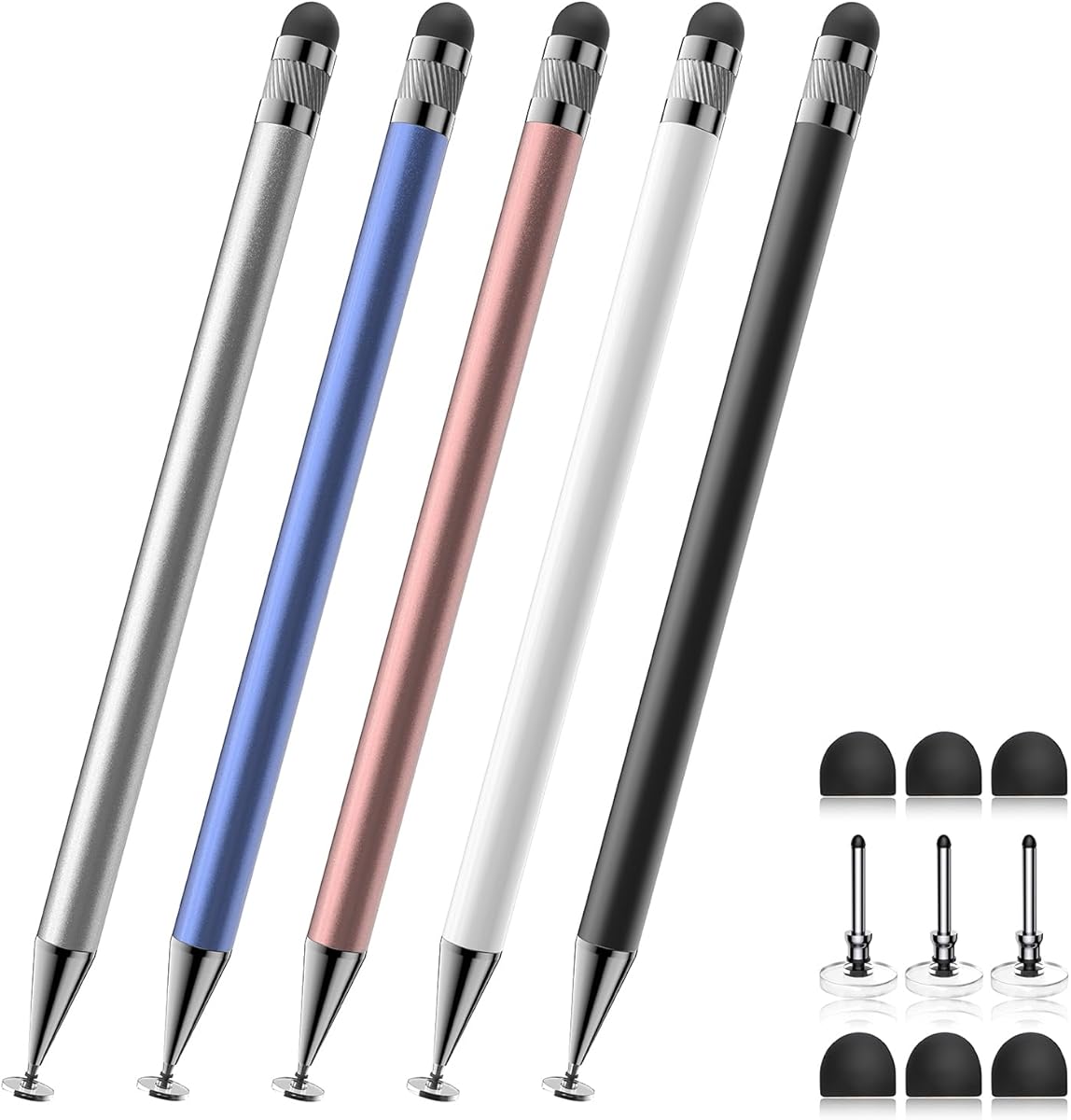
The Bopomofo Stylus set offers a unique blend of functionality and style with five different colored pens in one package. Its 4.6 rating reflects high user satisfaction regarding its 2-in-1 design featuring both a flexible transparent disc tip and a traditional rubber tip. This set is ideal for teams or families needing multiple styluses without compromising on quality.
We may earn a commission when you buy through this link, at no additional cost to you.
Its patented design makes it stand out aesthetically while the flexible disc tip ensures high sensitivity on modern touchscreens. The rubber tip requires moderate pressure for optimal contact which is helpful for screens with protective films. The package includes replacement nibs ensuring you can continue using your favorite colors for months without interruption.
One trade-off is that the rubber tip needs consistent pressure which might feel heavier than softer alternatives. Additionally it does not support palm rejection so resting your hand on the screen may cause accidental inputs. Despite this the stylus performs well for general tasks like scrolling tapping and note-taking across various devices.
Choose this set if you value variety and design alongside practical performance. The vibrant colors can help distinguish between styluses or match personal preferences easily. Whether for students reviewing documents or artists sketching ideas this stylus delivers reliable touch control at a budget-friendly price point for multiple users.
The US design patent ensures that the stylus looks as good as it performs making it a thoughtful gift option for colleagues.
With five pens included sharing becomes effortless ensuring everyone has a dedicated tool for their specific tasks.
We may earn a commission when you buy through this link, at no additional cost to you.
This 2026 upgraded stylus pen improves on previous models by adding a more sensitive transparent disc tip for enhanced accuracy. With a 4.5 rating it appeals to users needing a reliable tool for writing drawing or gaming without complex setup. The three-tip system allows you to switch between tasks smoothly using replaceable components.
We may earn a commission when you buy through this link, at no additional cost to you.
The transparent disc tip provides clear visibility of the contact point which boosts precision during detailed work. Its 180 degree flexible angle reduces wrist strain making it comfortable for long sessions. Additionally the design helps those with arthritis or limited hand movement by offering a steady grip alternative to finger tapping.
While highly effective for everyday navigation the rubber tips may wear out faster than premium models requiring regular replacement. It also lacks advanced features like pressure sensitivity so heavy users might find it limiting for professional art. However for general use it remains a sturdy and accessible option.
We suggest this stylus for students seniors or office workers needing a straightforward tool. Its universal compatibility ensures it works across most tablets and smartphones. The inclusion of extra tips in the package extends usability making it a practical choice for anyone seeking precision and comfort at an accessible price point.
The ergonomic design assists users with restricted hand movement providing a comfortable alternative to direct finger contact.
The disc tip enables clear visibility ensuring your annotations align perfectly with digital documents or sketches.
We may earn a commission when you buy through this link, at no additional cost to you.
This stylus set stands out because it supports both capacitive and resistive touch screens unlike most modern options. With a round silicone head for modern devices and a hard plastic tip for older GPS units it offers broad utility. Its 3.6 rating suggests mixed experiences likely due to users expecting performance beyond its intended scope.
We may earn a commission when you buy through this link, at no additional cost to you.
The silicone round head works well for tapping scrolling and basic navigation on iPads and smartphones. The plastic tip is specifically designed for resistive screens like older GPS units or certain POS machines. This dual functionality makes it useful for legacy equipment but requires caution to avoid damaging sensitive modern glass displays.
Users should note that the plastic tip will not work on standard capacitive screens like iPhones or modern tablets. Accidental use of the wrong tip could scratch or fail to register on newer devices. Additionally the basic design lacks features like replaceable nibs or ergonomic enhancements found in higher-rated models.
Choose this stylus only if you frequently work with older resistive devices alongside modern ones. For general smartphone or tablet use a dedicated capacitive stylus might be more effective. It serves well as a backup tool for specialized hardware where standard touch pens fail to provide the necessary physical contact.
The hard plastic tip ensures compatibility with older resistive technology often used in industrial or automotive navigation systems.
For modern screens the silicone head offers simple reliable interaction without the need for batteries or pairing.
We may earn a commission when you buy through this link, at no additional cost to you.
This bundle offers exceptional value with seven stylus pens in one package making it perfect for sharing or stocking up. Featuring a 4.6 rating users appreciate the lightweight alloy body which feels sturdy and durable. The 2-in-1 design ensures high sensitivity and precision for drawing writing and general navigation on capacitive touchscreens.
We may earn a commission when you buy through this link, at no additional cost to you.
The alloy construction provides a premium feel while keeping the pen light enough for extended use. It requires no Bluetooth pairing or charging ensuring it works immediately out of the box. The tips glide smoothly without scratching screens allowing for seamless interaction with various devices from iPads to Android phones.
While the tips are effective for general use they lack replaceable nibs found in other models. This means the entire pen may need replacement if the tip wears out. However the large quantity included in the set mitigates this concern by providing multiple backups.
We recommend this set for classrooms offices or families needing multiple styluses quickly. Its universal compatibility ensures every member can use it regardless of their device. The combination of durability and cost-effectiveness makes it a smart purchase for bulk buyers prioritizing convenience and broad usability over advanced features.
With seven pens you can distribute them easily ensuring everyone has a dedicated tool without individual tracking or setup.
No pairing or charging required means you can grab any pen and start using it instantly for any task.
We may earn a commission when you buy through this link, at no additional cost to you.
The ChaoQ Stylus Pen offers top-tier value with its lightweight aluminum body and comfortable ergonomic grip. With a 4.6 rating users highlight its precision and durability despite the low price. The dual rubber tips allow for different levels of control while the included six tips ensure long-term usability.
We may earn a commission when you buy through this link, at no additional cost to you.
Its aluminum build feels premium and resists wear effectively over time. The vibrant colors help users distinguish between multiple pens easily. The tips glide smoothly without leaving scratches or fingerprints making it suitable for daily use on any touchscreen device including phones and tablets.
One limitation is the lack of a magnetic feature which means storage relies on a pouch or pocket. Additionally rubber tips may flatten faster than silicone or plastic variants requiring more frequent swapping. However the included replacements make maintenance straightforward and affordable.
We suggest this stylus for budget-conscious users needing reliability and style. Its comfort and durability make it ideal for students and professionals who write often. The vibrant colors and easy tip replacement provide a practical solution for daily digital interaction without breaking the bank.
The ergonomic shape reduces hand fatigue during long writing sessions ensuring comfort over extended periods of use.
Extra tips included mean you can replace worn parts quickly extending the life of each pen significantly.
We may earn a commission when you buy through this link, at no additional cost to you.
This universal stylus introduces magnetic adsorption allowing it to attach securely to compatible iPads for easy storage. With a 4.4 rating users appreciate the convenience of one-touch switching and quick charging. It functions as a reliable passive stylus with broad compatibility across most capacitive touchscreen devices.
We may earn a commission when you buy through this link, at no additional cost to you.
The magnetic feature ensures the stylus stays within reach reducing the risk of loss. Its battery charges in forty minutes providing up to ten hours of continuous use. This active feature helps when precision matters though it lacks the advanced pressure sensitivity of top-tier brand products.
Users should note the magnetic compatibility is limited to specific iPad Pro models which may restrict usage for some. While it claims universal use the magnetic attachment relies on specific physical properties. Additionally battery reliance means you must charge it periodically unlike passive models.
We recommend this stylus for iPad Pro users seeking a secure storage option alongside broad compatibility. It balances active convenience with passive flexibility making it versatile. The quick charging and one-touch switch offer a seamless experience for daily tasks like note-taking and light sketching.
Magnetic adsorption keeps your stylus attached to the iPad side ensuring it is never lost or misplaced during travel.
Quick charge capability means minimal downtime allowing you to resume work quickly without waiting for a full charge.
We may earn a commission when you buy through this link, at no additional cost to you.
The OASO Stylus Pen stands out with a magnetic cap that protects the disc tip when not in use. With a 4.3 rating users value the included leather case and hidden spare tip. It is a battery-free passive stylus ensuring it works instantly on any capacitive screen without charging or pairing.
We may earn a commission when you buy through this link, at no additional cost to you.
The magnetic cap keeps dust away from the tip maintaining optimal performance over time. Its universal compatibility works seamlessly with Apple Samsung and other brands. The leather case adds a premium touch for transport making it ideal for professionals carrying it in a briefcase.
One drawback is the basic disc tip which may require frequent cleaning to maintain accuracy. Additionally the passive nature means it cannot support pressure-sensitive tasks or palm rejection. For standard navigation it performs well but may fall short for advanced digital artists.
We recommend this stylus for users prioritizing protection and portability. The case and magnetic cap ensure your pen stays safe in transit. Its universal design and spare tip make it a reliable choice for daily note-taking and screen interaction across various devices.
The magnetic cap seals the tip from dust ensuring smooth performance whenever you are ready to write again.
Included leather case provides professional style protection keeping your stylus organized and secure in any bag.
We may earn a commission when you buy through this link, at no additional cost to you.
This stylus features a 1.5mm copper ultra-fine tip delivering pro-level control for detailed art and note-taking. With a 4.0 rating users highlight its precise glide and magnetic cap security. Its 12-hour battery life and no Bluetooth requirement make it convenient for continuous use without complex setups.
We may earn a commission when you buy through this link, at no additional cost to you.
The ultra-fine tip allows for lifelike accuracy on iPad Pro and Air devices. The magnetic cap locks onto your device preventing loss and protecting the charging port. A 60-minute USB charge provides all-day performance ensuring you can work without interruption throughout the day.
While precise it lacks palm rejection which may limit complex artwork creation where hand resting is common. The absence of pressure sensitivity means line weight remains consistent regardless of force. However for signatures and annotations the fine tip excels in delivering clean professional lines.
We recommend this stylus for creators needing precise control without active pairing complexity. Its magnetic features and battery life offer high-end utility at a competitive price. The fine tip ensures every mark lands exactly where intended making it ideal for precise digital tasks.
The copper tip glides smoothly without skips offering the accuracy needed for signatures and detailed line work.
With 12 hours of power the stylus lasts through full workdays without frequent recharging interruptions.
We may earn a commission when you buy through this link, at no additional cost to you.
This digital pen offers a realistic handwriting experience with a 1.5mm fine point ideal for drawing and sketching. With a 4.0 rating users appreciate its quick power-on capability and long battery life. It works as an active pencil without Bluetooth pairing simplifying setup for daily use on tablets and smartphones.
We may earn a commission when you buy through this link, at no additional cost to you.
The 1.5mm tip allows for precise line work making it suitable for detailed creative tasks. Its battery lasts up to 12 hours with a short charge time ensuring reliability during extended sessions. The automatic power-off function conserves energy when not in use extending overall battery life.
However it lacks pressure sensitivity meaning all lines appear with the same thickness regardless of applied force. This limits its utility for professional shading or advanced illustration. Despite this the basic active design provides a stable feel closer to a real pen than passive alternatives.
We suggest this pen for users prioritizing realistic handwriting and portability. Its quick start and long battery life make it convenient for on-the-go note-taking. While not for pros it offers solid performance for students and hobbyists seeking a natural digital writing experience.
The fine tip mimics traditional pen strokes making digital handwriting feel more natural and familiar to users.
Automatic power-off ensures you do not waste battery during short breaks keeping your stylus ready when needed.
We may earn a commission when you buy through this link, at no additional cost to you.
Selecting the right fine tip stylus requires understanding your device compatibility and specific usage needs to ensure optimal performance.
The tip type determines how accurately you can interact with the screen. Rubber tips offer general control while disc tips provide better visibility for precise work. Copper or fine-point tips mimic real pen pressure for detailed drawing.
Look for transparent disc tips for better visibility during note-taking or copper tips for detailed art.
Passive styluses require no charging or pairing making them simple to use instantly. Active styluses offer additional features like magnetic attachment or battery life but need periodic charging.
Choose passive for convenience and active for premium features like quick charging or device security.
Ensure the stylus matches your device's screen type. Most modern screens are capacitive requiring soft rubber or disc tips. Resistive screens need hard plastic points found in older hardware.
Check if the stylus supports your specific tablet or phone model to avoid compatibility issues.
Materials like aluminum or alloy provide a sturdy feel and prevent bending. Lightweight designs reduce hand fatigue during extended writing or drawing sessions.
Prioritize metal bodies for longevity and ergonomic shapes for comfort during prolonged use.
Styluses with replaceable tips extend usability without needing to buy a new device. Extra nibs or tips protect against wear over time.
Always verify the package includes spare tips or easy access to replacements for long-term use.
If choosing an active stylus check battery duration and charging speed. Quick charge features minimize downtime ensuring uninterrupted workflow.
Look for at least 10 hours of battery life and USB charging options for practical daily usage.
A comfortable grip prevents hand strain. Shapes that fit naturally in your hand allow for steady writing without slipping.
Select designs with soft textures or lightweight frames to reduce strain during daily tasks.
Accessories like cases or caps protect the tip from damage. Magnetic features help keep the stylus attached to your device when not in use.
Consider bundles with cases or magnetic caps to safeguard your investment during travel.
Clean the stylus tip regularly with a soft lint-free cloth to remove oils and dust that reduce accuracy. For disc tips gently wipe the surface to ensure optimal contact with the screen.
Store your stylus in a protective case or use magnetic attachment to prevent physical damage. Avoid dropping it as the internal tip mechanism can be fragile and costly to replace.
Replace worn rubber tips promptly to avoid screen scratches and ensure consistent performance. Follow manufacturer guidelines for swapping tips to keep your device safe and functional.
Most fine tip styluses work on capacitive screens found on modern phones and tablets. However resistive screens like older GPS units require specific hard plastic tips. Always verify compatibility before purchasing to ensure proper function on your device.
Rubber tips offer general touch control suitable for scrolling and tapping. Disc tips provide better visibility for precise writing or drawing. Disc tips allow you to see exactly where the tip touches the screen for greater accuracy.
Passive styluses do not require charging as they work like your finger on the screen. Active styluses need periodic charging to power features like magnets or advanced sensing. Check product details to know your specific model requirements.
While great for basic sketches and note-taking passive fine tip styluses lack pressure sensitivity. Professional artists should use active styluses with palm rejection and pressure features for advanced digital painting and drawing tasks.
Most styluses allow you to unscrew or pull out old tips manually. Replace them with included or purchased spare nibs ensuring a snug fit. Regular replacement prevents screen scratches and maintains consistent touch performance.
This may occur if the tip is dirty worn or incompatible with the screen type. Ensure your device screen is clean and check if the stylus requires specific settings. Restarting your device often resolves temporary connectivity issues.
The MEKO Stylus Pen leads our list for its versatile 3-in-1 design and precise disc tip offering a balance of affordability and performance. It suits most users needing reliable precision for daily tasks without complex setup.
Prioritize tip type and device compatibility to ensure a smooth writing experience. For budget buyers the ChaoQ Stylus Pen offers great value while pros may prefer the ultra-fine copper tip of the active models for accuracy.
Check current prices and availability before purchasing as deals change frequently. Ensure the model matches your specific device needs for optimal satisfaction and performance over time.