
OBDLink EX FORScan OBD Adapter
4.7Editor score
Dealership level diagnostics support
Electronic CAN bus switching
Maximum throughput speed
This guide compares the top Forscan USB OBD2 adapters for Ford and Mazda vehicles, evaluating stability, speed, and compatibility for reliable diagnostics.
Finding the right Forscan USB OBD2 adapter is crucial for vehicle owners who want to unlock hidden features and perform detailed diagnostics on their Ford or Mazda vehicles.
We have carefully evaluated ten leading models based on their connection stability, data transfer speeds, and compatibility with the specific CAN bus systems used by modern cars.
Each product selection includes key specifications and honest assessments to help you choose the best tool for your needs, though availability and details may change over time.
4.7Editor score

4.7Editor score

4.4Editor score
The following table provides a side-by-side comparison of the top ten Forscan USB OBD2 adapters to help you quickly identify the model that best fits your diagnostic needs.




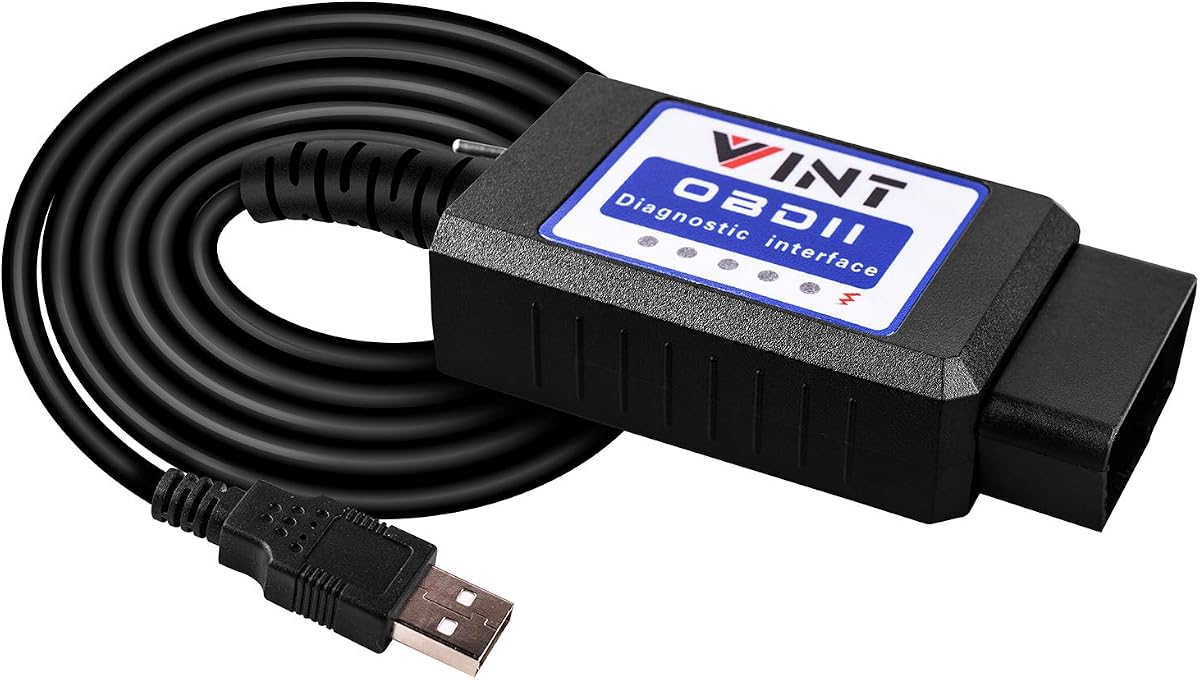
This adapter is widely recognized as a top choice for users seeking reliable connectivity with FORScan software on Ford and Mazda vehicles.
We may earn a commission when you buy through this link, at no additional cost to you.
Its ability to automatically switch between HS and MS CAN buses simplifies the diagnostic process significantly for DIY enthusiasts.
While it requires Windows-based software to function fully, the stability and speed it offers make it a robust choice for programming.
We recommend this adapter for users who prioritize a rock-solid connection and need advanced programming capabilities without manual toggling.
The intelligent switching mechanism ensures you do not need to manually adjust settings when moving between different vehicle modules.
With support for up to 3 Mbps transfer rates, this adapter handles large data packets and live streaming efficiently.
We may earn a commission when you buy through this link, at no additional cost to you.
The OBDLink EX stands out as a premium option designed specifically to maximize the capabilities of the FORScan software suite.
We may earn a commission when you buy through this link, at no additional cost to you.
Its electronic switching feature allows for simultaneous access to all CAN buses which is a significant advantage over toggle switches.
Users will appreciate the maximum throughput speed which is reported to be up to twenty times faster than standard toggle switch adapters.
This tool is ideal for professionals or serious enthusiasts who need the highest level of reliability and advanced diagnostic access.
Supports all Ford protocols and modules enabling deep access to vehicle systems often reserved for dealership tools.
Eliminates the need for physical toggling allowing the software to manage bus access dynamically and efficiently.
We may earn a commission when you buy through this link, at no additional cost to you.
This adapter offers an accessible entry point for users looking to unlock hidden features on their vehicles without a high cost.
We may earn a commission when you buy through this link, at no additional cost to you.
It includes manual toggle switches for MS and HS CAN which allows for broad compatibility across various Ford models.
While the setup process requires driver installation and software configuration the value provided for the price is substantial.
It is a great choice for hobbyists who are comfortable with technical setup and want to experiment with vehicle coding.
Enables access to features like global window control and Bambi mode for personalizing your vehicle settings.
Supports J1850 PWM and various CAN protocols ensuring it works with a wide range of vehicle model years.
We may earn a commission when you buy through this link, at no additional cost to you.
The VGATE vLinker FS provides a specialized design that focuses on delivering reliable performance specifically for FORScan users.
We may earn a commission when you buy through this link, at no additional cost to you.
It features an 8192 byte serial buffer which ensures that large data requests do not get truncated during transmission.
Battery saver technology allows the device to be left plugged in without draining the vehicle battery when not in use.
Users will find this a solid choice for regular diagnostics and programming tasks due to its robust build and protections.
Automatic sleep modes prevent battery drain ensuring your vehicle remains ready to start after long periods of inactivity.
The increased buffer size supports long frame communication essential for complex module programming operations.
We may earn a commission when you buy through this link, at no additional cost to you.
This OHP adapter is tailored specifically for Ford vehicles providing a streamlined experience for reading and clearing diagnostic trouble codes.
We may earn a commission when you buy through this link, at no additional cost to you.
It supports high baud rates that facilitate quick communication with the vehicle modules which is helpful for live data monitoring.
The included driver support ensures compatibility with older Windows versions making it accessible for a broader range of computers.
If you primarily drive a Ford or Lincoln this tool offers a cost effective solution for basic to intermediate diagnostic needs.
Capable of speeds up to 500 kbit/s for rapid data transfer and efficient diagnostic sessions.
Provides detailed fault descriptions for codes helping you understand the root cause of issues easily.
We may earn a commission when you buy through this link, at no additional cost to you.
This adapter is designed to work seamlessly with Ford F series trucks as well as Lincoln and Mercury vehicles.
We may earn a commission when you buy through this link, at no additional cost to you.
It allows access to popular customization features like global window control and reverse tilt mirror adjustments.
The included CAN switch ensures compatibility across different generations of vehicle architectures for reliable communication.
It represents a solid mid-range option for those who need specific modification capabilities on a budget.
Enables you to control all windows from a single switch enhancing convenience and comfort while driving.
Supports most Ford models from 1996 onwards ensuring it works for older and newer vehicles alike.
We may earn a commission when you buy through this link, at no additional cost to you.
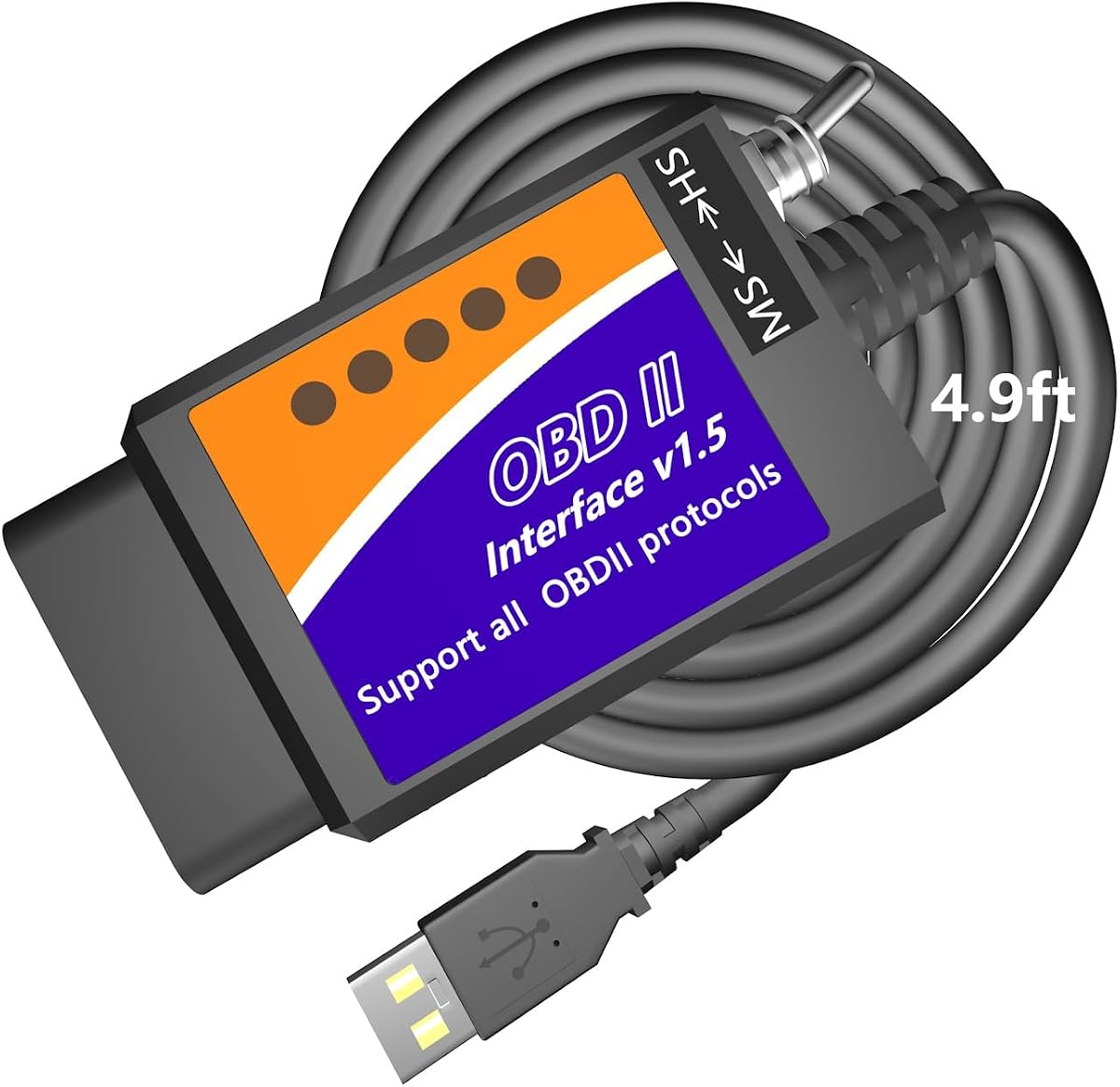
One of the standout features of this adapter is the extra long cable which provides significant flexibility during use.
We may earn a commission when you buy through this link, at no additional cost to you.
It allows you to position your laptop comfortably on your knees while keeping the connection to the OBD port stable.
The adapter supports a wide range of customization options from daytime running lights to trailer brake controllers.
This is an excellent choice for users who value physical comfort and need access to hidden factory configurations.
The 4.9ft cable eliminates restriction allowing you to move freely during diagnostics without stressing the port.
Unlock secret configurations like traffic sign recognition and secure idle modes directly from your vehicle.
We may earn a commission when you buy through this link, at no additional cost to you.
This adapter uses a reliable FTDI chip which is known for stable connections and consistent data transfer rates.
We may earn a commission when you buy through this link, at no additional cost to you.
The improved switching mechanism ensures that communication with vehicle modules is smooth and free from dropped packets.
It supports up to 500 kbit/s speeds which is sufficient for most professional-grade diagnostic and programming tasks.
Users looking for a robust hardware foundation for their DIY projects will find this adapter to be a dependable choice.
The FTDI chip ensures a strong connection that minimizes data corruption during critical programming operations.
Enhanced switches allow for faster operation and easier access to existing vehicle modules without delays.
We may earn a commission when you buy through this link, at no additional cost to you.
This version of the Vgate vLinker is highly rated for its efficiency and seamless integration with FORScan software.
We may earn a commission when you buy through this link, at no additional cost to you.
It features automatic electronic switching which removes the need for manual intervention during complex diagnostic sessions.
The transmission rate reaches up to 3Mbps ensuring that graphics and real-time meters are smooth and responsive.
For users who value speed and simplicity this adapter offers a refined experience for vehicle diagnostics.
Allows access to all CAN buses simultaneously simplifying the process of reading data from multiple modules.
High transmission rates ensure that live data streams are visualized clearly without lag or interruption.
We may earn a commission when you buy through this link, at no additional cost to you.
This adapter is a popular choice among Ford owners for its ability to handle both generic and manufacturer specific codes.
We may earn a commission when you buy through this link, at no additional cost to you.
It supports a wide range of software options including ELMconfig and FoCCCus for extensive vehicle customization.
The constant speed of 500kbit/s ensures reliable communication during data retrieval and module programming tasks.
It is an effective tool for hobbyists who want to modify hidden settings like tire size correction and Bambi mode.
Retrieves both generic engine codes and deep system codes for comprehensive vehicle diagnostics.
Applies endless mods to your vehicle to personalize features like reverse mirror tilt and secure idle.
We may earn a commission when you buy through this link, at no additional cost to you.
Selecting the right adapter depends on several technical factors that influence compatibility and performance.
Adapters generally come with either manual toggle switches or automatic electronic switching. Manual switches are cost-effective but require physical intervention to move between HS and MS CAN buses. Automatic switching is more convenient and reduces the risk of errors during diagnostics.
Look for auto-switching models if you frequently access multiple modules to ensure a smoother workflow.
Ensure the adapter supports the diagnostic software you plan to use. While most support FORScan, some are also compatible with ELMconfig, FoCCCus, or ELM FF2. Verify that the adapter works with your preferred interface before purchasing.
Check the product specifications to confirm it lists support for the specific tools you need for your vehicle.
Most adapters are designed for Windows operating systems. If you use a Mac or mobile device, you may need additional virtualization software or hardware to run compatible drivers.
Confirm that the adapter drivers are available for your specific OS version to avoid connection issues.
Higher data transfer rates allow for faster loading of live data and more efficient programming. Look for adapters that support at least 500 kbit/s to ensure reliable communication with vehicle modules.
Speed is crucial for large data packets and preventing timeouts during complex ECU programming tasks.
The internal chip architecture determines the reliability of the connection. Adapters using FTDI chips are generally more stable than generic clones and are less prone to dropped packets.
Investing in a device with a reputable chip ensures a consistent connection which is vital for programming.
Different adapters support different ranges of vehicle models. Ensure the device explicitly supports your specific make, model, and year.
Check for any known limitations such as exclusion of newer or joint-venture models to avoid incompatibility.
The length of the USB cable can affect comfort during long diagnostic sessions. Short cables may restrict movement or limit your ability to use a laptop comfortably.
Opt for an adapter with a longer cable if you plan to work in tight spaces or move around the vehicle.
Reputable brands offer warranties and technical support which can be invaluable if you encounter connection issues.
Look for products that include lifetime firmware updates to ensure long-term compatibility with new vehicle models.
Before connecting the adapter to your vehicle ensure that you have installed the necessary USB drivers and the diagnostic software on your computer.
Plug the adapter into a reliable USB port on your laptop or desktop and then connect the OBD2 end to the vehicle port under the dashboard.
Once the software detects the adapter you can begin reading codes or programming modules always ensuring the vehicle ignition is in the correct position.
The adapter itself does not include software. You typically download diagnostic software like FORScan separately. Some features may require a paid license for full functionality.
Most adapters are designed for Windows. Mac users usually need to run Windows via Boot Camp or a virtual machine to use the necessary drivers and software.
Yes, these adapters support live data streaming. However, the quality depends on your internet connection and software configuration for real-time updates.
HS CAN is for high speed modules like the engine while MS CAN is for medium speed modules like the body. Adapters need to switch between these to access all features.
Yes, you usually need to install specific USB drivers on your computer before the operating system can recognize the adapter hardware and establish a connection.
While some adapters work with other brands this list focuses on Ford and Mazda compatibility. Check specific product details if you own a different brand of vehicle.
We reviewed ten top adapters ranging from budget options to premium tools that offer advanced features like automatic switching.
Prioritize an adapter that matches your technical comfort level and supports the specific software you intend to use for diagnostics.
Always check current product listings and specifications to ensure compatibility with your latest vehicle model before purchasing.