
Grandstream HT801 v2
4.3Editor score
Single FXS port design
TLS SRTP encryption
Zero configuration setup
This guide compares the top free home VoIP phone service adapters for reliable calling and budget friendly setup options across all major brands.
Finding a reliable way to make calls without monthly fees is essential for many households today. These adapters turn your internet into a phone line offering clear voice quality and useful features like caller ID and voicemail.
We evaluated ten top rated models based on setup ease, call clarity, and included features. Each option supports standard analog phones and works with most high speed internet connections for seamless integration.
Each pick highlights key strengths and trade offs so you can choose the right fit. Prices and availability change often so check the links for the latest deals before purchasing your next adapter.
4.3Editor score
4.3Editor score
4.2Editor score
Here is a side by side look at every model on our list. Compare specs features and ratings to find the adapter that matches your home network and calling needs.


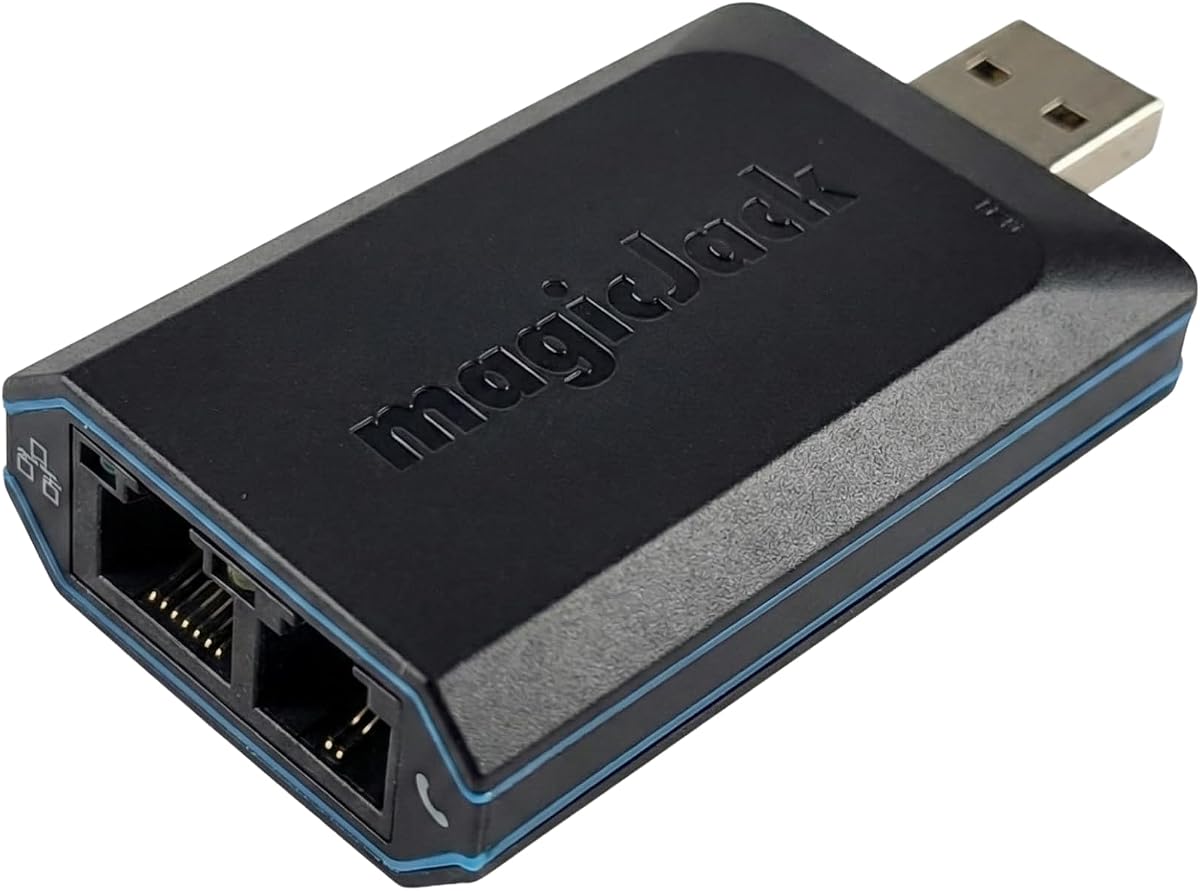
The magicJack VOIP adapter delivers unlimited US and Canada calling without monthly bills. It rates 4.3 stars for reliability and ease of use across home networks.
We may earn a commission when you buy through this link, at no additional cost to you.
Its faster CPU and extra memory ensure crystal clear calls even on busy networks. You get voicemail call waiting and conference calling included. The mobile app lets you stay connected on the go with simultaneous ringing.
While porting your number costs a one time fee the long term savings are significant. You might need to upgrade your internet if it is very old but setup is straightforward with included cables.
Choose this if you want hassle free calling without recurring bills. It suits remote workers and families who need dependable voice quality and flexible calling options.
Enjoy 12 months of free local and long distance calls to the U.S. Canada Puerto Rico and the Virgin Islands without hidden fees.
Download the magicJack app to make unlimited calls and send texts to U.S. numbers from your smartphone while syncing with your home phone.
We may earn a commission when you buy through this link, at no additional cost to you.
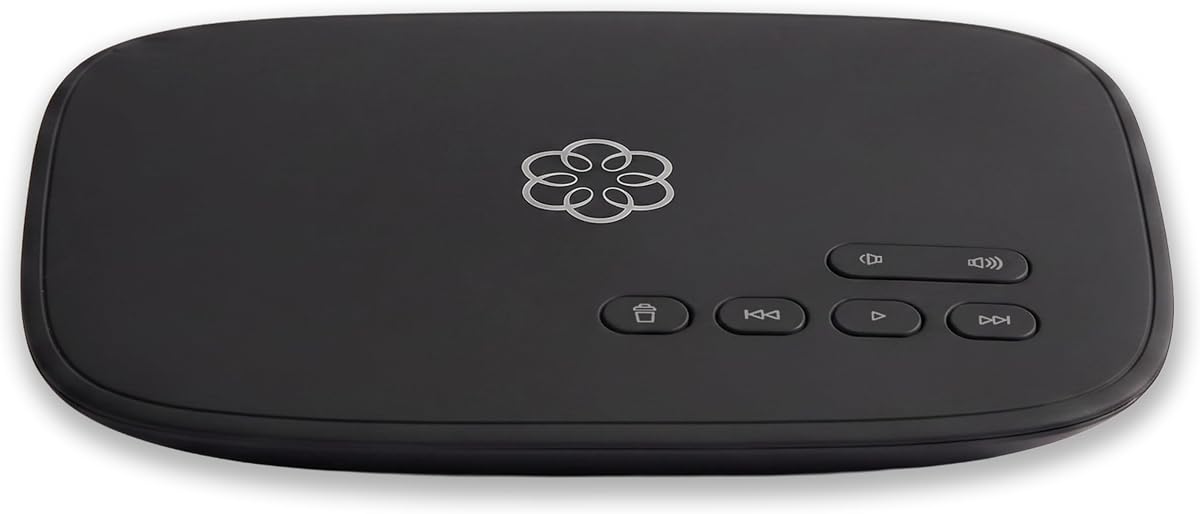
The Ooma Telo offers nationwide calling for free with low international rates. It rates 4.3 stars for overall value and clear voice quality.
We may earn a commission when you buy through this link, at no additional cost to you.
PureVoice HD ensures superior audio performance. The included security sensors monitor your home and alert you. You get voicemail caller ID and 911 calling. The mobile HD app lets you take service on the go.
You will pay monthly taxes and fees which vary by location. Security sensors require additional setup and costs. Still the service quality and support make it a solid pick.
Pick this for reliable home calling with optional security features. It fits households that value clear audio and trusted service with easy installation.
PureVoice HD delivers superior voice quality for a consistently great calling experience across all domestic calls.
Ooma Telo works with Ooma Home Security sensors to monitor your home and contact you when activity is detected.
We may earn a commission when you buy through this link, at no additional cost to you.
Ooma Telo Air adds built-in wireless for flexible placement throughout your home. It rates 4.2 stars for ease of use and service quality.
We may earn a commission when you buy through this link, at no additional cost to you.
Consumer Reports rated Ooma the top phone service. You get crystal-clear nationwide calling for free plus low international rates. The mobile app lets you take your service on the go. It works well with Starlink internet.
The price is higher than wired adapters but wireless convenience justifies it. It works only in the US so check coverage if you travel. Setup remains easy in minutes.
Choose this for wireless flexibility and top rated service. It suits users who want to place the adapter anywhere without running cables.
Built-in wireless connectivity lets you place your Ooma Telo anywhere in your home without needing an Ethernet cable.
Ooma has been rated the top phone service by Consumer Reports for overall satisfaction and value.
We may earn a commission when you buy through this link, at no additional cost to you.
This Grandstream adapter supports two analog phones via dual FXS ports. It rates 4.5 stars for robust features and enterprise grade security.
We may earn a commission when you buy through this link, at no additional cost to you.
TLS and SRTP encryption protect your calls and accounts. Automated provisioning options simplify setup. You get 3-way voice conferencing and T.38 fax support. It switches to a secondary server automatically during outages.
It requires SIP profile configuration which might challenge non technical users. You also need a SIP provider account since it does not include service. Still it is reliable and secure.
Choose this for dual phone lines with strong security. It fits small offices or homes needing two handsets and advanced telephony features.
TLS and SRTP security encryption technology protects your calls and accounts from unauthorized access.
Supports 2 SIP profiles through 2 FXS ports so you can connect two analog phones easily.
We may earn a commission when you buy through this link, at no additional cost to you.
CELL2JACK turns your landline into a smart hub for mobile calls. It rates 4.2 stars for health and convenience benefits across many households.
We may earn a commission when you buy through this link, at no additional cost to you.
It lets you make and receive mobile calls on your home phone using Bluetooth. This reduces exposure to cellphone radiation. You get superior signal strength anywhere in the house. It supports Siri and Google Assistant for smart home control.
You must keep your cell phone nearby for Bluetooth pairing. Charging the phone through the adapter is optional and may vary by model. It is best for those worried about radiation.
Pick this to extend cell service to any home phone. It suits health conscious users and those with poor indoor cellular coverage.
Reduce your exposure to harmful cellphone radiation by using your landline for mobile calls instead of the handset.
Enhance home automation by controlling smart devices via your landline phone with Siri or Google Assistant voice commands.
We may earn a commission when you buy through this link, at no additional cost to you.
This Grandstream v2 model offers single port VoIP at a budget friendly price. It rates 4.3 stars for value and reliable performance.
We may earn a commission when you buy through this link, at no additional cost to you.
It supports advanced telephony features including call transfer and forwarding. TLS and SRTP encryption protect your data. Automated provisioning and zero config setup work with UCM series IP PBXs. It handles 3-way conferencing and T.38 fax.
Only one phone port limits expansion. You need a SIP provider account since it does not include calling plans. Still it is secure and easy to configure.
Choose this for simple single line setups on a budget. It fits users needing secure reliable VoIP without complex requirements.
Advanced security features with TLS and SRTP encryption protect your calls and accounts from unauthorized access.
Zero Configuration setup works with Grandstream's UCM series of IP PBXs for quick provisioning without manual edits.
We may earn a commission when you buy through this link, at no additional cost to you.
The OBi110 works with SIP services and the OBiTALK network for free calls. It rates 4.0 stars for flexible calling options.
We may earn a commission when you buy through this link, at no additional cost to you.
You can connect to other OBi devices and manage services. Features include call forward caller ID and anonymous caller blocking. You can speed dial up to 99 endpoints. It suits tech savvy users comfortable with SIP setup.
It does not support Google Voice which limits some free calling paths. Support is basic compared to full service providers. Still it offers great flexibility for custom setups.
Pick this for DIY VoIP enthusiasts needing flexibility. It fits users comfortable configuring SIP and using the OBiTALK network.
Make free calls on the OBiTALK Network by connecting to other OBi Devices easily.
Manage your OBi connect to friends' OBi Devices and speed dial up to 99 OBi endpoints or phone numbers.
We may earn a commission when you buy through this link, at no additional cost to you.
Grandstream HandyTone 801 is trusted by large service providers worldwide. It rates 4.1 stars for build quality and stability.
We may earn a commission when you buy through this link, at no additional cost to you.
It supports 1 SIP profile through a single FXS port and Fast Ethernet. TLS and SRTP encryption keep calls secure. Automated provisioning options include TR-069 and XML files. You get 3-way voice conferencing included.
You need your own SIP provider and it only supports one phone. It is more of a device than a service. Still it is reliable and secure for stable networks.
Choose this for dependable single line VoIP hardware. It fits users needing trusted enterprise grade equipment for home or small office use.
Grandstream ATAs are trusted and deployed by some of the largest service providers in the world for reliability.
TLS and SRTP security encryption technology protects calls and accounts from unauthorized access.
We may earn a commission when you buy through this link, at no additional cost to you.
This refurbished magicJackGO unit offers certified functionality like new. It rates 4.3 stars for value and reliable performance.
We may earn a commission when you buy through this link, at no additional cost to you.
It includes all relevant accessories and passes functionality testing. You get unlimited local and long distance calls to the U.S. and Canada with no monthly bill. The compact design supports portable home and on-the-go use.
It may arrive in a generic box and is an older model. Service features are similar to newer versions but tech might lag. Still it provides cost effective calling.
Pick this for budget friendly refurbished calling. It suits users needing reliable service without paying full price for new hardware.
This refurbished product is tested and certified to look and work like new including functionality testing and basic cleaning.
Portable home and on-the-go digital phone service lets you take your calling capability anywhere you have internet.
We may earn a commission when you buy through this link, at no additional cost to you.
This adapter supports SIP V2 protocol for seamless internet calls. It rates 3.9 stars for basic functionality at an affordable price.
We may earn a commission when you buy through this link, at no additional cost to you.
It comes with 2 ports and an RJ45 cable for durability. It is unlocked and requires no contract or service provider. You can setup by plugging into your router and dialing. It supports advanced QoS and voice codecs.
The lower rating suggests mixed user experiences. It lacks advanced features found in higher end models. Still it is an affordable entry for simple setups.
Choose this for budget basic VoIP hardware. It fits users needing an unlocked adapter with minimal configuration for home or small office use.
This unlocked voip gateway requires no contract or service provider so setup is easy plug and play.
Compact and portable design makes this sip protocol internet phone adapter ideal for home and small office use.
We may earn a commission when you buy through this link, at no additional cost to you.
Selecting the right adapter depends on your network and calling needs. Consider these factors to match a device to your household requirements.
Some adapters like magicJack and Ooma come with calling plans or free service credits. Others like Grandstream require your own SIP provider. Check if you want an all in one solution or just the hardware.
Choose included service for convenience and predictable costs.
Most budget models have one FXS port for a single phone. Dual port models support two handsets or a phone and fax. Decide how many devices you need to connect.
Pick dual ports if you have multiple analog phones.
Look for TLS and SRTP encryption to protect call privacy. This is critical for business or personal security. Ensure the adapter supports modern protocols.
Prioritize models with TLS and SRTP support.
Apps let you use your home service on smartphones for flexibility. Check if the app supports calling texting or call forwarding. This adds significant value.
Choose adapters with robust mobile app features.
VoIP needs stable high speed internet. Ensure your upload speed and latency meet minimum thresholds. Wired connections perform better than Wi-Fi.
Use Ethernet whenever possible for best call quality.
Adapters with zero config or guided setup save time. Some require SIP account details which adds complexity. Read reviews about installation experience.
Pick models with automated provisioning if possible.
Look for voicemail caller ID call waiting and conferencing. Some include 911 and text alerts. Match features to your daily needs.
Ensure essential features are included in your plan.
Check the warranty length and customer support availability. Some offer 1 year warranties while others extend longer. Good support helps troubleshoot issues quickly.
Choose brands with strong customer support reputations.
Connect the adapter to your router using an Ethernet cable and plug in a standard phone. Follow the included instructions to register your account if needed.
Keep the adapter in a well ventilated area to prevent overheating. Avoid placing it near heat sources or blocking the vents.
Update firmware periodically to ensure security and performance. Restart the device if you experience call drops or quality issues.
No they do not use traditional copper lines. They connect to your internet router and work with analog phones. A landline subscription is not required but internet service is mandatory.
Most adapters support number porting. You usually pay a one-time fee to transfer your current number. Check with the provider for details before switching.
Calls will not work during internet outages. Some providers offer failover to mobile data or secondary servers. Always have a backup communication method.
Yes most include 911 calling. Your physical address must be registered for emergency responders to locate you. Keep this information updated.
Some support wireless but Ethernet is recommended. Wi-Fi can cause call quality issues. Use a wired connection when possible.
Many offer free unlimited calling with optional taxes. Some charge for premium features or international calls. Always check the fee structure before buying.
We highlighted top picks like magicJack Ooma and Grandstream for different needs. Each offers strong value depending on your calling requirements and budget.
Prioritize adapters with included service and good support for ease of use. Consider security and port count for long term flexibility.
Check current prices and availability before buying as offers change regularly. Use the links to find the best deal available now.