
Wireless Caregiver Pager, 1 Call Button + 1 Receiver for Elderly at Home
4.7Editor score
Up to 1500ft range
58 ringtones available
IP55 waterproof design
Finding reliable gadgets for elderly parents can be challenging when you want to ensure their safety without compromising their independence. The right devices help caregivers stay connected while giving seniors peace of mind during daily activities at home.
We evaluated ten top rated products based on user feedback ease of use and critical safety features. Our comparison focuses on wireless alert systems memory aids and video monitoring tools that address common concerns for aging family members.
Each pick highlights specific strengths like long range signals clear displays or app notifications. Keep in mind that product availability and pricing may change so check current listings before making your final decision for your loved ones.
4.7Editor score

4.8Editor score

4.4Editor score
As an Amazon Associate we earn from qualifying purchases.
The following table provides a side by side overview of all ten selected products to help you quickly compare their core capabilities and decide which solution best fits your family needs.
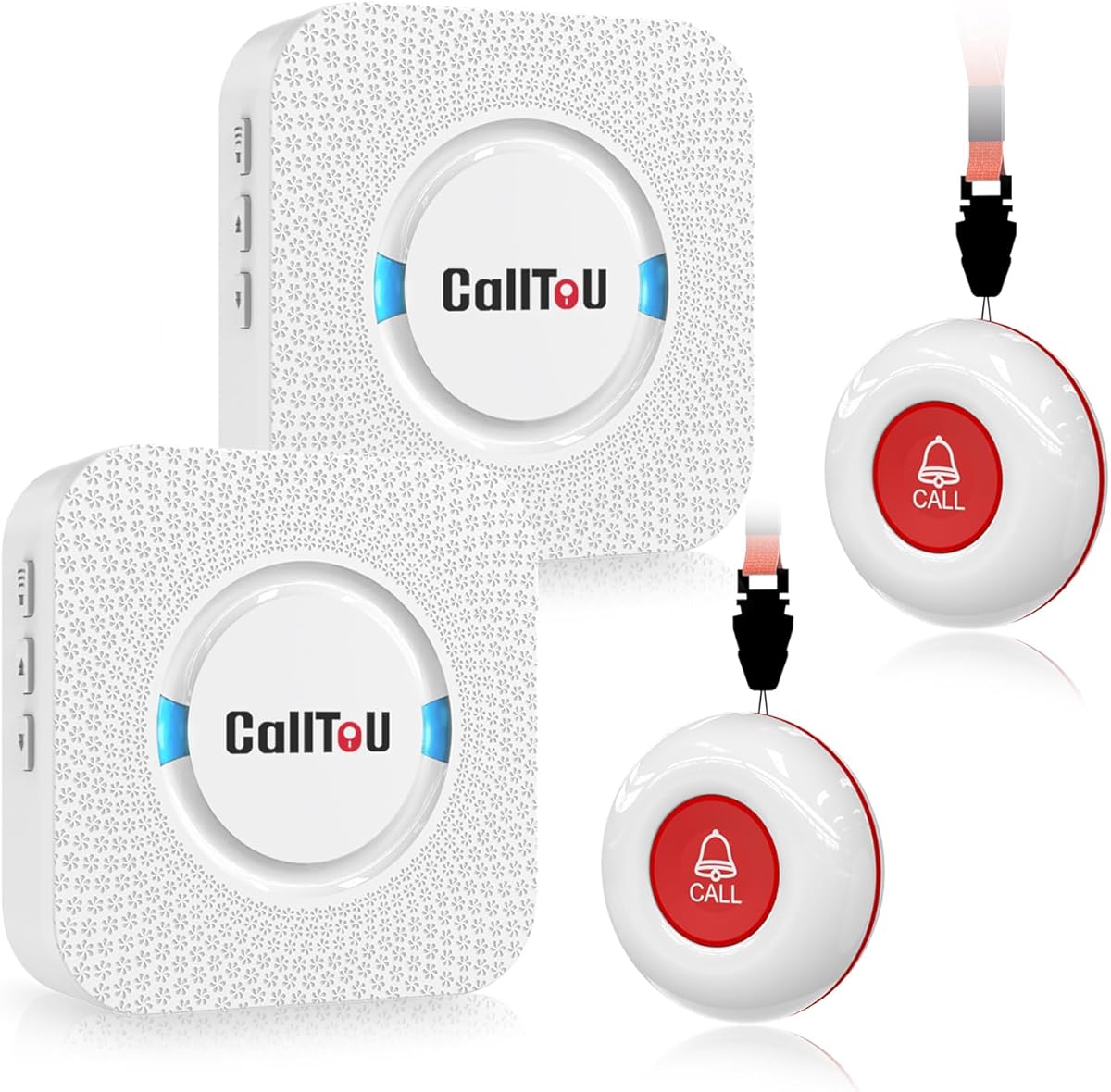


The CallToU Caregiver Pager stands out as a top choice for families seeking reliable wireless alerts without monthly fees. With a solid 4.6 rating from users it delivers consistent performance across various home layouts.
We may earn a commission when you buy through this link, at no additional cost to you.
Its dual receiver setup ensures that help is always nearby whether the caregiver is in the kitchen or bedroom. The waterproof and dustproof construction means you can place buttons in washrooms without worrying about moisture damage.
While it lacks smart phone integration the simplicity is often a benefit for seniors who prefer straightforward tools. The 55 ringtones and volume controls let you tailor alerts to suit different hearing abilities.
This system is ideal for households where physical proximity matters more than remote notifications. If you need a dependable on-site alarm that works instantly with a button press this pager meets those needs effectively.
The instant alarm ensures caregivers hear calls immediately without relying on internet connections or phone signals.
Buttons can be hung as pendants mounted on walls or secured with brackets for versatile use throughout the home.
We may earn a commission when you buy through this link, at no additional cost to you.
FullHouse offers a robust pager system designed for families needing extended coverage areas. The 1000 foot open air range ensures signals reach caregivers even in spacious properties or multi floor homes.
We may earn a commission when you buy through this link, at no additional cost to you.
Its silent mode with LED flash is particularly useful during night times when loud alarms might disturb light sleepers. The inclusion of a wristband allows seniors to keep the call button accessible at all times.
Although the button is splash proof it should be removed before bathing to avoid immersion damage. This small precaution ensures longevity without compromising the ease of daily use for those with mobility issues.
This device bridges the gap between affordability and functionality making it a strong contender for budget conscious buyers. If range and flexibility are your priorities this system delivers consistent performance across varied environments.
LED flashing ensures you stay notified without waking others when auditory alarms would be too disruptive.
The wristband design keeps the emergency button within easy reach even when moving around the house.
We may earn a commission when you buy through this link, at no additional cost to you.
This clock addresses the specific needs of seniors with memory loss by displaying full words for time periods like morning or night. Its 7 inch screen ensures visibility for those with declining eyesight.
We may earn a commission when you buy through this link, at no additional cost to you.
The auto dimming feature protects sleep quality by reducing brightness at night while keeping the display clear during the day. Alarm tags for meals and appointments help maintain daily routines without confusion.
If power fails the clock resets upon return of electricity but it does not maintain time internally without an outlet. Despite this limitation its design prioritizes simplicity and readability for users facing cognitive challenges.
Families dealing with dementia will find this device invaluable for grounding daily schedules. The combination of large text and intuitive controls makes it a standout choice for home care environments.
Spelling out time periods helps users understand the time of day without decoding AM PM abbreviations.
Customizable alarm tags support medication schedules and meal times to promote independence.
We may earn a commission when you buy through this link, at no additional cost to you.
This system combines physical reliability with modern connectivity by sending alerts directly to family smartphones. Its high 4.8 rating reflects strong user satisfaction regarding ease of use and alert speed.
We may earn a commission when you buy through this link, at no additional cost to you.
Even without a subscription you get app notifications that keep distant relatives informed of emergencies. The waterproof button can be placed in wet areas while the signal easily passes through doors and walls.
The main limitation is reliance on 2.4GHz Wi-Fi which some older routers may handle differently than newer standards. However for most homes this connectivity offers a powerful balance of local and remote monitoring.
It is especially valuable for families who want to stay informed without paying recurring monthly fees typical of traditional medical alert services. The integration of app alerts makes it a modern solution for caregiving.
Mobile notifications allow children to stay informed of their parents status even when living far away.
Waterproof design allows safe installation in bathrooms where falls are most likely to occur.
We may earn a commission when you buy through this link, at no additional cost to you.
Designed for those with vision impairments this clock features a voice function that speaks the time when activated. The large 7 inch screen complements this with high contrast digital numerals.
We may earn a commission when you buy through this link, at no additional cost to you.
Multiple alarms and reminders help structure the day which is crucial for seniors with memory loss. The auto dimming adapts to ambient light ensuring visibility without glare at night.
While voice is triggered manually rather than scheduled it still reduces strain on eyes during late night checks. Simple setup steps mean less frustration when configuring reminders for medicines or appointments.
This device is perfect for households where visual clarity is a priority alongside auditory cues. It balances traditional alarm functions with accessibility features to support independent living.
Voice time and large fonts accommodate users with declining vision to maintain orientation.
Multiple alarms help establish consistent routines for meals and medication to enhance safety.
We may earn a commission when you buy through this link, at no additional cost to you.
This budget friendly model delivers impressive range and expandability making it ideal for larger properties. The 1500 foot transmission ensures that caregivers hear calls even in distant rooms.
We may earn a commission when you buy through this link, at no additional cost to you.
Its IP55 rating protects against dust and water making it suitable for varied environments like garages or gardens. A wide selection of ringtones helps distinguish different types of alerts if multiple buttons are added.
While the base package includes one button you can add up to thirty for extensive coverage across a building. This scalability makes it a smart investment for growing care needs without immediate costs.
Families looking for a no frills reliable system will appreciate its durability and clear alert tones. It is a practical choice for those needing robust coverage without premium smart features.
Add multiple buttons to monitor different rooms or outdoor areas from one receiver.
Weather resistant build ensures longevity even in less controlled environments.
We may earn a commission when you buy through this link, at no additional cost to you.
This system stands out for its ability to send notifications to multiple family members simultaneously via the app. It helps ensure that help is always one step away by involving a wider support network.
We may earn a commission when you buy through this link, at no additional cost to you.
The wristband button offers an ergonomic option for seniors who struggle with standard buttons. Custom ringtone settings let you assign unique sounds to different calls for better identification.
Offline upgrades to text or phone calls provide a safety net when internet connectivity is unstable. This flexibility ensures that alerts are rarely missed even in challenging network conditions.
It is especially useful for families spread across different locations who want to stay connected. The shared notification feature strengthens community care by distributing responsibility among relatives.
Multiple app users receive alerts simultaneously to ensure quick responses from any available caregiver.
Unique ringtone options help distinguish between different types of calls or users easily.
We may earn a commission when you buy through this link, at no additional cost to you.
This camera transforms remote connection by letting seniors see family faces on a built in screen without complex apps. It reduces isolation by making virtual visits as simple as pressing a button.
We may earn a commission when you buy through this link, at no additional cost to you.
The fall detection and distress sound alerts add a layer of safety beyond video calls. Privacy mode physically rotates the lens to ensure dignity when no calls are active.
Recording happens locally on a memory card which avoids ongoing fees and keeps data secure at home. This approach appeals to those wary of cloud subscriptions and data sharing policies.
It is ideal for maintaining emotional bonds while monitoring physical safety. Families seeking both connection and security will find this device a comprehensive solution for aging parents.
Video calls with large screens help reduce loneliness for seniors living alone.
Automatic fall alerts provide peace of mind when visual monitoring is not available.
We may earn a commission when you buy through this link, at no additional cost to you.
This clock doubles as a photo frame allowing seniors to display family images alongside essential time info. It serves as both a functional tool and a warm decorative piece for bedrooms.
We may earn a commission when you buy through this link, at no additional cost to you.
With up to twenty alarms and reminders it offers extensive scheduling help for medicines or events. Customizable themes ensure the display matches personal preferences or color vision needs.
The sleep mode with instant display off supports uninterrupted rest. A snooze function provides flexibility for those who need extra time to wake up.
Families can load photos via USB to keep memories visible. This personalization creates a comforting environment that also supports daily organization and safety.
Show family photos to reduce loneliness and create a welcoming atmosphere.
Numerous alarm slots help manage complex daily routines without extra devices.
We may earn a commission when you buy through this link, at no additional cost to you.
This system includes two call buttons which is useful for multi resident households or couples. Its portable pager design allows caregivers to move freely while staying connected.
We may earn a commission when you buy through this link, at no additional cost to you.
The alarm siren mode ensures alerts are heard even in noisy environments. A simple setup makes it accessible for tech shy users needing basic reliability.
Battery life is designed to last long periods reducing the need for frequent charging. The belt clip ensures the receiver is always accessible during daily tasks.
For small families or care units needing a straightforward solution this pager offers essential features without complexity. It is a practical option for keeping communication lines open efficiently.
Include two buttons to cover multiple rooms or partners without extra purchases.
Belt clip and compact size keep the pager accessible during household activities.
We may earn a commission when you buy through this link, at no additional cost to you.
Choosing the right safety devices requires understanding the specific needs of your parent including mobility vision and tech comfort. This section outlines key factors to evaluate before purchasing.
Evaluate how far the signal needs to travel within your home. Systems with higher foot ranges ensure the caregiver hears alerts even in distant rooms or outdoors.
Look for models that specify open air range versus wall penetration to match your layout.
Large buttons and simple interfaces are critical for seniors with limited dexterity or vision. Products with minimal setup steps reduce frustration during installation.
Choose devices that work without complex apps if the senior prefers analog tools.
Determine whether you need local alarms or mobile notifications. Local pagers work without internet while Wi-Fi systems allow distant family to receive alerts.
Consider models offering both options for flexible monitoring as needs change.
Waterproof and dustproof ratings are essential if buttons will be placed in bathrooms or kitchens. This ensures the device survives splashes or humidity.
Check warranty terms to confirm long-term reliability for daily use.
Clocks and displays should have large fonts and clear contrast for aging eyes. Auto dimming helps preserve sleep quality while keeping the screen readable.
Voice announcement features add another layer of accessibility for visually impaired users.
Decide between battery operated and outlet powered models. Outlet models need fewer battery changes but require access to wall sockets.
Backup batteries ensure the device keeps working during short power outages.
Many medical alert services charge monthly fees for monitoring. Opt for one-time purchase gadgets to avoid ongoing costs if basic alerts suffice.
Verify if phone or text alerts require a subscription before committing to a model.
Consider whether you may need more buttons or receivers in the future. Systems that support adding units allow growth without replacing the whole set.
Check the maximum number of supported transmitters when comparing models.
Install call buttons in frequently used areas like the bedroom and bathroom at heights easily reachable from a seated position. Ensure receivers are plugged into outlets near where caregivers spend most of their time.
Test the system regularly by pressing each button to confirm alerts trigger correctly. Replace batteries as needed and clean the devices with a dry cloth to prevent dust buildup.
Review settings periodically to adjust volume or ringtones as hearing needs change. Keep the manual handy for quick reference when adding new features or resetting the device.
Most of the listed gadgets do not require a monthly subscription for basic alert functions. They work via local radio or Wi-Fi connections. However some phone or text notifications may need optional paid plans if offered by the manufacturer.
Standard wireless pagers operate on radio frequencies and do not need internet. Wi-Fi enabled models require a network for app notifications but still emit local alarms if the internet is down.
Ranges vary by model but typically span from 500 feet to 1500 feet in open space. Walls may reduce this distance so place the receiver centrally for best coverage.
Several models feature waterproof or water resistant buttons suitable for bathroom use. Check product specifications for IP ratings and avoid full submersion unless explicitly stated.
Outlet powered devices may stop working unless they have battery backup. Some clocks retain settings with AA batteries but continuous alerts depend on main power availability.
Smart systems that support app sharing allow notifications to reach several phones simultaneously. Traditional pagers only alert the person near the receiver so check connectivity options.
This guide highlighted ten versatile devices ranging from basic pagers to smart cameras. Each option offers distinct benefits depending on your focus whether safety or memory support.
Prioritize features that match your parent daily habits and your ability to monitor remotely. Balancing cost with reliability ensures you invest in tools that deliver long term value.
Always verify current availability and pricing before purchase as product details may change. Selecting the right gadget today can provide lasting peace of mind for your whole family.