
PNY Nvidia RTX A400 4GB
4.7Editor score
Professional Workflows
4GB GDDR6 Memory
4x Mini DisplayPort
This guide compares the top 10 GPUs for Optiplex systems to help you choose the right graphics card for gaming, work, or multi-monitor setups.
Finding the right GPU for Optiplex systems can be challenging due to space and power constraints. This guide helps you select cards that fit perfectly while delivering excellent performance for your needs.
We analyzed ten top-rated graphics cards specifically suited for Small Form Factor cases. Each entry includes detailed specs, professional insights, and real-world application suitability to aid your decision.
Every pick highlights key strengths and potential limitations. Prices fluctuate frequently so verify current listings before purchasing. Our goal is to save you time and ensure compatibility with your Dell Optiplex setup.
4.7Editor score

4.3Editor score

4.5Editor score
This side-by-side comparison highlights key specifications across all ten selected graphics cards. Use this table to quickly identify power requirements, memory size, and output options.


The maxsun GeForce RTX 3050 stands out as a top choice for Optiplex users seeking balanced performance. With a 4.3 rating, it offers solid gaming and productivity capabilities in a slim package.
We may earn a commission when you buy through this link, at no additional cost to you.
Its 6GB GDDR6 memory ensures smooth multitasking and high resolution output. The Ampere architecture delivers significant boosts in ray tracing and AI tasks through DLSS technology.
The low profile design fits seamlessly into Small Form Factor cases. While it supports multi monitors, the primary advantage is compactness and compatibility with standard Optiplex chassis.
Buyers looking for a reliable GPU without breaking the bank will appreciate this card. It bridges the gap between entry level and mid range performance effectively for business and home users.
The slim profile ensures it fits in even the tightest Dell cases without modifying the chassis structure.
Tensor cores and RT cores allow for smooth gameplay and efficient video rendering in professional environments.
We may earn a commission when you buy through this link, at no additional cost to you.
The PNY NVIDIA T600 delivers double the performance of previous generations for 3D graphics workloads. With a 4.6 rating, it is designed for engineers and designers using CAD software.
We may earn a commission when you buy through this link, at no additional cost to you.
Its Turing architecture supports large models and complex scenes with high interactivity. Certified for over 100 professional applications ensures stability and reliability during critical tasks.
It enables hardware acceleration for H.264 and HEVC video encoding independently of the graphics pipeline. This makes it ideal for content creators needing smooth playback and editing.
Professionals requiring multiple high resolution monitors should consider this option. It can drive up to four 5K displays or two 8K displays per card for immersive workspaces.
Deep developer engagements ensure compatibility with industry standard software like AutoCAD and SolidWorks.
Support for up to four 5K displays allows for expansive workflows without needing multiple cards.
We may earn a commission when you buy through this link, at no additional cost to you.
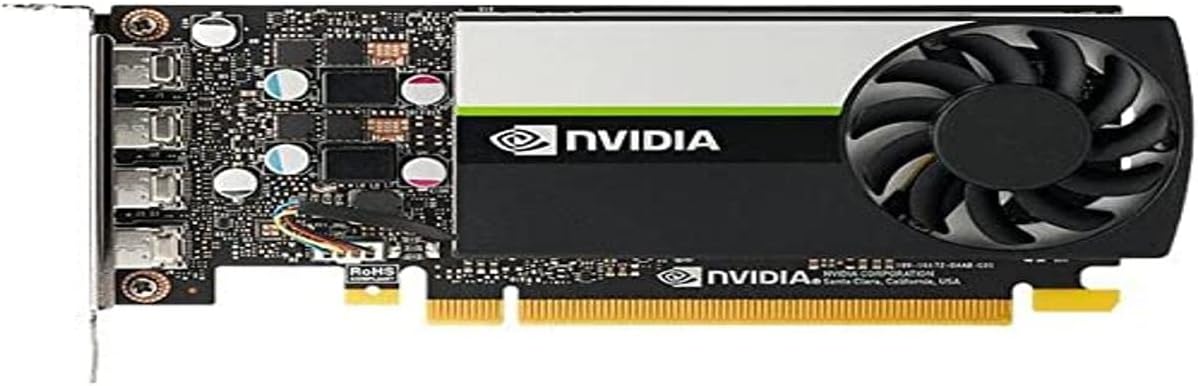
The PNY Nvidia RTX A400 is optimized for compact business systems and professional environments. It holds a 4.7 rating due to its efficiency and powerful Ampere architecture.
We may earn a commission when you buy through this link, at no additional cost to you.
Featuring 768 CUDA cores, it handles AI and ray tracing tasks efficiently. The 4GB GDDR6 memory ensures seamless multitasking across demanding video production apps.
Its single slot low profile design fits into the smallest Optiplex cases. Energy efficiency at 50W means minimal heat output and reduced strain on internal power supplies.
Buyers needing multiple high resolution displays will find four Mini DisplayPort outputs ideal. It supports 4x 5120 x 2880 resolution for detailed visualization workflows.
Low 50W consumption ensures it runs cool and stable in compact desktops without external power.
Four Mini DisplayPort outputs allow for complex multi screen setups in small footprints.
We may earn a commission when you buy through this link, at no additional cost to you.
The ASUS Dual GeForce RTX 3050 brings exceptional performance to small chassis with its 2 slot design. It scores a 4.7 rating for its cooling efficiency and overclocked capabilities.
We may earn a commission when you buy through this link, at no additional cost to you.
NVIDIA Ampere Streaming Multiprocessors provide double the FP32 throughput compared to older cards. The 3rd gen Tensor cores offer massive boosts for AI and DLSS enabled games.
Axial tech fan design increases downward air pressure for better thermal management. A stainless steel bracket resists corrosion ensuring durability in various environments.
Gamers looking for ray tracing in a compact system should choose this card. Its OC mode boosts clock speeds up to 1500 MHz for improved frame rates.
Axial tech fans with a barrier ring push more air down the heatsink for consistent performance.
IP5X dust resistance protects internal components from particles extending the life of the card.
We may earn a commission when you buy through this link, at no additional cost to you.
The msi Gaming GeForce GT 1030 offers a budget friendly entry point for Optiplex upgrades. It carries a 4.5 rating for delivering essential performance without excessive cost.
We may earn a commission when you buy through this link, at no additional cost to you.
With 4GB DDR4 memory, it handles light gaming and video playback smoothly. The single fan design ensures quiet operation suitable for office or home environments.
Its compact form factor fits easily into low profile cases without requiring additional power connectors. This makes installation straightforward for users with basic technical skills.
Buyers needing basic display output or light entertainment should consider this card. It supports DirectX 12 and HDCP for modern media consumption on secondary monitors.
No external power cables required means plug and play functionality in most Optiplex systems.
Ideal for non demanding tasks like browsing, streaming, and very light gaming titles.
We may earn a commission when you buy through this link, at no additional cost to you.
The GIGABYTE GeForce RTX 3050 WINDFORCE combines gaming power with reliable cooling features. It holds a 4.6 rating due to its efficient dual fan thermal management.
We may earn a commission when you buy through this link, at no additional cost to you.
Powered by the Ampere architecture, it delivers strong performance for modern titles. The integrated 6GB GDDR6 memory supports higher resolutions and texture quality.
Dual fans ensure the card stays cool even during intense sessions. This cooling efficiency allows for stable boost clocks and longevity of the hardware components.
Gaming enthusiasts looking for a balanced card will appreciate this model. Its design fits many mid-size Optiplex cases while providing necessary airflow for sustained performance.
Two fans provide redundant cooling paths keeping temperatures low under load.
6GB GDDR6 ensures sufficient bandwidth for handling complex game textures efficiently.
We may earn a commission when you buy through this link, at no additional cost to you.
The msi Gaming RTX 3050 LP offers a rare combination of gaming power and compact size. With a 4.5 rating, it brings the Ampere architecture to low profile chassis.
We may earn a commission when you buy through this link, at no additional cost to you.
It features a boost clock of 1492 MHz and 6GB GDDR6 memory for smooth performance. This ensures compatibility with most modern games requiring direct GPU acceleration.
Designed specifically for small form factor systems, it fits easily without sacrificing speed. HDMI 2.1a output allows for high refresh rates on compatible monitors.
Gamers needing to upgrade a business PC should look no further. This card delivers the performance of a full size GPU in a space saving design.
Unlike most small cards, this delivers true gaming performance with higher clock speeds.
HDMI 2.1a supports high resolution and high refresh rate displays for immersive gaming.
We may earn a commission when you buy through this link, at no additional cost to you.
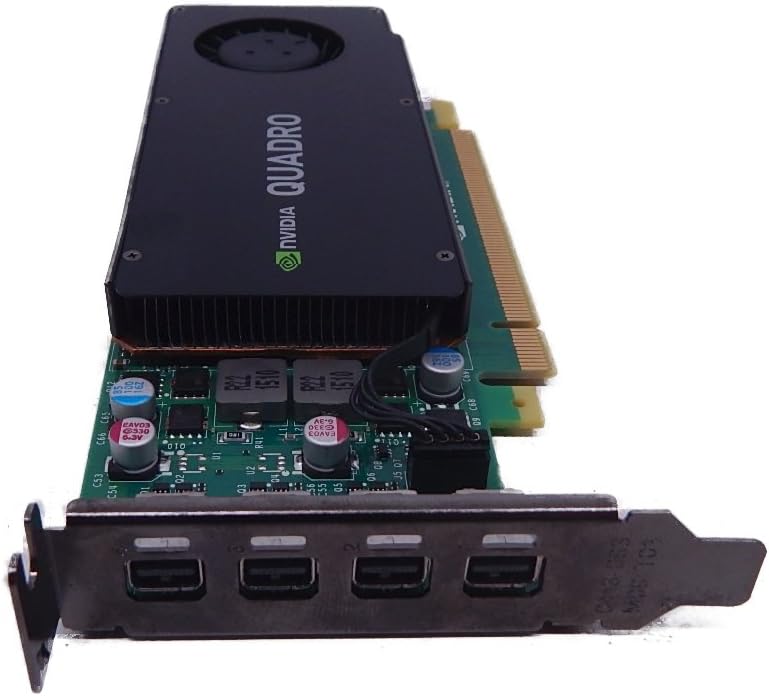
The PNY NVidia Quadro K1200 remains a reliable choice for legacy professional workloads. It has a 4.4 rating for its stability and extensive display connectivity.
We may earn a commission when you buy through this link, at no additional cost to you.
With four mini DisplayPort connectors, it supports multiple monitors effectively. This makes it ideal for trading desks or control rooms needing multi screen setups.
Its low profile design fits into older Optiplex chassis with ease. The 3 year warranty adds peace of mind for business environments requiring reliability.
Business users with older systems needing professional graphics will find this useful. While not for gaming, it excels at CAD and basic professional visualization tasks.
Four mini DisplayPort connections allow for a wide visual workspace on a single card.
A solid 3 year warranty protects against defects ensuring long term reliability for businesses.
We may earn a commission when you buy through this link, at no additional cost to you.
The NVIDIA Quadro P1000 delivers professional performance with improved efficiency over predecessors. It holds a 4.5 rating for its ability to handle 4K and 5K displays.
We may earn a commission when you buy through this link, at no additional cost to you.
Pascal architecture provides a 60% performance increase compared to previous generations. This ensures smooth workflow in demanding applications like AutoCAD and SolidWorks.
It supports an expansive visual workspace of up to four 4K displays. This capability allows professionals to view complex designs in stunning detail simultaneously.
Professionals needing reliable CAD performance in small PCs should consider this option. It is the most powerful low profile solution available for professional use cases.
ISV certifications guarantee stability with industry standard engineering software packages.
Support for four 4K displays enhances productivity by allowing multiple open projects.
We may earn a commission when you buy through this link, at no additional cost to you.
The NVIDIA Graphics Card VCQK1200 provides essential graphics for older systems needing DVI connections. It carries a 4.2 rating for its reliability in legacy environments.
We may earn a commission when you buy through this link, at no additional cost to you.
It utilizes the Quadro K1200 engine with 4GB GDDR5 memory for smooth visuals. The PCIe 2.0 x16 interface ensures compatibility with older Optiplex models.
Ideal for older monitors using DVI inputs this card simplifies upgrades. It supports multi monitor setups allowing for expanded workspace in business settings.
Buyers with specific legacy hardware needs will find this card useful. It bridges the gap between older displays and modern desktop environments effectively.
Support for older DVI inputs ensures compatibility with existing office monitors.
Stable drivers provide a consistent experience for basic office and visualization tasks.
We may earn a commission when you buy through this link, at no additional cost to you.
Choosing a GPU for Optiplex requires attention to case size power limits and interface compatibility. This guide breaks down the critical factors to ensure a successful upgrade.
Most Optiplex systems use Small Form Factor or Micro cases limiting card size. Low Profile or Slim designs are essential to avoid physical obstruction or case incompatibility. Standard height cards will not fit without significant modification.
Always verify the maximum card length and height your specific Optiplex model supports before buying.
Desktop chassis often lack extra PCIe power connectors. Many low power cards draw all energy from the motherboard slot. Ensure your power supply can handle the new load without external cabling.
Select cards with low wattage to maintain system stability in compact setups.
Newer cards use PCIe 4.0 but older Optiplex models have PCIe 2.0. While backward compatible, speed may be throttled. Match the card to your motherboard slot version for best results.
Check your Optiplex manual to confirm the PCIe generation available for upgrades.
Memory impacts multitasking and resolution handling. 4GB is standard for office work while 6GB helps gaming. Larger memory allows for smoother video editing and complex design tasks.
Choose at least 4GB memory to ensure future proofing for modern applications.
Verify your monitors match available ports like HDMI or DisplayPort. Some cards offer multiple outputs for multi monitor setups. Ensure the connector matches your display input to avoid adapters.
Confirm the exact number of screens you need to connect when selecting an output configuration.
Professional tasks need certified drivers while gaming needs raw speed. Quadro cards suit engineering but GeForce suits entertainment. Align your choice with your primary workloads for best value.
Prioritize cards optimized for your specific software or gaming needs.
Compact cases have limited airflow so cooling design matters. Cards with passive or low fan designs help maintain low noise levels. Ensure the card fits within thermal limits of the chassis.
Select cards with efficient cooling to prevent overheating in enclosed spaces.
Longer warranties indicate confidence in build quality. Look for brands with reliable customer support for driver updates. Business users benefit from certified professional support channels.
Check warranty terms before purchase to ensure long term protection.
Before installation power down your PC and unplug all cables. Ground yourself to avoid static discharge damaging components. Remove the old GPU by unscrewing it from the case bracket.
Insert the new card firmly into the PCIe slot until it clicks. Secure it with screws and connect any necessary power cables. Replace the case side panel ensuring all connections are tight.
Power on the system and install the latest drivers from the manufacturer. Optimize settings in the control panel for your specific workflow. Regularly clean dust from vents to maintain airflow.
Generally no most Optiplex cases are too small for standard height cards. You need Low Profile or Slim GPUs to fit properly. Always check your specific case manual for dimensions.
Most low profile cards do not require extra power cables as they draw from the motherboard. High performance gaming cards might need a cable. Check your power supply capacity before upgrading.
No older Optiplex models often have PCIe 2.0 which is still usable. The card will work but may not reach full speed. It is rarely a bottleneck for standard office tasks.
The RTX 3050 Low Profile is currently the top choice for gaming. It balances size with performance effectively. Avoid heavy gaming cards if space is extremely limited.
Yes most support multiple monitors via HDMI and DisplayPort. Some Quadro models support up to four screens. Verify output ports match your monitor connections.
Usually no if you choose a low power GPU. Standard Optiplex units handle 75W PCIe cards easily. Only high performance cards might require a new power supply.
Consult the official Dell manual for your specific model. Look for maximum card height and length specs. Use system tools to check current PCIe and PSU limits.
Quadro cards offer stability for professional apps due to ISV certification. GeForce cards offer better gaming performance. Choose based on your primary software requirements.
We highlighted ten top GPUs tailored for Dell Optiplex cases. The maxsun RTX 3050 and PNY A400 lead in performance and professional use.
Focus on low profile designs and power efficiency to avoid case conflicts. Ensure your Optiplex supports the card length before purchasing.
Prices change frequently so verify current listings on trusted retailers. Check exact specs to match your needs for gaming or work.