
Phomemo M832D Touchscreen Portable Printer Inkless Thermal Wireless Travel
4.2Editor score
300 DPI print resolution
Smart digital display
Fast Bluetooth connectivity
Travelers and professionals need reliable printing without the bulk of traditional printers. Inkless portable printers use thermal technology to produce documents on the go without ink cartridges or toner.
We evaluated ten top-rated models based on connectivity, battery performance, paper compatibility, and print quality. Each device was analyzed for its suitability in mobile scenarios like business trips, field work, and remote learning.
This list highlights the best options for different needs, from budget-friendly choices to premium touchscreen models. Prices and availability can change, so verify details on the product pages before purchasing.
4.2Editor score

4.6Editor score

4.0Editor score
As an Amazon Associate we earn from qualifying purchases.
This table provides a side-by-side comparison of all ten inkless portable printers, highlighting key specifications such as weight, connectivity options, and supported paper sizes to help you decide quickly.





The Phomemo M85 stands out as the top choice for travelers who need high-quality, convenient printing on the go. With a 4.6 rating from users, it is praised for its large touchscreen and robust battery life that supports over 200 pages per charge.
We may earn a commission when you buy through this link, at no additional cost to you.
Its standout feature is the enhanced large touchscreen that allows for template preview and direct printing without needing a phone. The printer supports multiple file formats including Word, Excel, and PDF, making it versatile for business documents and school assignments. The 300 DPI resolution ensures crisp text and clear graphics for professional results.
While the M85 is slightly more expensive than basic models, the included carry case and four rolls of thermal paper in various sizes add significant value. Users should note that uploading templates requires using the app first before printing from the screen. The device is designed to be compact yet powerful enough for daily field use.
This printer is ideal for professionals and students who value ease of use and print quality. If you need a reliable device for contracts, receipts, or study materials while traveling, the M85 offers the best balance of features and performance in the current market.
The smart touchscreen allows direct printing of templates uploaded via the app. This reduces dependency on mobile devices and speeds up workflow during busy travel moments.
The built-in 3500mAh battery supports printing 200 plus pages on a single charge. This capacity ensures you can complete work tasks without needing to find a power outlet.
We may earn a commission when you buy through this link, at no additional cost to you.
The Phomemo M832D is a premium option designed for users who want high-quality prints and smart features in a portable package. Its 300 DPI resolution delivers professional-grade clarity for documents and images. The smart digital display helps users monitor battery levels and paper placement intuitively.
We may earn a commission when you buy through this link, at no additional cost to you.
This model supports a wide range of thermal paper sizes from 2.08 inches to 8.5 inches wide. The optimized Bluetooth connection is 50 percent faster than standard models, allowing quick transfers from mobile devices. It also connects to laptops via USB-C for wired reliability when needed.
While the Bluetooth feature is restricted to phones and tablets, the USB-C option ensures computer users can still print effectively. The printer is lightweight at 1.5 pounds and operates quietly, which is helpful in shared spaces like airports or cafes. The build quality feels durable for frequent travel use.
Choose the M832D if you need high-definition prints and smart interface controls. It is well-suited for business travelers who require clear invoices and contracts without the mess of traditional ink cartridges.
The display provides clear status updates on battery and paper position. This reduces errors and makes setup easier for first-time users or those with vision challenges.
With 300 DPI, the print quality is sharp enough for detailed charts and text. This ensures your documents look professional when shared with clients or instructors.
We may earn a commission when you buy through this link, at no additional cost to you.
The Rongta Thermal portable printer is an excellent entry-level option for those who need basic portable printing without spending much. With a 4.0 rating, it offers reliable performance for students and casual users. The device is small and fits easily in backpacks or tote bags.
We may earn a commission when you buy through this link, at no additional cost to you.
It supports US Letter, Legal, and A4 thermal papers, covering most standard document needs. The RONGTA app simplifies the pairing process for iOS and Android devices. For computers, it works via USB cables on Windows and Mac systems.
Users should note that Bluetooth pairing must happen through the app, not directly in system settings. The resolution is 203 DPI which is adequate for text but may lack sharpness for fine graphics. Still, it is cost-effective and requires no ink or toner maintenance.
This printer is perfect for budget-conscious travelers who need to print receipts, forms, or study materials occasionally. It balances functionality and price well for those who do not need premium features.
At a lower price point, this printer offers significant value. You save on upfront costs and ongoing supplies since thermal paper is cheaper than ink.
The ability to connect via Bluetooth or USB gives flexibility across different devices. This ensures you can print whether you are using a phone or a laptop.
We may earn a commission when you buy through this link, at no additional cost to you.
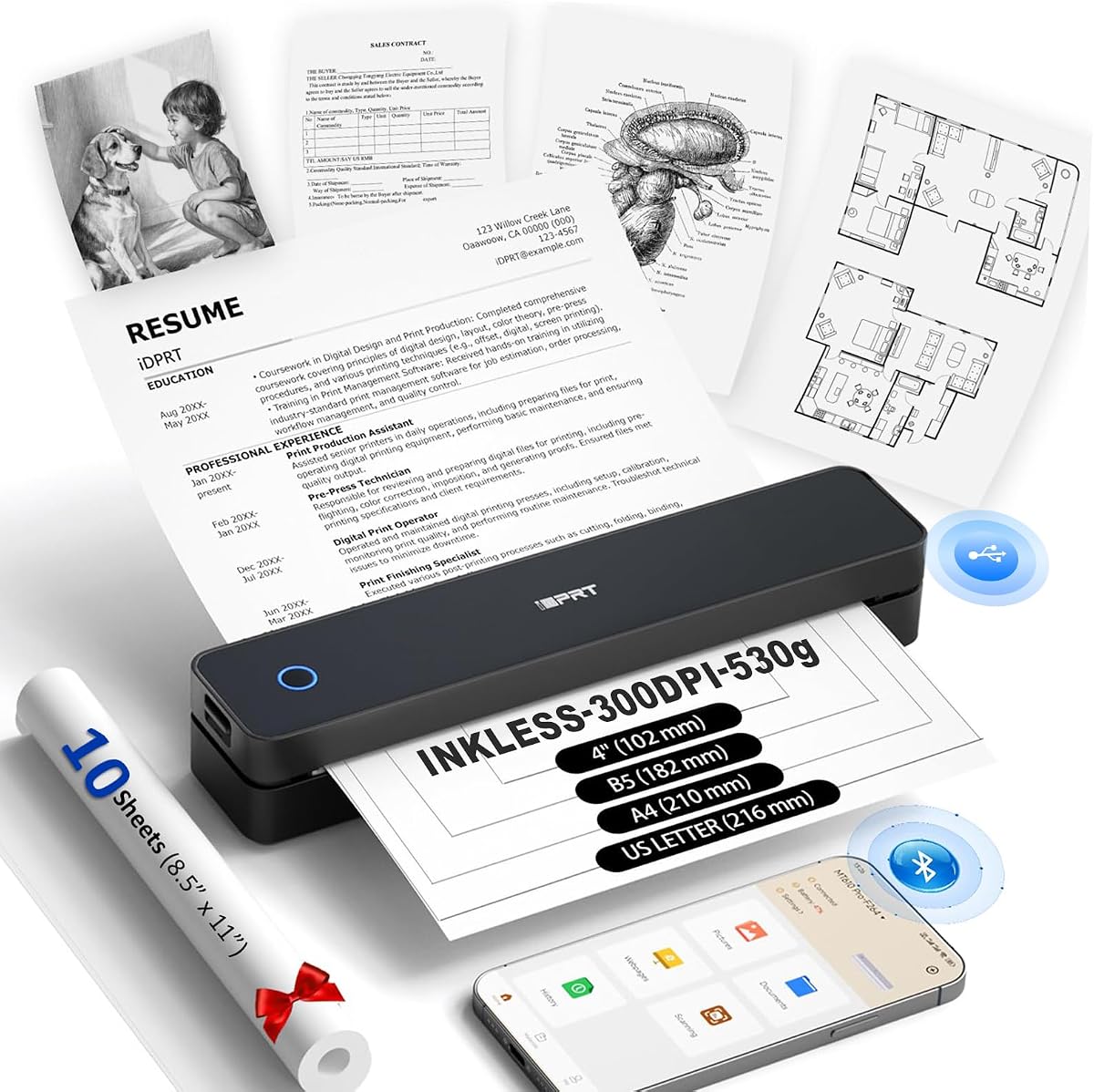
The MT610Pro is designed for extreme portability without sacrificing print quality. It weighs just 1.2 pounds and is only 1.6 inches thick, making it one of the smallest models available. The 300 DPI resolution ensures text and diagrams appear sharp and clear.
We may earn a commission when you buy through this link, at no additional cost to you.
This printer supports various paper sizes including US Letter, A4, and A5. It includes a free app called HerePrint for mobile use which simplifies document handling. The battery can print up to 200 pages per charge which is sufficient for most travel days.
Note that this device supports black and white printing only and requires thermal paper specifically. Setup on computers needs drivers while mobile devices use the app via Bluetooth. It is an ideal choice for students and remote workers on tight budgets.
Select the MT610Pro if you prioritize lightweight portability and clarity. It is a solid option for printing contracts or lecture notes without adding significant weight to your bag.
At 1.2 pounds, the printer is easy to carry in a backpack. This weight advantage is crucial for travelers minimizing luggage load.
The 300 DPI technology provides crisp output comparable to larger desktop printers. This ensures professional quality for business documents and receipts.
We may earn a commission when you buy through this link, at no additional cost to you.
The D90E is built for users who need a robust portable printer that can withstand travel conditions. It comes with a travel case to protect the device and accessories. Weighing 2.08 pounds, it is slightly heavier but offers stability during operation.
We may earn a commission when you buy through this link, at no additional cost to you.
Its unique feature is an automatic paper ejection function that resolves jams by pressing the power button. This simplifies troubleshooting on the go. The Labelnize app is used for mobile printing while PCs connect via USB drivers.
The printer supports US Letter thermal paper which is standard for documents. It is a gift-ready option for pros and students who need reliable printing for contracts or classroom materials. The build quality ensures longevity with regular use.
Choose the D90E if you need a durable unit with protection included. The automatic paper handling is a significant advantage for reducing downtime during busy work sessions.
Pressing the power button resolves paper jams automatically. This feature saves time and prevents damage from forcing paper out manually.
The included case protects the printer during transit. This ensures your device remains safe in backpacks or vehicle storage areas.
We may earn a commission when you buy through this link, at no additional cost to you.
The Gloryang portable printer is a comprehensive solution that comes with three rolls of thermal paper and a carrying case. It weighs 1.75 pounds and fits easily into backpacks. The built-in paper bin helps keep the workspace tidy while printing.
We may earn a commission when you buy through this link, at no additional cost to you.
It connects seamlessly via Bluetooth to iOS and Android devices through the Jadens app. For computers, drivers must be installed first. This model is particularly popular for classroom use and student assignments because it supports standard 8.5×11 inch paper.
Users should be aware that it only works with Gloryang branded thermal paper. The design is sleek and black which looks professional. It is an ideal gift for professionals and students who need a reliable portable printing solution for documents.
Select the Gloryang if you want a kit that includes supplies and a case. The built-in bin is a thoughtful design touch that enhances usability in cramped spaces like cars or desks.
The built-in paper bin stores used paper or keeps the workspace clean. This feature is helpful when printing in limited environments like travel or vehicles.
The package includes printer, carrying case, and paper rolls. This ready-to-use setup saves time compared to buying accessories separately.
We may earn a commission when you buy through this link, at no additional cost to you.
The N80 is a versatile portable printer that supports not only standard documents but also tattoo transfer paper. Weighing 1.5 pounds, it is compact enough for any travel bag. It uses thermal technology to print clear results without ink.
We may earn a commission when you buy through this link, at no additional cost to you.
Its battery capacity is 1500mAh allowing for about 160 sheets per charge which is decent for moderate use. The Nada Print app connects iOS and Android devices to the printer. USB-C is available for wired connections to laptops.
The 203 DPI resolution is standard for portable models and produces readable text and images. It is recommended to use the brand's thermal paper for best quality. This model is especially useful for artists and business travelers.
Choose the N80 if you need tattoo transfer capabilities or a lightweight device. The combination of features makes it unique in its price range for niche applications.
The printer is compatible with tattoo transfer paper for art applications. This expands its utility beyond standard business and document printing needs.
Bluetooth enables quick printing from smartphones. The Nada Print app handles document selection and printing settings easily for users.
We may earn a commission when you buy through this link, at no additional cost to you.
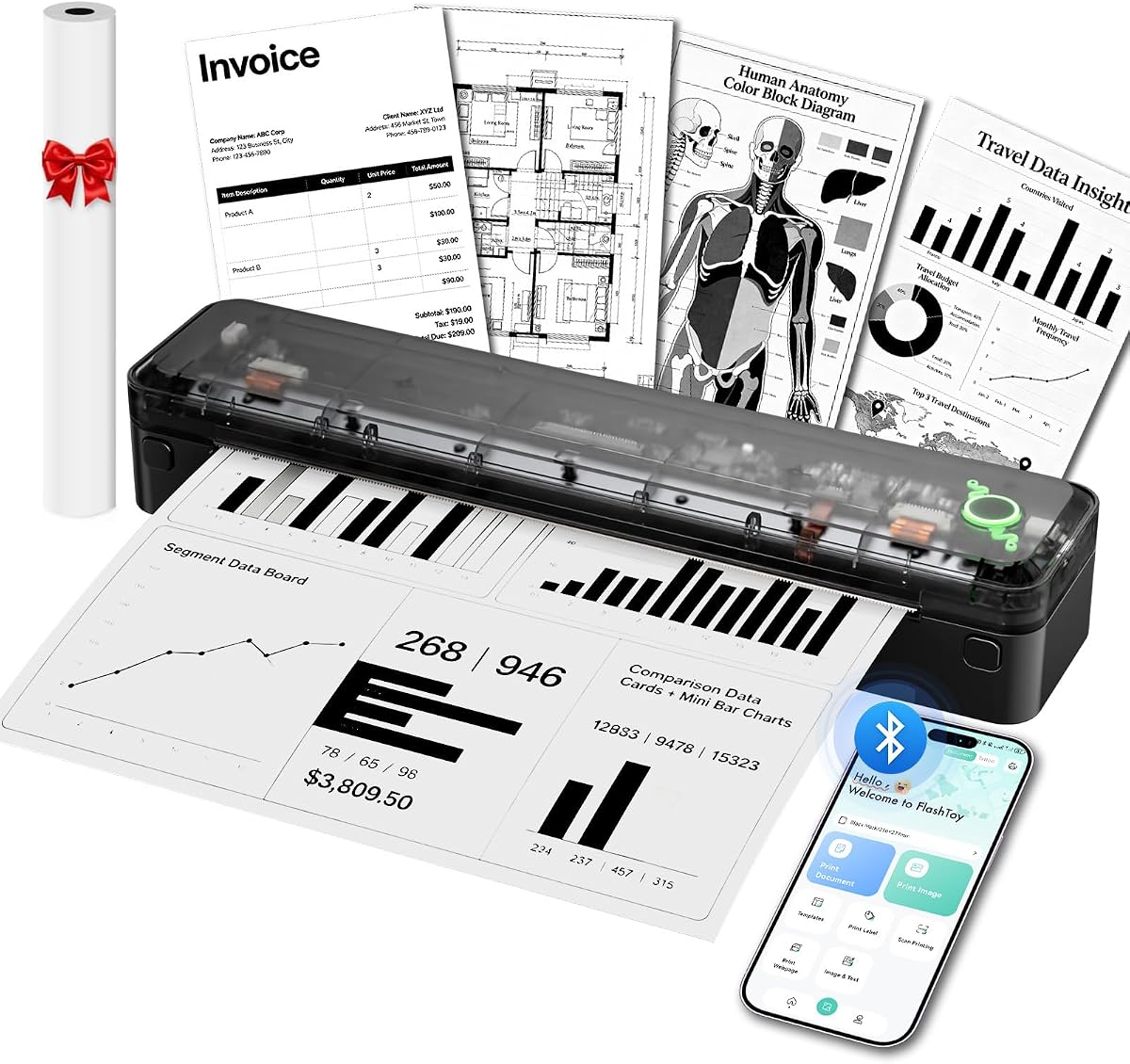
The Arrvel A8 stands out with its graphite translucent top cover that reveals internal components subtly. It is lightweight at 1.37 pounds and includes a velvet travel bag. The design is sleek and modern for mobile office setups.
We may earn a commission when you buy through this link, at no additional cost to you.
Its 3000mAh battery provides up to 200 sheets per charge ensuring reliability during long trips. The printer supports various file types including PDF Word and Excel. It connects via Bluetooth to mobile devices or USB to computers.
The built-in paper compartment keeps the workspace clean without needing external holders. The 203 DPI resolution ensures readable output for business documents. The company offers lifetime technical support which adds value to the purchase.
Select the A8 if you value design aesthetics and robust battery life. The internal visibility and modern finish make it a standout tool for tech-savvy professionals.
The frosted graphite design allows a glimpse of internal components. This aesthetic appeal makes the printer a conversation starter in modern workspaces.
The 3000mAh battery supports 200 sheets per charge. This capacity ensures you can print extensively without frequent recharging needs.
We may earn a commission when you buy through this link, at no additional cost to you.
The A285M supports five different thermal paper sizes ranging from 2 to 8.5 inches. This flexibility allows printing invoices receipts and large documents interchangeably. Weighing 1.5 pounds it is ideal for truck drivers and mobile notaries.
We may earn a commission when you buy through this link, at no additional cost to you.
It features a built-in paper bin to keep space tidy. The printer connects via Bluetooth to mobile devices and USB to laptops requiring a driver download. The design is compact enough for glove boxes or briefcases.
Users should ensure they have the correct charger as it requires 5V 2A input. The black and white thermal printing is cost-effective and efficient. This model is a practical choice for field work where size variety matters.
Choose the A285M if you need to print different document sizes on the go. Its adaptability to various paper types makes it versatile for diverse professional needs.
Support for five paper sizes meets diverse printing requirements. This ensures you can handle receipts and contracts without needing multiple printers.
The built-in paper bin keeps your workspace clean during use. This feature helps maintain organization in small or mobile office environments.
We may earn a commission when you buy through this link, at no additional cost to you.
The MUNBYN Portable Printer is praised for its user-friendly app and high 4.4 rating. It is roughly the size of a water bottle making it extremely portable. The device supports US Letter and A4 thermal papers for standard document printing.
We may earn a commission when you buy through this link, at no additional cost to you.
It connects wirelessly to iOS Android and Windows devices in seconds. The self-developed app offers templates and supports multiple formats like PDF and Word. Note that macOS requires a USB connection for printing.
Technical support is responsive and ready to assist with setup issues. The printer requires no ink or toner and uses thermal technology for cost-effective output. It is designed for travelers and students needing instant mobile office setups.
Select the MUNBYN if you prioritize ease of use and customer support. Its intuitive interface and small size make it accessible for users who want simple printing on the go.
The MUNBYN app makes setup and printing simple with templates. This reduces technical barriers for casual users needing quick document prints.
Measuring 10.7 inches it fits easily into bags. This dimension ensures minimal space is taken up in tight travel environments.
We may earn a commission when you buy through this link, at no additional cost to you.
Choosing a portable printer requires balancing weight, battery life, and connectivity features based on your specific travel needs. This section details the key factors to consider before making a purchase.
Look for printers that offer both Bluetooth and USB-C connectivity to ensure compatibility with various devices. Bluetooth is essential for quick mobile printing while USB provides reliable connection for computers when Bluetooth is unavailable.
Ensure the device supports your operating system by checking app compatibility for iOS and Android and driver support for Windows and Mac systems.
Battery capacity is measured in mAh and directly impacts how many pages you can print before recharging. Aim for models with at least 2000mAh capacity to ensure 150 to 200 pages per charge for uninterrupted use.
Long battery life is crucial for long flights or field work where power outlets may not be accessible during the day.
Resolution determines the clarity of text and graphics and is measured in dots per inch (DPI). A resolution of 300 DPI is recommended for professional documents while 203 DPI is sufficient for basic text and receipts.
Higher DPI ensures that charts and small text are readable which is important for contracts and presentations.
Inkless printers use thermal paper which is chemically treated to react to heat. Verify that the printer supports standard sizes like US Letter or A4 and that the paper is readily available where you travel.
Some models accept different widths or roll types so check if the device can handle the specific formats you require for your workflow.
For frequent travel, a lighter printer weighing under 1.5 pounds is ideal to reduce luggage burden. Compact designs that fit in pockets or small bags are preferable to bulkier desktop-like units.
Consider the overall dimensions and whether the device comes with a protective case to prevent damage during transit.
Thermal paper rolls are generally cheaper than ink cartridges but require replacement as needed. Check the price of compatible paper supplies to calculate long-term costs for your printing volume.
Inkless technology eliminates toner costs and reduces waste which aligns with budget-friendly and eco-friendly goals.
A dedicated app makes printing from phones seamless and allows document scanning or template usage. Ensure the app is well-reviewed and offers features like PDF editing or cloud document access.
App compatibility should be checked for your specific OS version to avoid connection issues during setup.
Check for warranty terms and customer support availability especially if you travel internationally. Lifetimes support or responsive chat services can resolve technical issues quickly.
A manufacturer that provides drivers and manuals helps ensure long-term usability of the device.
To set up your printer, first download the recommended app from the App Store or Google Play. Enable Bluetooth on your device and open the app to pair the printer. Follow the on-screen instructions to select the device and test a print.
Load thermal paper carefully ensuring the sensitive side faces down or inwards depending on the model. Use the paper release button to open the printer safely and feed the roll without touching the print head. Close the lid securely until it clicks.
Keep your printer in a protective case when not in use to prevent dust accumulation and damage. Avoid exposure to direct sunlight or extreme heat which can damage the battery or internal components. Clean the exterior with a soft dry cloth regularly.
No inkless portable printers specifically require thermal paper that reacts to heat. Regular copy paper will not produce images or text on these devices. Ensure you purchase compatible thermal paper rolls for the model you buy.
Most thermal inkless printers are limited to black and white output. They use heat to darken thermal paper rather than ink to create color. If color is essential you will need to stick to standard inkjet options.
Mac computers usually connect via a USB cable requiring specific drivers. Some models offer Bluetooth but macOS often restricts this for printers. Check the product description for Mac compatibility before purchasing.
Many models have built-in rechargeable batteries that are not user-replaceable. The batteries are designed to last through multiple charge cycles but may degrade over years of use. Always use the provided charger to ensure safety.
Mobile devices do not require drivers as they rely on the dedicated app for communication. Simply install the app and pair via Bluetooth to start printing. Drivers are only needed for computer connections.
Page count varies by battery size and print density but ranges from 100 to 200 pages per charge. Larger battery models support longer use without finding a power outlet during travel.
The Phomemo M85 remains the top pick for those seeking the best overall experience with premium features. Its touchscreen and long battery life make it ideal for professionals who need reliability on the go.
For budget-conscious users the Rongta Thermal printer offers solid performance without breaking the bank. It handles basic printing needs well and is accessible for students and casual travelers.
Remember that prices and availability may change so check current product pages before purchasing. Select the model that best fits your workflow and travel style for a productive experience.