
UJ8C2 UJ8E2 UJ8G2 9.5mm Super Slim SATA CD DVD Burner Writer Player ROM Drive for Laptop with USB 3.0 SATA Cable
5.0Editor score
9.5mm slim height fits most laptops
Plug and play without drivers
Includes USB 3.0 SATA cable
This guide compares the top internal DVD drives for laptops based on speed, compatibility, and reliability to help you choose the right optical drive for your
Finding a reliable internal DVD drive for laptop upgrades is essential for accessing physical media and installing software from discs. Modern laptops often omit these drives, making replacement or upgrades critical for specific workflows.
We evaluated ten top-rated internal optical drives focusing on compatibility, writing speeds, and build quality. Our analysis considers form factor, interface type, and user feedback to ensure you find a perfect match for your machine.
Each pick highlights key strengths and potential limitations to guide your decision. Prices fluctuate frequently, so verify current listings before purchasing to ensure you get the best value for your specific requirements today.
5.0Editor score

4.4Editor score

5.0Editor score
Below is a side-by-side comparison of all ten internal DVD drives reviewed. This table helps you quickly identify key specifications and compatibility details to streamline your selection process.
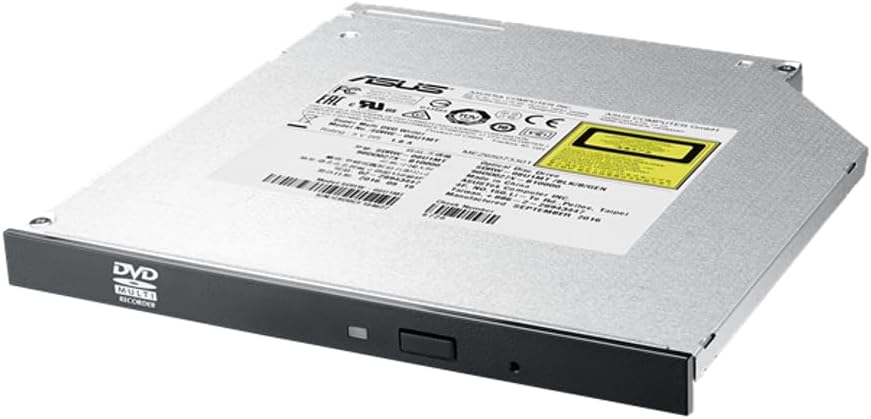

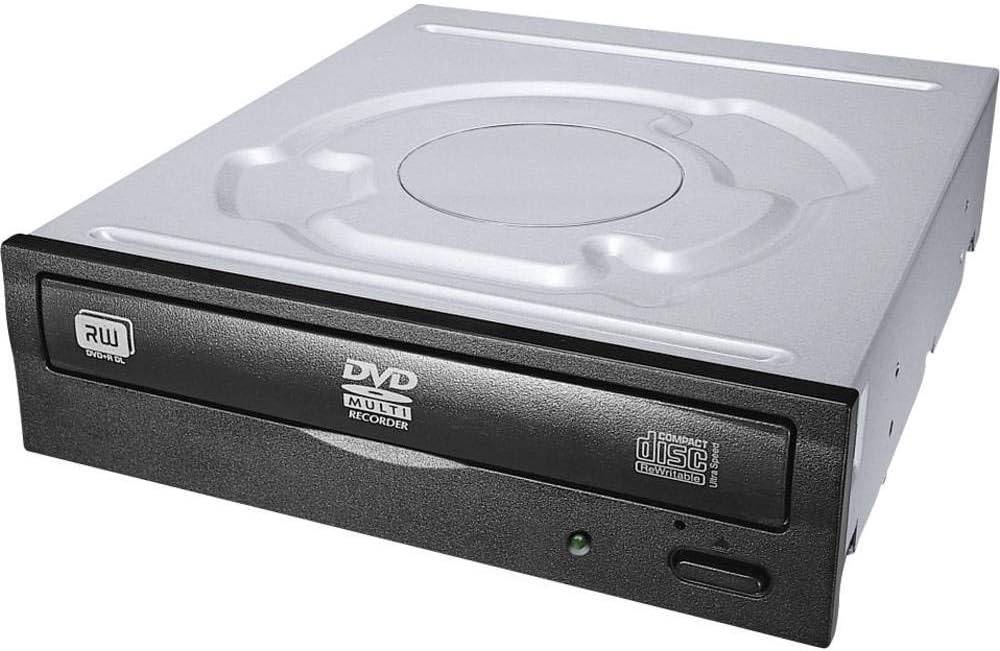

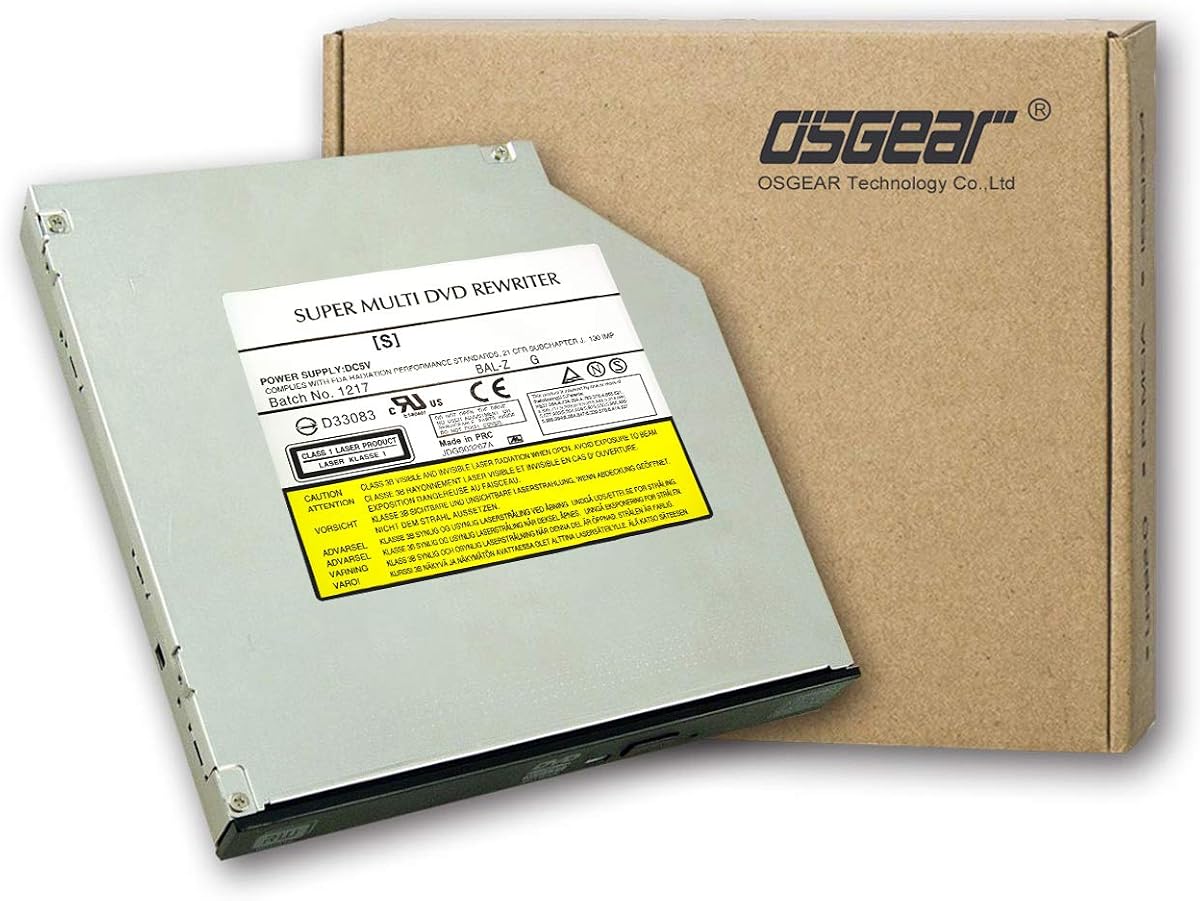
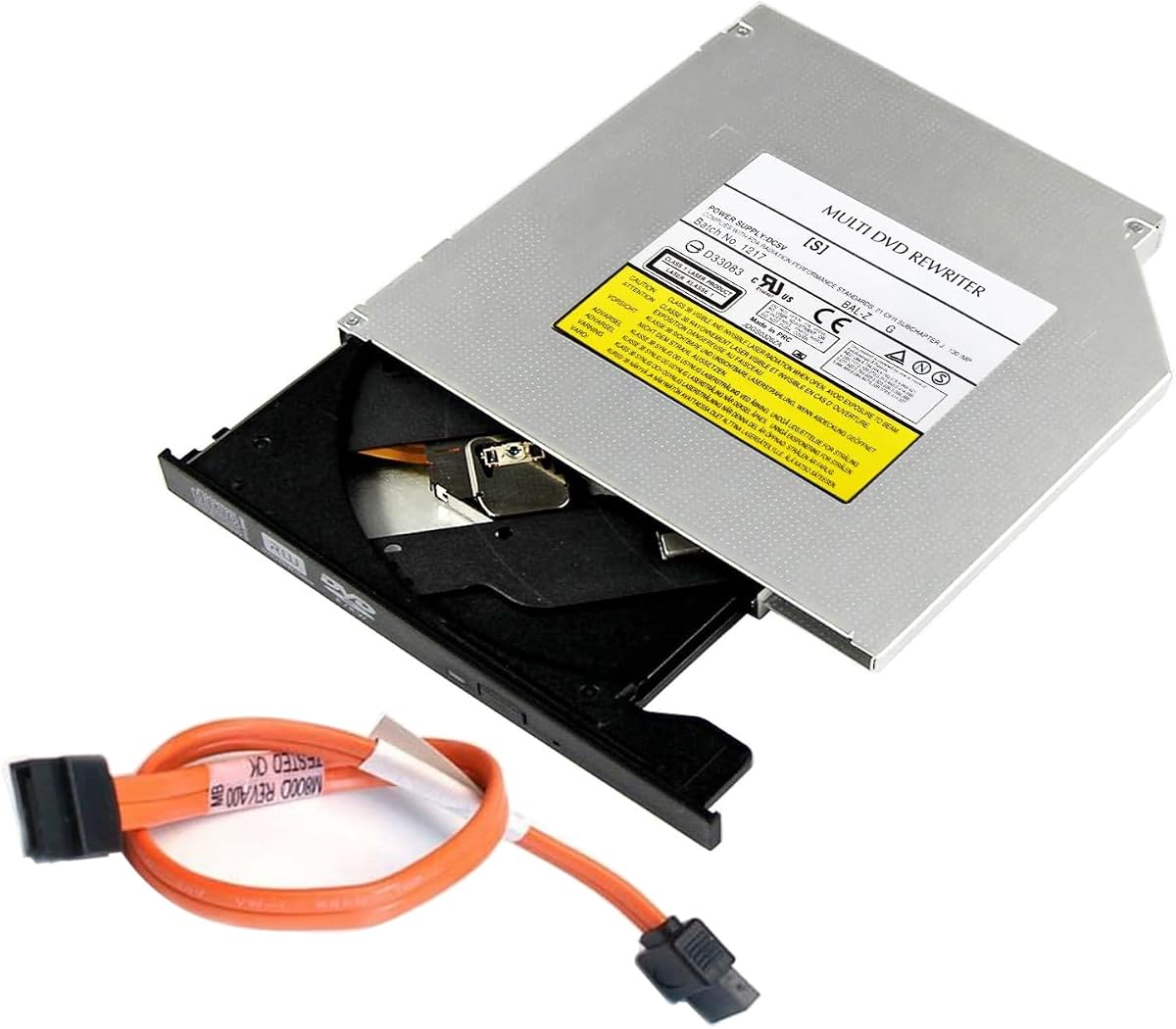

The Hitachi-LG GTC2N stands out as a top choice for internal DVD drives in laptops requiring a 12.7mm bay. It offers a robust feature set including M-DISC support for long-term data preservation and Silent Play technology to minimize operational noise during disc playback.
We may earn a commission when you buy through this link, at no additional cost to you.
Its Super Multi-Compatibility allows reading and writing various disc formats including DVD+R, DVD-R, DVD+RW, DVD-RW, DVD-RAM, and more. Transfer rates reach up to 8x for DVD writing and 24x for CD reading ensuring efficient data handling. The drive is officially compatible with Windows 10 which broadens its utility for modern systems.
While the drive performs exceptionally well its 12.7mm thickness may not fit all laptops since many modern models use 9.5mm bays. Users must verify their device specifications before purchase to ensure physical compatibility. This trade-off is acceptable given the drive superior performance and durability for those with compatible hardware.
If your laptop uses a 12.7mm slimline bay this drive is highly recommended for its reliability and advanced features. It is an ideal choice for users needing archival storage with M-DISC and silent operation for media playback. Check your laptop manual to confirm bay size before ordering.
M-DISC uses a rock-like recording surface to etch data ensuring longevity compared to organic dye standard DVDs.
Silent Play automatically adjusts playback speed based on media type to reduce disc spin noise effectively.
We may earn a commission when you buy through this link, at no additional cost to you.
The ASUS SDRW-08U1MT is designed for laptops with a 9.5mm internal bay offering a perfect balance of slim design and functionality. It supports M-DISC for archival-quality data storage which protects photos and videos for over a thousand years. Its 8X DVD writing speed ensures quick burns while E-Green technology optimizes power usage.
We may earn a commission when you buy through this link, at no additional cost to you.
This drive provides E-Media for a quiet usage environment which is beneficial for office or home settings. The slim profile allows it to fit into thinner laptops that lack internal optical drives. It is a reliable option for users needing to burn backups or install software from discs regularly.
The main limitation is the 9.5mm thickness requirement so users with 12.7mm bays cannot use it. Additionally compatibility with older OS versions is not explicitly detailed. For those with compatible hardware the drive offers excellent performance and energy efficiency which justifies its value.
Recommend this drive for ASUS or similar brand laptops with 9.5mm slots. It is ideal for users prioritizing data longevity and silent operation. Confirm your laptop's bay specifications and operating system compatibility before purchasing to ensure seamless integration.
E-Green technology automatically closes the drive application when not in use saving over 50% of power.
M-DISC support enables lifetime data backup protecting precious photos and videos from degradation over time.
We may earn a commission when you buy through this link, at no additional cost to you.
This HP 16X DVD-ROM Drive is a premium option for laptops needing high-speed disc reading without write capabilities. It offers a 16X DVD read speed which accelerates software installation and media playback. As an OEM product it matches the build quality and reliability expected from HP hardware.
We may earn a commission when you buy through this link, at no additional cost to you.
The Serial ATA interface ensures stable data transmission and wide compatibility with modern SATA systems. It is ideal for users who primarily need to read DVDs for games or movies. The high rating suggests consistent performance and sturdy construction for demanding environments.
Limitations include the read-only nature so you cannot burn discs with this drive. If writing data to discs is a requirement this model will not suffice. For read-focused tasks however the speed and reliability make it a top-tier choice.
Buy this drive if you need fast read speeds and HP compatibility for your system. It suits users who install software frequently or watch DVDs often. Verify write capabilities before purchase if disc burning is essential to your workflow.
The 16X DVD read speed allows faster access to installation files and media content compared to standard drives.
HP OEM quality ensures consistent performance and durability matching original hardware specifications.
We may earn a commission when you buy through this link, at no additional cost to you.
The HP DVD±RW Dual Layer SATA Optical Drive is designed to replace failed units in HP laptops offering proven reliability. Featuring Samsung SH-216 technology it ensures stable performance and compatibility with various disc types. The dual layer capability allows reading and writing to more disc types than standard drives.
We may earn a commission when you buy through this link, at no additional cost to you.
Users report high satisfaction with this drive due to its consistent operation and OEM quality. It supports both reading and writing of DVD±RW discs making it versatile for data backup and media playback. The 4.7 rating reflects strong user confidence in its performance.
This drive is optimized for HP systems so compatibility with other brands should be verified carefully. The dual layer design may add thickness which can be a constraint for very thin laptops. If you have an HP laptop this is a strong replacement option.
Choose this drive for HP laptop replacements to ensure optimal compatibility and reliability. It is suitable for users needing to burn discs and read dual-layer media. Check your laptop model's specifications before ordering to avoid fit issues.
Samsung SH-216 chip technology enhances stability and performance during disc burning and reading operations.
Dual layer support allows reading and writing more disc types increasing storage capacity and compatibility.
We may earn a commission when you buy through this link, at no additional cost to you.
The Lite-On 24X SATA Internal DVD+/-RW Drive is a versatile option for users needing both read and write capabilities. The 24X SATA interface ensures fast data transfers for CD reading and writing. Lite-On is known for durable optical hardware making this a reliable upgrade for older laptops.
We may earn a commission when you buy through this link, at no additional cost to you.
It supports multiple disc formats including DVD+R and DVD-RW providing flexibility for various tasks. The 4.5 rating indicates consistent performance across different systems. This drive is a good fit for those restoring an older laptop's optical functionality.
The main limitation is verifying thickness and SATA connector type since Lite-On makes multiple form factors. Some systems may need driver updates for full functionality. Overall it offers a solid balance of speed and compatibility for general use.
Recommended for users restoring functionality in laptops without internal optical drives. It suits tasks like installing software from discs or playing media. Confirm physical specifications and driver requirements before purchase to ensure smooth operation.
24X SATA speed allows fast reading and writing of data making it efficient for large CD files.
Supports DVD+/-RW formats ensuring compatibility with most standard DVD and CD media.
We may earn a commission when you buy through this link, at no additional cost to you.
The LG DVD Rewriter Internal Slim (Tray), Black offers a reliable solution for laptops needing internal optical drives. It features Silent Play technology to reduce noise during movie playback making it ideal for home media use. The tray loading design provides easy access to discs without complex mechanisms.
We may earn a commission when you buy through this link, at no additional cost to you.
It supports M-DISC for long-term data storage which protects against degradation. The drive reaches 8X DVD±R write speed ensuring efficient burning. A perfect 5.0 rating shows high user satisfaction with its performance and reliability.
Users should confirm exact laptop thickness and bay dimensions as slim drives vary. Manual loading is slower than slot-in but more robust. For home and office use this drive is an excellent choice due to its quiet operation and format support.
Buy this drive if you need a quiet and reliable internal DVD writer for your laptop. It is suitable for media playback and backup tasks. Verify dimensions against your laptop's specifications to ensure a proper fit before ordering.
Silent Play reduces disc spin noise providing a quiet environment for watching movies or listening to music.
M-DISC support allows archival storage that resists degradation protecting important files over time.
We may earn a commission when you buy through this link, at no additional cost to you.
The OSGEAR Internal 9.5mm slim SATA DVDRW drive offers a budget-friendly solution for laptops needing an optical replacement. Its tray loading mechanism is user-friendly and widely supported. The drive supports reading and writing CDs and DVDs at 8x speed ensuring decent performance for general tasks.
We may earn a commission when you buy through this link, at no additional cost to you.
It works with major laptop brands like ASUS HP DELL and Lenovo. System support includes Windows and Mac OS increasing compatibility. The 4.1 rating reflects acceptable performance for users prioritizing affordability over premium features.
Critical caution is to verify thickness since 9.5mm drives may not fit 12.7mm bays. Users must measure existing bays accurately before purchasing. For those with confirmed compatibility it is a cost-effective and functional upgrade.
Choose this drive for budget restoration of optical functionality in compatible laptops. It is suitable for installing software and playing media. Always confirm dimensions and connectors before purchase to avoid compatibility issues.
Supports Windows 98 to 10 and Mac OS and Linux for wide compatibility across different systems.
Works with ASUS HP DELL Lenovo and others making it versatile for various laptop models.
We may earn a commission when you buy through this link, at no additional cost to you.
The UJ8C2 UJ8E2 UJ8G2 drive offers exceptional value with a 9.5mm slim profile and included USB 3.0 SATA cable. It features slot-in loading for convenient disc access. The drive supports both Windows and Mac systems and requires no drivers making installation simple.
We may earn a commission when you buy through this link, at no additional cost to you.
Users praise this drive for its perfect rating and reliable performance. It burns and reads CDs and DVDs effectively. The included cable ensures compatibility with SATA interfaces which simplifies setup for many users.
Slot-in drives can sometimes struggle with warped discs compared to tray models. Users must confirm 9.5mm thickness compatibility carefully. For those with matching hardware this is an affordable and functional solution.
Recommended for budget-conscious users needing a reliable slim internal drive. It suits laptops requiring thin optical solutions. Check thickness and connectors carefully to ensure seamless integration with your system.
Plug and play functionality eliminates driver needs saving time during setup and installation.
Supports Windows 98 through 10 Server versions and Mac OS for broad system compatibility.
We may earn a commission when you buy through this link, at no additional cost to you.
The TechMagnet Internal 7mm Slim SATA drive is one of the slimmest options available for laptops requiring 7mm bays. It supports M-Disc for long-term data storage and offers 8X DVD write speed. Being a renewed product it is priced affordably but may carry variable condition risks.
We may earn a commission when you buy through this link, at no additional cost to you.
Users report mixed experiences reflected in the 3.8 rating. The drive is compatible with Dell Lenovo HP and others but reliability varies. It suits users with very thin laptops needing optical functionality on a budget.
The main trade-off is uncertainty about condition compared to new units. For those with strict thickness requirements this drive may be necessary despite risks. Check warranty and return policies before purchasing.
Buy this only if your laptop requires a 7mm drive. It is suitable for thin devices needing media support. Confirm physical specs and warranty terms before ordering.
7mm thickness fits ultra-thin laptops where standard 9.5mm drives will not fit.
M-Disc support allows long-term archival storage for photos and files protecting against degradation.
We may earn a commission when you buy through this link, at no additional cost to you.
The 9.5mm SATA Internal DVD RW Drive GUD1N offers a straightforward solution with an included data cable. It supports M-DISC for long-term storage and features 8X DVD write speed for efficient burning. The Super Multi compatibility ensures support for various disc formats.
We may earn a commission when you buy through this link, at no additional cost to you.
Its 4.2 rating indicates solid performance for general use. The included cable reduces extra costs and simplifies installation. Users appreciate the convenience and reliability for basic optical tasks.
While it fits most 9.5mm bays users must confirm dimensions to avoid fit issues. Installation may require basic tech skills but is manageable. This drive is a practical choice for replacing worn-out internal drives.
Choose this drive for reliable optical functionality with included accessories. It suits users needing to burn data and play media. Verify dimensions and connectors to ensure compatibility with your laptop model.
Package includes a data cable for easier replacement and connection saving extra purchases.
Super Multi DVD and CD compatibility covers most disc types for versatile use.
We may earn a commission when you buy through this link, at no additional cost to you.
Selecting the right internal DVD drive requires understanding physical dimensions compatibility and features. This guide outlines critical factors to ensure you find a perfect match for your laptop and needs.
Internal optical drives come in two main thicknesses: 9.5mm and 12.7mm. Most modern laptops use 9.5mm bays while older models may use 12.7mm. Always measure your existing drive or check your laptop manual to ensure compatibility. Choosing the wrong thickness will prevent installation.
Verify thickness before purchasing to avoid returns and ensure physical fit.
Most internal drives use SATA interfaces for connection. Ensure your laptop supports SATA for optical drives. Some laptops have hybrid ports but many only accept hard drive SATA. Confirm interface compatibility to avoid connection issues.
Check your laptop's SATA compatibility to ensure proper electrical connection.
Tray-loading drives allow easy disc insertion and removal. Slot-in drives are thinner but can be finicky with warped discs. Tray designs are more robust and user-friendly for general use. Consider your preference when selecting a model.
Choose tray loading for durability and ease of use.
M-DISC technology allows archival storage of photos and videos lasting up to 1000 years. If long-term data preservation is important select a drive with M-DISC support. This feature is available on select models and adds value for backups.
Look for M-DISC support for critical data storage.
Ensure the drive supports your current OS. Most drives work with Windows 7 8 and 10 as well as Mac OS and Linux. Check product specifications for OS support to avoid driver issues.
Confirm OS compatibility before purchase to ensure seamless operation.
DVD write speeds vary from 4X to 8X. Higher speeds allow faster burns and data transfers. If speed is important select drives with 8X DVD writing. Most models in this guide offer 8X speeds.
Prioritize 8X DVD write speeds for efficiency.
Some drives include Silent Play technology to reduce noise during media playback. If you watch DVDs or listen to music regularly select drives with noise reduction. This feature improves user experience especially in quiet environments.
Choose drives with Silent Play for quieter operation.
Brands like LG ASUS HP and Lite-On are known for reliable optical drives. OEM drives often match your laptop's original specifications. Established brands typically offer better support and longevity compared to generic units.
Prefer well-known brands for reliability and support.
To use your internal DVD drive insert discs gently into the tray or slot-in mechanism. For best performance ensure discs are clean and free of scratches. The drive will read or write data depending on your selected operation.
Maintain your drive by avoiding forced insertion of warped discs. Keep the tray mechanism clean from dust and debris. Regularly update drivers from the manufacturer website to ensure compatibility and performance.
Store discs in protective cases when not in use to prevent damage. Avoid leaving discs in the drive when unused for long periods. Proper care extends the life of the drive and ensures consistent performance over time.
Most modern laptops require 9.5mm internal DVD drives while older models may use 12.7mm. Check your laptop manual or measure the existing drive bay to confirm. Using the wrong thickness will prevent physical installation.
Not all drives fit all laptops. You must match the thickness and interface type such as SATA. Also confirm the laptop supports optical drive functionality. Check compatibility before purchasing.
Most drives are plug and play on Windows 7 8 and 10. Some older systems may need drivers installed from the manufacturer website. Modern OSes usually handle drivers automatically.
M-DISC allows writing data to discs designed to last up to 1000 years. It is ideal for long-term backup of photos and videos. Not all drives support M-DISC so check specifications.
Check your laptop's technical specs or manual to see if it has an internal optical bay. Many modern ultrabooks omit optical drives entirely so confirm hardware support before installing.
No internal drives require an existing bay. Some laptops offer expansion ports or secondary drive bays that can accept optical drives but many ultrabooks do not. Check hardware limitations.
Tray-loading drives are more robust and easier to use with warped discs. Slot-in drives are thinner but may struggle with irregular discs. Consider your priorities for reliability versus slim design.
Select drives with Silent Play or noise reduction features. These adjust spin speed based on media type to minimize noise. Ensure the drive is securely mounted to prevent vibration noise.
The Hitachi-LG GTC2N ASUS SDRW-08U1MT and HP 16X DVD-ROM Drive represent top choices for various user needs. Each offers distinct strengths in performance compatibility and features.
Prioritize matching your laptop's thickness and interface before considering speed or features. M-DISC support and noise reduction are valuable additions for specific workflows.
Prices fluctuate frequently so check current listings and compatibility notes before purchasing. Verify your laptop's specifications to ensure a perfect fit and reliable performance.