
DYMO LetraTag Bundle, Handheld 100T Printer
4.6Editor score
Includes black on clear labels
Portable handheld design
Auto-off power saving
This guide compares the top label printers with clear tape for home and office organization. We review features, durability, and ease of use.
Finding the right label printer with clear tape can transform how you organize your space. Whether you are managing a pantry or labeling office files, clear labels offer a sleek look that blends seamlessly with any surface while keeping your items identifiable.
We have evaluated ten top-rated devices based on print quality, portability, and ease of use. Our comparison considers battery life, tape compatibility, and the ability to customize designs. This list ensures you find a reliable tool that meets your specific organizational needs.
Each pick highlights key strengths and potential trade-offs to help you decide quickly. We include detailed specs and real-world usage scenarios for every model. Please note that prices and availability change frequently, so check current listings before purchasing your next device.
4.6Editor score

4.5Editor score

4.3Editor score
This side-by-side comparison highlights the core specifications of each top model. We look at tape width, connectivity options, and included accessories to help you identify the best fit for your labeling tasks.





The SUPVAN E11 is a versatile tool that stands out for its dual printing modes. You can use the physical keyboard for quick jobs or the app for complex designs. This flexibility makes it a top choice for users who need efficiency.
We may earn a commission when you buy through this link, at no additional cost to you.
Its standout quality is the minimal margin printing which saves tape without compromising legibility. The device also supports a wide range of label types from continuous to die-cut. This adaptability is essential for diverse labeling needs.
The trade-off involves relying on Bluetooth for app features which may limit offline use. However the keyboard offers a reliable alternative for standalone work. Most users find the balance between features and usability acceptable.
This device is ideal for home and office users needing frequent label updates. We recommend it for those who value portability and long battery life. It effectively meets modern organizational demands.
This feature reduces waste by printing closer to the edge than standard models.
The app allows rich design options including icons and custom templates for unique labels.
We may earn a commission when you buy through this link, at no additional cost to you.
The DYMO LetraTag Bundle offers exceptional value by including both white and clear tapes. It is designed for users who want to start labeling immediately without extra purchases. This makes it a strong contender for budget-conscious buyers.
We may earn a commission when you buy through this link, at no additional cost to you.
Its clear tape inclusion allows for transparent labeling that blends into surfaces. The device is lightweight and easy to handle for various tasks. Users appreciate the straightforward QWERTY keyboard for quick text entry.
A potential downside is the reliance on AA batteries which are not included. This adds to the initial cost but ensures long-term usability. The auto-off feature helps mitigate battery drain during idle periods.
We recommend this bundle for basic home organization projects. It provides everything needed to get started at a low cost. It is perfect for simple labeling tasks where advanced features are not required.
The bundle includes black on clear labels which are essential for see-through applications.
The physical keyboard allows for fast typing without needing a smartphone connection.
We may earn a commission when you buy through this link, at no additional cost to you.
The Phomemo D30 brings premium portability to your labeling tasks. It uses Bluetooth to connect directly with your phone for flexible printing. This device is perfect for users who want modern connectivity and compact design.
We may earn a commission when you buy through this link, at no additional cost to you.
Its direct thermal printing eliminates the need for ink or toner which reduces ongoing costs. The included clear tape allows for professional looking labels on any surface. The device is small enough to carry in a pocket easily.
While the output is monochrome you can use color patterned tapes to achieve visual effects. This requires planning but offers creative freedom. The app provides robust tools for designing complex stickers on the fly.
This printer is ideal for modern mobile users and small businesses. We recommend it for those who prioritize convenience and design flexibility. It transforms how you handle quick labeling tasks anywhere.
The Bluetooth link allows you to print directly from your mobile device without wires.
By not requiring ink this technology saves significant costs over the lifespan of the device.
We may earn a commission when you buy through this link, at no additional cost to you.
The DYMO Label Maker Machine with 3 Tapes provides a complete start for any office. It comes with paper white and clear plastic tapes to cover various needs. This versatility ensures you can label anything from documents to jars.
We may earn a commission when you buy through this link, at no additional cost to you.
The graphical display lets you preview your text before printing which reduces errors. This is a key feature for ensuring accuracy in professional environments. The device is designed to be lightweight and easy to carry.
One limitation is the lack of wireless connectivity which restricts mobile printing. However for fixed locations the device is highly efficient. The auto-off feature helps manage battery life during idle times.
We recommend this for standard office labeling needs where mobility is key. It is robust and reliable for consistent daily use. The inclusion of clear tape makes it a standout for transparent labeling.
The screen shows you exactly how the label will look before you print it.
You get paper plastic and clear tapes right in the box to start immediately.
We may earn a commission when you buy through this link, at no additional cost to you.
The Brother P-Touch PT-N20 is designed for those who want vibrant personalized labels. It works with Btag tapes that offer unique color and width options. This device adds creativity to standard labeling tasks.
We may earn a commission when you buy through this link, at no additional cost to you.
Its built-in cutter ensures that every label is cleanly trimmed for a professional look. The easy peel backing makes application quick and hassle-free. Users enjoy the ability to save favorite labels for quick reprinting.
The device is somewhat limited to 12mm width which may not suit all needs. It is also more desktop oriented than fully portable. However for personal items this width is often sufficient.
We recommend this for users who value aesthetics and personalization. It is great for dorm rooms and studios where style matters. The cutter and memory features add significant convenience to the workflow.
Every label is automatically cut to size ensuring clean edges every time you print.
The Btag tapes come in 17 colors allowing you to match or highlight items uniquely.
We may earn a commission when you buy through this link, at no additional cost to you.
The Brother P-Touch PTD220 is a reliable everyday tool for home offices. It is compatible with genuine TZe tapes which include clear options. This ensures high durability and professional results for your organization.
We may earn a commission when you buy through this link, at no additional cost to you.
It allows you to save up to 30 labels for quick access and reprinting. This memory feature is perfect for repetitive labeling tasks like storage bins. The 25 templates help you get started without design effort.
The device is powered by batteries or an adapter which gives flexibility in placement. However it is best suited for stationary use. Users appreciate the robust build quality and wide font selection.
We recommend this for office environments needing consistent professional labels. It offers a balance of durability and ease of use. The memory function makes it highly efficient for frequent tasks.
The machine works with TZe tapes that are durable and laminated for lasting clarity.
You can store 30 labels so you can reprint them instantly without re-typing.
We may earn a commission when you buy through this link, at no additional cost to you.
This starter kit includes everything you need to begin labeling immediately. It comes with both paper and clear plastic tapes which are essential for versatility. The device is easy to use for anyone needing quick results.
We may earn a commission when you buy through this link, at no additional cost to you.
Thermal printing means you never have to buy ink or toner. This reduces ongoing maintenance and cost significantly. The auto-off feature ensures power is saved when the device is idle.
The device is limited to two lines of text which may not suit long labels. It is also basic compared to more advanced models. However for simple tasks it performs reliably.
We recommend this for light users who need clear labeling fast. It is perfect for basic home organization without complex features. The clear tape inclusion makes it a great choice for visible labels.
The kit includes clear tape which blends into transparent surfaces for a clean look.
Using thermal tech means you avoid the hassle and cost of replacing ink cartridges.
We may earn a commission when you buy through this link, at no additional cost to you.
The Phomemo D30 is a portable solution for on-the-go labeling tasks. It comes with a clear tape roll to help you label transparent items easily. The wireless connection makes it simple to print from your phone.
We may earn a commission when you buy through this link, at no additional cost to you.
You can use various templates and symbols to create detailed stickers quickly. The voice and OCR features add convenience for inputting text. This is a powerful tool for users who need creative output.
The output is monochrome so you rely on tape colors for variety. The app is required for most features which limits standalone use. However the portable nature compensates for these limitations.
We recommend this for users who need a compact creative printer. It is great for schools and small businesses needing flexible labeling. The clear tape option ensures you can label glass or plastic effectively.
The mini size fits easily in a pocket making it easy to carry anywhere.
With over 1000 symbols you can create detailed labels that convey more than text.
We may earn a commission when you buy through this link, at no additional cost to you.
This kit offers the highest rating in our selection for a reason. It provides paper plastic and clear tapes to meet every basic need. The clear plastic tape is essential for durable transparent labeling.
We may earn a commission when you buy through this link, at no additional cost to you.
The device is easy to navigate with quick access buttons for fast labeling. It includes 9 language options which adds international utility. Users appreciate the high quality of the included tape rolls.
It lacks wireless features which means you must use the keyboard directly. This is a simple trade-off for reliability and battery life. Most users find the manual input sufficient for daily use.
We recommend this for users who prioritize quality and ease of use. It is perfect for households needing a simple reliable solution. The clear tape inclusion makes it a top choice for organization.
You get paper plastic and clear tapes so you can label any surface type.
The device supports 9 languages allowing diverse text input options for labels.
We may earn a commission when you buy through this link, at no additional cost to you.
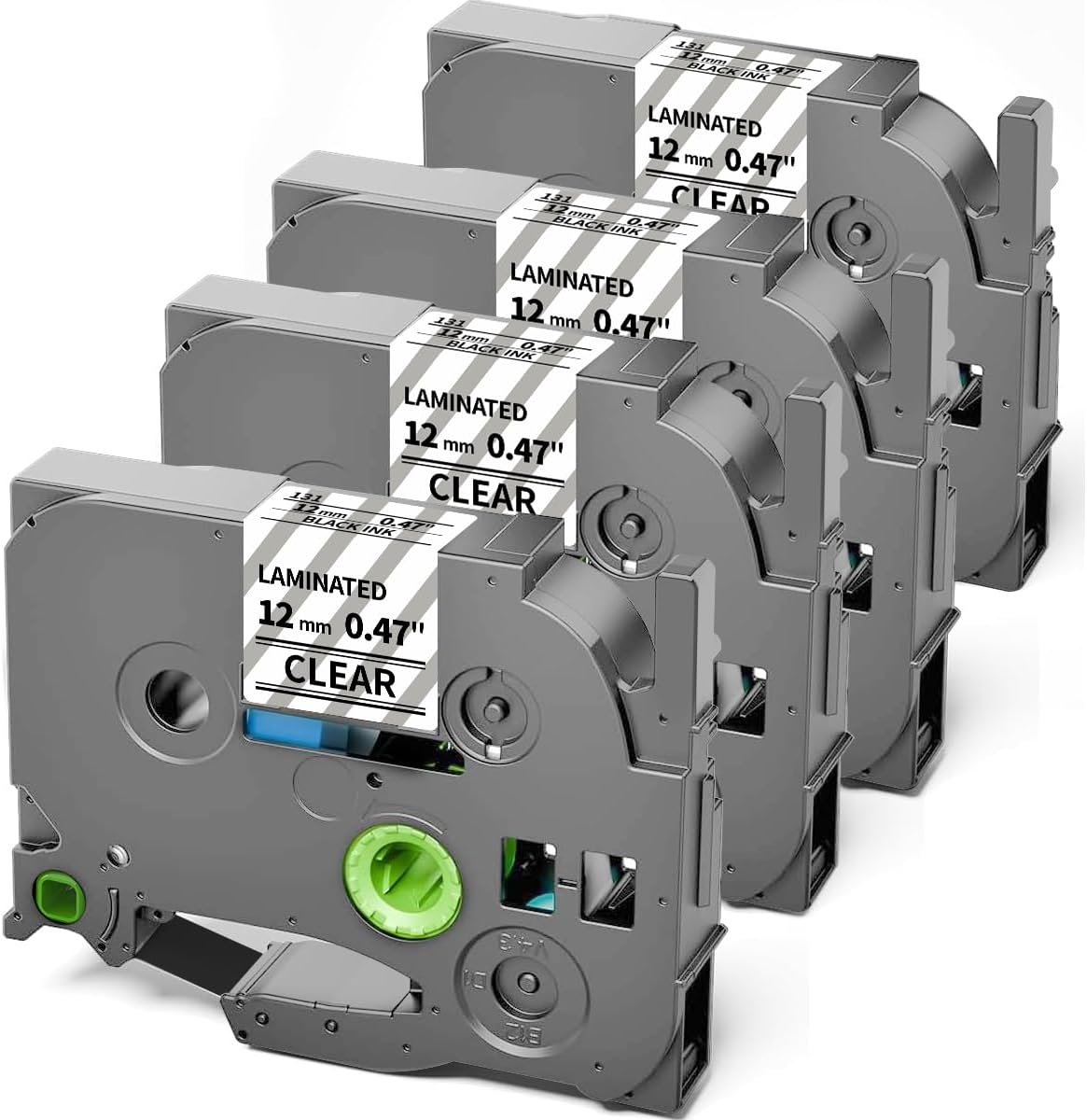
This tape is an essential refill for any Brother P-Touch user needing clear labels. It is laminated for high durability and resistance to abrasion. The split backing ensures that application is smooth and easy.
We may earn a commission when you buy through this link, at no additional cost to you.
The tape is compatible with many Brother models making it versatile for users. It withstands temperature changes and spills which is vital for kitchen or lab use. The 8 meter length provides plenty of labeling material.
Since this is a tape it requires a compatible printer to function. However for existing Brother owners this is the ideal refill. It ensures professional results with minimal effort on your part.
We recommend this for Brother users seeking reliable clear labels. It is perfect for harsh environments where clarity must last. This is a critical accessory for maintaining your labeling system.
The lamination ensures your labels last longer even in wet or abrasive conditions.
The split backing lets you peel the tape easily without tearing it before application.
We may earn a commission when you buy through this link, at no additional cost to you.
Selecting the right label printer requires understanding your specific labeling needs. We break down the key factors to consider before making a purchase.
Ensure the printer supports clear tape rolls or cartridges. Different brands use proprietary tape systems so you must check if clear options are available for your chosen model. Compatibility is crucial for getting the specific finish you need.
Always verify the tape width and type match your printer specs. This ensures you can use clear tape effectively for your projects.
Decide between manual keyboard input and wireless connectivity. Bluetooth models allow you to design from a phone which adds flexibility. Keyboard models offer simplicity and work without a connected device.
Choose connectivity based on how often you need to design on the go. Mobile support is best for frequent complex labeling tasks.
Look for high-resolution thermal printing for clear text. Thermal printers produce crisp labels that do not fade over time. This is vital for long-term organization needs where readability matters.
Prioritize models known for sharp text output on clear surfaces. High resolution ensures your labels look professional even on transparent backgrounds.
If you need to label in multiple locations choose a handheld model. Handheld devices are lighter and easier to carry than desktop units. Consider battery life if you plan to use it away from power.
Select a compact device if you will move it often. Portability ensures you can label items wherever they are located.
Check if the device uses AA batteries or a rechargeable pack. Rechargeable batteries reduce long-term costs and waste. If using AA batteries ensure the device has auto-off features to save power.
Opt for rechargeable options if you print frequently. This minimizes downtime and ensures the device is ready when needed.
Many modern printers offer apps with rich design tools. These apps allow customization with fonts icons and templates. A good app adds significant value by expanding what you can create.
Check if the app supports clear label previews. This ensures you can design labels that look right on transparent surfaces.
Look for printers built with robust materials. A durable device will withstand daily use without issues. Thermal printers are generally reliable and need minimal maintenance.
Choose a model known for reliability in your environment. This ensures your labeling system remains consistent over time.
Some kits include clear tape which saves immediate cost. Verify what is included before purchasing to avoid extra expenses. Starting with clear tape allows you to test the device right away.
Choose a bundle that includes clear tape if possible. This ensures you can begin labeling transparent items immediately.
First install the clear tape cartridge into the printer according to the manual. Align the tape so it feeds smoothly through the print head. Ensure the roll is secure to prevent jams during printing.
Second load the tape properly into the printer. Align the tape so it feeds smoothly through the print head. Ensure the roll is secure to prevent jams during printing.
Third clean the print head regularly with a soft cloth. Dust and debris can affect print quality over time. Store the printer in a dry place to avoid damage to the electronics.
No you must use tape that is compatible with your specific printer model. Manufacturers use proprietary designs for tape cartridges. Check your printer manual to find the exact tape specifications for clear labels.
Clear tape allows labels to blend into surfaces for a clean look. It is ideal for transparent containers like glass or plastic. This ensures your labels remain visible without obscuring the item.
Open the tape compartment and remove the old roll. Insert the new roll ensuring it is aligned correctly with the guide. Close the compartment and check that the tape feeds smoothly.
No thermal printers do not require ink toner or ribbons. They use heat to produce text on special tape. This saves costs and reduces maintenance over the life of the device.
Yes clear tapes are often laminated to resist water and abrasion. They are designed to last in various environments. This makes them suitable for kitchens offices and workshops.
Many modern printers offer Bluetooth or Wi-Fi to connect to phones. Check your device specs for wireless capabilities. This allows you to design labels directly from your mobile app.
Use a soft cloth to gently wipe the print head after usage. Do not use harsh chemicals that could damage the sensor. Regular cleaning ensures consistent print quality for your labels.
Most handheld printers use AA batteries or have a rechargeable pack. Desktop models may have an AC adapter option. Check the power section of your product details to confirm requirements.
We have reviewed ten excellent options that cater to various labeling needs. From the versatile SUPVAN E11 to the affordable DYMO bundles there is a choice for everyone. Each model offers clear tape capabilities to meet organizational goals.
Consider your specific use case and connectivity needs before buying. If you need wireless flexibility choose a Bluetooth model. If simplicity is key a handheld keyboard printer may be best.
Remember to check the current prices and availability for each product. These models offer great value for both home and office users. With the right tool you can organize your space effectively.