
Lenovo V-Series V15 Business Laptop
4.2Editor score
AMD Ryzen 7 5825U Processor
40GB RAM and 1TB SSD
Numeric Keypad and RJ45 Port
This comprehensive guide compares the top laptops with numpad for business and productivity, analyzing performance, display quality, and keyboard layouts to
Finding a laptop with a dedicated numpad is essential for professionals who handle data entry, accounting, or spreadsheet work daily. These devices streamline workflows and reduce typing errors significantly.
We evaluated ten leading models based on processor power, memory capacity, screen size, and keyboard layout. Our analysis ensures you get reliable performance for complex tasks without compromising portability.
Each pick highlights unique strengths like battery life or display clarity. Prices and availability fluctuate frequently, so verify current details before purchasing to ensure you get the best value available today.
4.2Editor score

4.8Editor score

4.5Editor score
The following table provides a side-by-side comparison of all ten selected laptops. It highlights key specifications like processor type, memory size, storage capacity, and display resolution to help you make an informed decision quickly.




The HP 255 G10 stands out as a top contender with a impressive 4.8 star rating from verified users. It combines efficient processing power with a sleek design suitable for hybrid work environments.
We may earn a commission when you buy through this link, at no additional cost to you.
Its AMD Ryzen 3 7330U processor handles multitasking smoothly while the 16GB RAM ensures applications run without lag. The 15.6 inch Full HD IPS display provides clear visuals for data entry tasks.
While the battery life is modest at 41 Wh, the lightweight design makes it portable for daily commutes. The narrow bezel maximizes screen real estate which is crucial for spreadsheet work.
This laptop is ideal for small business owners needing reliability. It offers a complete port selection including USB-C and HDMI to connect peripherals easily for office productivity.
The IPS panel delivers wide viewing angles and lifelike colors essential for long working hours without eye strain.
Wi-Fi 6 and Bluetooth 5.3 ensure stable connections for video calls and file transfers in busy office settings.
We may earn a commission when you buy through this link, at no additional cost to you.
The Lenovo V-Series V15 offers premium performance with an incredible 40GB of RAM for heavy multitasking needs. It is designed for professionals who run multiple virtual machines or large datasets simultaneously.
We may earn a commission when you buy through this link, at no additional cost to you.
Its AMD Ryzen 7 processor provides significant power for complex computations while the 1TB SSD ensures quick access to large files. The numeric keypad is essential for accurate data entry.
Although it carries a higher price tag, the investment pays off in long term productivity. The inclusion of an RJ45 port ensures stable wired connections which are vital for secure business networks.
This model is best suited for power users who need maximum memory and storage without compromising on build quality. It runs Windows 11 Pro for enhanced enterprise features and security.
With 40GB RAM you can run dozens of applications at once without experiencing slowdowns or system crashes.
The built-in RJ45 port eliminates the need for external dongles providing a stable connection for critical tasks.
We may earn a commission when you buy through this link, at no additional cost to you.
This budget-friendly option delivers essential features for daily tasks without breaking the bank. It features a numeric keypad which is rare at this price point making it great for entry level accounting.
We may earn a commission when you buy through this link, at no additional cost to you.
The AMD processor ensures smooth performance for web browsing and document editing while the 8GB RAM handles basic multitasking efficiently. Storage can be expanded up to 1TB for future needs.
Battery life is a standout feature with a 10000mAh cell providing extended usage time away from power outlets. The slim design makes it easy to carry in a backpack for travel.
It is perfect for students or freelancers who need a reliable machine for light work. The presence of USB-C and HDMI ports allows for versatile connectivity with external monitors.
The 10000mAh battery ensures you can work throughout the day without needing to search for a power outlet.
Start with 256GB and expand to 1TB as your file collection grows over time.
We may earn a commission when you buy through this link, at no additional cost to you.
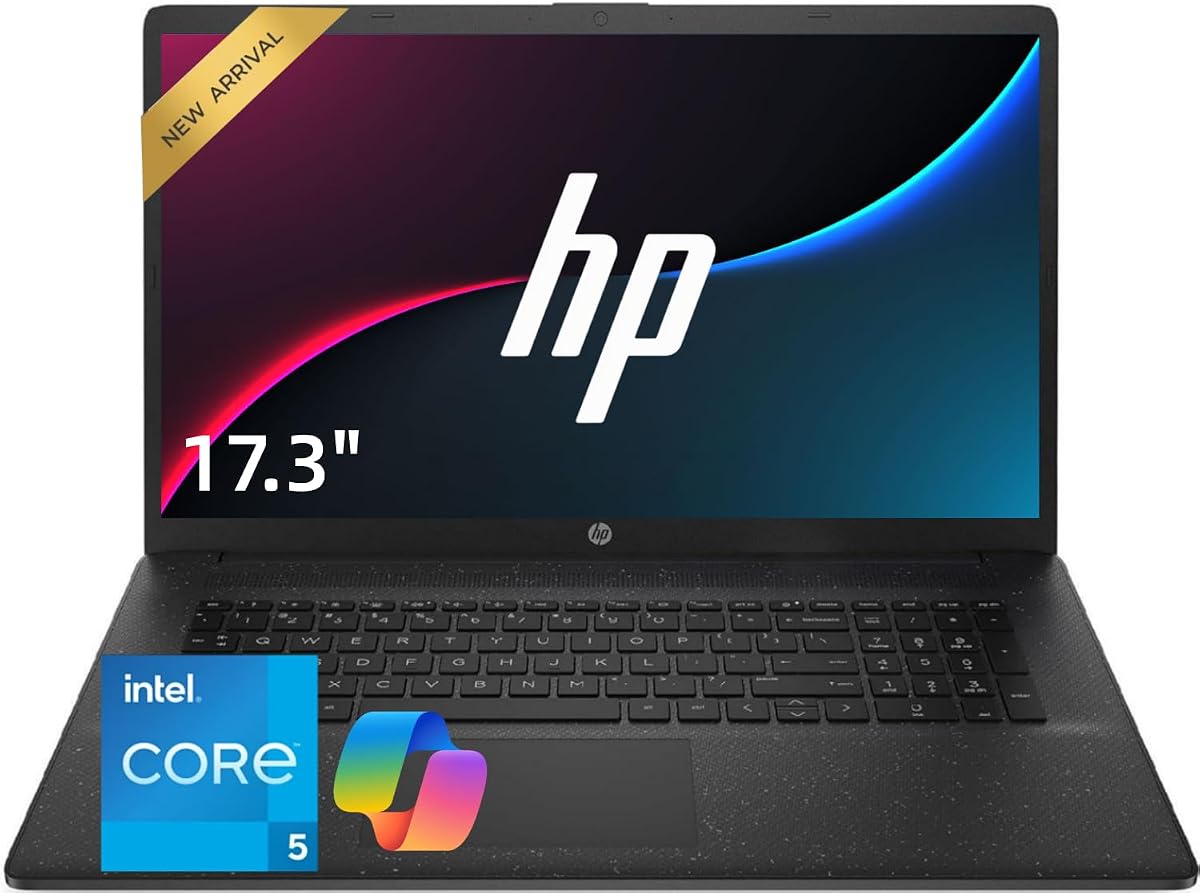
This model focuses on screen real estate offering a massive 17.3 inch display that reduces the need for external monitors. It is perfect for side-by-side spreadsheet work or detailed design layouts.
We may earn a commission when you buy through this link, at no additional cost to you.
Powered by an Intel Core 5 processor it handles everyday tasks with ease while the 32GB RAM supports heavy browser usage. The numeric keypad is integrated into a full size keyboard for comfort.
While the larger size may reduce portability it enhances productivity for desk-bound workers. The 1TB SSD provides ample space for storing large project files and media libraries securely.
Ideal for home office users who prioritize screen space over mobility. The Wi-Fi 6 ensures fast internet speeds for cloud based applications and video conferencing.
The 17.3 inch display offers more room for documents and windows which reduces eye strain during long sessions.
The 10-core Intel Core 5 processor ensures that multiple apps run smoothly without lag or stuttering.
We may earn a commission when you buy through this link, at no additional cost to you.
This Lenovo model features the latest DDR5 memory technology which offers faster data transfer rates compared to DDR4. It ensures that applications launch quickly and multitasking remains seamless.
We may earn a commission when you buy through this link, at no additional cost to you.
The 16 inch display uses a 16:10 aspect ratio providing more vertical space for documents and web pages. The numeric keypad is well positioned for efficient data entry workflows.
A privacy shutter on the webcam adds an extra layer of security for remote work environments. The laptop includes an SD card reader for easy media transfer from cameras or other devices.
It is best for professionals who value modern hardware standards and screen efficiency. The combination of speed and privacy features makes it a versatile choice for business use.
DDR5 RAM significantly boosts system responsiveness allowing for quicker boot times and faster application loading.
The 16:10 ratio gives more vertical space which is ideal for scrolling through long documents or web pages.
We may earn a commission when you buy through this link, at no additional cost to you.
Privacy is a key focus here with a physical shutter on the camera to prevent unauthorized access. It is crucial for professionals working in public spaces or dealing with sensitive client information.
We may earn a commission when you buy through this link, at no additional cost to you.
The 17.3 inch screen provides ample workspace for complex spreadsheets while the Intel Core 5 processor delivers fast performance. The 32GB RAM ensures that you can keep many tabs open effortlessly.
This model balances security with performance making it suitable for corporate environments. The numeric keypad is included for efficient data entry without needing an external peripheral.
It is best for users who need a large screen and security features for work. The Bluetooth 5.4 ensures stable connections for wireless mice or headphones during meetings.
A physical slider on the camera gives you complete control over when the lens is active for added security.
The processor can boost up to 5.0GHz providing extra power when you need to complete demanding tasks quickly.
We may earn a commission when you buy through this link, at no additional cost to you.
The 2026 Edition emphasizes endurance with a battery designed to last through a full work day without charging. It combines this with a large screen for productive work anywhere.
We may earn a commission when you buy through this link, at no additional cost to you.
Running Windows 11 with Office 365 for Web keeps you connected to cloud based productivity tools. The AMD Ryzen 5 processor handles daily tasks with efficiency and responsiveness.
The display is anti-glare which helps when working in bright offices or near windows. The numeric keypad is brushed full-size for comfortable typing during long sessions.
It is perfect for professionals who travel frequently and need a reliable workstation. The combination of screen size and battery life makes it a strong contender for field work.
Access Office 365 for Web to create and share documents anytime without needing full desktop software installed.
The long battery life ensures you can work unplugged for extended periods without worrying about power levels.
We may earn a commission when you buy through this link, at no additional cost to you.
This laptop stands out for its excellent value proposition offering solid specs for a low price. The slim design makes it easy to slip into a bag for daily commutes.
We may earn a commission when you buy through this link, at no additional cost to you.
The numeric keypad is a critical feature for budget buyers who need it for accounting or data entry. The battery capacity is generous ensuring long usage time on the go.
Support services are highlighted for this brand offering peace of mind for first time buyers. It handles light multitasking well with 8GB RAM suitable for basic office applications.
Ideal for students or those needing a secondary device for specific tasks. It balances affordability with essential features without unnecessary bloat or high costs.
Lifetime technical consultation and a one-year warranty help ensure any issues are resolved quickly and easily.
Weighing only 3.3 pounds this laptop is easy to carry in a backpack for travel or school use.
We may earn a commission when you buy through this link, at no additional cost to you.
The S7HI is designed for maximum portability with a slim profile that fits easily into crowded bags. It is perfect for travelers who need a compact device for occasional tasks.
We may earn a commission when you buy through this link, at no additional cost to you.
It features an HD IPS display that provides good color accuracy for the price point. The 6GB RAM handles standard office applications but may struggle with heavy multitasking.
Storage can be expanded up to 512GB allowing you to store more files than the base 128GB allows. Windows 11 is pre-installed so you can start using it immediately.
This model is best for those who prioritize weight over raw power. It serves well as a secondary laptop for reading or light browsing on the road.
An extra slot allows you to upgrade storage easily as your needs grow over time.
IPS technology ensures better viewing angles than standard TN panels making the screen easier to use in different positions.
We may earn a commission when you buy through this link, at no additional cost to you.
This flagship model stands out with high memory and storage specs despite a lower tier CPU. It offers exceptional value for users who prioritize storage and RAM over raw processing power.
We may earn a commission when you buy through this link, at no additional cost to you.
The 1TB NVMe SSD provides lightning fast boot times and file access for large databases. Fast charge capability ensures you get back to work quickly when the battery runs low.
With a 4.7 rating it is clear that users appreciate the performance reliability of this setup. The numeric keypad is integrated into the compact 15.6 inch form factor effectively.
It is best for users who need a lot of storage and memory for a reasonable price. The configuration makes it suitable for media storage or archival needs on a budget.
The NVMe SSD provides faster data transfer than standard SATA drives ensuring quick access to your work files.
Getting 32GB RAM and 1TB storage at this price point is rare offering significant value for business users.
We may earn a commission when you buy through this link, at no additional cost to you.
Selecting the right laptop with a numeric keypad involves considering several technical aspects to ensure it meets your specific workflow needs.
The CPU determines how well the laptop handles multitasking and complex calculations. For accounting or data entry, a mid-range processor like Ryzen 5 or Core i5 is usually sufficient.
Look for at least 8 cores or threads to ensure smooth performance when running multiple browser tabs and applications simultaneously.
RAM is critical for keeping many applications open without slowing down the system. 16GB is a standard minimum for business tasks while 32GB or more is ideal for heavy users.
Higher RAM allows for faster switching between windows and reduces lag when processing large spreadsheets or virtual machine work.
A larger screen like 17.3 inches provides more space for spreadsheets and documents but reduces portability. 15.6 inches offers a good balance between workspace and travel convenience.
Ensure the display is Full HD (1920×1080) or better to see text clearly during long work sessions without eye strain.
Solid State Drives (SSD) are essential for fast boot times and quick file access. Aim for at least 512GB of storage to accommodate your operating system and work files.
NVMe SSDs offer superior speed compared to traditional SATA drives which is beneficial when loading large data sets or databases.
The numeric keypad should be integrated into the keyboard for a seamless typing experience. Look for key travel and tactile feedback to prevent fatigue during long data entry tasks.
A full size keyboard ensures that you can reach all keys without stretching your hands which improves accuracy and comfort over time.
If you work on the go, battery life is a priority. Look for laptops with at least 8 hours of rated battery life to handle a standard work day without a charger.
Fast charge capabilities can help you regain power quickly during short breaks ensuring you are never interrupted for too long.
Check for USB-A and USB-C ports to connect peripherals like external hard drives or dongles. HDMI output is important for connecting to external monitors or projectors.
An Ethernet port (RJ45) ensures a stable wired connection which is crucial for secure business networks and large data transfers.
Windows 11 Pro offers enhanced security and management features suitable for business environments. It includes tools like remote desktop which helps manage other computers.
Ensure the software supports the necessary applications you need for work such as accounting software or specialized industry tools.
Start by installing essential productivity software and configuring your numeric keypad settings for optimal use. Ensure that your operating system is updated to the latest version for security patches.
Keep your workspace clean by using a soft cloth to wipe the keyboard and screen regularly. Avoid placing heavy objects on the closed laptop to prevent damage to the hinge or screen.
Manage heat by keeping vents clear of dust and debris. Use the laptop on a hard surface rather than a soft bed to ensure proper airflow and prevent overheating during heavy tasks.
No, most compact 13 or 14 inch laptops omit the numeric keypad to save space. You usually need a 15.6 inch or larger model to get a dedicated number pad on the keyboard.
Yes, you can purchase a USB or Bluetooth external numeric keypad to add to any laptop. These connect easily and are often used with smaller laptops for data entry tasks.
Windows 11 Home works for most tasks but Pro offers better security and management tools like BitLocker and remote desktop. For enterprise environments, Pro is generally recommended.
Mid-range processors like AMD Ryzen 5 or Intel Core i5 are sufficient for most spreadsheet work. For complex formulas, a Ryzen 7 or Core i7 offers better performance.
16GB RAM is a safe standard for multitasking with multiple office applications. If you run virtual machines or heavy data analysis, consider upgrading to 32GB for better performance.
Yes, a larger screen like 17.3 inches reduces the need for external monitors and allows you to view more columns and rows simultaneously. This increases efficiency in complex spreadsheets.
We highlighted ten top laptops with numpad ranging from budget-friendly options to premium business machines. The HP 255 G10 leads our list with its balance of performance and price.
Prioritize memory and screen size based on your daily tasks. If you handle large spreadsheets often, a larger display and more RAM will provide the best workflow experience.
Prices for these models change frequently on various marketplaces. Always check the current price and availability before purchasing to ensure you get the best deal available today.