Brother HL-L5210DWT
4.3Editor score
48ppm monochrome speed
Dual paper trays
Low cost per page
This guide compares the top laser printers for large workgroups based on speed, capacity, security, and total cost of ownership to help you choose the right
Selecting the right laser printer for large workgroups requires balancing speed, capacity, and security. Modern businesses need devices that handle high volumes without slowing down teams or compromising sensitive data during transmission.
We evaluated ten top models based on print speed, paper handling, connectivity options, and advanced security features. Our analysis focuses on enterprise-grade reliability and cost efficiency for busy office environments.
Each pick includes detailed specs, pros, and cons to help you decide. Prices change frequently so check current listings before purchasing to ensure you get the best value for your specific workflow needs.
4.3Editor score

4.4Editor score

The following table provides a side-by-side comparison of all ten models including key specifications like speed, capacity, and connectivity to help you quickly identify the best fit.


The Brother MFC-L8930CDW stands out as a top choice for large workgroups needing color capabilities. It combines sharp output with advanced security features designed to protect sensitive business documents during transit and storage.
We may earn a commission when you buy through this link, at no additional cost to you.
Its speed is a major asset for busy offices, delivering up to 33 pages per minute for both black and color documents. The included high yield toner cartridges help manage long term costs while the dual band wireless ensures reliable connectivity.
While the initial investment is higher than monochrome options, the versatility justifies it for teams needing marketing materials or color reports. The security features including triple layer protection and NFC badge authentication are essential for regulated industries.
This printer is ideal for mid to large sized workgroups that require a balance of speed, security, and color quality. It delivers professional results without compromising on network safety or operational efficiency.
Triple Layer Security and NFC card readers ensure only authorized users access the device or sensitive documents.
The 80 page ADF scans two sided documents quickly, creating searchable files for easy digital archiving.
We may earn a commission when you buy through this link, at no additional cost to you.
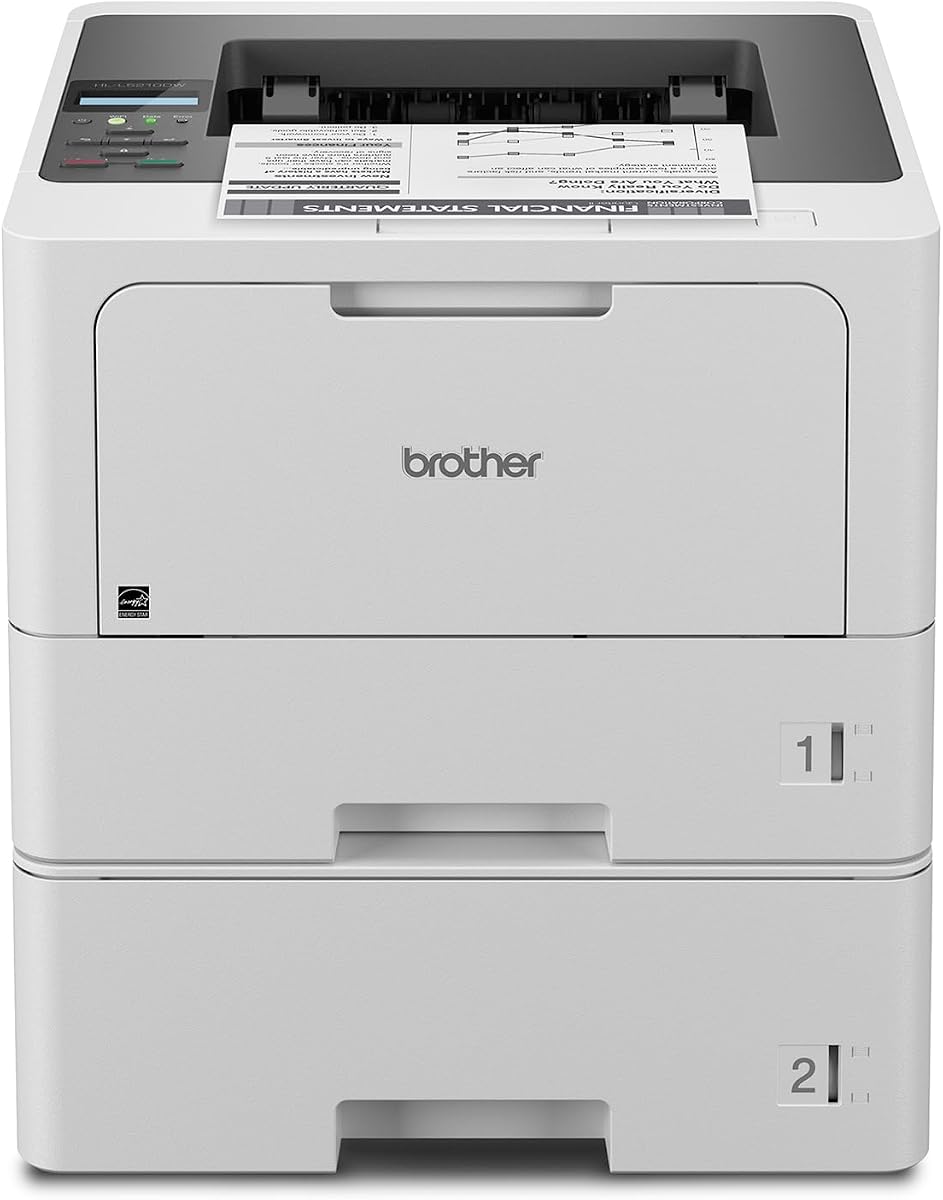
For workgroups prioritizing speed and cost over color, the Brother HL-L5210DWT is an exceptional value. It delivers professional quality monochrome documents at a blistering 48 pages per minute, keeping teams productive throughout the day.
We may earn a commission when you buy through this link, at no additional cost to you.
The dual paper trays are a huge benefit for large teams as they minimize interruptions for paper refills. You can load 250 sheets in one tray and 520 in the other allowing different paper types or sizes to be available simultaneously.
Operating costs are kept low with compatible high yield toner cartridges that print up to 11,000 pages. While it lacks color capabilities, the speed and reliability make it a strong contender for text heavy office environments.
This model is perfect for businesses that need a robust workhorse for daily document printing. Its security features and flexible connectivity ensure it integrates smoothly into existing enterprise networks without issues.
Having two trays means less downtime for refilling and allows separate paper types for different document needs.
Triple Layer Security safeguards your network and documents from unauthorized access and potential malware attacks.
We may earn a commission when you buy through this link, at no additional cost to you.
The HP LaserJet Enterprise M406dn brings enterprise level reliability to smaller departments or workgroups. It offers a solid 42 pages per minute speed with automatic two sided printing to help reduce paper usage and operational costs.
We may earn a commission when you buy through this link, at no additional cost to you.
Its interface is simple yet functional with a color display that allows easy menu navigation. The device supports card reader integration which helps manage user access and track printing activities across the organization.
Security is a standout feature with HP Wolf Enterprise Security providing defensive layers against malware and threats. This ensures your business data remains protected even in networked environments with multiple connected devices.
Ideal for organizations needing straightforward monochrome printing with enterprise grade support, this model offers consistent performance. It fits well in settings where wired connectivity is preferred for security and stability.
HP FutureSmart firmware allows for easy updates to optimize investment and add features over time.
Self healing features detect and stop malware to keep your network and documents secure continuously.
We may earn a commission when you buy through this link, at no additional cost to you.
The Brother MFC-L6810DW is designed for mid to large workgroups needing high volume printing and scanning. Its 52 pages per minute speed ensures fast output while the 80 page auto document feeder handles large scans efficiently.
We may earn a commission when you buy through this link, at no additional cost to you.
Security is robust with Triple Layer Security and an NFC card reader for badge authentication. This prevents unauthorized access to sensitive documents and helps maintain compliance with business data policies.
Paper handling is generous with a 520 sheet main tray and expandable options up to 1,660 sheets. This reduces refill frequency significantly for teams printing thousands of pages daily.
For teams needing both speed and security this model delivers enterprise level performance. The voice assistant compatibility adds a layer of convenience for modern office workflows.
Single pass two-sided scanning at up to 200ipm accelerates document processing workflows.
Works with Alexa to enable voice commands for basic tasks and status checks.
We may earn a commission when you buy through this link, at no additional cost to you.
The Brother HL-6210DW offers professional performance for offices needing reliable monochrome printing. With speeds up to 50 pages per minute it keeps pace with busy teams handling high volume document tasks daily.
We may earn a commission when you buy through this link, at no additional cost to you.
Its capacity is robust with a 520 sheet main tray and support for expansion up to 1,660 sheets. This ensures long uninterrupted print jobs without frequent paper replenishment interruptions.
Cost efficiency is a key focus with ultra high yield toner options available. Security features protect your network and documents from threats ensuring safe transmission across the office environment.
This printer is ideal for teams wanting speed and reliability without the complexity of multifunction units. It supports flexible connectivity for both wired and wireless setups easily.
High yield cartridges reduce cost per page making it affordable for heavy daily use.
Gigabit Ethernet and dual band wireless ensure seamless integration into modern office networks.
We may earn a commission when you buy through this link, at no additional cost to you.
The Brother MFC-L5915DW provides excellent value for workgroups needing an all-in-one solution. Its 50 pages per minute speed supports fast document output while scanning features help digitize records efficiently.
We may earn a commission when you buy through this link, at no additional cost to you.
Cost efficiency is maintained with high yield toner cartridges that keep operating expenses low. This model supports flexible connectivity options allowing users to print from mobile devices or networked computers.
The scanning speed with the 70 page auto document feeder helps process large batches of files quickly. A large document glass ensures legal size materials are handled without issues.
For teams needing balanced performance without premium pricing this printer offers a solid option. It covers essential printing scanning and copying needs reliably.
Single pass two-sided scanning speeds up digitization of multi-page documents.
Ultra high yield toner reduces per page costs for budget conscious offices.
We may earn a commission when you buy through this link, at no additional cost to you.
The HP LaserJet Enterprise M507n redefines long-term business expectations with consistent quality and robust security. It is designed for growing businesses that need reliable output and advanced threat protection.
We may earn a commission when you buy through this link, at no additional cost to you.
With over 200 embedded security features it protects printer information and thwarts malware effectively. Centralized management tools allow IT teams to apply policies and update devices efficiently across the network.
Mobile printing is supported with minimal setup making it easy for employees to print from smartphones or tablets. Original HP toner cartridges ensure high quality output and reduce waste or service calls.
For organizations prioritizing security and control this model stands out. It integrates well with enterprise IT policies and provides a stable platform for daily document workflows.
HP Web JetAdmin allows easy device management and policy application across the organization.
Original HP cartridges avoid reprints and service calls ensuring consistent performance.
We may earn a commission when you buy through this link, at no additional cost to you.
The HP LaserJet Enterprise MFP M634z is a powerhouse for large enterprises needing high volume and advanced finishing. It delivers up to 55 pages per minute with massive paper capacity to keep teams running efficiently.
We may earn a commission when you buy through this link, at no additional cost to you.
Its 2300 sheet capacity minimizes paper handling while the 3-bin stapler and stacker automate post processing tasks. Security features protect sensitive data against cyber threats ensuring compliance and confidentiality.
The large touchscreen simplifies management and workflow customization for complex business needs. Energy efficient design reduces power consumption without sacrificing performance or speed.
For large workgroups requiring top-tier performance and automation this model is unmatched. It handles enterprise demands with speed precision and reliability.
Stapling and stacking features streamline document handling reducing manual effort and errors.
2300 sheet input capacity supports massive print volumes without interruptions.
We may earn a commission when you buy through this link, at no additional cost to you.
The Brother HL-L8430CDWT brings dependable color performance to small workgroups and busy offices. With speeds up to 33 pages per minute it handles color documents efficiently without compromising on quality.
We may earn a commission when you buy through this link, at no additional cost to you.
Its design is durable and compact fitting well in spaces where desk real estate is limited. Dual paper trays allow for different paper types ensuring flexibility for everyday printing tasks.
Cost efficiency is maintained with high yield toner options that reduce long term expenses. Energy Star certification helps lower power consumption making it a sustainable choice.
Ideal for teams needing color output without the bulk of enterprise models this printer delivers consistent results. It balances performance with practical design for office use.
Energy Star certification and recycled materials support environmental goals in the office.
Vibrant color and sharp black output ensure professional looking documents and marketing materials.
We may earn a commission when you buy through this link, at no additional cost to you.
The Brother HL-L6310DW delivers fast monochrome printing ideal for mid to large workgroups. With speeds up to 52 pages per minute it ensures quick turnaround for high volume document printing.
We may earn a commission when you buy through this link, at no additional cost to you.
Device management solutions make it easy to configure security settings and deploy updates across multiple units. This reduces IT workload and keeps devices running efficiently.
High yield toner options lower operating costs significantly while security features protect your network from threats. Voice assistant compatibility adds convenience for modern office environments.
For teams needing speed and manageable enterprise features this model is a great fit. It balances performance with practical tools for efficient document production.
Mass distribution of settings ensures consistency across your fleet of printers.
52 pages per minute keeps workflows moving quickly even during peak hours.
We may earn a commission when you buy through this link, at no additional cost to you.
Choosing the right printer involves evaluating speed, capacity, security, and total cost of ownership. This guide breaks down the factors that matter most for busy teams.
For large workgroups speed is critical. Look for models with at least 40 pages per minute to handle peak demand without bottlenecks. Monochrome printers usually offer higher speeds than color ones which is worth considering if color is not essential.
Prioritize speed ratings that match your team's daily output needs to ensure productivity remains high.
Large teams print high volumes so paper capacity is key. Models with dual trays or expandable input allow continuous printing without frequent refills. Look for at least 500 sheets of capacity with options to expand further if needed.
Higher capacity reduces interruptions and improves workflow efficiency for busy offices.
Security is vital for protecting sensitive data. Enterprise printers often include NFC card readers, encryption, and self-healing firmware to prevent unauthorized access and malware threats. Ensure the device supports authentication methods compatible with your organization.
Choose a printer with robust security layers to maintain compliance and protect business data.
Modern offices need flexible connectivity. Look for built-in Gigabit Ethernet and dual-band Wi-Fi for reliable network access. Mobile printing support is also essential for employees who need to print from smartphones or tablets.
Ensure the printer supports your network setup and mobile devices for seamless integration.
Beyond the purchase price consider toner costs and maintenance. High-yield cartridges reduce cost per page significantly. Models offering included toner or easy maintenance designs help keep long-term expenses manageable.
Calculate cost per page based on toner yield to estimate long-term expenses accurately.
If you need to digitize documents look for models with automatic document feeders and two-sided scanning. Duplex printing reduces paper usage and helps meet sustainability goals. High scanning speeds save time when processing large batches.
Prioritize models with ADF and duplex features if you need scanning and eco-friendly printing.
For enterprise environments, remote management tools are essential. Look for features that allow centralized configuration, firmware updates, and usage tracking. This reduces IT workload and keeps printers running optimally.
Choose devices with management software that integrates with your IT infrastructure.
Consider the physical footprint of the printer. Compact models save desk space but may have lower capacity. Larger floor-standing units offer more trays but require dedicated space. Ensure the unit fits your office layout.
Balance space requirements with paper capacity to maintain a clean and efficient workspace.
To maintain peak performance use only recommended toner cartridges and paper types. High-quality supplies reduce wear on the drum and fuser ensuring consistent output over time.
Keep the printer in a clean environment free of dust and debris. Regularly wipe down the exterior and clean the paper feed rollers to prevent jams and paper feed issues.
Update firmware regularly to benefit from the latest security patches and features. Many enterprise printers support automatic updates which help keep the device secure and optimized.
The Brother MFC-L6810DW and HP LaserJet Enterprise MFP M634z are excellent choices for high-volume environments. They offer fast speeds, large paper capacities, and enterprise-grade security to keep teams productive.
Use high-yield toner cartridges and enable duplex printing to save on both supplies and paper. Models with cost-efficient toner options like the Brother HL-L5210DWT help lower operational expenses.
Yes, enterprise models include advanced security features such as encryption, self-healing firmware, and user authentication. These features help protect your network and sensitive data from cyber threats.
It depends on your needs. If you print marketing materials or color reports, color printers like the Brother MFC-L8930CDW are essential. Otherwise, monochrome models offer better speed and cost efficiency.
For large workgroups, aim for at least 500 sheets of capacity with expandable options. This minimizes refills and ensures continuous printing during peak hours.
Many enterprise printers offer device management solutions for centralized configuration and updates. Look for models with remote management tools to simplify maintenance and security.
The Brother MFC-L8930CDW stands out as the top choice for large teams needing color and security. For budget-conscious groups, the Brother HL-L5210DWT offers incredible speed and cost efficiency.
Prioritize speed, paper capacity, and security features when making your decision. Enterprise models provide the robustness needed to handle daily demands without compromising safety or performance.
Prices and specifications change so check current listings before purchasing. Investing in the right printer ensures your workgroup stays productive and efficient.