
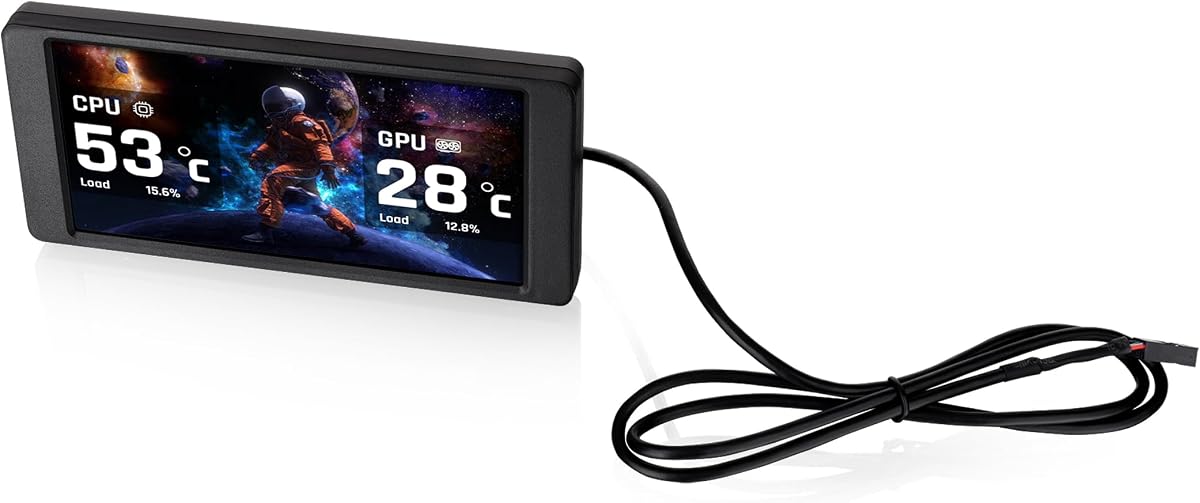
Thermalright Trofeo Vision LCD AIO Display
4.3Editor score
9.16 inch display
Compact slim build
Plug and play USB-C
Adding a custom display to your PC build transforms it into a living showcase. These screens show real-time stats like temperatures and usage while playing videos or art. Choosing the right one depends on size, resolution, and compatibility with your case.
We evaluated ten popular models based on display quality, ease of installation, and software features. Each option offers unique mounting solutions and connectivity methods to fit different builds. Our goal is to help you find the perfect screen for your needs.
Every pick highlights specific strengths like touch support, magnetic mounting, or dedicated software. Prices may vary over time so check current listings before buying. We focus on value and performance to ensure your build looks amazing while staying functional.
4.3Editor score

4.4Editor score

4.5Editor score
As an Amazon Associate we earn from qualifying purchases.
This side-by-side comparison highlights the key specifications of each model to help you decide quickly. We focus on screen size, resolution, and unique features like touch support or magnetic mounting. Review the table to find the best fit for your specific PC case.




This screen stands out for its stunning visuals and high-quality IPS panel. It offers an excellent balance of size and resolution for most cases. The integrated ARGB lighting adds a premium touch to any build setup.
We may earn a commission when you buy through this link, at no additional cost to you.
Lian Li provides robust software support for customization. You can display system stats or your own videos easily. The flexible mounting allows various placements on your case.
The main trade-off is the need for specific mounting screws. Ensure you follow instructions to avoid damage. Also, the software is required for full functionality.
Ideal for Lian Li case owners or those seeking high-quality visuals. It is a strong choice for enthusiasts wanting a cohesive look. We highly recommend it for its premium features.
The built-in diffused ARGB strip enhances your build aesthetics significantly.
Access preset themes and upload your own custom layouts easily.
We may earn a commission when you buy through this link, at no additional cost to you.
The darkFlash V92 offers a large 9.2-inch display ideal for detailed stats. It provides excellent visibility even through tempered glass panels. The slim body ensures it fits well inside modern cases.
We may earn a commission when you buy through this link, at no additional cost to you.
Software support is strong with Station Space allowing various widgets. You can show weather, stock, or custom media easily. The included mounting kit makes installation straightforward.
Station Space must run in the background for the screen to work. This may use some system resources on older machines. Also, it is limited to Windows environments.
Great for users wanting a large screen without HDMI. It suits those who prefer free monitoring software. Consider it for versatile monitoring capabilities.
Monitor system data and use free themes without AIDA64.
The thin aluminum body measures just 12 mm thick.
We may earn a commission when you buy through this link, at no additional cost to you.
This model allows the screen to function as a second monitor. This adds real utility beyond just hardware stats. The IPS panel delivers vibrant and clear images.
We may earn a commission when you buy through this link, at no additional cost to you.
Setup is incredibly simple with just one cable needed. The software supports dynamic video themes for customization. It includes a visual theme editor for creativity.
It is optimized for Windows systems only. This limits use for Linux or Mac users. The price is higher than basic sensor panels.
Perfect for users wanting extra screen real estate. It suits gamers and streamers needing quick info. We recommend it for its unique desktop mode.
Switch to desktop mode to use it as an extended screen.
Display custom dynamic video themes for a unique look.
We may earn a commission when you buy through this link, at no additional cost to you.
Designed for the Hyte Y60, this screen offers a huge 12.6-inch display. It includes built-in speakers for audio without extra gear. The resolution is sharp enough for media playback.
We may earn a commission when you buy through this link, at no additional cost to you.
The installation kit is complete with mounting brackets. It fits the Y60 panel perfectly with included screws. HDMI connectivity ensures compatibility with most PCs.
You need an available HDMI port for video signal. Power requires a 5V adapter or USB source. It is bulky compared to standard sensor panels.
Best for Hyte Y60 owners wanting a media hub. It suits users needing audio output from the case. Consider it for size and audio features.
Enjoy audio output directly from the screen without extra speakers.
The bracket fits the Hyte Y60 case panel perfectly.
We may earn a commission when you buy through this link, at no additional cost to you.
This screen adds interactive touch functionality for your PC. It supports HDMI input allowing standalone video use. The IPS panel offers true-to-life colors.
We may earn a commission when you buy through this link, at no additional cost to you.
Setup is plug and play with no drivers needed. It works with Windows and Linux systems easily. The touchscreen responds quickly to taps.
Touch adds convenience but may collect fingerprints. You need external software like AIDA64 for stats. It is slightly less robust than non-touch models.
Ideal for those wanting touch controls in their build. It suits users needing HDMI compatibility. Consider it for its interactive features.
Use the capacitive touchscreen for smooth control and navigation.
Driver-free design ensures quick setup without complications.
We may earn a commission when you buy through this link, at no additional cost to you.
Offering great value, this model is perfect for budget builds. It has a slim profile to fit anywhere. The display is bright and clear for stats.
We may earn a commission when you buy through this link, at no additional cost to you.
Thermalright software allows DIY theme creation easily. The 9.16-inch size is ideal for most cases. USB-C simplifies connection to your PC.
Build quality is decent but not premium. You may need to manage cables carefully. It is best for simple setups.
Best for users prioritizing value and compact size. It suits those new to PC modding. We recommend it for its affordability.
Use TRCC software to design your own unique interface.
Compact build fits seamlessly inside or outside your case.
We may earn a commission when you buy through this link, at no additional cost to you.
This compact screen fits smaller cases like the View series. It supports the TTRGBPlus suite for ecosystem control. You can upload custom graphics for personalization.
We may earn a commission when you buy through this link, at no additional cost to you.
Standalone mode works without PC software for basic display. It is great for showing static images. The connection is via USB 9-pin.
Resolution is lower than full HD displays. It may look pixelated for media. Compatibility is limited to specific cases.
Best for View 370 or 390 owners. It suits users wanting a small display. Consider it for ecosystem integration.
Upgraded features provide better control for your setup.
Use without PC software for static displays.
We may earn a commission when you buy through this link, at no additional cost to you.
This large screen offers a robust touch experience for cases. It is designed to fit the Hyte Y60 perfectly. The resolution is sharp for all content.
We may earn a commission when you buy through this link, at no additional cost to you.
Multi-touch support allows fluid interaction with UI. It includes speakers for audio needs. Installation is simple with included tools.
It is quite wide for some cases. You must ensure clearance before buying. It uses USB for touch and video.
Ideal for Y60 owners wanting large touch. It suits power users needing interaction. Consider it for size and features.
Experience responsive multi-touch accuracy on the screen.
Compatible with Windows systems out of the box.
We may earn a commission when you buy through this link, at no additional cost to you.
Unique magnetic suction allows screwless installation easily. It is great for removable panels without damage. The display is vibrant and high quality.
We may earn a commission when you buy through this link, at no additional cost to you.
TRCC software provides full monitoring control. The magnetic frame is secure on most surfaces. USB-C simplifies the connection.
Ensure the case is steel for magnets to work. It is less flexible for non-metal parts. Software must run for operation.
Best for cases with steel panels. It suits users wanting tool-free changes. Consider it for its unique mounting.
Metal frame technology allows easy install without screws.
Supports static and dynamic image switching.
We may earn a commission when you buy through this link, at no additional cost to you.
This tiny screen is perfect for small builds. It is compatible with specific coolers easily. The magnetic mount makes placement flexible.
We may earn a commission when you buy through this link, at no additional cost to you.
TRCC software supports custom themes well. It is affordable and easy to install. The USB connection is standard.
Resolution is lower at 1280×480. It may look pixelated for text. The small size limits detailed stats.
Best for small cases needing simple stats. It suits budget builds. Consider it for affordability.
Position limited on various chassis positions.
Magnetic attraction allows flexible positioning.
We may earn a commission when you buy through this link, at no additional cost to you.
Selecting a display requires looking at more than size. We break down key factors to ensure you pick a model that fits your specific needs.
Screen sizes range from 6 inches to 13 inches. Larger panels offer more detail but require more space. Higher resolution like 1920×480 ensures crisp text and images.
Choose a size that fits your case's viewing area without blocking fans.
Mounting can be screws, brackets, or magnetic. Magnetic options are easiest for removal. Brackets are more secure but harder to install.
Check your case's compatibility before buying to avoid issues.
Some screens need HDMI while others use USB-C or 9-pin. Ensure your motherboard has the right headers. HDMI uses GPU ports but offers higher quality.
Match the screen to your available ports for easiest setup.
Software allows customization of what is shown. Some are proprietary while others work with AIDA64. Check if the OS you use is supported.
Verify the software works on your current operating system.
Touch screens allow you to interact with your stats. This is useful for adjusting settings quickly. However, non-touch models are often cheaper.
Decide if touch adds value to your usage.
Most screens draw power from USB. Some need external 5V adapters. Internal headers are cleaner but require open ports.
Plan your power routing to keep cables tidy.
Look for options to upload images or videos. Dynamic themes can match your PC usage. Static themes are simpler and use less resources.
Check the range of visual options provided.
Prices vary based on size and features. Budget models may lack premium materials. Higher-end models often offer better support.
Set a budget to find the best balance.
To install, connect the USB or HDMI cable first. Mount the unit using the provided bracket or screws. Ensure it is secured tightly to avoid vibrations.
Install the manufacturer software on your PC. Create your layout using themes or custom widgets. Adjust brightness to match your room lighting.
Clean the screen with a soft microfiber cloth. Avoid harsh chemicals or abrasive materials. Regular maintenance will keep the panel looking new.
Many models use USB or motherboard headers instead of HDMI to save GPU ports. However, some larger screens may require HDMI or DisplayPort. Always check the connection type before buying.
Most brands provide dedicated software for customization. Some support AIDA64 for advanced monitoring. Others are standalone. Ensure you install the right drivers.
Yes, some support second monitor mode. However, resolution and aspect ratio are usually optimized for stats. They are best used for monitoring rather than full desktop use.
Some models offer Linux support via drivers. Others are Windows-only. Always check the manufacturer specs. For best results, stick to supported OS.
Use the provided bracket to screw the screen into a panel or fan mount. Magnetic options stick to steel cases. Ensure no cables are blocked.
Most screens allow uploading custom videos or GIFs. The software usually includes a media player. Check supported file formats before uploading.
We highlighted ten models ranging from small magnetic units to large touch panels. The top picks offer unique benefits like second monitor mode or magnetic mounting. Choose based on your case size and software needs.
Prioritize compatibility with your motherboard headers to avoid extra adapters. Ensure the screen supports the OS you use. Software quality is just as important as hardware.
Check current prices and deals before purchasing. Prices fluctuate based on availability. A good display can truly elevate your PC setup.