
HP Chromebook 14 Laptop
4.3Editor score
Intel Celeron N4120
Up to 14 Hours Battery
Chrome OS Efficiency
Finding a laptop that balances performance with energy efficiency is crucial for modern users who need reliability on the go. Low power consumption laptops offer extended battery life and reduced heat generation without sacrificing essential computing capabilities for daily tasks.
We evaluated ten top models based on processor efficiency, battery endurance, display quality, and overall build durability. Our analysis highlights devices that minimize energy draw while maintaining smooth operation for browsing, streaming, and productivity work in various environments.
Each selection showcases unique strengths tailored to different needs, from budget-friendly Chromebooks to Windows machines with cloud storage. Remember that availability and pricing can change frequently, so verify current details before making your final purchase decision today.
4.3Editor score

5.0Editor score

4.8Editor score
As an Amazon Associate we earn from qualifying purchases.
The following table provides a quick side-by-side look at key specifications across all ten selected models to help you compare performance and portability at a glance.

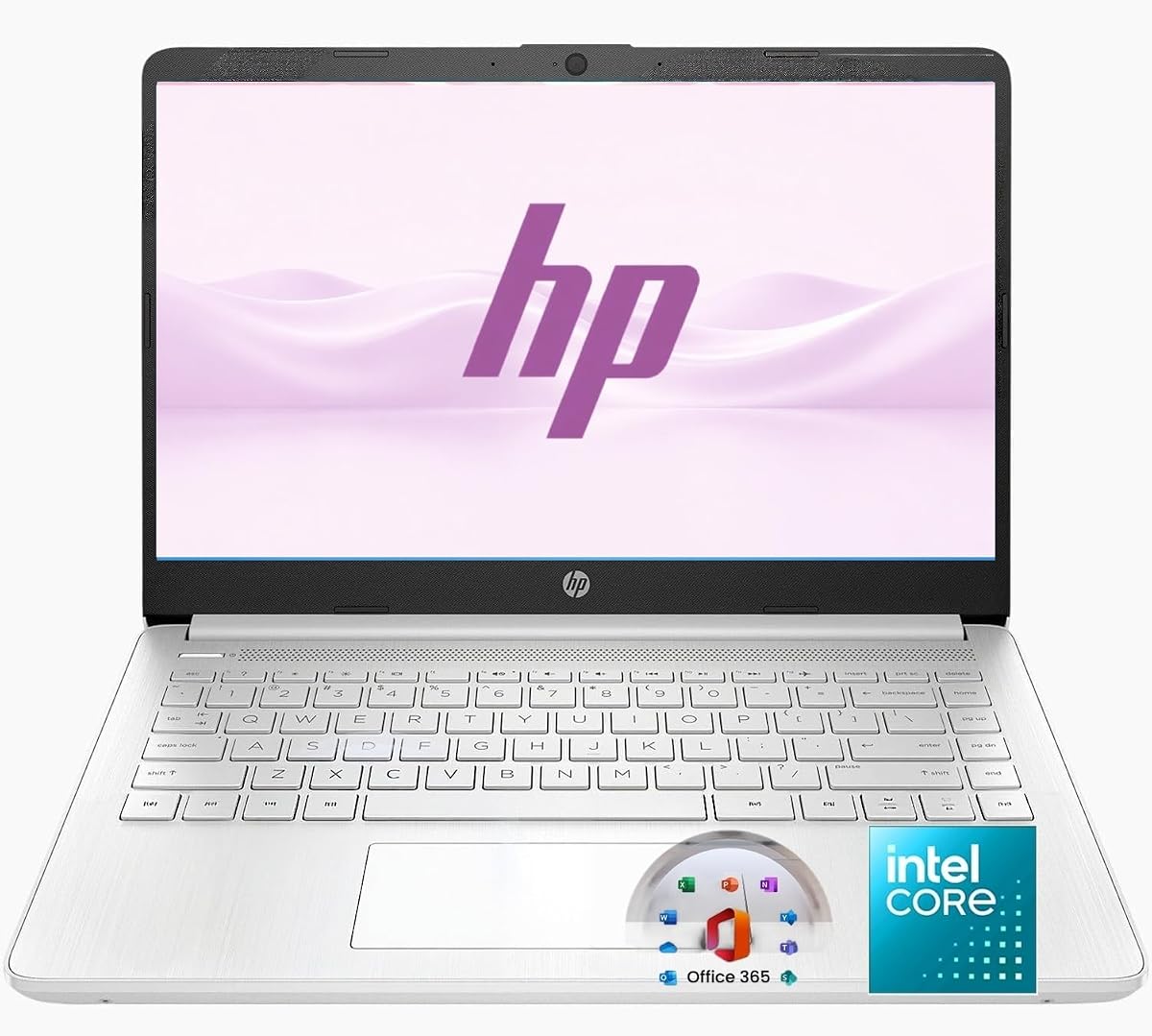


This HP model stands out as a top contender for users seeking reliable low power consumption in a thin chassis. With a perfect rating from early buyers, it delivers on its promise of efficient computing for daily tasks.
We may earn a commission when you buy through this link, at no additional cost to you.
The Intel N150 processor ensures smooth operation while keeping energy draw minimal. Coupled with DDR5 RAM, it handles web browsing and document editing without draining the battery quickly during long sessions.
While the local storage is modest at 128GB, the included cloud service compensates significantly. The trade-off allows for a lighter device that fits easily into backpacks for students or commuters.
Ideal for students and home office users who prioritize portability and battery endurance over heavy graphics performance. It offers a balanced package for essential productivity needs without power drain.
Users report the laptop easily lasts through a full day of lectures or meetings thanks to its efficient processor and optimized Windows 11 configuration.
The bundled OneDrive subscription provides ample space for files, reducing the need for bulky external drives or constant reliance on local hard drive space.
We may earn a commission when you buy through this link, at no additional cost to you.
Chromebooks are renowned for their energy efficiency and this model exemplifies that trait with strong battery performance. It is a practical choice for those primarily working within the Google ecosystem and browser-based applications.
We may earn a commission when you buy through this link, at no additional cost to you.
The Intel Celeron N4120 provides adequate power for web tasks while consuming minimal electricity. The system boots quickly and runs quietly, making it suitable for library study or quiet office environments.
Storage is limited to 64GB but cloud integration helps mitigate this constraint. Users should be aware that heavy offline media storage might require external solutions or careful management.
Perfect for students needing a secondary device or a primary machine for light research and writing. Its low cost and high energy efficiency make it a smart financial investment.
Chrome OS keeps background processes minimal ensuring the battery focuses on active tasks rather than system maintenance or heavy indexing services.
HP Fast Charge technology allows for quick top ups which is essential when you need to extend your usage time between power outlets.
We may earn a commission when you buy through this link, at no additional cost to you.
This device offers premium specifications like 12GB RAM and a solid state drive while maintaining low power draw. It bridges the gap between entry level budget and capable performance for moderate multitasking.
We may earn a commission when you buy through this link, at no additional cost to you.
The Intel Celeron 5205U is designed for efficiency yet paired with substantial memory it handles multiple open tabs gracefully. The SSD ensures rapid application launches without draining the battery like a mechanical drive would.
The IPS display provides better viewing angles and color accuracy than standard panels improving visual comfort. This is a significant upgrade for users who spend hours reading or watching media.
Recommended for users who need more memory than standard budget laptops offer without moving to high power gaming systems. It balances cost and efficiency well for general productivity.
Having 12GB of RAM allows for smoother transitions between applications reducing the need for constant reloading and unnecessary power spikes during usage.
The display includes blue light filtering which helps reduce eye strain during long sessions aligning with the low consumption theme of healthy device usage.
We may earn a commission when you buy through this link, at no additional cost to you.
A solid Windows machine that emphasizes efficiency through the latest DDR5 memory and low wattage CPU. It provides a familiar environment for those who prefer Windows over other operating systems.
We may earn a commission when you buy through this link, at no additional cost to you.
The inclusion of Microsoft 365 adds immediate utility for document creation and spreadsheets. This bundle makes it a turnkey solution for students starting their academic journey without extra costs.
Portability is enhanced by the slim 14 inch profile which fits easily into crowded bags. It is light enough to carry for extended periods without causing arm fatigue during commutes.
Suitable for general office work and online classes where screen real estate is less critical than portability. The efficiency features ensure it lasts through a school day on a single charge.
DDR5 memory consumes less power for the same tasks compared to older standards improving overall system efficiency and battery longevity during typical usage.
Multiple connection options allow you to link peripherals efficiently without needing extra hubs that could drain power from the main system unit.
We may earn a commission when you buy through this link, at no additional cost to you.
This 2026 edition updates the lineup with modern features like Copilot AI while keeping power needs low. It targets users who want future proof software support without the heat of high end chips.
We may earn a commission when you buy through this link, at no additional cost to you.
The anti-glare screen reduces eye strain during outdoor use or bright office lighting. This feature complements the low power design by ensuring visibility without needing to boost brightness to high levels.
Storage is handled through a combination of SSD and cloud options offering flexibility for different workflow needs. The SSD speeds up startup times significantly compared to traditional hard drives.
Great for users who need a clean interface and modern AI tools for productivity. It balances innovation with practical energy saving features for everyday reliable use.
Copilot features help streamline tasks like summarizing documents or drafting emails which can reduce the time spent on heavy processing loads.
The display coating minimizes reflections making it easier to see content without straining the eyes or increasing screen brightness settings.
We may earn a commission when you buy through this link, at no additional cost to you.
Designed specifically for school and office environments this model focuses on stability and connectivity. The Wi-Fi 6 ensures strong signal handling which can save power by reducing connection retries.
We may earn a commission when you buy through this link, at no additional cost to you.
The inclusion of Office 365 means you are ready to write reports or edit spreadsheets immediately. It simplifies the setup process for students who need access to professional tools right away.
Eight gigabytes of RAM is a generous amount for this class of device improving multitasking performance significantly. This allows you to run a browser and a word processor simultaneously without lag.
Best for corporate users or students who need a reliable machine for daily communications and document management. Its low power profile ensures it remains cool and quiet in meetings.
Wi-Fi 6 manages power more effectively when connected to modern networks extending battery life during online sessions compared to older standards.
Having the full Office suite installed ensures you do not rely on heavy web based workarounds that can sometimes consume more processing power.
We may earn a commission when you buy through this link, at no additional cost to you.
This Lenovo device combines efficiency with rugged durability suitable for frequent travel. The military grade testing suggests it can withstand minor bumps and drops while maintaining low power usage.
We may earn a commission when you buy through this link, at no additional cost to you.
The larger 15.6 inch screen is ideal for split screen work or viewing detailed spreadsheets comfortably. Despite the size the internal components remain optimized for energy saving performance.
DDR5 memory ensures fast data processing with reduced heat generation compared to older RAM technologies. This helps keep the device cool and the fan noise to a minimum during light use.
A strong candidate for students who carry their laptop daily and need a screen that is easy to read. The privacy shutter adds a layer of security for video calls.
Testing against military standards ensures the device can handle daily wear and tear without compromising the internal power supply or battery integrity.
The Full HD display provides clear text which reduces eye fatigue and the need to squint during long study sessions or work periods.
We may earn a commission when you buy through this link, at no additional cost to you.
The V15 is engineered for business workflows that require reliability and speed. The Intel N100 processor is a modern efficient chip that handles everyday tasks without excessive power drain.
We may earn a commission when you buy through this link, at no additional cost to you.
UFS storage is typically found in mobile devices but offers faster read speeds than traditional eMMC here. This means applications open quickly and the system responds instantly to user input.
It includes a privacy shutter and TPM chip for security which are critical for business users handling sensitive data. The design is professional and understated for office environments.
Perfect for corporate users who need a secondary machine for email and web tasks. It maintains a low profile and low power consumption suitable for extended meetings.
Faster storage reduces the time the system needs to be active for reading files saving energy over the lifespan of the day.
Hardware security features ensure data remains safe without needing heavy software encryption that might impact performance or battery.
We may earn a commission when you buy through this link, at no additional cost to you.
The fanless design makes this model exceptionally quiet and resistant to dust accumulation. This is a key feature for low power consumption as fans consume energy and introduce moving parts that can fail.
We may earn a commission when you buy through this link, at no additional cost to you.
It relies on passive cooling which is sufficient for the low wattage CPU used inside. This design choice keeps the device silent and cool even during extended periods of web browsing.
The 15.6 inch screen provides a good balance of portability and viewing area. The full HD resolution ensures text and images appear sharp without requiring excessive scaling or brightness.
Ideal for users who prioritize silence and reliability over raw processing speed. It is a great choice for reading or writing tasks where noise would be distracting.
Without a fan the laptop operates silently making it perfect for shared spaces or quiet libraries where noise is a concern.
The lack of air intakes means dust cannot enter the internal components extending the lifespan of the device without needing cleaning.
We may earn a commission when you buy through this link, at no additional cost to you.
ASUS brings a slim profile to the low power category with a focus on student needs. The 45Wh battery supports long sessions and the fast charge helps keep you productive on the go.
We may earn a commission when you buy through this link, at no additional cost to you.
The SSD provides faster boot times than older storage options ensuring you can start working immediately. Audio is enhanced by SonicMaster technology for a better experience during media consumption.
The N4500 processor offers decent performance for a low cost device. While 4GB of RAM is a limit it is sufficient for single tasking or light multitasking scenarios.
Best for budget conscious students who need a simple and reliable device for basic tasks. It offers a solid foundation for entry level computing without high energy demands.
Getting to sixty percent charge in under an hour ensures you can top up quickly between classes or meetings.
Enhanced speakers provide clear sound without needing high volume settings which can save energy on audio processing.
We may earn a commission when you buy through this link, at no additional cost to you.
Selecting a laptop that minimizes energy use requires attention to several hardware and software factors that impact battery life and efficiency.
The central processing unit is the most critical component for power consumption. Look for processors designed for low wattage such as Intel N-series or Celeron chips which balance performance with energy efficiency. Modern architecture reduces heat and power draw significantly compared to older or high performance gaming chips.
Always check the thermal design power rating of the processor before buying to ensure it meets your daily usage needs without draining the battery quickly.
Random access memory type influences efficiency as DDR5 consumes less power than DDR4 for similar workloads. Sufficient RAM ensures you do not constantly reload applications which spikes energy use. Aim for at least 4GB but 8GB is preferable for smoother multitasking without performance hits.
Upgrading memory can extend the lifespan of a laptop so consider models with flexible RAM options if future proofing is important.
Solid state drives use less energy than traditional mechanical hard drives because they have no moving parts. UFS or SSD storage allows for faster access which reduces the active time of the system. Avoid eMMC storage if possible as it is slower and may increase load times.
Selecting a drive with appropriate capacity ensures you do not need external power hungry devices to store your files.
The screen often consumes the most power in a laptop. IPS panels provide better viewing angles while lower brightness settings reduce drain. Look for displays with blue light filtering to reduce eye strain during long sessions. Anti-glare coatings also help in bright environments.
A larger screen might offer better productivity but check if the resolution and brightness match your typical usage locations.
Battery life depends on both capacity and how efficiently the system uses power. A 45Wh battery with a low power processor can last longer than a larger battery on a power hungry system. Always check official estimates for video playback to gauge real world performance.
Consider models with fast charging capabilities to minimize downtime when you are away from a power outlet during the day.
Chrome OS and Windows 11 in S mode are optimized for efficiency and security. They manage background processes better than standard versions and reduce unnecessary resource usage. Choosing the right OS ensures your hardware runs at optimal efficiency for daily tasks.
Ensure the operating system supports your necessary applications to avoid the need for heavier software alternatives.
Wi-Fi 6 is more efficient at managing data transfers and reducing latency compared to older standards. This saves power by preventing constant reconnection attempts. Bluetooth 5.0 or higher also offers better power management for peripheral devices like mice or headphones.
Modern connectivity ensures your device stays connected without draining energy on unstable network signals.
Lightweight materials reduce the overall burden on your battery while traveling. Slim designs often correlate with better thermal management and lower power consumption. Durability is also a factor so look for military grade ratings if you move your device frequently.
A durable and light build ensures you carry a device that can survive daily commutes without needing frequent charging.
To maximize battery life ensure your screen brightness is set to a comfortable level rather than maximum. High brightness drains power quickly even on efficient panels. Adjust your settings to match ambient light conditions to reduce unnecessary strain on the battery.
Keep your software and drivers up to date because manufacturers often release updates that improve power management. Windows and Chrome OS automatically handle many updates but checking for hardware specific driver patches can further optimize performance and energy usage.
Store your laptop in a cool dry place when not in use as heat can degrade battery health over time. Avoid leaving it in direct sunlight or hot vehicles and clean vents regularly to prevent dust from affecting thermal efficiency.
Generally low power laptops are designed for basic tasks like browsing and document editing. Video editing requires high performance hardware which consumes more energy. You should look for dedicated graphics cards if you need to edit high resolution footage.
Use built-in power saver modes to reduce background activity and dim the screen. Close unused tabs and applications to lower CPU load. Regularly update your operating system to benefit from the latest energy optimizations provided by the manufacturer.
Yes for basic tasks like web browsing and word processing 4GB is sufficient. However if you run many applications simultaneously 8GB is recommended. More RAM prevents reloading programs which saves energy over time.
Many models have soldered storage so upgrades are not possible. Check the specifications for available slots or expandable options like SD cards. If you need more space consider using cloud storage instead of physical upgrades.
Low power laptops typically run cooler than high performance devices due to efficient processors. The lack of fans in some models also indicates they do not generate much heat. This makes them comfortable to use on your lap for long periods.
Chrome OS is generally more efficient for lightweight tasks as it uses fewer background resources. Windows 11 has improved power management in S mode. Your choice should depend on the software you need rather than efficiency alone.
This guide highlights ten reliable options for energy efficient computing suitable for various needs. The HP New Everyday Slim leads with balanced performance while the Chromebook offers budget friendly efficiency.
Prioritize processor choice and memory capacity to ensure your device remains fast and responsive without draining power quickly. Consider the storage and connectivity options that match your workflow requirements for seamless use.
Always verify current availability and specific model details before purchasing as technology updates frequently. These selections provide a strong starting point for finding a laptop that keeps you productive and efficient.