
VSD Mini Macro Pad
4.1Editor score
6 Custom LCD Keys
Compact Portable Design
Side RGB Light Bars
Explore the top macro pads for streaming in October 2026. Compare features, compatibility, and design to find the perfect controller for your live setup.
Streaming has evolved into a highly competitive landscape where every second counts. A dedicated macro pad allows creators to manage complex workflows without breaking immersion or losing viewer attention during critical moments.
We evaluated ten leading streaming controllers based on key criteria including key customization, software compatibility, and build quality. Each product offers unique advantages for different streaming styles and budget ranges.
This guide details the strengths and weaknesses of each option to help you decide. Please note that product availability and pricing fluctuate regularly so verify current details before purchasing.
4.1Editor score

4.4Editor score

4.8Editor score
The following comparison table provides a quick side-by-side look at the specifications of all ten products featured in this guide. Use this to identify key differences at a glance.



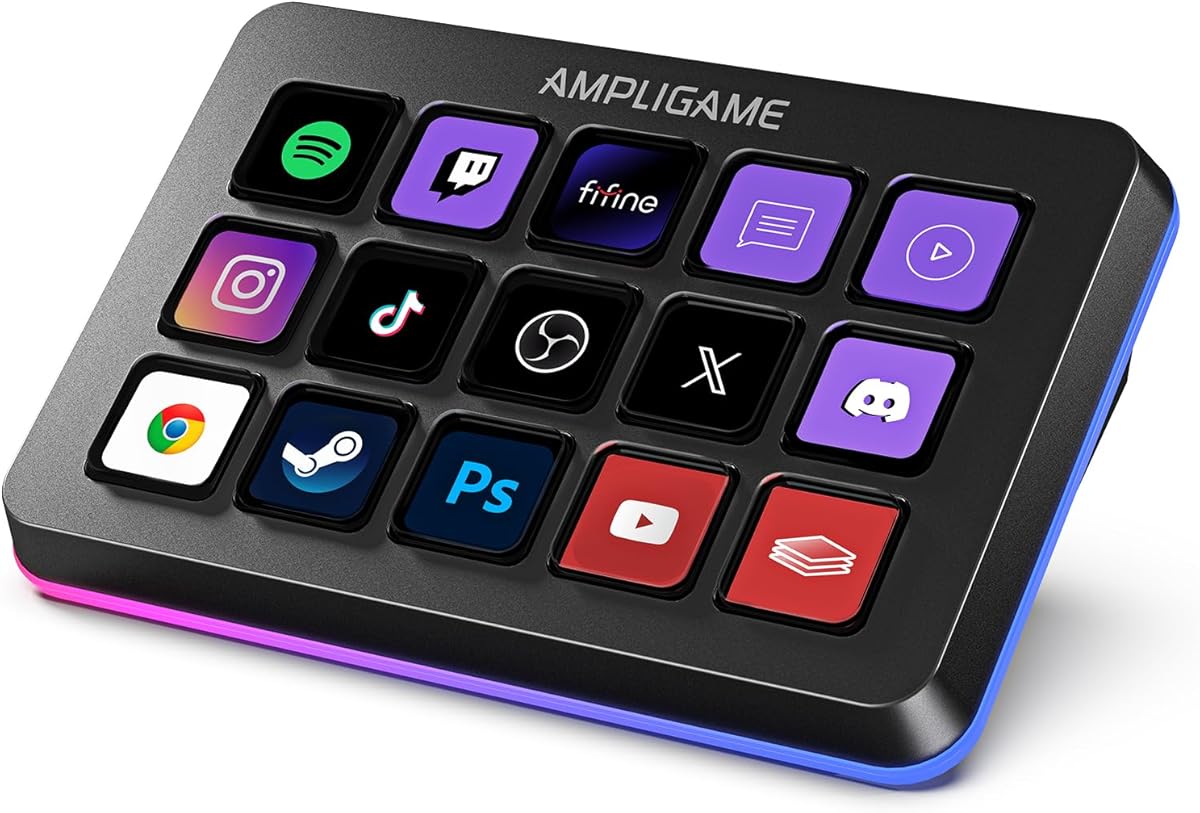


The VSD M18 Macro Pad stands out as a versatile tool for streamers who need extensive control without cluttering their desk. With an overall rating of 4.4 stars it delivers reliable performance for managing OBS scenes and media playback efficiently.
We may earn a commission when you buy through this link, at no additional cost to you.
Its 18 programmable keys including fifteen visual LCD buttons offer significant flexibility for complex workflows. The ability to assign single or multi-step sequences allows creators to execute complex actions like launching apps or switching scenes with a single tap.
While the software is robust it may require some time to master for beginners. Additionally Linux users might find the lack of native plug-and-play support inconvenient compared to other operating systems but SDK documents are provided.
This device is ideal for mid-level streamers looking to upgrade from basic keyboards. It balances cost and functionality well making it a top recommendation for those prioritizing key count and visual customization.
The LCD keys support JPG PNG and GIF animations allowing you to create distinct visual cues for each function enhancing workflow speed and accuracy.
An adjustable RGB light ring adds aesthetic value to your setup providing ambient lighting that can match your streaming theme or gaming environment.
We may earn a commission when you buy through this link, at no additional cost to you.
This streaming controller is designed with space efficiency in mind offering a vertical layout that minimizes the footprint on your desk. With a high rating of 4.7 it is well received by users who value ergonomics and versatility in their setup.
We may earn a commission when you buy through this link, at no additional cost to you.
The device features three switchable modes including a standard shortcut mode a calculator mode and a numeric keypad mode. This flexibility makes it useful not just for streaming but also for general productivity tasks like data entry or calculations.
While the interface is intuitive new users should watch the tutorial videos provided to maximize utility. The plugin marketplace offers hundreds of options though some might require subscription services to fully integrate third-party applications effectively.
It is a strong choice for streamers with limited desk space or those who need a multifunctional device. The long warranty period adds confidence in the purchase for long-term daily usage.
The vertical arrangement allows for comfortable reach and reduces wrist strain during long sessions compared to traditional horizontal layouts.
Access to hundreds of plugins enables deep integration with tools like Discord Excel and Premiere Pro streamlining your entire content creation workflow.
We may earn a commission when you buy through this link, at no additional cost to you.
The VSD M18 Stream Controller emphasizes efficiency with its focus on one-touch operation. Rated at 4.5 stars it appeals to users who need quick access to functions without navigating deep software menus during live streams.
We may earn a commission when you buy through this link, at no additional cost to you.
Its design includes eighteen customized macro keys that can be personalized with images or animations. The surrounding RGB light ring not only serves an aesthetic purpose but also helps identify the device in dimly lit streaming environments.
Users should note that full functionality requires installing dedicated software which might be a minor hurdle for some. However the build quality is robust ensuring the device can withstand heavy daily use over time.
This controller is recommended for streamers who prioritize speed and reliability. The combination of visual feedback and sturdy construction makes it a dependable tool for professional content creators.
Assigning complex sequences to single keys reduces the time needed to switch scenes or activate commands keeping the stream smooth.
The LED indicators provide immediate confirmation that a command has been executed reducing uncertainty during critical moments.
We may earn a commission when you buy through this link, at no additional cost to you.
The VSD Mini Macro Pad offers a budget friendly entry point into macro streaming. With a rating of 4.1 it provides essential features for beginners who want to automate tasks without a significant financial investment.
We may earn a commission when you buy through this link, at no additional cost to you.
It features six customizable LCD keys and side RGB light bars that create a compact yet stylish setup. The design saves desk space making it suitable for smaller desks or mobile streaming rigs.
While it has fewer keys than larger models it covers the most common needs like launching OBS or muting audio. The open-source SDK allows tech-savvy users to customize functions further if the standard software feels limiting.
This is the best choice for students or new streamers on a tight budget. It proves that effective macro control does not need to be expensive or bulky.
Priced lower than competitors it delivers core functionality without extra frills making it an accessible tool for hobbyists.
Its small form factor makes it easy to transport for on location streaming or when changing desk configurations frequently.
We may earn a commission when you buy through this link, at no additional cost to you.
The VSD N4 Pro is designed for users who need precise control over audio and video workflows. It holds a 4.4 rating and distinguishes itself with physical knobs and a built-in sound deck functionality.
We may earn a commission when you buy through this link, at no additional cost to you.
Beyond standard keys it offers four RGB knobs that can be assigned to volume or timeline adjustments. This tactile control is preferred by many editors and streamers who need fine-tuned adjustments without using the mouse.
While it lacks built-in speakers it acts as a command center for system audio triggering play or pause commands. The included stand improves ergonomics allowing the device to sit at a comfortable viewing angle.
This device is best suited for creators who edit video or mix audio frequently. The combination of keys and knobs provides a more granular control interface than standard keypads.
Rotary knobs offer precise control over levels which is often more intuitive than tapping buttons for variable adjustments.
The foldable stand ensures the device is visible and accessible reducing neck strain during long editing or streaming sessions.
We may earn a commission when you buy through this link, at no additional cost to you.
The fifine D6 RGB Macro Keyboard is praised for its clear visual feedback system. With a rating of 4.6 it ensures users know exactly which command they are triggering through its responsive LCD keys.
We may earn a commission when you buy through this link, at no additional cost to you.
Its interface allows drag-and-drop configuration which simplifies the initial setup process. The RGB ring around the controller adds a professional look that complements gaming and streaming setups effectively.
Users should ensure firmware is updated to the latest version before starting to avoid connectivity issues. The wide range of plugins supports major streaming platforms making it versatile for different content types.
This device is ideal for users who prioritize clarity and ease of use. It is a reliable choice for those who want immediate visual confirmation of their actions.
The touchscreen style feedback ensures that you always see what action is mapped to each key reducing accidental clicks.
The RGB lighting and responsive keys make it a great companion for gamers who need quick access to macros during gameplay.
We may earn a commission when you buy through this link, at no additional cost to you.
The TreasLin VSDinside Controller stands out for its support of dynamic animated icons. With a rating of 4.4 it allows users to create a unique interface that feels alive and responsive.
We may earn a commission when you buy through this link, at no additional cost to you.
It includes eighteen keys that can be set to different modes including numeric and calculator functions. This versatility makes it suitable for general productivity as well as streaming needs.
The extensive plugin marketplace offers over 200 options though some third-party integrations may require subscriptions. Support is available through the engineering team to assist with any technical issues.
This controller is best for users who want a personalized look. The ability to use GIFs and animations sets it apart from static keypads available on the market.
Dynamic icons allow for status indicators like battery level or active scene changes directly on the key face.
A large selection of plugins ensures you can connect the device to almost any application you use regularly.
We may earn a commission when you buy through this link, at no additional cost to you.
The Streonor S15 Stream Controller is unique because it includes dedicated status panels. With a rating of 4.6 it keeps track of system data like CPU temperature alongside your macros.
We may earn a commission when you buy through this link, at no additional cost to you.
This feature is valuable for streamers who need to monitor their hardware performance without opening system tools. The device also supports multiple preset pages for different scenarios like gaming or office work.
Users should connect it directly to the computer rather than a hub to avoid instability. The software allows creating action flows which trigger complex sequences with a single press.
It is the best choice for tech-savvy streamers who want hardware insights at a glance. The combination of control and monitoring makes it a powerful tool.
The status panels display live data helping you avoid overheating or performance bottlenecks during intense tasks.
Switching between pages allows you to have different controls for different tasks without changing the device.
We may earn a commission when you buy through this link, at no additional cost to you.
The Streonor S10 Controller has the highest rating of 4.9 in this guide making it a top contender for serious creators. It combines a touchscreen with physical knobs for a hybrid control experience.
We may earn a commission when you buy through this link, at no additional cost to you.
Its ability to function as an audio mixer allows for direct volume control over different channels. The physical knobs provide tactile feedback which is often preferred for volume adjustments over touch only.
While it supports Windows and macOS users must ensure they use the right OS version for compatibility. The included plugins are sufficient for most needs but advanced features may require account subscriptions.
This device is recommended for professionals who need precise control. The touchscreen adds a layer of flexibility that standard keypads lack making it highly versatile.
The combination of touch and physical knobs allows you to choose the best method for each specific task.
Built-in audio features reduce the need for external hardware saving desk space and cost.
We may earn a commission when you buy through this link, at no additional cost to you.
The Elgato Stream Deck MK.2 remains the industry standard for streaming controllers with a rating of 4.8. It is designed to make complex tasks simple with just one touch.
We may earn a commission when you buy through this link, at no additional cost to you.
Its software ecosystem is mature offering plugins for nearly any application you might use. The keys provide immediate visual feedback ensuring you know your command was received and executed.
While it is more expensive than some alternatives the reliability and extensive support make it worth the investment. It is a professional tool designed for long-term daily use.
This is the best choice for those who prioritize stability and community support. It sets the benchmark for what a streaming deck should offer.
The wide range of plugins means you can integrate with almost any software you use for work or play.
Years of updates and community testing ensure that the device is stable and bug-free.
We may earn a commission when you buy through this link, at no additional cost to you.
Choosing the right macro pad involves evaluating several factors that impact your workflow and desk setup.
The number and type of keys determine how many actions you can automate. Look for devices that allow custom icons so you can visualize commands easily.
Prioritize models with more keys if you run complex workflows with multiple scenes and applications.
Ensure the device supports the operating system you use most. Some devices offer limited support for Linux or older versions of macOS.
Check if the software is user-friendly and offers plugins for the apps you rely on daily.
Since streamers use these devices frequently durability is crucial. A sturdy frame and reliable switches ensure the device lasts longer under pressure.
Choose a model with a solid construction that feels premium and is resistant to wear and tear.
RGB lighting and custom themes can enhance your visual setup. Many streamers prefer devices that match their desk vibe.
Look for adjustable lighting options to suit different times of day or streaming environments.
More expensive models often offer better software and hardware features. Balance your budget with the features you actually need.
Basic needs can be met with affordable options while professional needs justify the premium investment.
USB-C is becoming the standard for connectivity offering better data transfer and charging. Avoid models that require older ports unless necessary.
Ensure the cable included is high quality to prevent connection drops during critical moments.
The shape and size affect how much desk space it occupies. Vertical models are great for saving space while horizontal ones offer easier reach.
Consider where you will place the device relative to your keyboard and mouse for ergonomic comfort.
A good warranty indicates manufacturer confidence. Look for companies that offer at least a year of support.
Check for availability of customer service if you encounter setup issues or software bugs.
Start by installing the required software on your computer and connecting the device via USB. Follow the on-screen setup wizard to calibrate the keys and set up your first macro.
Customize your keys by dragging and dropping images or assigning commands like app launches or scene switches. Use the profile feature to save different layouts for gaming and work.
Keep the device clean by dusting it regularly with a dry cloth. Avoid using water or harsh chemicals on the LCD keys to prevent damage to the display.
Most models in this guide support both Windows and macOS. However some features may vary between operating systems. Always check the product specifications for compatibility details.
Yes almost all these devices allow you to customize icons. You can upload your own images or use built-in libraries to create a personalized look for each key.
Most controllers require a companion software for full functionality. Some models offer plug-and-play for basic tasks but advanced features need software configuration.
Yes all the products listed integrate with OBS Studio. You can assign specific macros to switch scenes or change settings directly from the macro pad.
Warranty periods vary by manufacturer. Some offer a standard one year while others provide up to twenty-four months. Check the product page for exact terms.
Yes these devices connect via USB and work with laptops. Ensure your laptop has a free USB port or use a compatible adapter if needed.
We reviewed ten options ranging from budget friendly to premium. The VSD M18 offers great value while the Elgato Stream Deck provides professional reliability.
Prioritize the number of keys and software support based on your specific streaming needs. A model that integrates well with your tools is more important than just price.
Please check current prices and availability as these details change often. Investing in the right tool now will improve your workflow for years to come.