
NZXT H5 Flow
4.7Editor score
Ultra-fine mesh panels
Perforated PSU shroud
Quiet airflow fans included
Discover the top high airflow PC cases for 2026. We compare cooling performance, build quality, and airflow designs to help you choose the right chassis.
Finding a high airflow PC case is essential for keeping your system cool during intense gaming or heavy workload sessions. Modern cases prioritize ventilation to prevent thermal throttling and ensure longevity for your expensive components.
We compared ten top models based on fan inclusion, mesh design, and radiator support. Our analysis focuses on how each chassis moves air efficiently while maintaining a clean aesthetic for your desktop setup.
Each pick highlights unique cooling features and build flexibility. Prices and availability change often, so verify details before purchasing. This guide helps you select a case that balances performance with style for your next build.
4.7Editor score

4.8Editor score

4.8Editor score
This side-by-side comparison highlights key specifications across all ten models. Reviewing fan counts, radiator limits, and chassis materials helps you identify the best fit for your specific hardware requirements.





The MONTECH AIR 903 MAX stands out as a top performer in the high airflow category. With a 4.8 rating, it delivers reliable cooling for demanding systems. The ventilated mesh front ensures constant air intake for hot components.
We may earn a commission when you buy through this link, at no additional cost to you.
Its key strength lies in the four pre-installed fans. Three 140mm fans front the front and one at the rear create positive pressure. This setup handles high-end GPUs and CPUs efficiently. The chassis supports E-ATX boards, giving room for future upgrades.
While the build quality is solid, some users may miss tool-free panels. The mesh design can gather dust faster than glass. However, the cooling performance outweighs these minor issues for most builders.
This case is ideal for gamers seeking value and performance. If you need a setup that cools well out of the box, this model is a strong recommendation. It balances price and features effectively.
The ventilated mesh front panel allows unrestricted air intake, ensuring that high-performance components stay cool under load.
Supporting E-ATX motherboards and large GPUs, this case grows with your hardware needs without requiring a new chassis.
We may earn a commission when you buy through this link, at no additional cost to you.
The NZXT H5 Flow offers exceptional value for budget-conscious builders. It combines a compact form factor with strong airflow capabilities. The perforated PSU shroud enables optimal air intake from the bottom fans.
We may earn a commission when you buy through this link, at no additional cost to you.
Its standout feature is the ultra-fine mesh on top, front, and side panels. This maximizes airflow while filtering dust effectively. Pre-installed quiet fans provide decent cooling without noise complaints.
The main trade-off is size. It cannot fit E-ATX boards or massive radiators. However, for standard ATX builds, the thermal performance is impressive. The seamless cable management keeps the interior organized.
Choose this if you want a clean look without breaking the bank. It suits small spaces and standard gaming rigs perfectly. The build quality exceeds expectations for the price.
The perforated PSU shroud design allows for better air flow to the power supply, improving overall system thermal efficiency.
Despite its smaller footprint, the H5 Flow supports up to a 360mm radiator in the front for powerful liquid cooling.
We may earn a commission when you buy through this link, at no additional cost to you.
The Cooler Master HAF II 500 is a powerhouse for extreme cooling needs. With oversized 220mm intake fans, it moves air faster than most competitors. This design reduces resistance for better thermal results.
We may earn a commission when you buy through this link, at no additional cost to you.
Key strengths include the low airflow resistance design and split-level cable management. These features optimize routing space for massive exhaust fans. The MasterRail system supports various fan sizes easily.
The main drawback is the size. It requires a large desk space. However, the dual GPU holder and ample storage make it versatile. The build uses heavy-duty materials for durability.
This case is for enthusiasts needing maximum cooling. If you run multiple GPUs or high-wattage CPUs, this delivers the airflow required. It is a top choice for performance builds.
The Mighty40 cooling system uses dual 220mm front fans to provide massive air volume directly to critical components.
The flexible storage cage supports both 3.5 and 2.5-inch drives in various orientations based on PSU length.
We may earn a commission when you buy through this link, at no additional cost to you.
The CORSAIR 4000D RS ARGB offers unique modular design. Its FRAME system allows you to upgrade trays or panels easily. This flexibility keeps the case relevant as hardware changes.
We may earn a commission when you buy through this link, at no additional cost to you.
Pre-installed RS ARGB fans ensure solid airflow right away. The InfiniRail system gives unmatched fan mounting flexibility. You can slide rails to fit fans up to 200mm.
The main trade-off is cost for upgrades. Basic parts work well, but full customization needs extra spend. The clean cable management options remain practical.
This model suits builders who love tinkering. If you want a case that evolves with your PC, choose this. It balances style with functional cooling design.
The FRAME Modular Case System allows you to swap out panels and trays to adapt the case to your specific build needs.
The 3D Y-Pattern airflow panel provides a low-obstruction path for cool air to enter the system efficiently.
We may earn a commission when you buy through this link, at no additional cost to you.
The Antec Flux Pro combines metal, glass, and wood textures. It offers a high-quality feel for premium builds. The multi-directional vent design supports up to 12 fans simultaneously.
We may earn a commission when you buy through this link, at no additional cost to you.
Key strengths include the iShift PSU mount and dual temperature display. These features simplify cooling setup and monitoring. Removable brackets allow flexible radiator placement.
It is a heavy case due to materials. Dust filtration is decent but not perfect. The airflow remains consistent for full-tower setups.
Ideal for those wanting a unique aesthetic. If you need space for multiple GPUs, this fits well. It balances looks with serious cooling power.
Crafted with a combination of metal, glass and wood to create a high-quality texture with different materials.
The innovative iShift PSU mount allows for a 90 degree rotation to optimize airflow and cable routing.
We may earn a commission when you buy through this link, at no additional cost to you.
The CORSAIR 3500X RS ARGB offers a wraparound glass aesthetic. It provides the view to match your high-performance build. Removable front and side panels make access simple.
We may earn a commission when you buy through this link, at no additional cost to you.
Pre-installed RS120-R fans ensure high performance. The mounting points accommodate up to 10x 120mm fans. This ensures cooling is not sacrificed for looks.
Glass requires care to avoid smudges. But the visual impact is strong. It balances style with essential features well.
Choose this if visibility matters most. For RGB setups, it shines. It fits standard gaming needs with a premium look.
The wraparound glass aesthetic gives you a stunning view to match the amazing PC build inside.
Easily removable front and side glass panels make it easy to build and access your system after it is done.
We may earn a commission when you buy through this link, at no additional cost to you.
The Lian Li V100-ATX supports back-connect motherboards for cleaner builds. Integrated ARGB strips enhance visibility. Each side panel has tool-less mounting for fast access.
We may earn a commission when you buy through this link, at no additional cost to you.
It comes with 4x pre-installed fans. This ensures adaptable airflow and lighting sync. Supports GPUs up to 420mm easily.
Some may find drive options limited. But the focus is on aesthetics and clean routing. It is very user-friendly.
Best for modern clean builds. If you want cable-free looks, this fits well. It is a solid choice for new hardware.
Supports back-connect ATX or Micro-ATX motherboards for cleaner routing and flexible builds.
Integrated 26-LED ARGB strip offers full spectrum color control and synchronization with motherboard software.
We may earn a commission when you buy through this link, at no additional cost to you.
The LIAN LI LANCOOL 216 RGB focuses on cooling and aesthetics. It offers ample room for large GPUs and cable management. Fine mesh panels help ventilation significantly.
We may earn a commission when you buy through this link, at no additional cost to you.
Pre-installed 160mm fans provide strong airflow. The modular I/O allows moving the motherboard position. Innovative rear PCIe fan bracket adds flexibility.
It is heavier than average. But stability is key for heavy components. The design suits large builds well.
Ideal for max GPU clearance. If you need space for large hardware, this is great. It balances airflow and style.
This Mid-tower Case is compatible with the largest NVIDIA 4000 series cards thanks to its ample room for graphics cards up to 392mm in length.
This desktop computer case offers cable grommet bar, velcro straps and small clips to keep the cables nice and neat.
We may earn a commission when you buy through this link, at no additional cost to you.
The NZXT H9 Flow separates main components from PSU. This improves thermal performance and cable management. Perforated panels ensure efficient cooling for high-performance builds.
We may earn a commission when you buy through this link, at no additional cost to you.
Includes three F140Q fans. Ten-fan capacity offers massive cooling potential. Back-connect ready design helps cable-free looks.
Some complexity in airflow paths. But the separation helps thermal isolation. It balances view and function.
Choose for clean builds with good cooling. If you want cable management ease, this is great. It fits premium setups.
Separates main components from the PSU and drives for improved thermal performance and cable management.
Showcase every detail of your build with seamless, wraparound tempered glass paneling.
We may earn a commission when you buy through this link, at no additional cost to you.
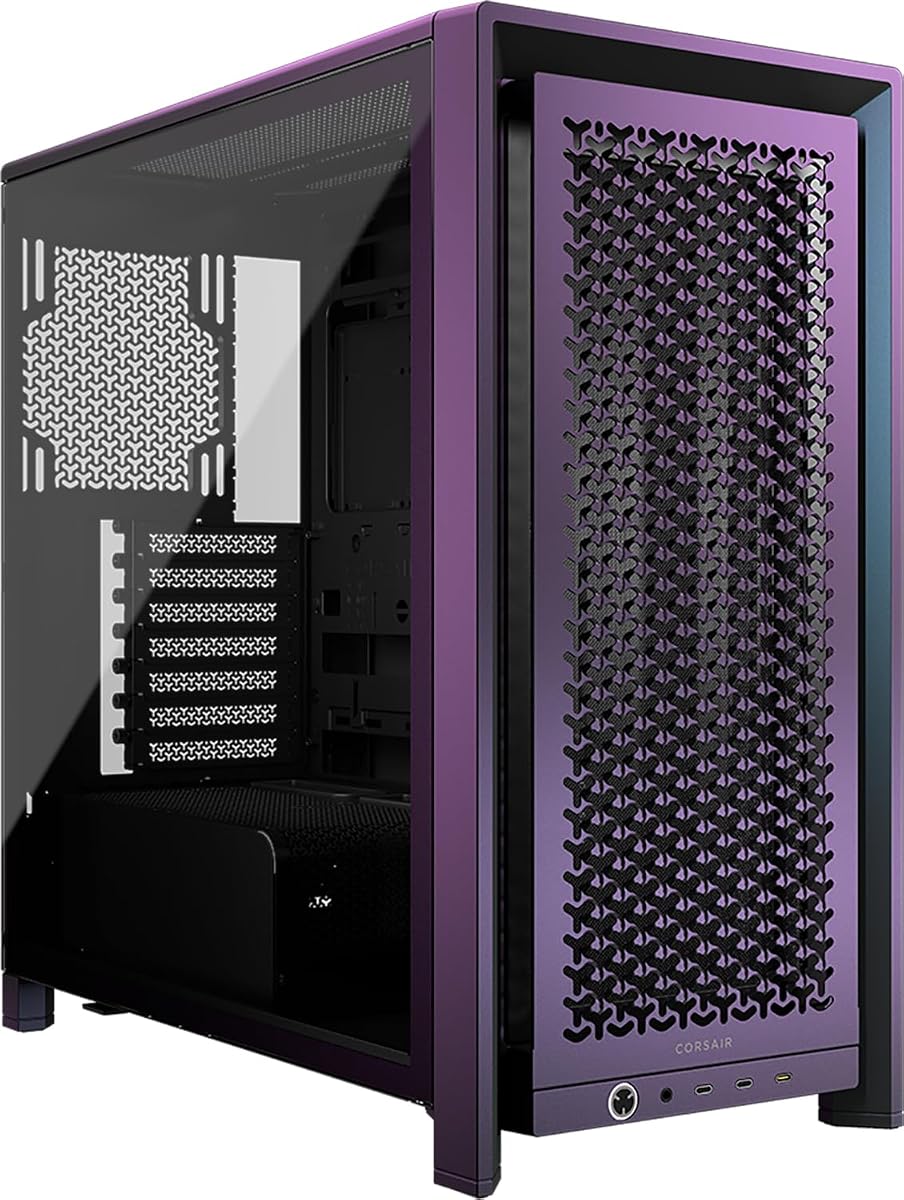
The CORSAIR Frame 4000D Vault Series features a Galaxy finish. It is a limited run of 1337 units. This showcases the FRAME modular system effectively.
We may earn a commission when you buy through this link, at no additional cost to you.
Dual 360mm radiator support provides next level cooling. InfiniRail ensures flexibility for fan placement. 3D Y-Pattern panel optimizes airflow.
It is rare and may cost more. But unique designs are hard to find. It offers premium performance.
Ideal for collectors. If you want a unique look, this is perfect. It balances exclusivity with cooling.
The FRAME 4000D enters the Vault. This inaugural release showcases the stunning Galaxy and Nova unique finishes in a strictly limited run.
Take your cooling to the next level with three mounting locations for 360mm radiators to keep cool air flowing in.
We may earn a commission when you buy through this link, at no additional cost to you.
Selecting a high airflow case requires checking key factors. These help ensure your system stays cool and looks good.
Mesh panels are essential for high airflow cases. They allow unrestricted air intake to the components. Look for fine mesh to balance airflow and dust filtering.
Always choose a case with at least one fully meshed side or front panel for maximum cooling potential.
Pre-installed fans save money and ensure proper setup. Larger fans like 140mm or 160mm move more air at lower noise. Check if the case includes top and rear fans too.
Aim for a case that comes with at least three high-quality fans to get started.
Ensure the case supports your motherboard form factor. High airflow cases often support E-ATX or ATX. This guarantees space for cooling systems and upgrades.
Verify compatibility before buying to avoid fit issues with your main board.
If you use liquid cooling, check radiator mount limits. Good cases support 360mm or 420mm radiators on top or front. This ensures your liquid loop gets enough airflow.
Prioritize cases with multiple radiator mounting locations for flexible cooling options.
Modern GPUs are long and wide. A high airflow case should support cards up to 400mm or more. This avoids bending cables or blocking airflow.
Always check the maximum GPU length specification for your current graphics card.
Clean cables improve airflow and aesthetics. Look for wide channels, hooks, and straps. These tools make routing easier and reduce air blockage.
Choose a case with ample routing space behind the motherboard tray.
Steel frames offer durability but add weight. Glass looks good but may restrict airflow if not balanced. Wood or unique materials add style but cost more.
A balanced mix of metal and mesh is best for long-term performance.
Positive pressure prevents dust. Cases with front and bottom intake fans and rear exhaust work best. This directs air through hot zones efficiently.
Check fan placement to ensure cold air reaches the GPU and CPU first.
Regularly clean mesh panels to prevent dust buildup. Use compressed air every few months. This keeps airflow unrestricted and performance high.
Arrange fans so cool air enters front and rear exhaust air exits. Follow airflow arrows to maintain positive pressure. This reduces dust inside the case.
Inspect cables periodically. Secure loose wires to avoid blocking vents. Proper cable management ensures heat escapes efficiently.
High airflow cases prevent overheating by moving air through components. This maintains performance during gaming or rendering. Overheating can reduce hardware lifespan.
Most high airflow cases come with fans. But you may add more for better cooling. Check fan slots to see how many fit comfortably.
Mesh panels allow more noise but cool better. Glass blocks sound but restricts air. Use silent fans to balance noise and performance.
Use compressed air to blow out dust. Remove the panel if possible for deep cleaning. Doing this every three months helps performance.
Yes, many support large radiators. Check mounting limits for your pump and radiator. Airflow helps cool liquid loops better than glass cases.
Mid-tower cases offer the best balance. They fit most hardware without being huge. Full towers give space but need larger desks.
These ten models deliver top cooling for modern builds. The MONTECH AIR 903 MAX leads in value and airflow. Others like the Antec Flux Pro excel in customization.
Prioritize mesh panels and fan count. Ensure your GPU fits with room for upgrades. A good case protects expensive parts from heat.
Prices change often. Check current details before buying. Find the perfect case for your next project today.